Invoicing
Invoices are created identically to the other project documents. Different types of invoices can be created directly from the project card in the Project Documents and Project Invoices tabs via Manage and New.
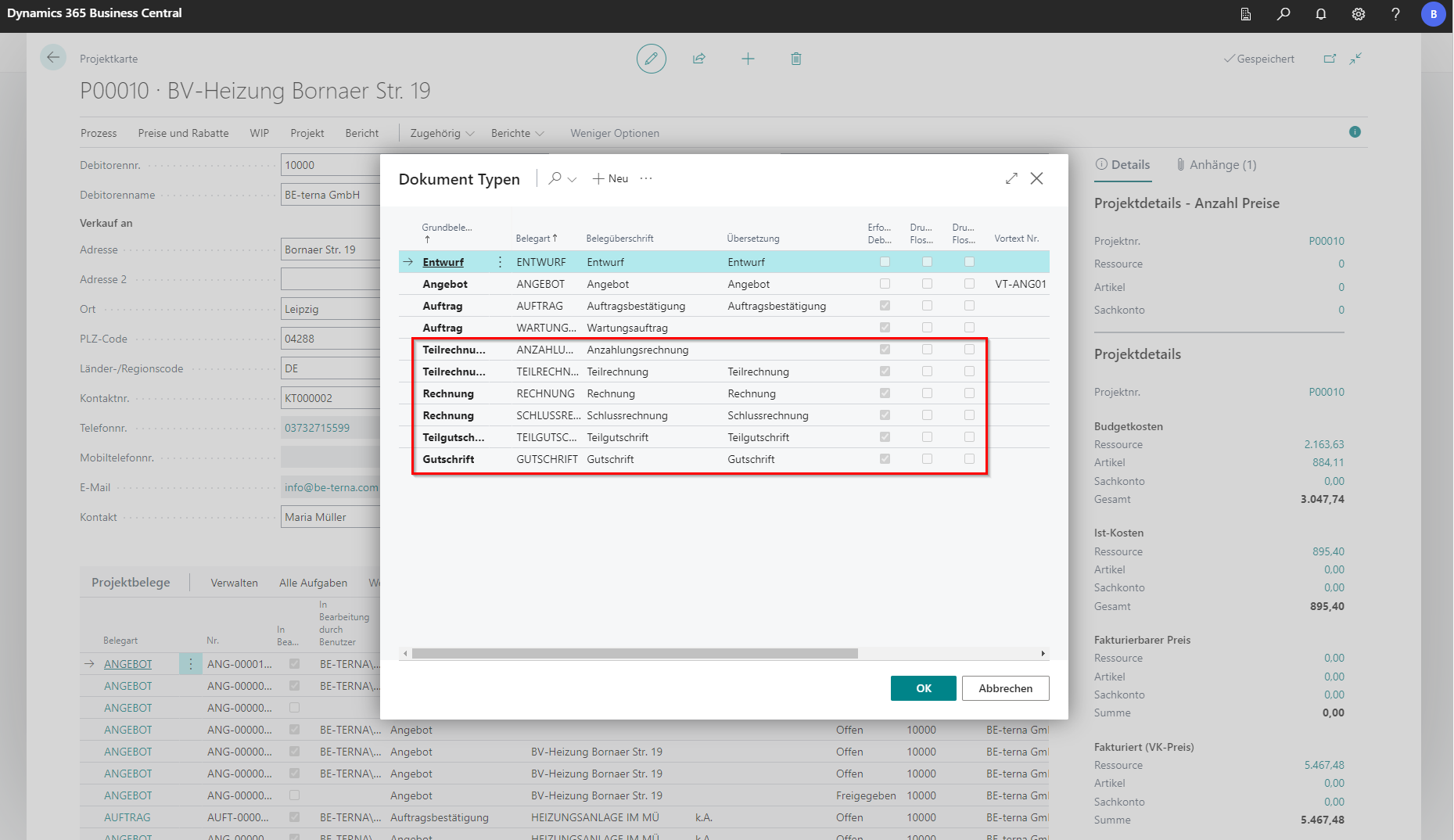
- Partial invoices as down payment invoice
- Partial invoices
- Invoices
- Final invoices
- Credits and
- Partial credits (preferably always non-cumulative)
Final invoices always refer to previous partial invoices. They are cumulative and complete a billing process. Invoices, on the other hand, have no previous partial invoices. So they cannot be cumulative and form their own billing process. An overview of all invoices can be found in the Project Cockpit under the Project Invoices tab. Whether a partial invoice is called partial invoice, partial invoice or invoice invoice, can be set in the document types.
Similarly, the [Copying a Project Document](/BE%2Dterna-Project-Documentation/Project Documents/Copy Project Document) function can be used to transfer individual items or the entire document to an invoice.
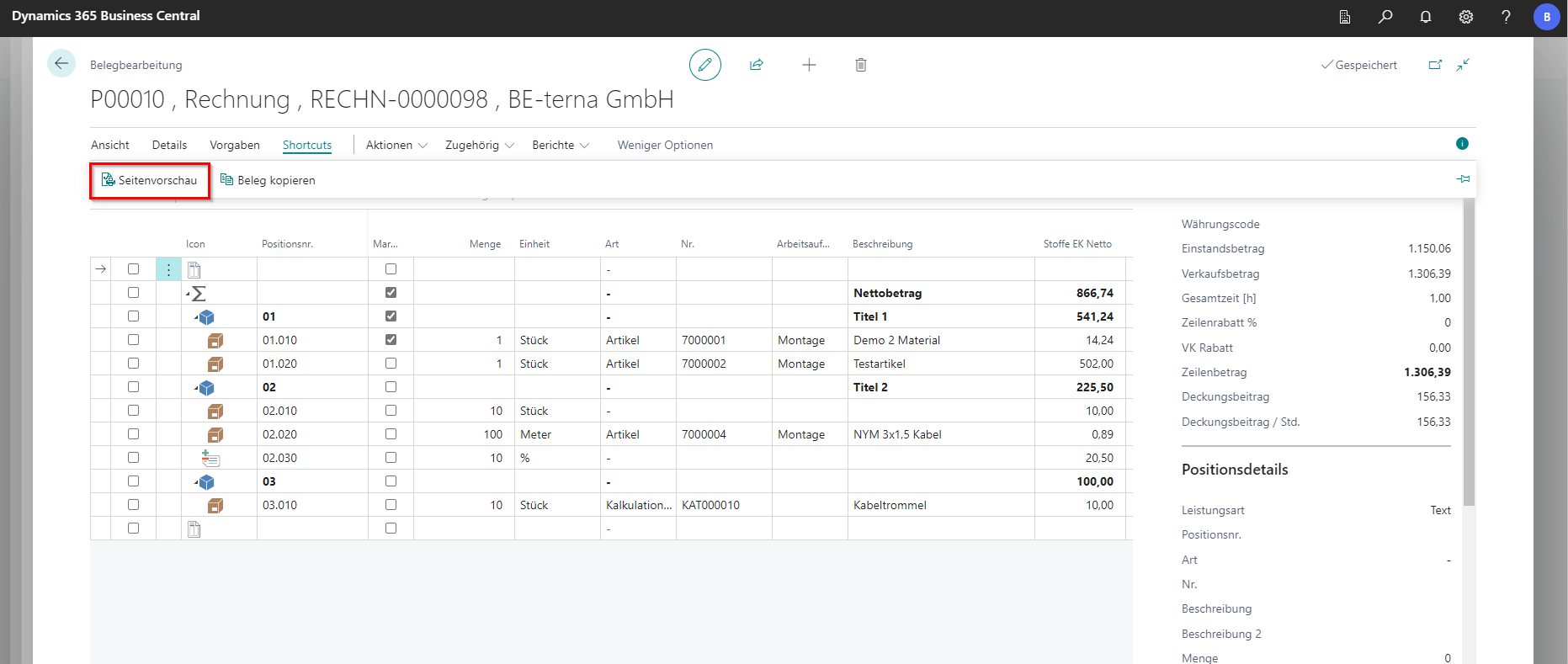
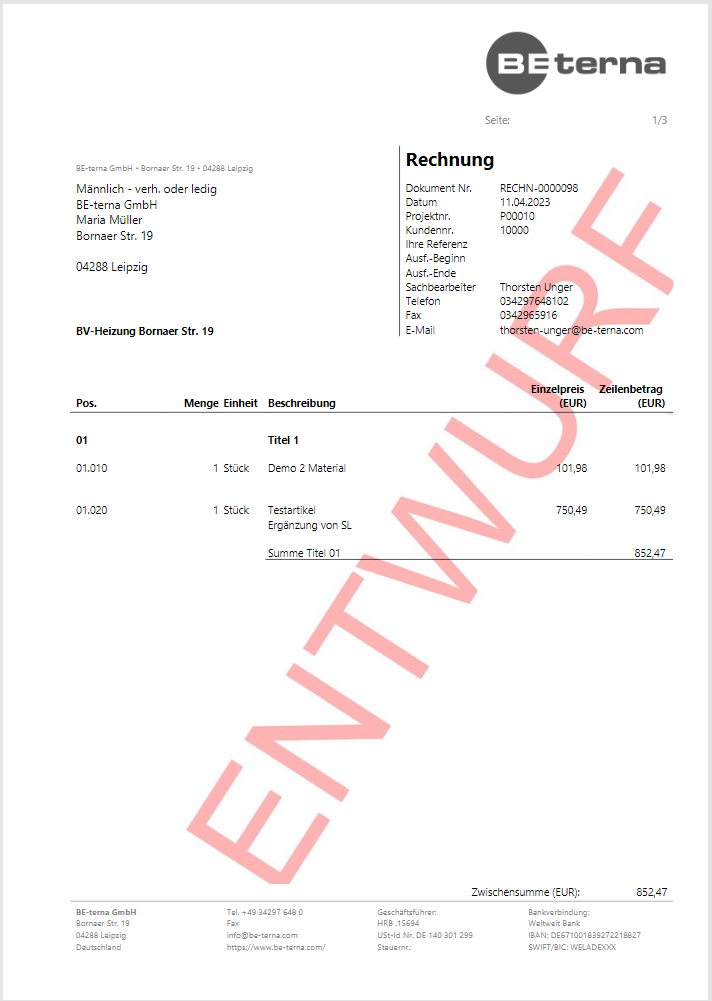
A draft of the invoice can be created and opened via Shortcuts and Page Preview.
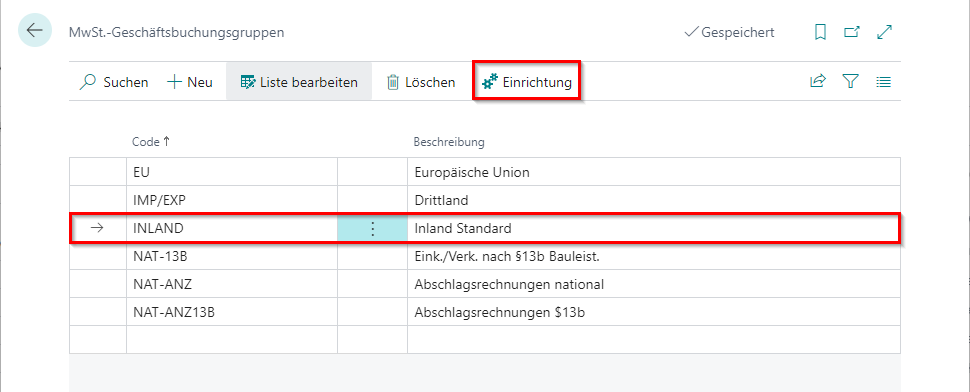
If you work with unrealized tax, you should make sure that the posting matrix is set up accordingly for partial invoices. In the setup of the business posting group, the intended goods sales and sales accounts should be stored at INLAND.
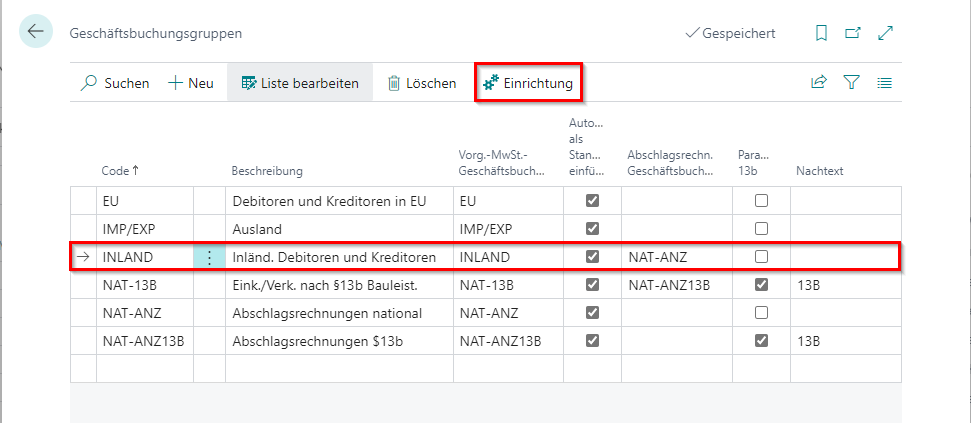 Click to enlarge
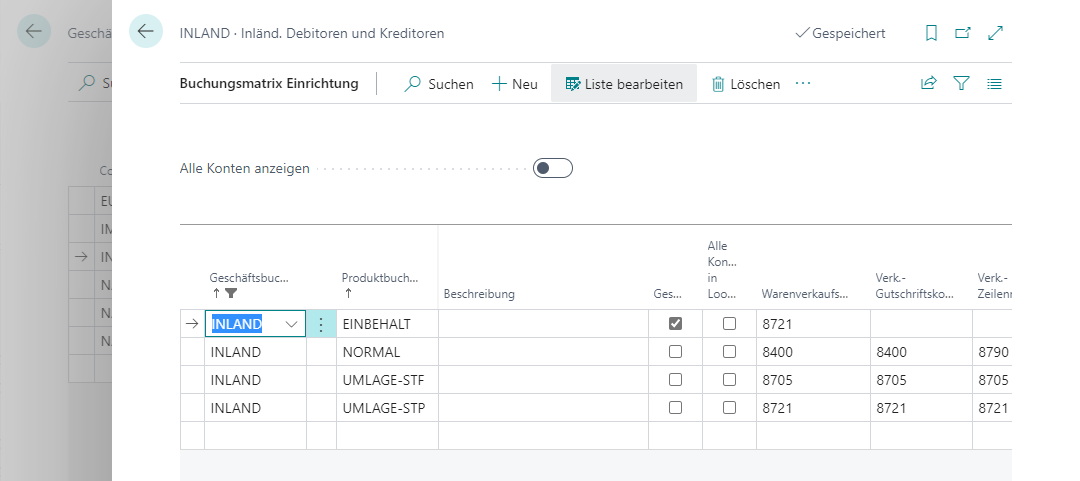 Click to enlarge
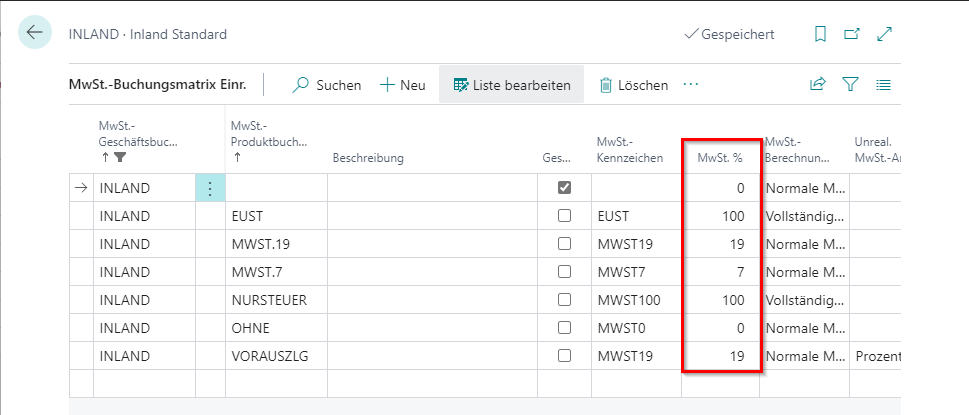
The same applies to taxes. In the VAT business posting group setup, the Percentage column must be filled in and the foreseen accounts must also be specified here.