Position Editing
The Project Document Line editor is available as an additional means of editing items. This can be opened by navigating to the desired position and then clicking on Edit in the FastTab and then on Edit. The editor offers various setting options.
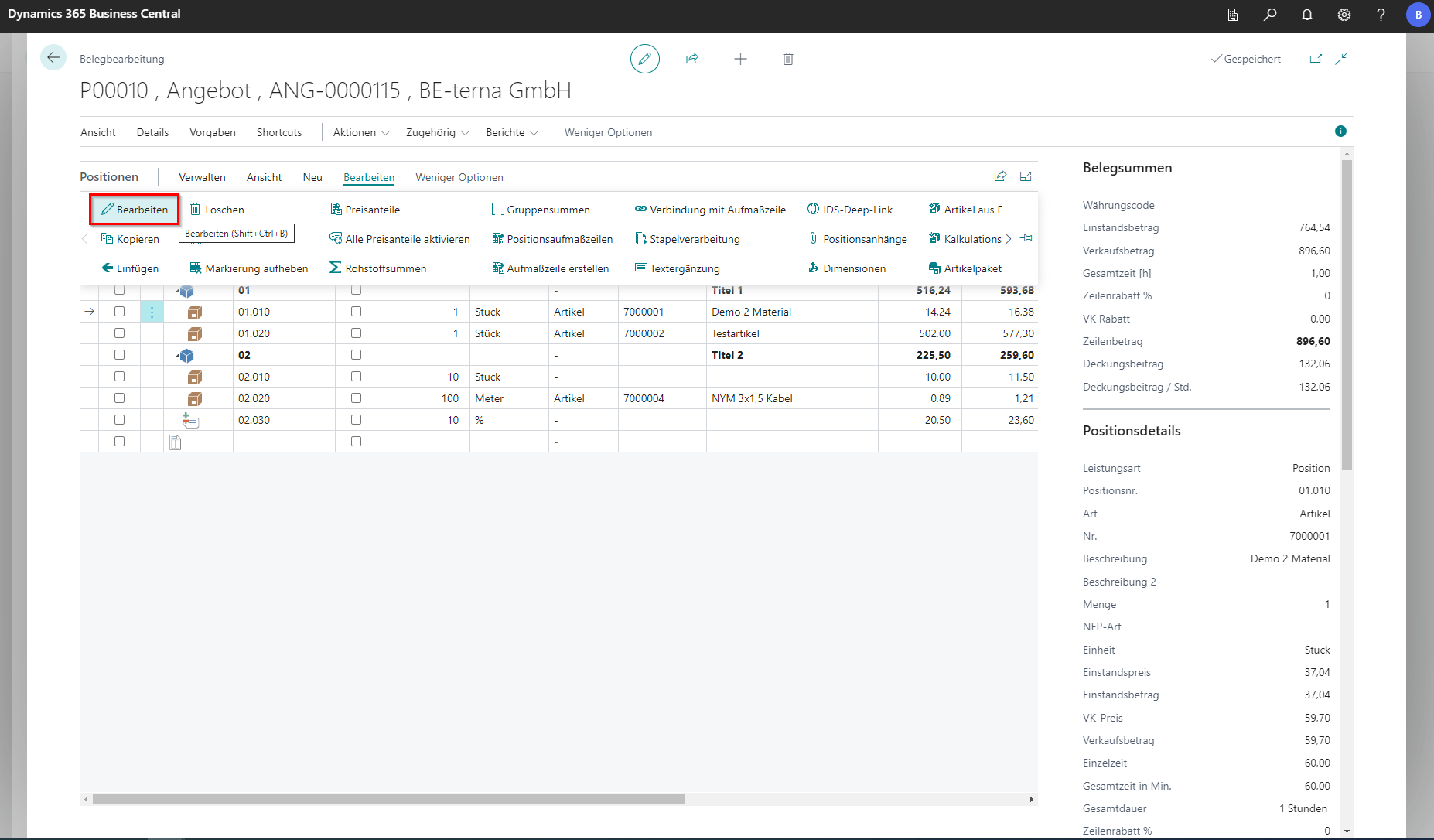 Click to enlarge
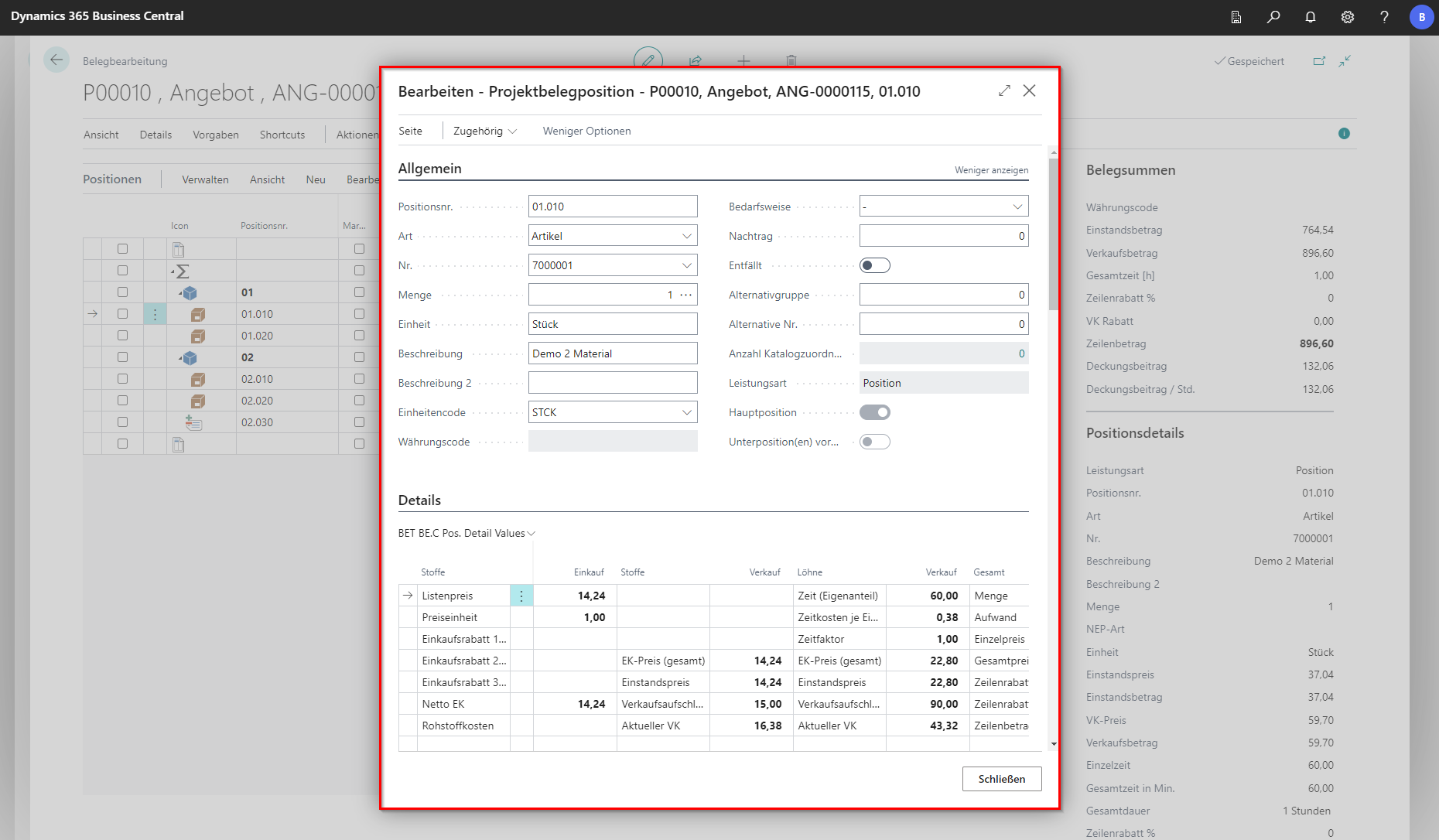 Click to enlarge
General
The General tab initially displays fields that can be found as columns in the bill of quantities. From the field As needed, new content is added.
| Field | Explanation |
|---|---|
| As needed | Choose between With total price and Without total price. These options mainly affect print output. In the bill of quantities, lines remain marked as such and can still be priced normally. Without total price marks the line as not included in the price and prints it as “As needed”. This line is not included in costing. |
| Omitted | Effectively removes the line from the bill of quantities. In the document, the line is printed with the label “Omitted” and excluded from costing. |
| Supplement | For supplementary offers, this number indicates which supplement it is. |
| Alternative group | Specifies which group the alternative belongs to. No plausibility check is performed in the background. |
| Alternative no. | Defines ordering within alternative groups. Number 0 is the currently used line. Number 1 is a replaceable alternative line. In the bill of quantities, it is shown only as an optional line. You can filter by alternative number and/or group in the document. |
Details
This section displays the location details. These include, for example
Description
| Field | Explanation |
|---|---|
| Short text | Enter a shortened description with the essential characteristics of the line. |
| Long text | Enter a comprehensive or detailed description of the item or sub-item. |
Prices
The Prices tab takes prices and amounts from the bill of quantities.
| Field | Explanation |
|---|---|
| Disable unit-price rounding | Indicates whether unit-price rounding is disabled for this line. |
| Line discount % | Enter a percentage discount for the whole line. Calculated automatically if the sales discount amount is entered. |
| Sales discount | Enter an absolute line discount amount. Calculated automatically if the line discount percentage is entered. |
| Fixed cost price | Indicates whether the cost price is fixed. |
| Fixed sales price | Indicates whether the sales price is fixed. |
Invoicing
| Field | Explanation |
|---|---|
| Business posting group | Specifies the business posting group for the line. |
| Product posting group | Specifies the product posting group for the line. |
| VAT business posting group | Specifies the VAT business posting group for the line. |
| VAT product posting group | Specifies the VAT product posting group for the line. |
| Cost center code | Specifies the cost center for the line. |
| Cost object code | Specifies the cost object for the line. |
| Field | Explanation |
|---|---|
| Print on new page | Indicates whether the line is printed on a new page. |
| Line break before line | Inserts a blank line between lines. |
| Print child elements | Indicates whether sub-lines are printed. |
| Placeholder in text | Prints placeholders in short/long text. |
| Variable text control | Controls text output for line printing (short text/long text or short + long text). |
GAEB
| Field | Explanation |
|---|---|
| GAEB open quantity | For such lines, quantity must be defined by the bidder and offered together with the bid price. |
| GAEB unit price shares 1-6 | Shows the values of unit-price shares per line according to tender shares. |
| Hourly service line | Marks a line as labor/service; this value must use hours as unit. |
| Unit-price breakdown | Defines whether calculated price shares are exported separately. |
| Key position | Marks positions with special impact on the bill of quantities or its value. |
Surcharge Items
Surcharge items are items that add an amount to the corresponding item. Surcharge items can have different types. In the simplest case, it is a percentage surcharge. The surcharge types can be set up via Edit.
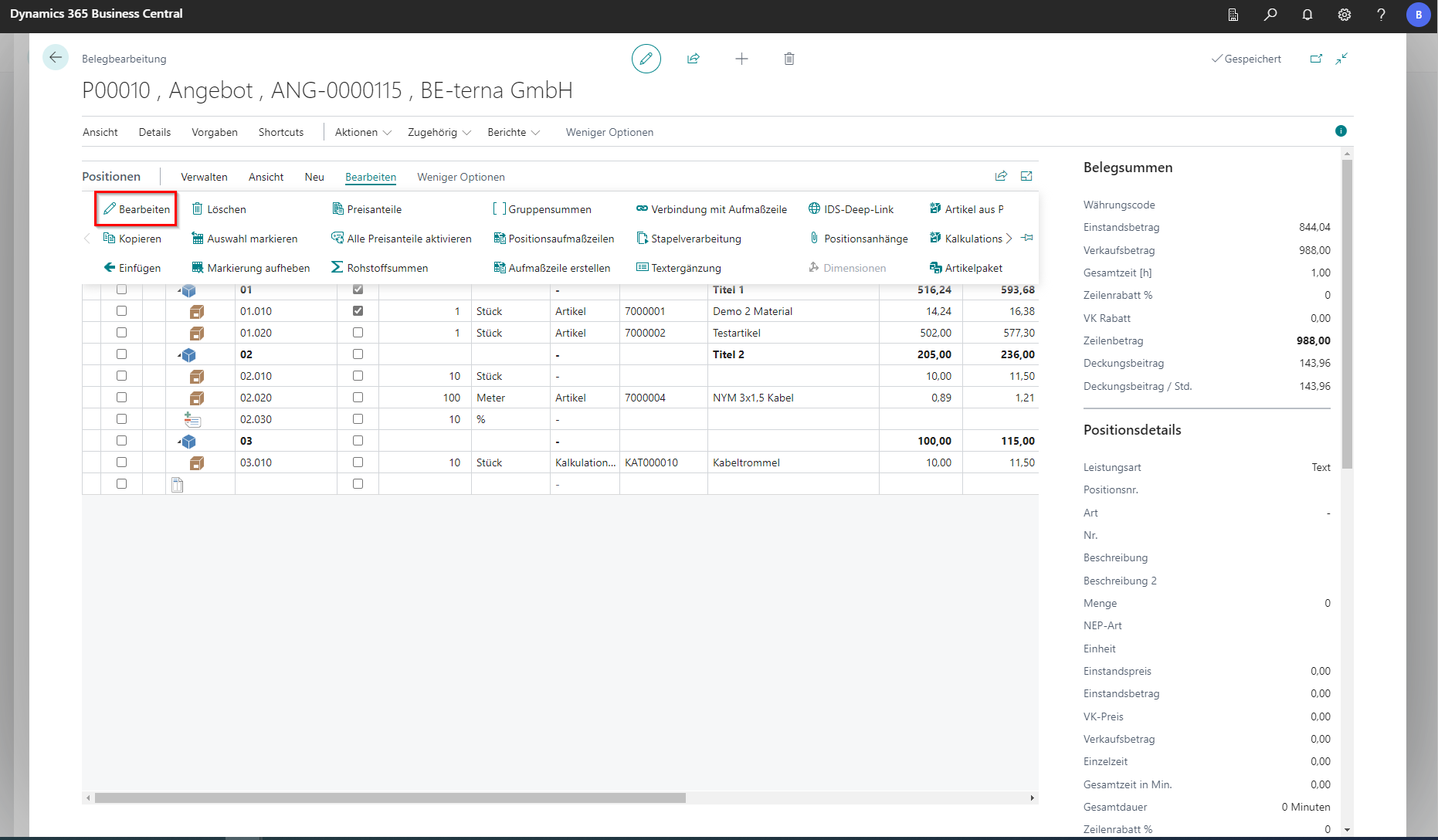 Click to enlarge
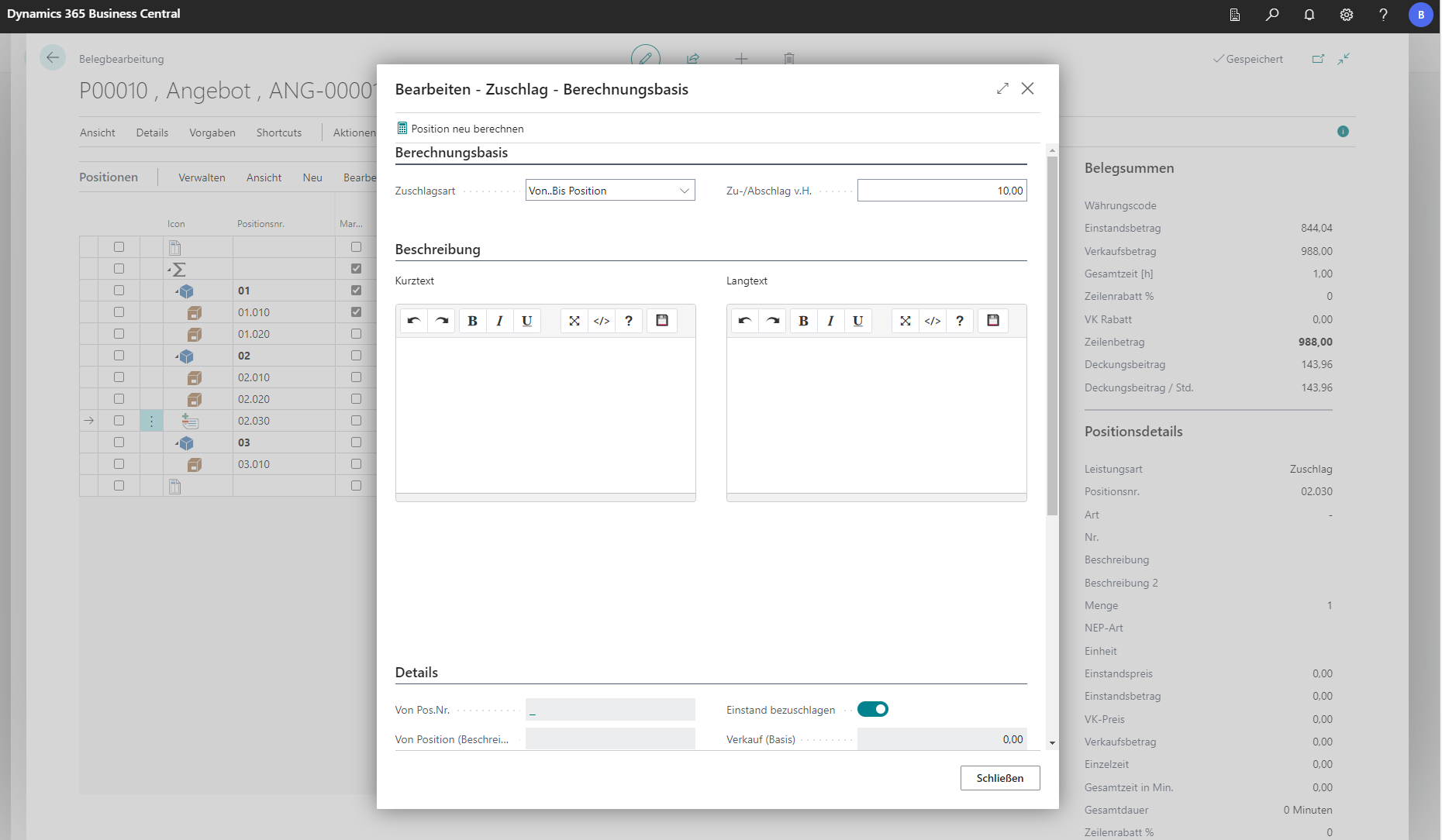 Click to enlarge
| Surcharge type | Explanation |
|---|---|
| From start of section | Applies surcharge to lines from the start of the title, without considering other surcharge lines in that title. |
| From previous surcharge | Applies surcharge to lines up to the surcharge line above when another surcharge line is inserted in the same title. |
| From…to line | Within a title, select the range of lines to which surcharge should be applied. |
| Same as previous surcharge | Uses the calculation basis of the previous surcharge and applies a separate percentage surcharge. |
| Line list from sum buffer | Sum buffers are typically provided and contain cross-title lines to which surcharge is applied. |
Price shares
[Price shares](/BE%2Dterna-Project-Documentation/Costing/Price Shares) are partial costs and divide the unit price according to the cost types that cause it. As standard, these are wages, fabrics, equipment and other costs. A more detailed explanation will be provided in further chapters of this documentation.