Demoscopic Query
Defines questions, answers, priorities, and activation for demoscopic queries in POS Core.
Demoscopic queries are shown at the end of the receipt. It can be used to ask statistical answer options. The setup is done under Setup → Demoscopic Query.
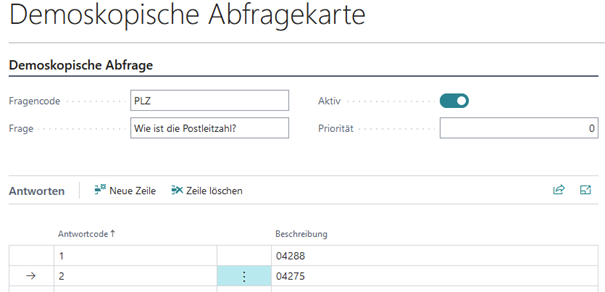
Click New to create a new query. Enter the question code and the question text. If several queries exist, the priority can be used to control the order in which they appear. The query must be activated. This is possible only if at least one answer has been entered.
Under Assignment → Demoscopic Query you can control at which cash register it may be used.
The results can be viewed under Demoscopic Results.
| Field | Description |
|---|---|
| Question Code | Code for the query |
| Question | Question text displayed in the query |
| Active | Activates the query |
| Priority | Controls the order of the queries |