DATANORM Download with the help of Open Connect
ITEK-GmbH provides the directory services Arge Neue Medien, SHK Connect and Open Connect. These directory services try to reduce the variety of variants of data exchange procedures on the provider side to a few different ones. The participating manufacturers and wholesalers will provide information on an optionally supported IDS interface as well as links to the article catalogue in DATANORM format.
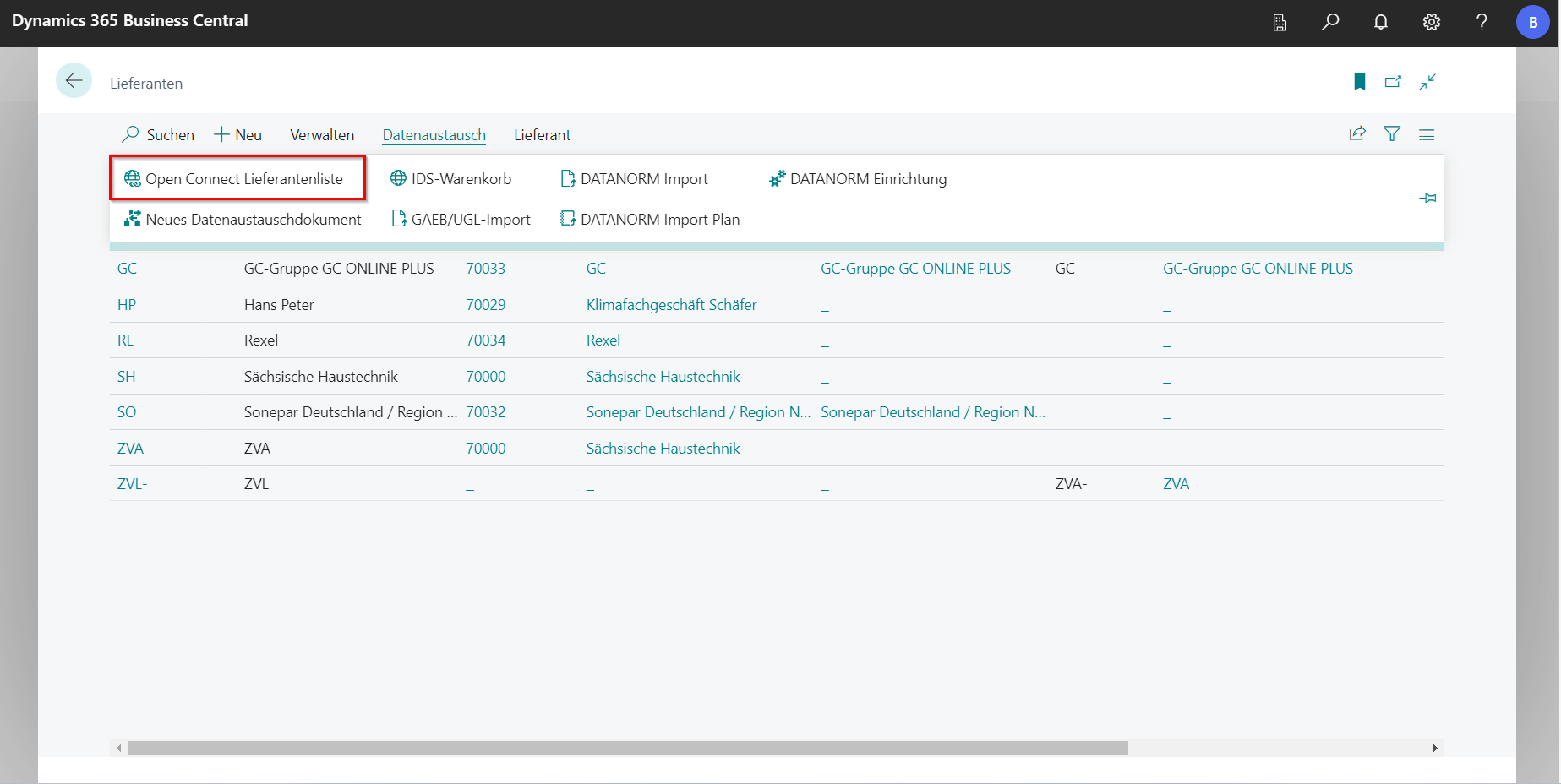
In the supplier master data, the Open Connect Lieferantenliste with all participants can be found in the navigation menu under Data Exchange.
 Click to enlarge
 Click to enlarge
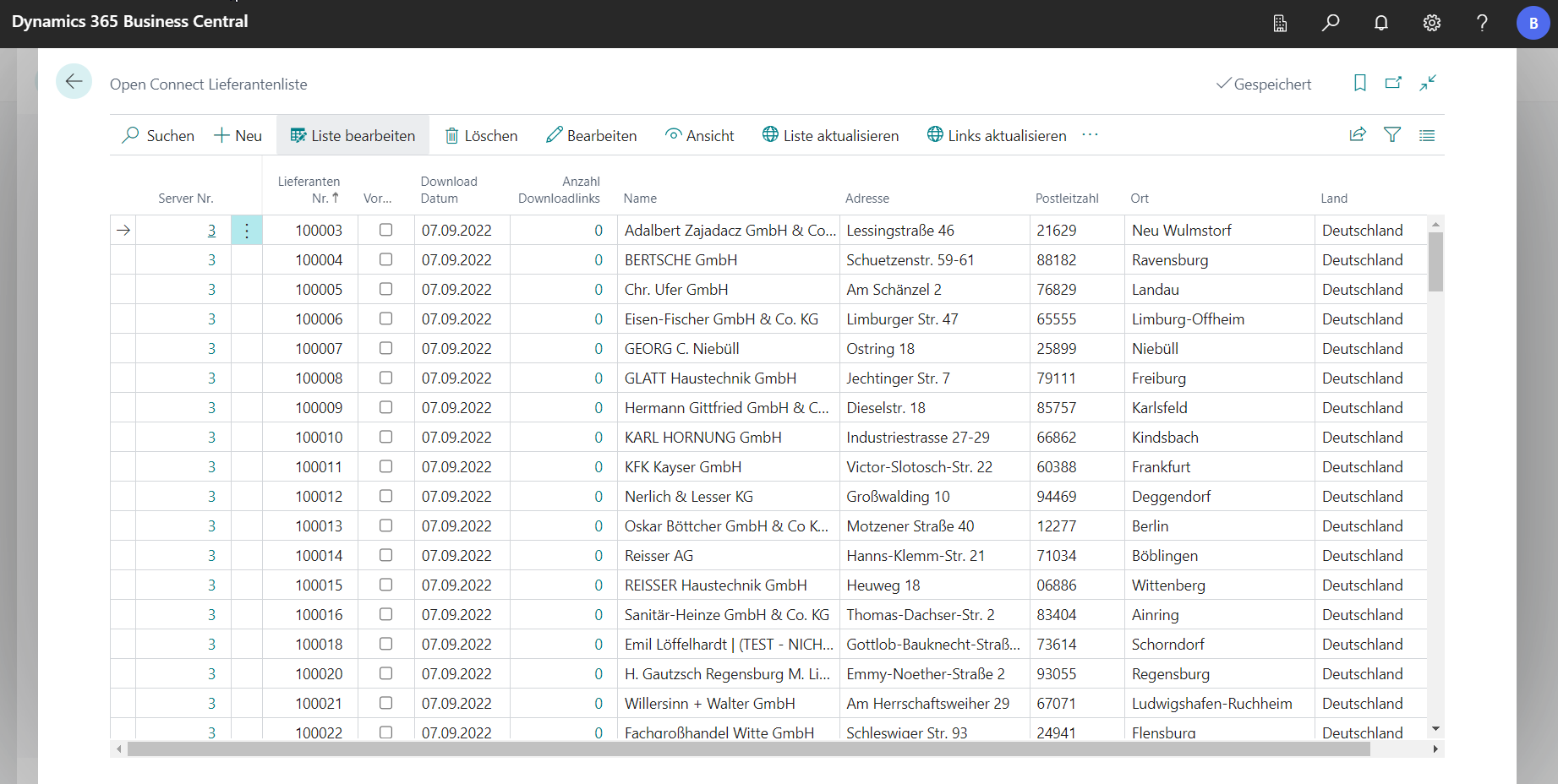
Updating synchronizes the database with the services. It should be noted that eliminated participants are not automatically deleted. You can recognize them by the fact that the Download Date field does not contain the value of the last update day. In order to be able to filter the selection more easily later, the data records of interest must be marked with the tick in the Reserved field.
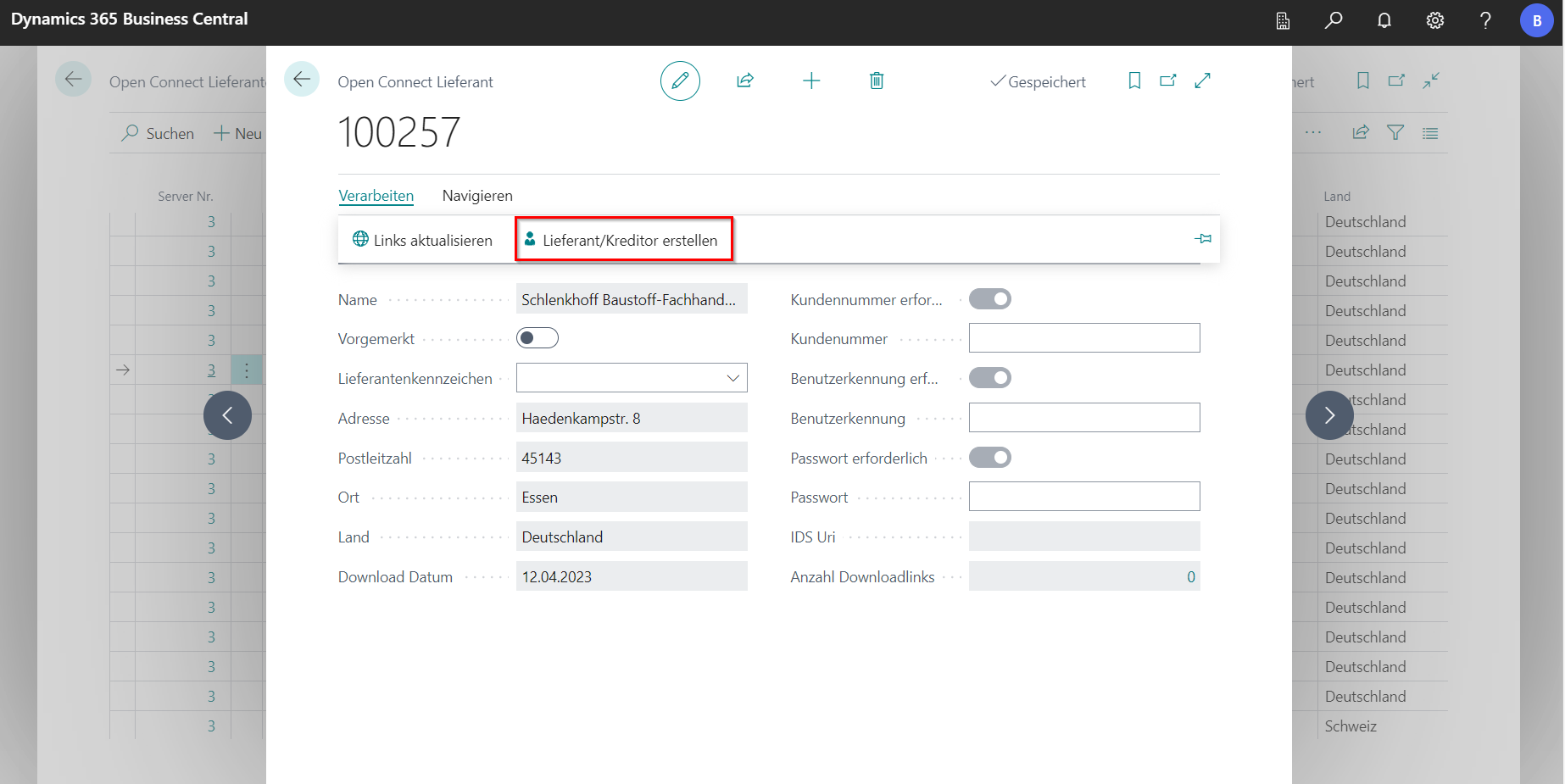
After clicking on Edit, you will be taken to the data sheet of the marked Open Connect supplier. The Links aktualisieren button can be used to query the available download information from the directory service. Beforehand, the customer number, user ID and password should be entered in the corresponding fields. If necessary, you will receive the access data from the supplier.
The URL is then updated, under which the participant’s WEB shop can be reached via the IDS interface. It also updates the list of available downloads. Not every participant provides all functions in full. If anything is unclear, you should first contact the supplier.
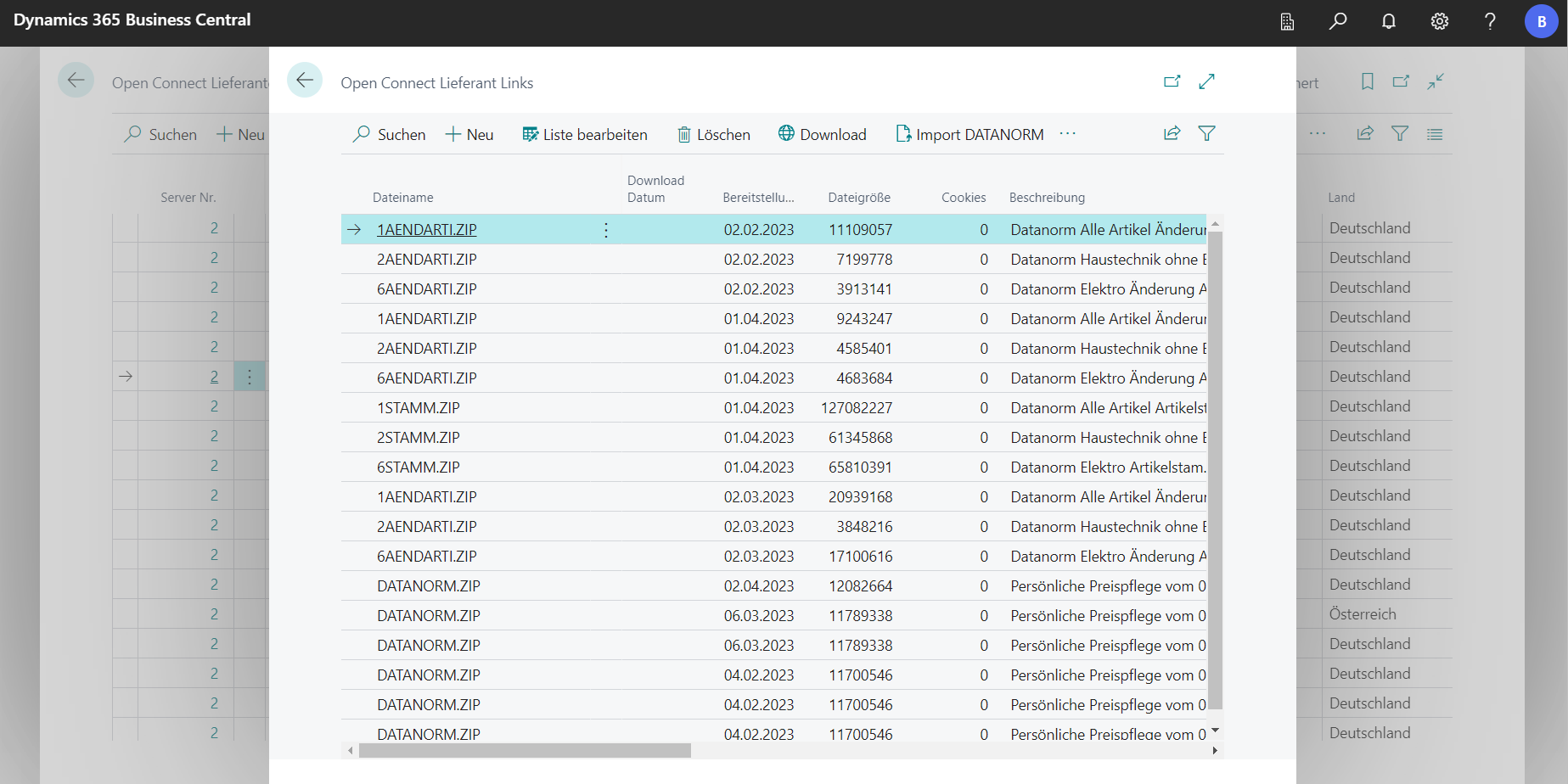
Clicking on the number in the Number of download links field opens the overview of the available downloads of the respective supplier. From the download overview, you can communicate directly with the participant’s server. Several entries can be marked and either saved on the workstation or read in directly as DATANORM. If the download has not been carried out before, it will then take place automatically.
A supplier can be selected from the list or card of the Open Connect supplier and the corresponding data can be transferred to your own master data in order to create a new supplier and vendor.