Measurement Entry Matrix
For cases where you are working with several locations and associated sublocations, it makes sense to use the measurement entry matrix.
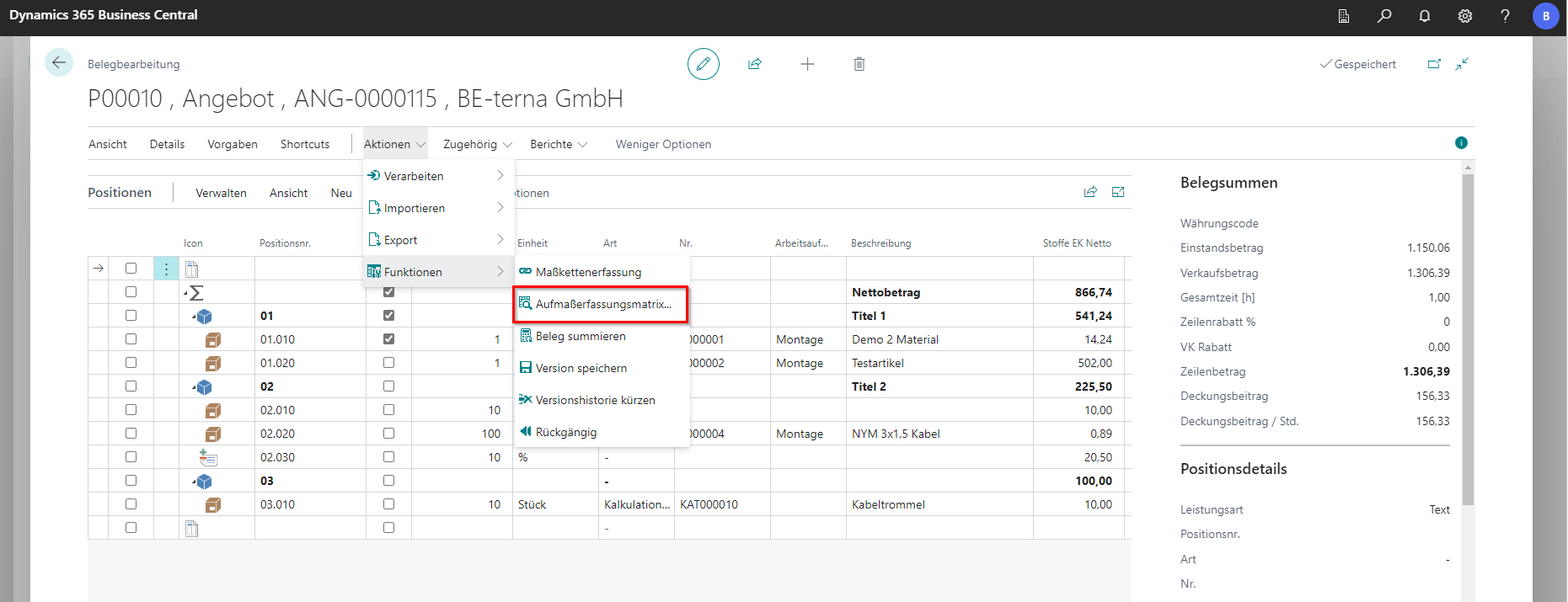
This function makes it possible to record a measurement in matrix form. It can be found in document processing under Actions under Functions and Aufma ß erfassungsmatrix….
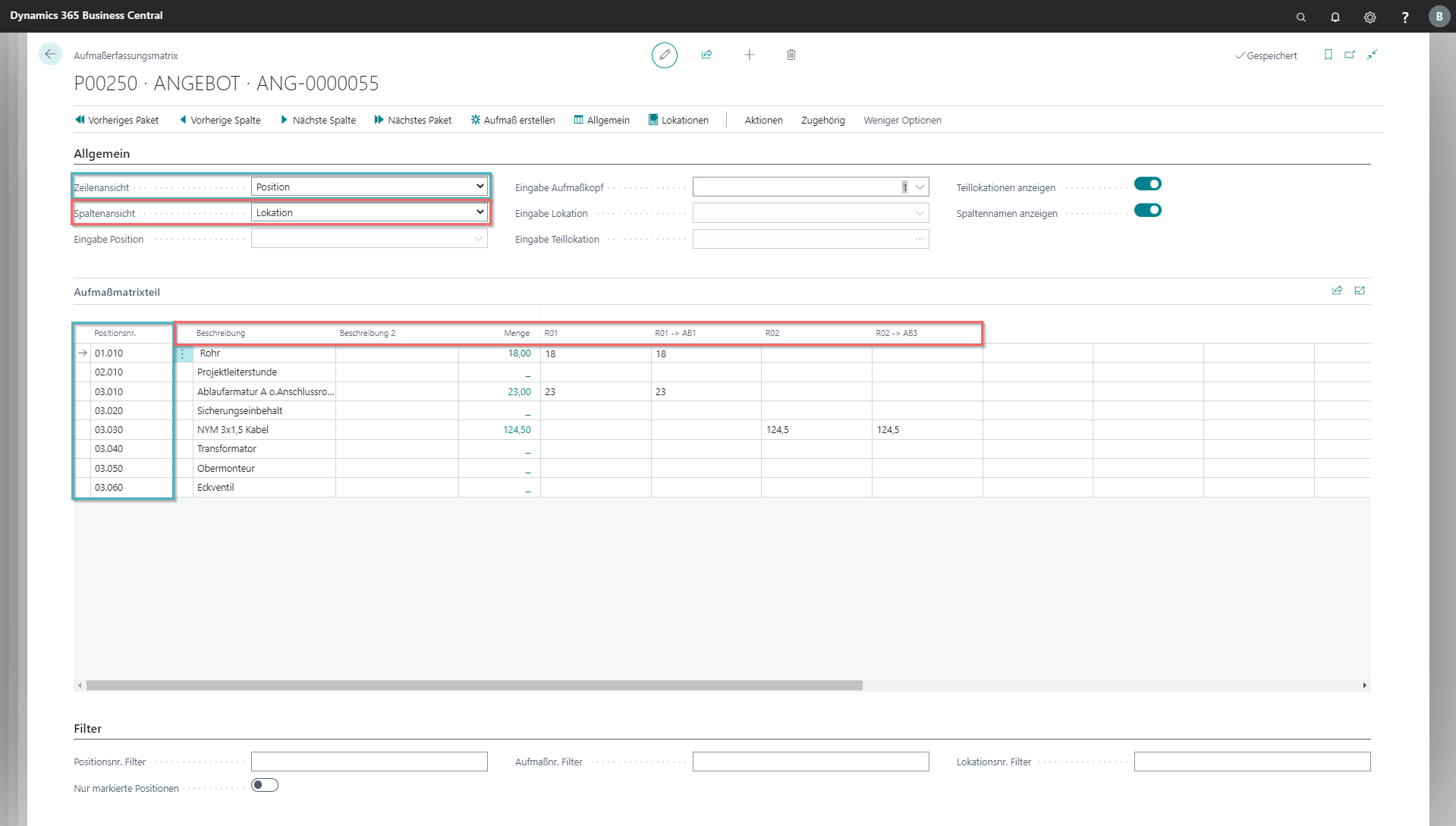
In the General tab, the specifications for filter criteria are set to row and column view and you select the location and sublocation or measurement number depending on the selected view. In this way, the matrix enables measurements to be recorded in two dimensions. In addition, you can specify whether sublocations should be displayed and whether the number or name should be displayed as a column heading. In the case of an extensive list of services, the items can be filtered for clarity.
A new measurement head is created via Create Measurement.
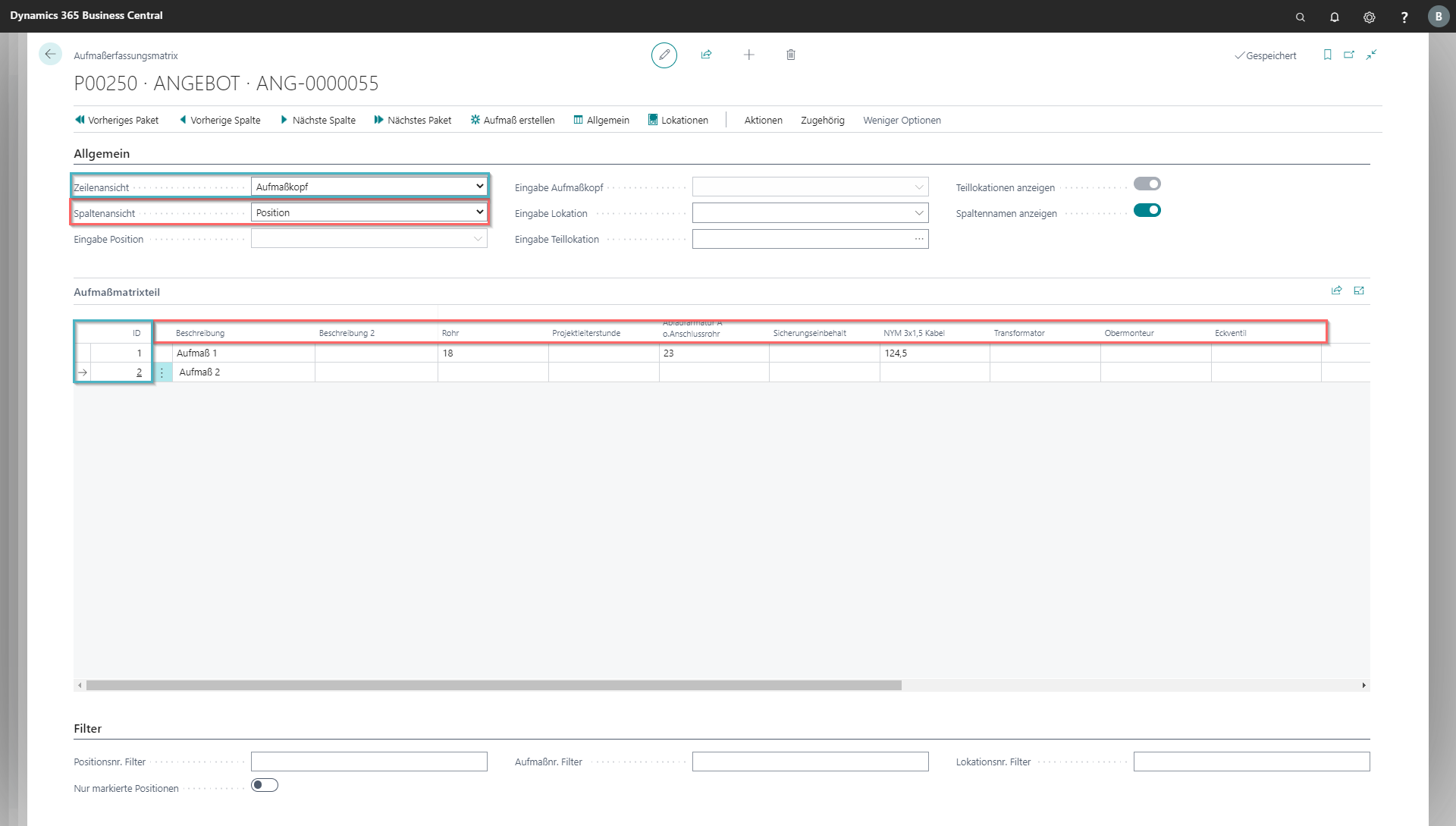
The values or formulas that are to be measured must be inserted into the matrix in the desired row and column.