Specifications
The tabs under Details will be discussed in more detail later in the [Calculation](/BE%2Dterna Project Documentation/Calculation).
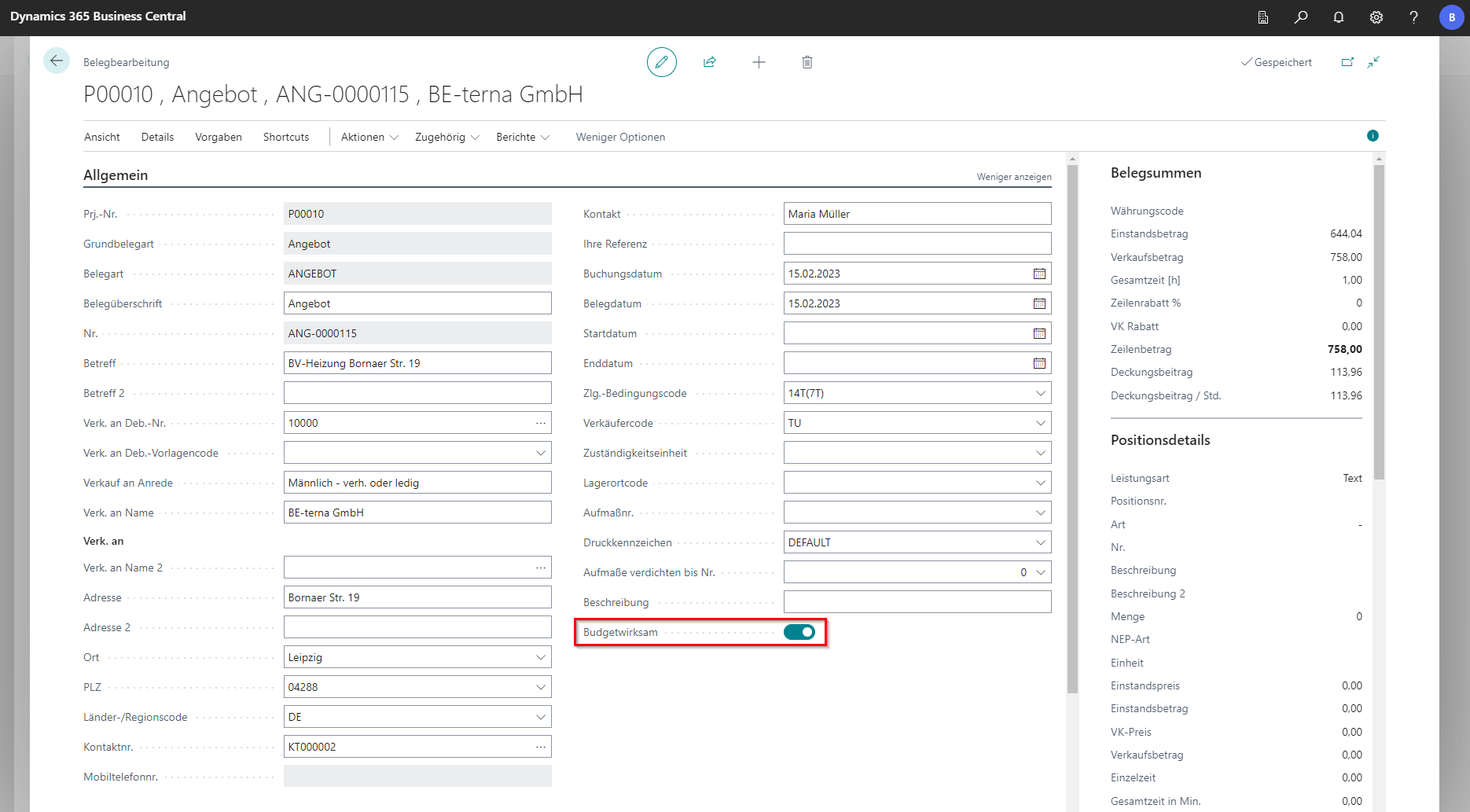
General
In the General tab, master data of the project is stored and basic settings can be made. The majority of the fields have already been covered in the project map, which is why we will not take a closer look at them at this point. If the Budget-effective field is selected, the amounts from the document are included in the statistics in the Debit area. This is pre-assigned for orders. However, it can be manually disabled or enabled for other receipts.
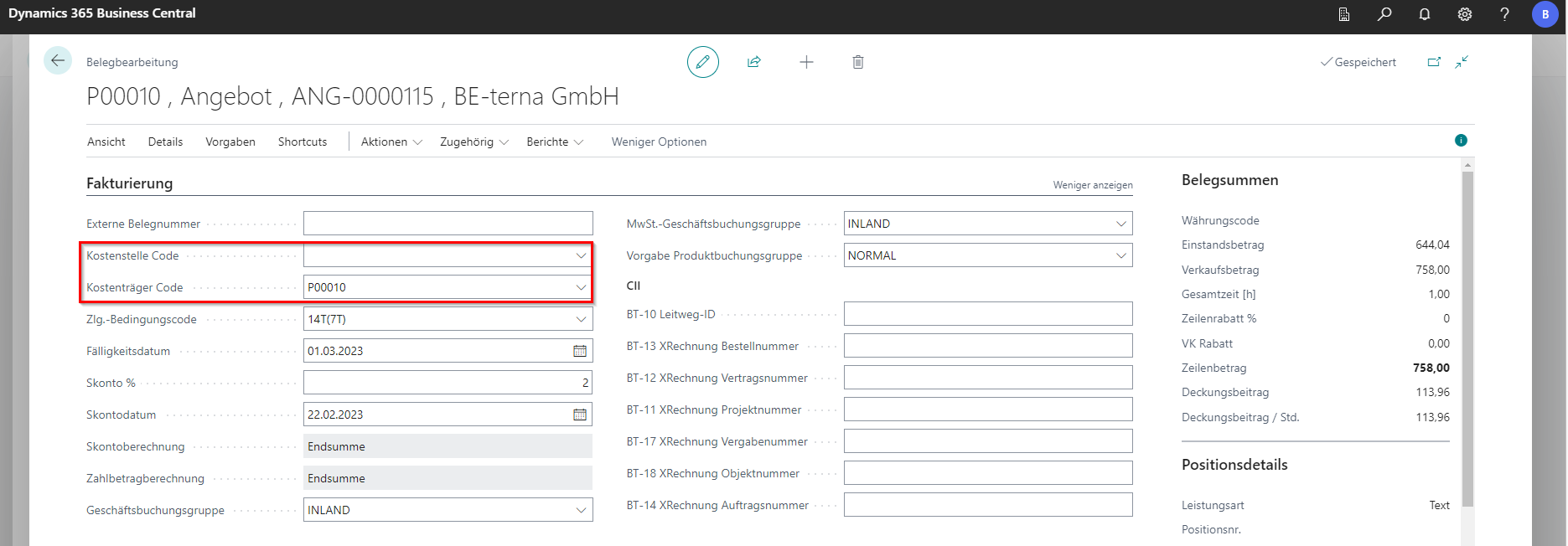
Invoicing
In the Invoicing tab, data regarding the invoicing of the opened document can be set. Most of the data is entered automatically when the document is created. At this point, the cost object code and the cost center code can also be selected. In the industry solution BE-Project, the project number is entered by default in the Cost Object field. Other settings in this regard can be made in the BE-Project facility under project number as cost object. It is also possible to set the cost object to another project, although the document remains assigned to the current project. Both fields are not mandatory.
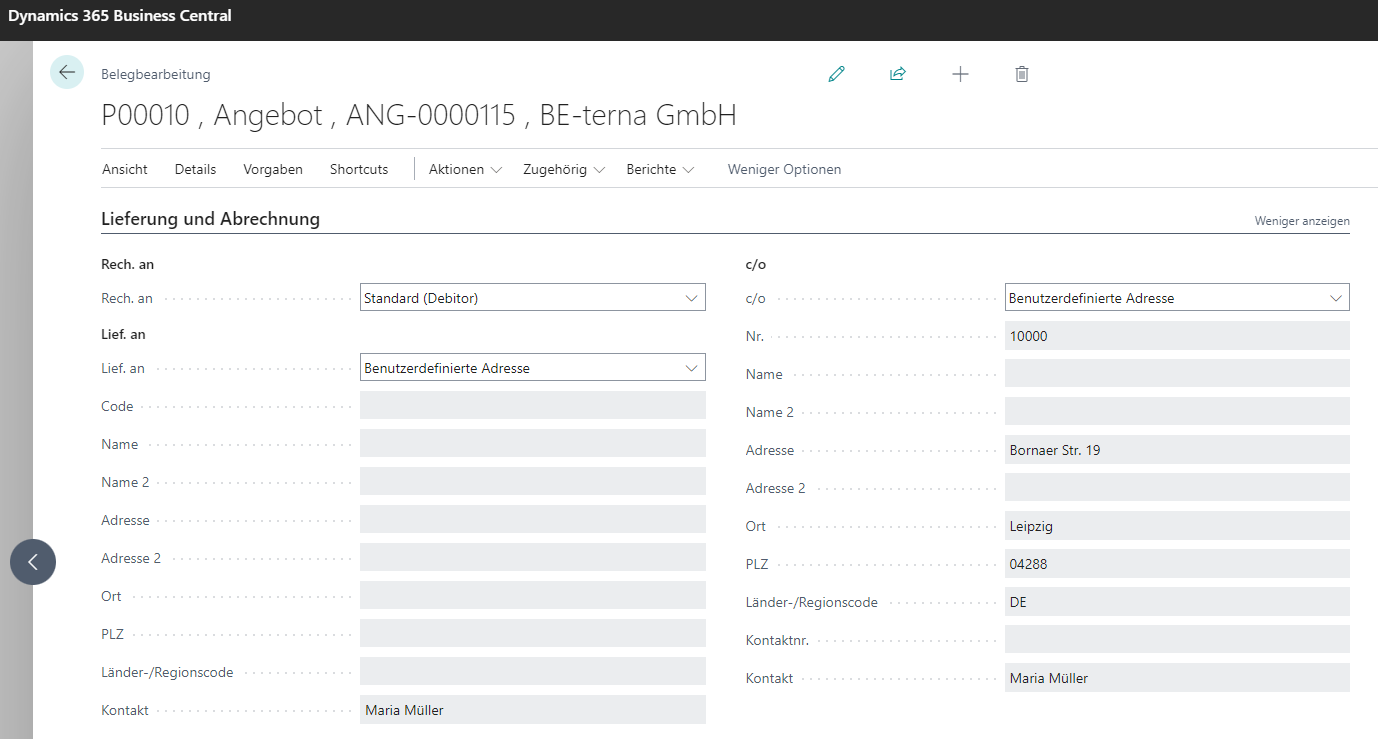
Delivery and Billing
In the Delivery and Billing tab, the location to which the items are to be delivered is stored. The fields inherit the values from the default settings on the customer and the project.
Specifications
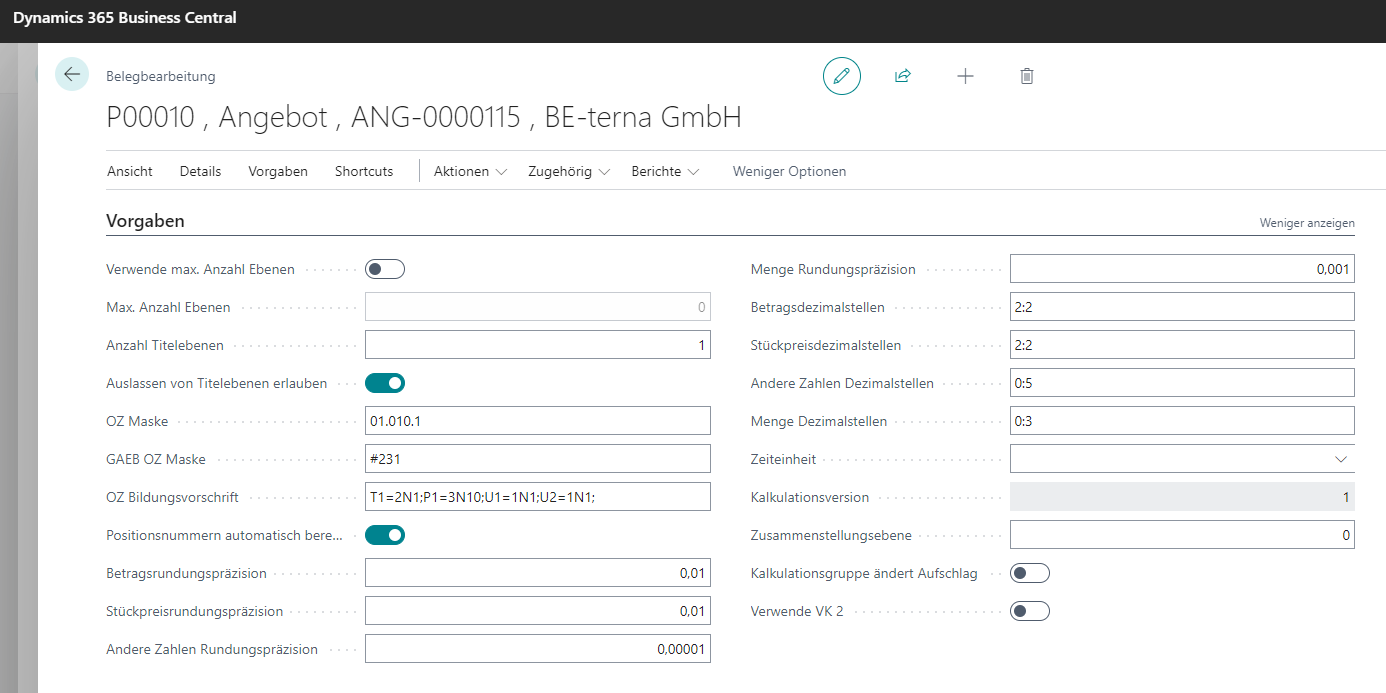
This is where the basic settings for the bill of quantities are set up. The structure is based on the GAEB format (tree structure).
| Field | Explanation |
|---|---|
| Number of title levels | Defines the depth of the tree structure for the document. Must be set beforehand. |
| OZ mask | Refers to outline numbering in the bill of quantities mask. Depending on this setting, numbering is assigned in the bill of quantities for the document being created. |
| GAEB OZ mask | Defines how many digits each GAEB number part should use. In the default setting 231, the title gets two digits, the position three, and subpositions one. |
| Auto-calculate position numbers | Enables automatic calculation of position numbers when a new position is added. |
| Rounding precisions | Defines the decimal place to which values are rounded. |
| Decimal Place Fields | Specifies the number of places to appear after the decimal point. The first number is the minimum number, the second is the maximum number. If an amount has fewer decimal places than the minimum value, these are filled with zeros until the minimum value of the decimal places is reached. The maximum value limits the number of decimal places. A rounded value is displayed at this point. It is not possible to manually enter additional decimal places in the field. However, the value in the database can be with more decimal places and is therefore more accurate. The respective rounding precisions must be taken into account. |
Foreign trade

| Field | Explanation |
|---|---|
| Currency code | Select a foreign currency via lookup. The exchange factor is derived from the currency code and cannot be edited. |
| Language code | Translates item texts and text positions according to master data using the selected language code from lookup. |
| VAT ID no. | Specifies the VAT identification number. |
Maintenance and service
When a maintenance order is created for an asset in the maintenance module, a BE-Project document is also created. This BE-Project document is then linked to the created maintenance order. Some fields can be filled in from the BE-Project document as well as from the maintenance module.

| Field | Explanation |
|---|---|
| Maint. object | Specifies the maintenance object. |
| Maint. installation | Specifies the maintenance installation. |
| Maintenance no. | Specifies the maintenance order number. |
| Date | Specifies the maintenance date. |
| Time | Specifies the time planned for maintenance. |
| Technician | Specifies the maintenance technician. The technician is stored as a resource in master data. |
| Duration h | Specifies the planned duration for the maintenance process. |
| Posted service shipment no. | Select a posted service shipment number for the maintenance order via lookup. |
| Service order no. | Specifies the service order number. |
“Wait. object”, “Wart. Asset” and “Maintenance No.” are automatically filled in to link the BE-Project document and the maintenance order.
“Date”, “Time”, “Fitter” and “Appointment duration h” can be maintained both from the maintenance module itself and from the document.