Reverse project invoice
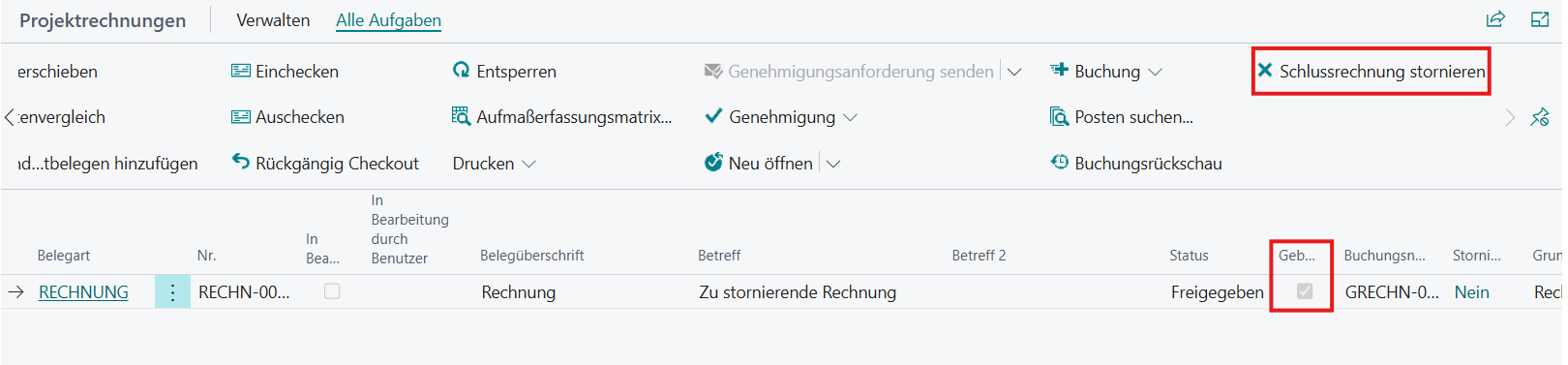
A posted project invoice can be cancelled on the project card in the Project Invoices area by calling the Cancel Final Invoice action in the All Tasks area.
View of project invoices on the project map:
 Click to enlarge
Procedure:
When the action is called, a credit note is created and matched with the invoice, after which the invoice is canceled. In addition, the project voucher wizard is opened to create a corrected invoice document.
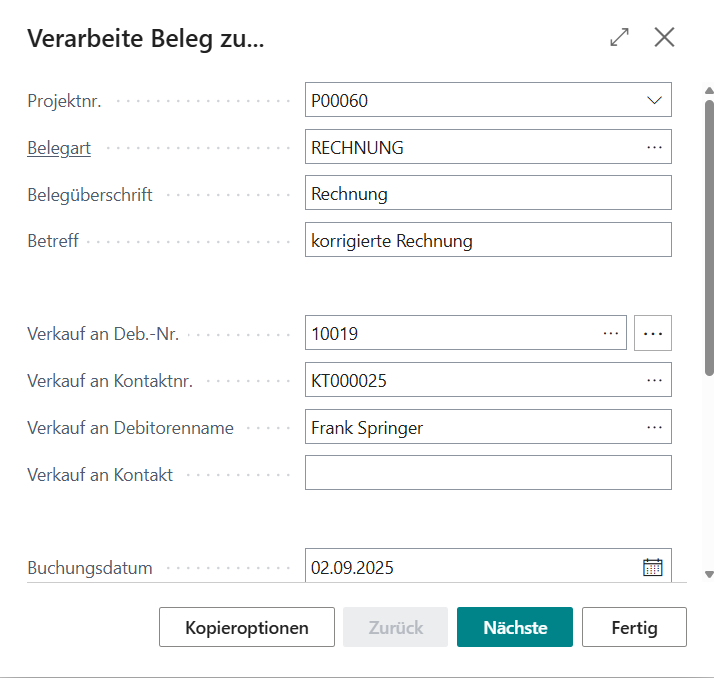
If the wizard is canceled, only the credit note is created. If you continue the wizard, the correction invoice can be edited freely.
Final Result:
 Click to enlarge
The generated credit memo is still unposted after completion of the action in the BE-terna Project Standard and must be posted manually if required.