Overhead Costs in the Document
Brief context for Overhead Costs in the Document in BE-terna Project.
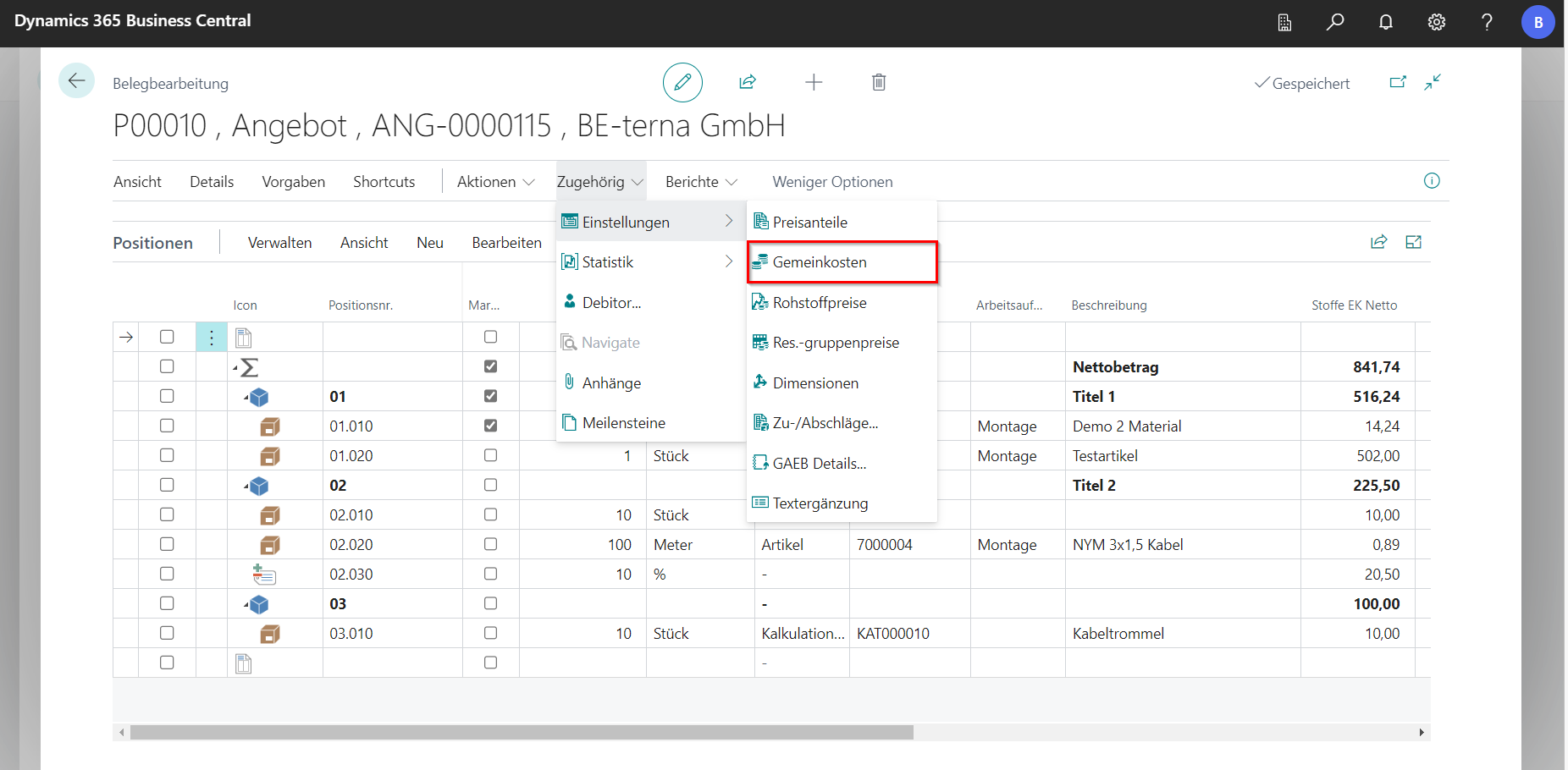
Site-specific overhead costs can be stored in a bill of quantities in the navigation menu under Related in Settings.
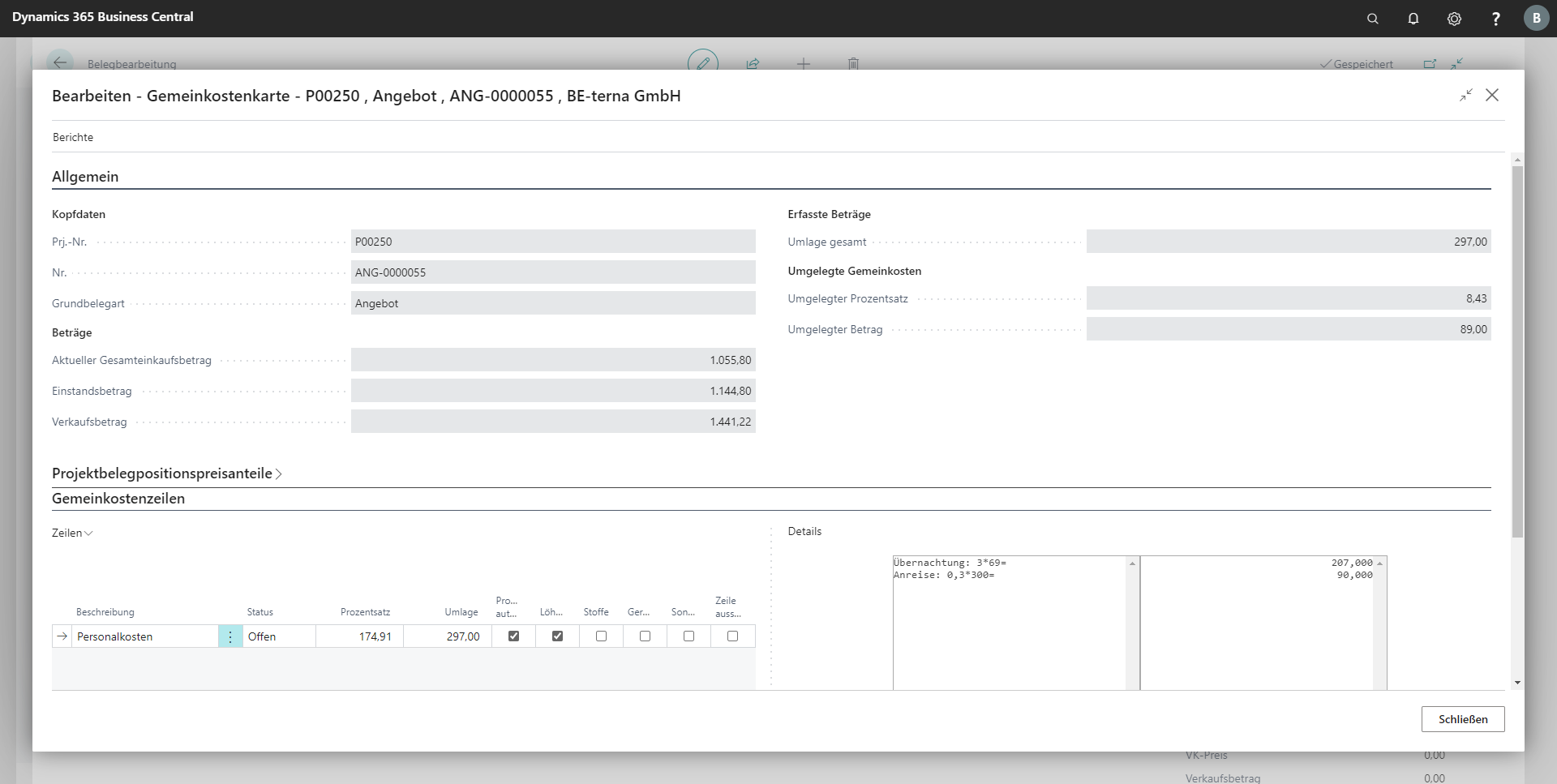
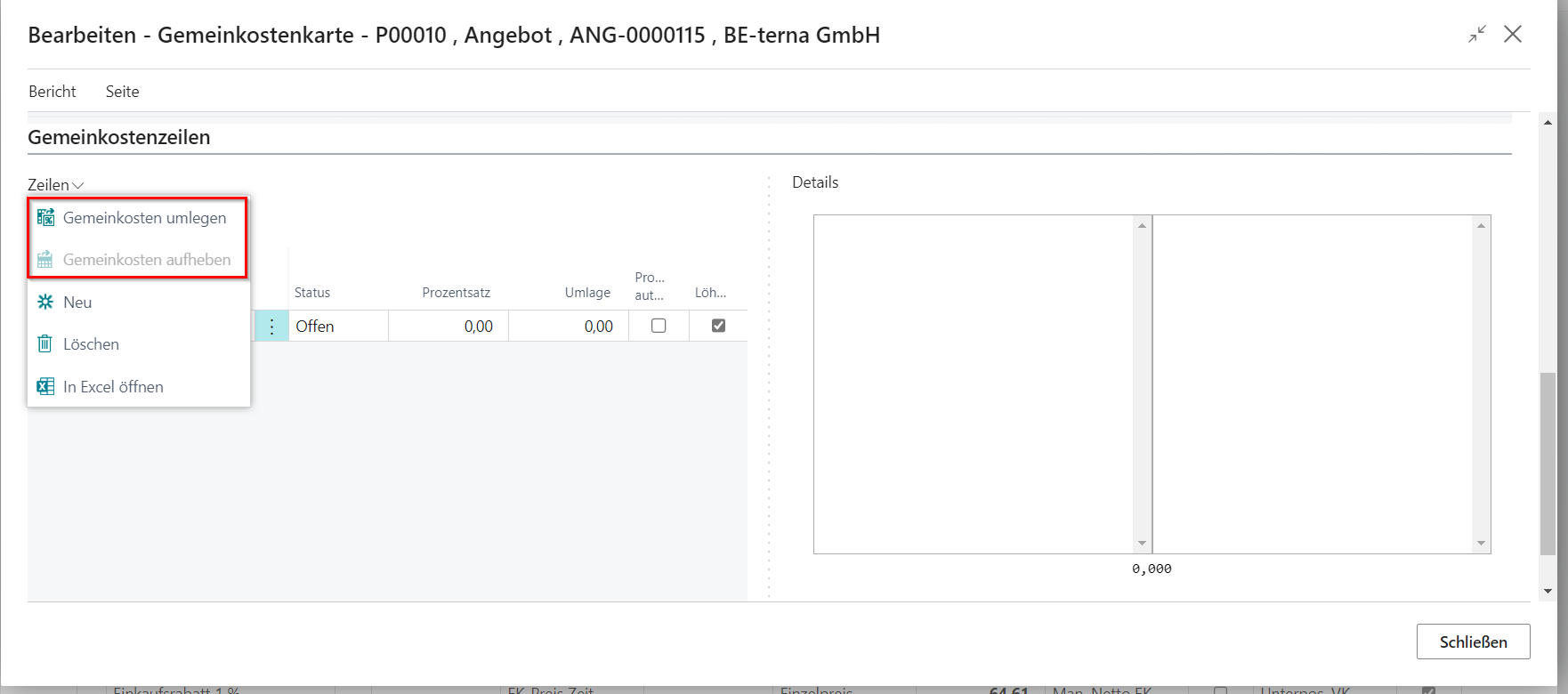
The overhead costs increase the cost amount and are not visible to the customer. The values are entered in the overhead lines and the price share to which they are to be allocated is determined. Alternatively, you can work with formulas under Details. By clicking on Assign overhead costs, the costs are allocated 3% to the items in the document as a purchase mark-up and this distribution is reversed by clicking on Uncover overheads.
Attention: This will change the retail amount, unless it has been fixed everywhere by means of batch processing!