Importing a Project Document
BE-Project offers various options for importing a bill of quantities directly. The basic procedure is always the same: First, you create a new document with an empty bill of quantities (see [Creation of a new document](/BE%2Dterna-Project-Documentation/Project Documents/Creation-of-a-new-document)). If items have already been entered in the bill of quantities, they will be overwritten during an import.
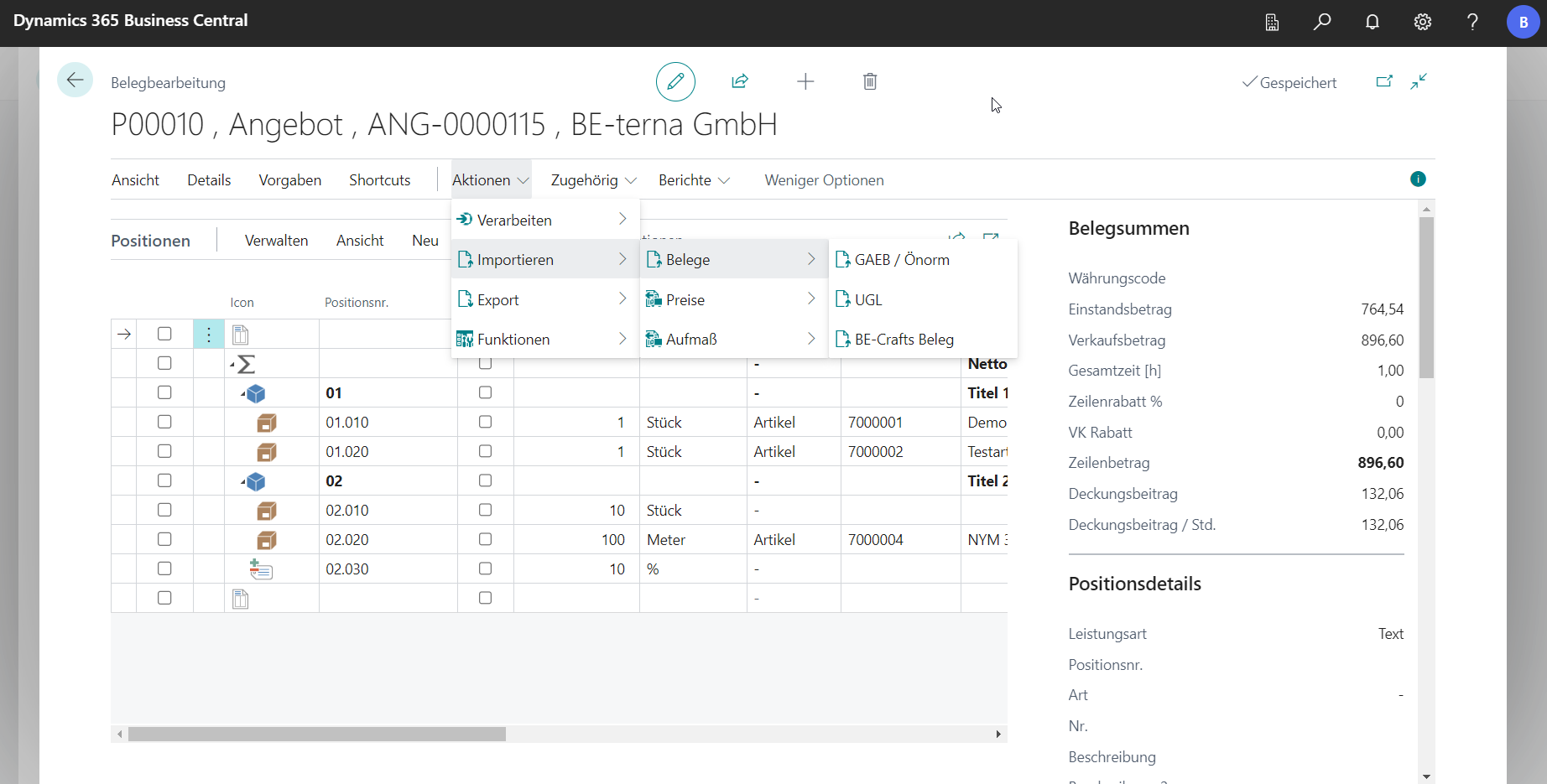
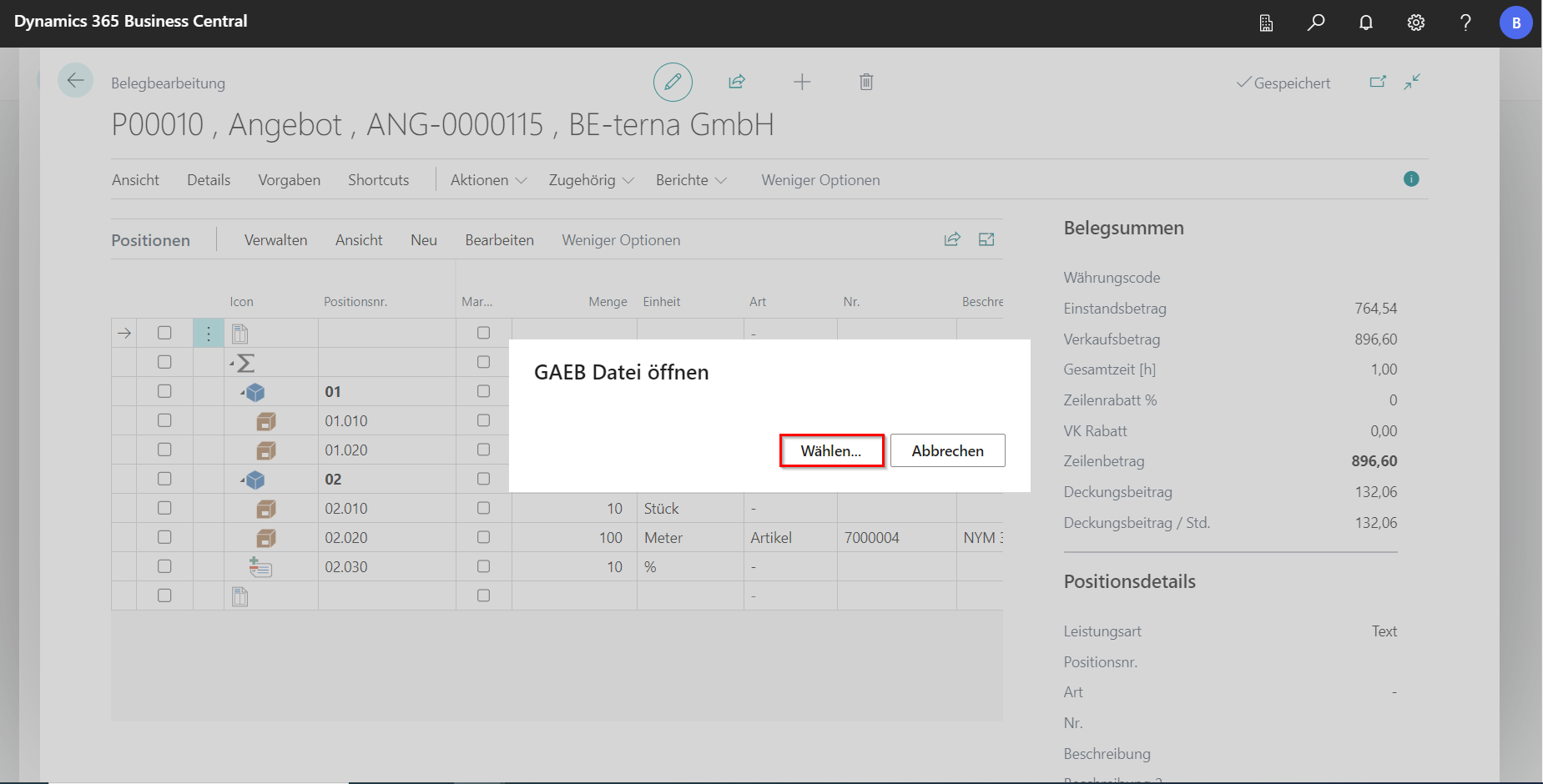
For the import, click Actions on Import and then on Documents. There you select a file format for the import. The explorer opens, where the GAEB file can be selected.
 Click to enlarge
 Click to enlarge
BE-Project offers the possibility to import the following files:
- GAEB 90, GAEB 2000 and GAEB XML - each in data phases 81 to 86
- Measurements in GAEB DA 31/ REB 23.003 or manual measurements
- UGL
- File formats from previous versions such as z.B. XML
After the import, the bill of quantities is loaded into the document editor. All import formats can also be exported.