Printing Options and Receipt Printing
Brief context for Printing Options and Receipt Printing in BE-terna Project.
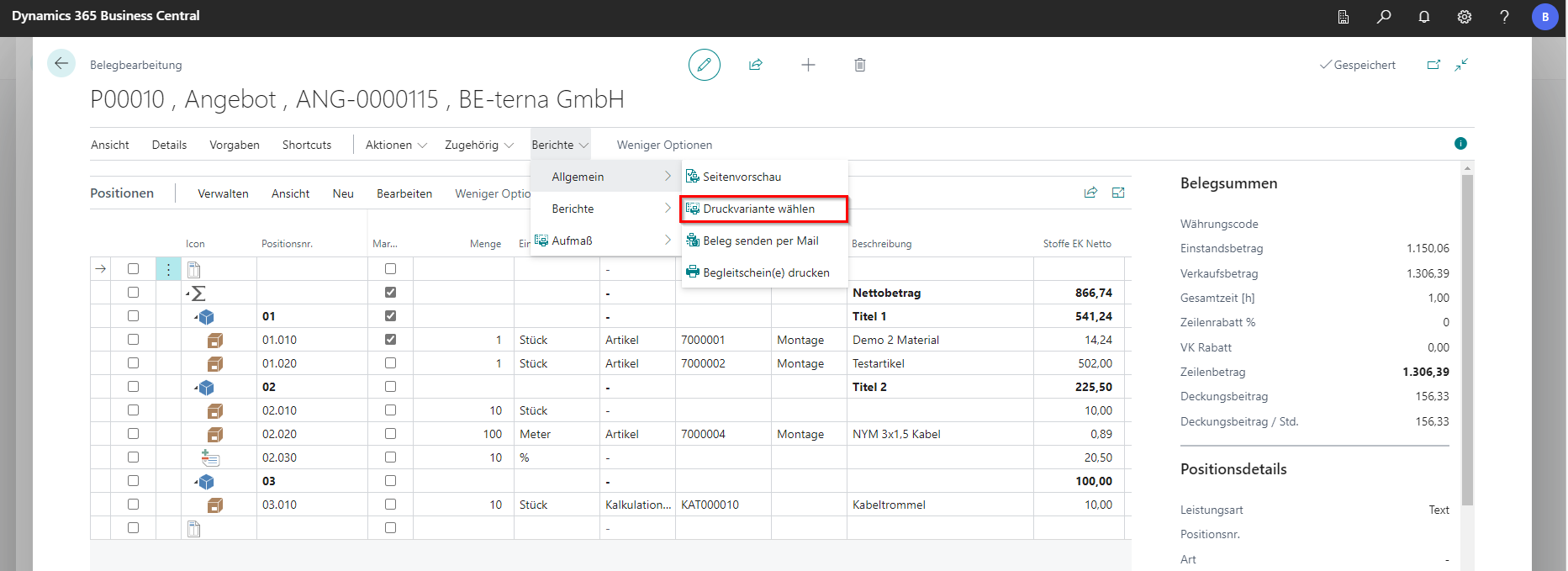
The print settings for the current document can be accessed via Reports and, under General, via Select print variant.
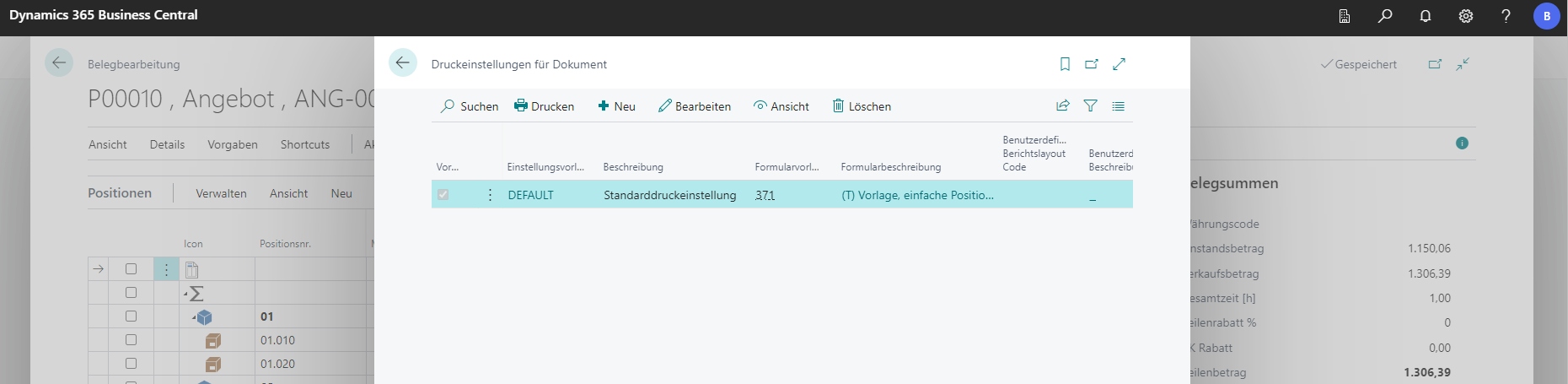
Standard templates can be stored or existing ones can be edited.
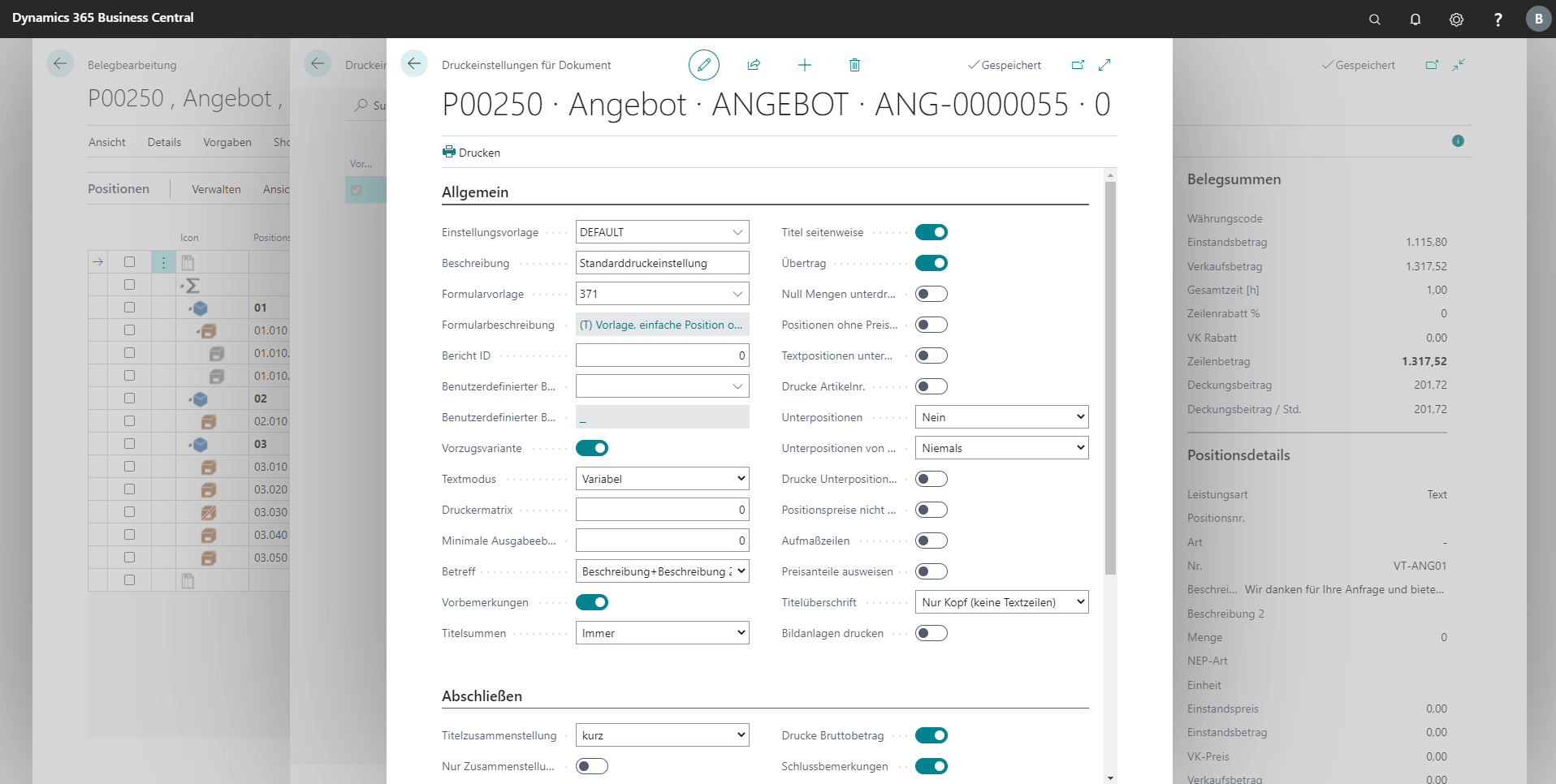
Regardless of the selected form template, extra settings can be made. Some attitudes have already been explained elsewhere.
| Field | Explanation |
|---|---|
| General | |
| Settings template | Selects a stored print settings template. |
| Description | Stores a description for the settings template. |
| Form template | Selects a form template from the lookup. |
| Report ID | Specifies the report ID used to run the report. |
| Custom report layout code | Selects a report layout by code from the lookup. |
| Preferred variant | Marks the settings template as the preferred variant. |
| Text mode | Selects which text module is printed for individual lines. With Variable, the text stored for the item in the document is used (Print view). Only lines marked in the bill of quantities are copied. |
| Printer matrix | Settings for print flow and printer selection. |
| Minimum output level | Prints only fields on this level or higher. Useful for suppressing background elements. |
| Subject | Defines whether the document subject is printed. |
| Introductory remarks | Defines whether the introductory text is printed. |
| Title totals | Prints totals for each title on the document. |
| Title per page | Prints each title on a new page. |
| Carry forward | Prints a carry-forward total on each page. |
| Suppress zero quantities | Lines without quantity are not printed. |
| Suppress lines without price | Lines without price are not printed. |
| Suppress text lines | Text lines in the document are not printed. No effect on preface and closing texts. |
| Print item no. | Defines whether the item number is printed. |
| Sub-lines | Sub-lines are printed always, never, or based on the setting of the parent line. |
| Sub-lines of sub-lines | Sub-lines of sub-lines are printed always, never, or based on the setting of the sub-line. |
| Print sub-line prices | Defines whether prices of sub-lines are printed. |
| Do not print line prices | Defines whether line prices should be omitted from print. |
| Measurement rows | Prints measurement rows. |
| Show price shares | Shows individual price shares for each line. |
| Title heading | Defines whether titles are printed and which text variant is used. |
| Print image attachments | Defines whether image attachments are printed. |
| Finalize | |
| Title summary | Defines whether an additional short or long title summary is printed at the end of the invoice. |
| Summary only | Defines whether only the title summary is printed. Individual lines are omitted and only the line total is shown. |
| Print net amount line text | Defines whether the text of the total net amount line is printed. |
| Print net amount | Defines whether the net amount is printed. Outputs the net amount as total services. |
| Material totals | Shows material totals on a document. |
| VAT lines | Shows or hides VAT on the document. |
| Surcharges/discounts net | Prints the net amount of any surcharges/discounts. |
| Surcharges/discounts gross | Prints the gross amount of any surcharges/discounts. |
| Partial invoices | Displays partial invoices in the document. |
| Partial payments | Prints any partial payments in the document. |
| Separate partial invoices and payments | Displays partial invoices and partial payments separately. |
| Print gross amount | Defines whether the gross amount is printed. In the invoice, it is shown as the amount due in EUR. |
| Closing remarks | Defines whether closing remarks are printed. |
| Print posting group text | Prints the posting group text stored in the document. |
| Do not append standard phrases | Defines whether standard phrases are printed. |
| Print phrase introduction | Prints an individual print section/line after the line table and before the partial-invoice phrase. |
| Print standard phrases | Defines whether standard phrases are printed and to what extent. |
| Print payment terms | Defines whether payment terms stored in the document/project are printed. |
| Print cash discount terms | Prints cash discount terms. |
| Print phrase ending | Prints an individual print section/line after the payment terms and the partial-invoice phrase. |
| Closing remarks after phrases | Places the closing text after the phrase block. |
| Print shipping address | Defines whether the shipping address is printed. |