Raw materials
Non-ferrous
To enter a raw material, enter “non-ferrous” in the search function. In the list that opens, a new entry can be inserted via New. The daily price is set manually in the Daily Price (MW) column. The daily price always refers to the price base weight. If the value is 800 in the Daily Price field and 100 in the Price Base Weight field, 100 units of weight would correspond to a price of 800.
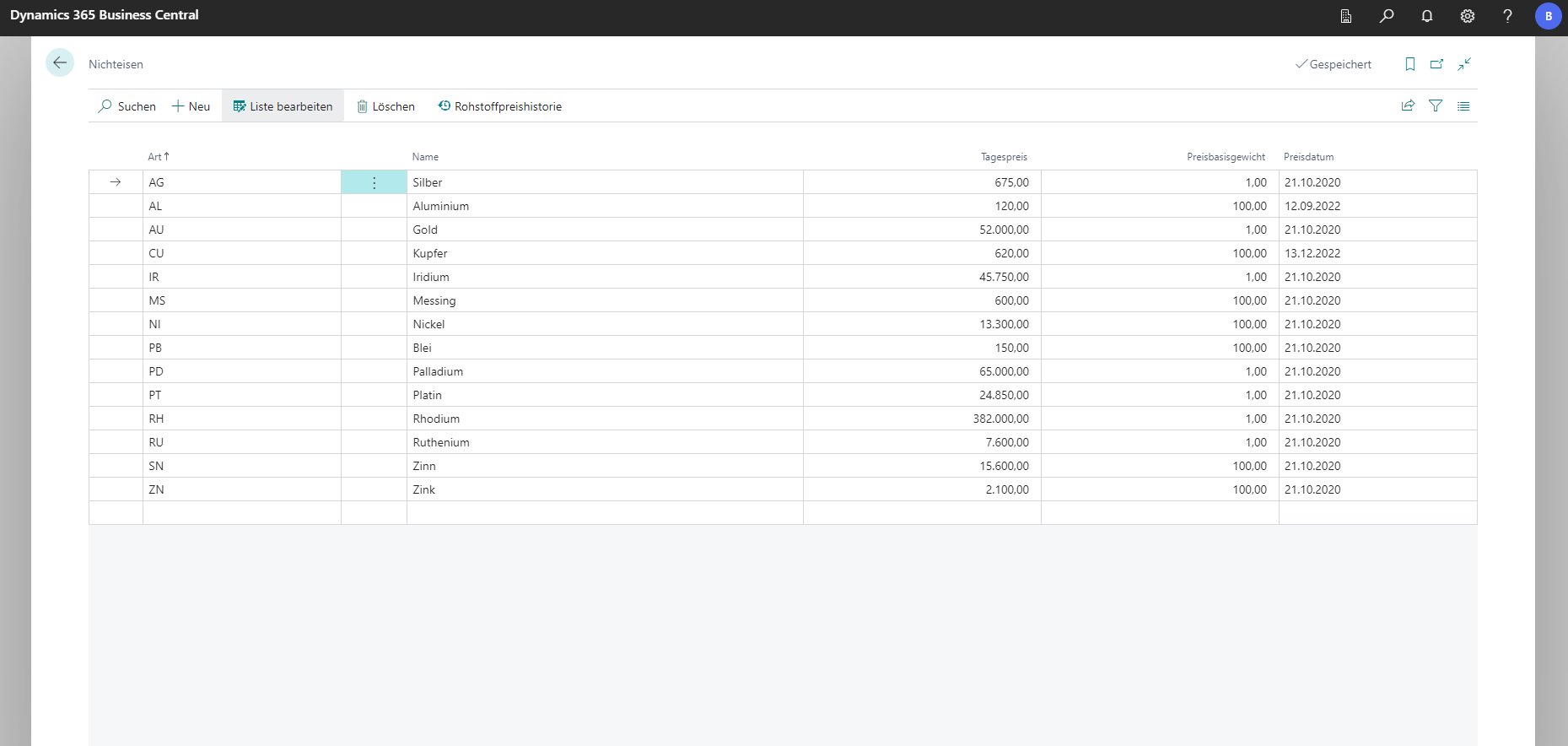
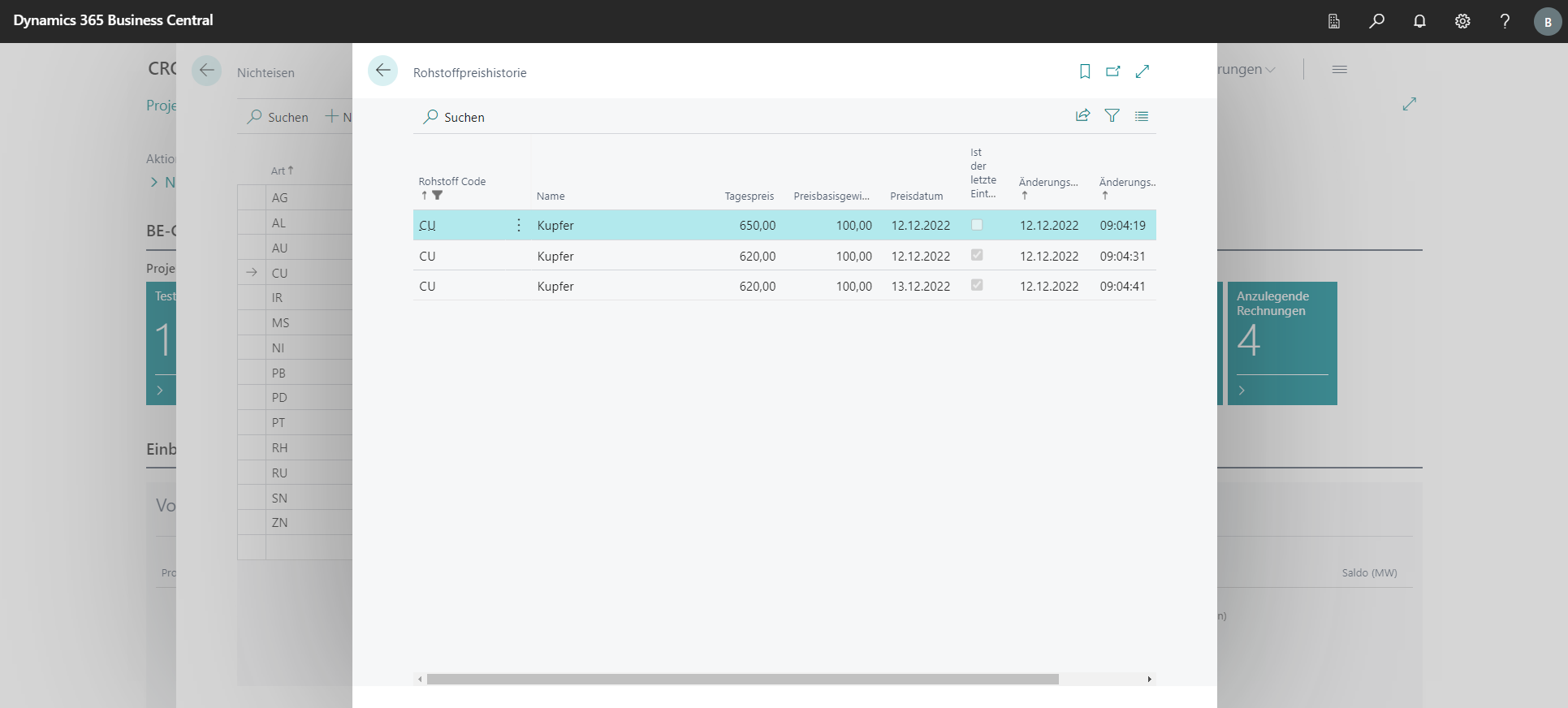
The Raw Material Price History action takes you to a list in which the price history of the selected raw material type is displayed. The history is automatically expanded every time the prices change.
The Item/Costing Item Card
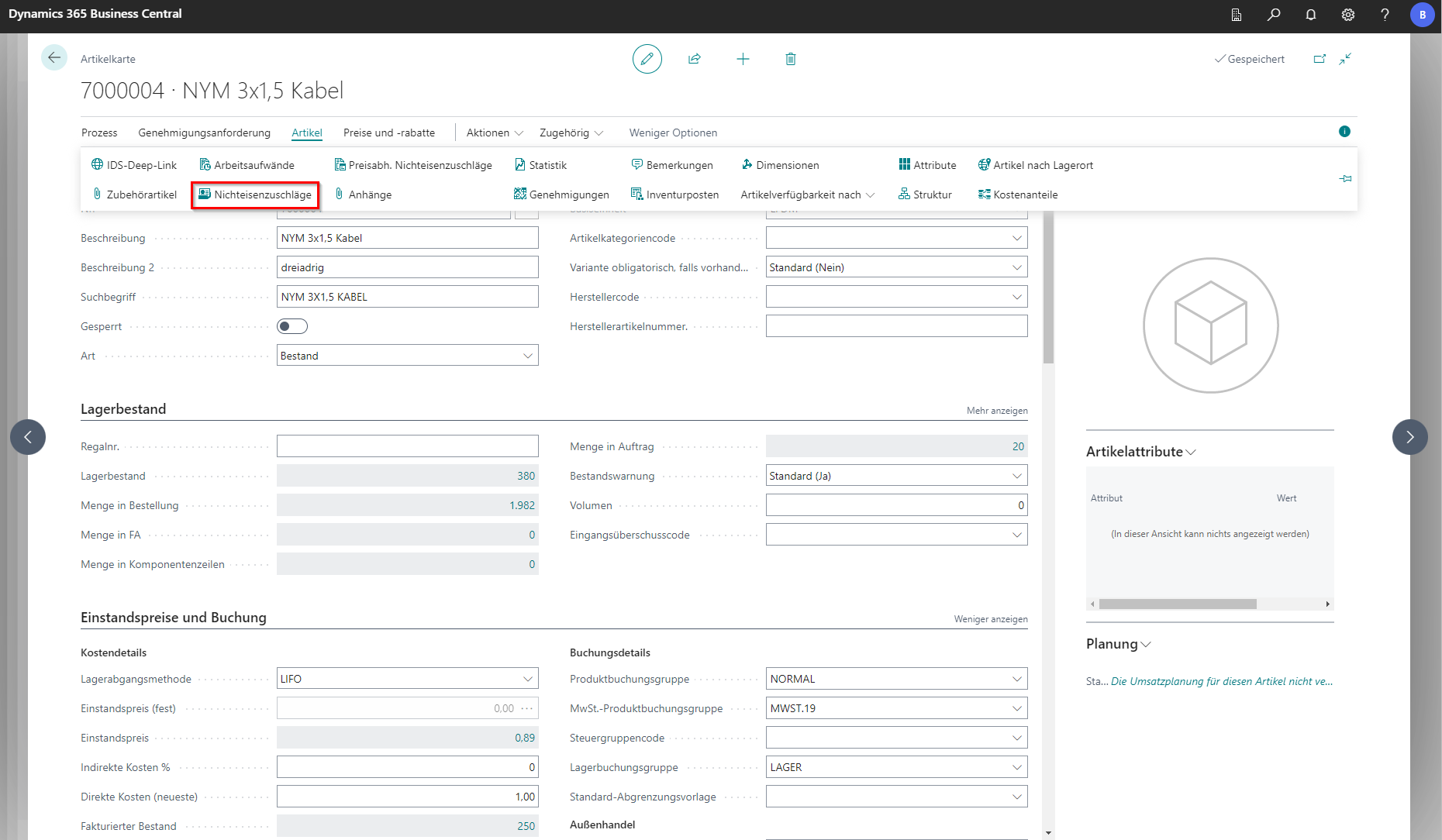
It is possible to store several raw material surcharges directly on the article/costing article in the master data. These are then transferred to the document for the respective item.
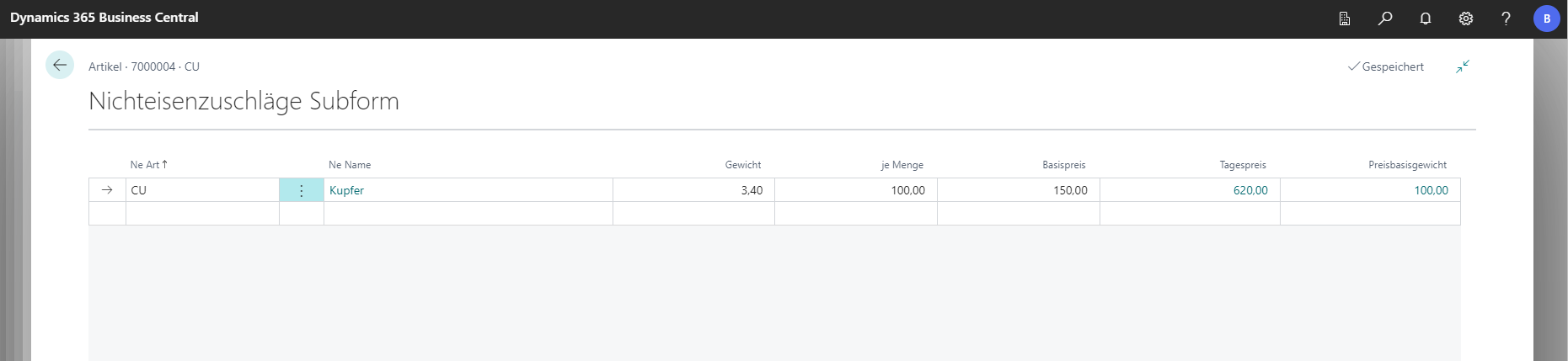
The necessary window is located in the article card in the navigation menu under Articles under Non-ferrous surcharges. By filling in a new line, a new non-ferrous surcharge is deposited on the article. The weight refers to the quantity in the per quantity field. The quantity is the quantity of articles. With a weight of 50 and a quantity of 100 meters, this means that there are 50KG of non-ferrous material on 100 meters of the selected item. The fixed share of the non-ferrous metal surcharge that has already been included in the base price is deposited above the base price.