Vendor card
Enable vendors for evaluation and maintain rating-specific fields on the vendor card.
Purpose
On the vendor card, you define whether a vendor is included in vendor evaluation. The page also shows key figures from the last rating as well as PPM-related target values.
Prerequisites
- The vendor exists as master data in Business Central.
- The basic Vendor Rating setup and classification logic are maintained.
- You know whether the vendor should also be evaluated through PPM.
Recommended order
- Open the relevant vendor.
- Go to the Rating section.
- Enable vendor evaluation for the vendors that should be rated.
- Decide whether PPM should be calculated and maintain target values.
- Review the result of the last rating.
Setup components
Relevant fields in the Rating section
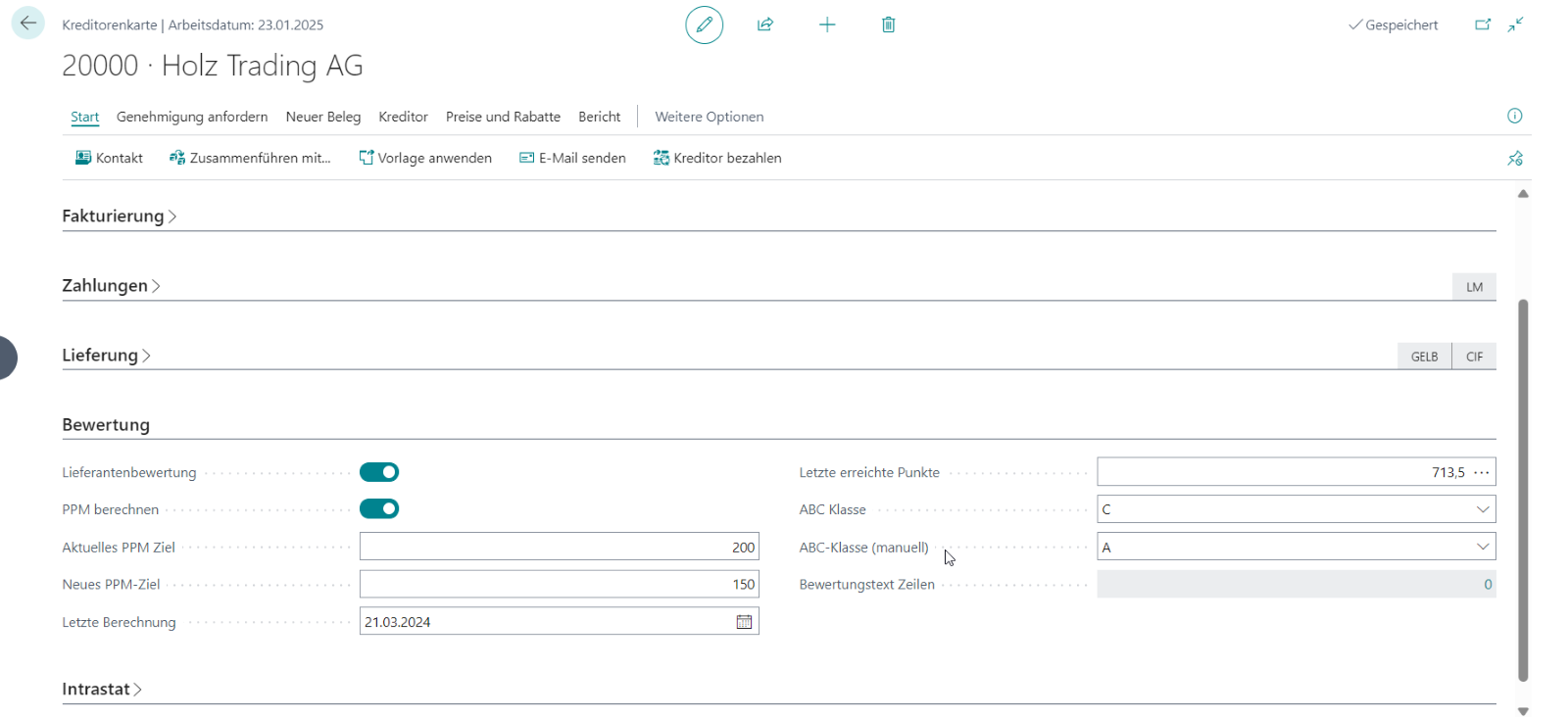
In the Rating section, you maintain or review the following fields in particular:
- Vendor evaluation to enable rating for the vendor
- Calculate PPM to include the vendor in PPM evaluation
- Current PPM target and New PPM target
- Last calculation and Last achieved points
- ABC class and ABC class (manual)
Understand the latest rating result
The latest achieved points and the automatically calculated ABC class give you a quick view of the vendor’s current performance. This makes it easy to see whether a vendor is improving or deteriorating.
Use manual classification deliberately
You can maintain the manual ABC class if you need to document a different internal assessment. The automatically calculated rating remains the objective basis for reporting.
Links