Assisted Setup
Step-by-step setup of a webshop channel using the assisted setup wizard.
Purpose
This page describes the assisted setup flow for webshop channels in BE-Commerce.
Prerequisites
- A new or extended webshop channel is defined.
- Number series, languages, and baseline settings are aligned.
Recommended Sequence
- Start the wizard and enter channel code and basic data.
- Configure import/export behavior and implementations.
- Maintain countries, payment methods, and shipping parameters.
- Complete check options, contact settings, and company information.
Setup Steps

Channel Basics
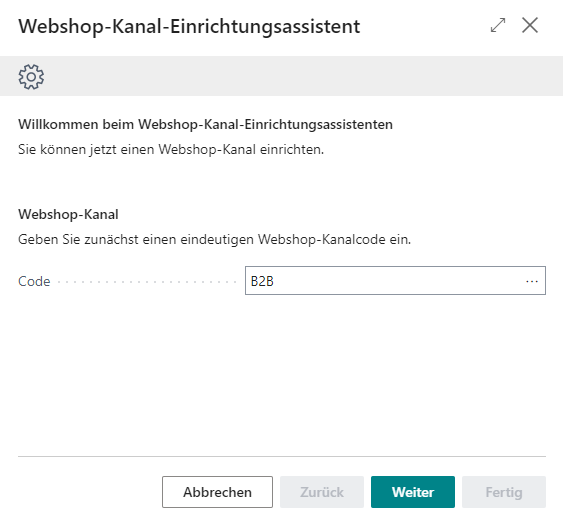
- Define a unique webshop channel code.
- Maintain a clear description.
- Enable or disable import and export according to your scenario.
Import Parameters and Number Series
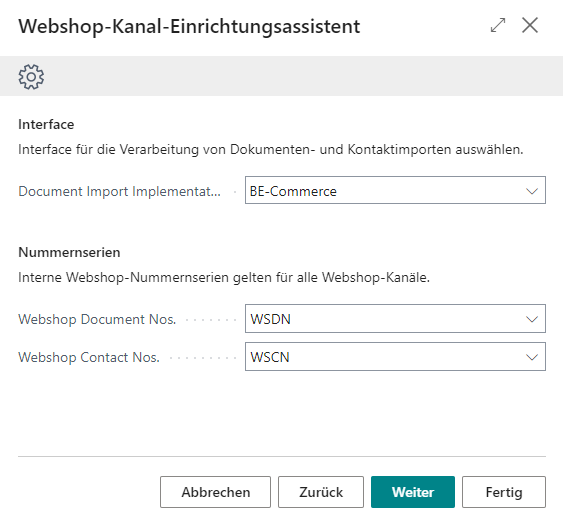
- Select document and contact import implementations.
- Configure number series for webshop documents and contacts.
Check Options and Country Setup
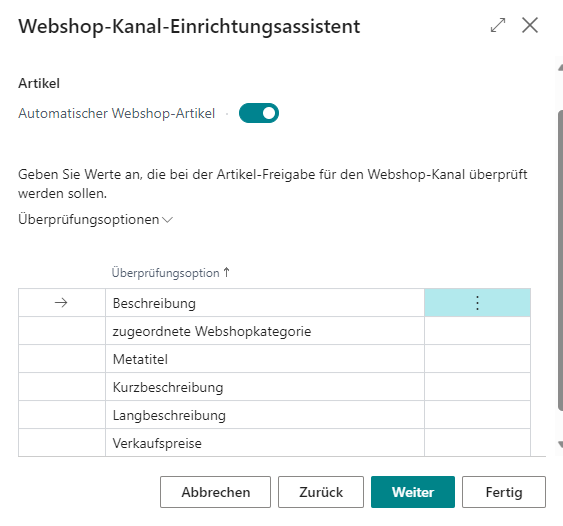

- Assign required validation options per channel.
- Configure posting groups and defaults per country.
Contact and Company Information
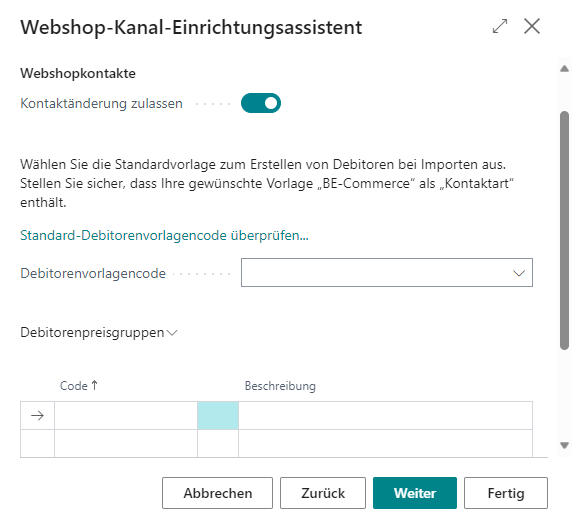
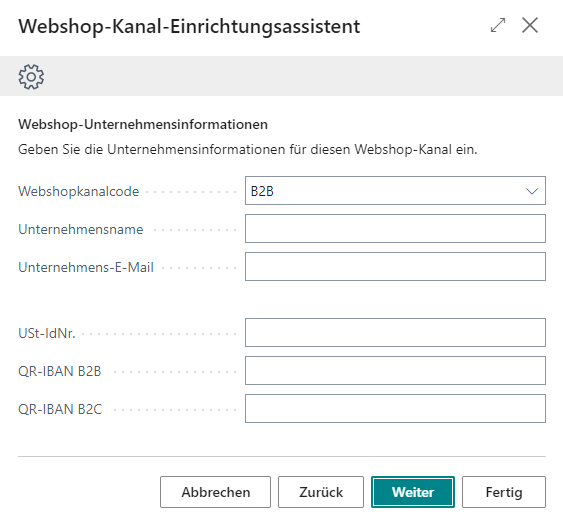
- Enable contact modification and define customer templates.
- Complete channel-specific company information.
Links