Process Catalog
Key workflows for printing, printer management, and print tracking with BE-terna Printconnect.
Purpose
This process catalog consolidates the most important workflows around BE-terna Printconnect after the initial setup has been completed. It shows where users trigger print jobs, manage printers, and review print history.
Context
- The actual print trigger happens on business pages, posted documents, or report dialogs in Business Central.
- Printers, default assignments, and print-related follow-up information are maintained centrally in the Printconnect administration pages.
Prerequisites
- The PrintNode and BE-terna Printconnect setup is complete.
- At least one suitable printer is selected for the user.
- The PrintNode Client is signed in on the workstation.
- Default printers and special paper formats are maintained when print jobs should run without manual selection.
Process Catalog
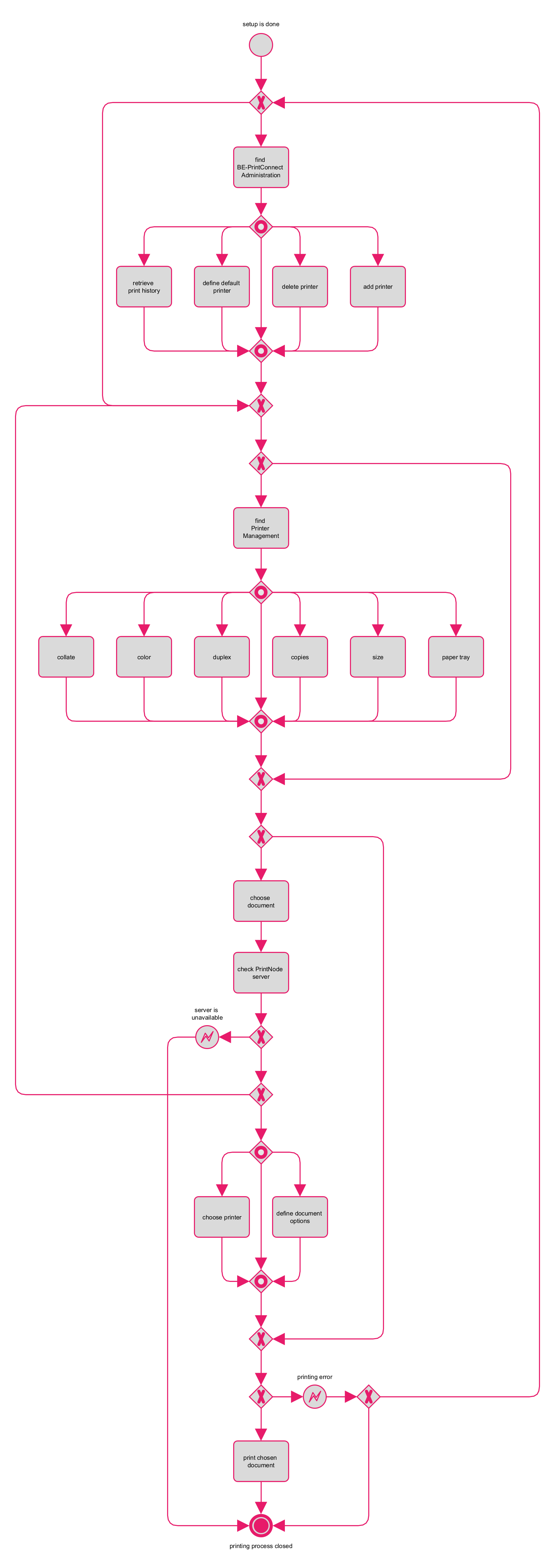
Process Execute print jobs from business pages and archives Reports, posted documents, and other Business Central outputs can be handed over directly to Printconnect.
- Start printing from the relevant business page or from a posted document.
- The same flow applies to reports such as balance sheets as well as archived or posted documents like posted sales invoices and posted purchase receipts.
- For recurring reports or document types, you can maintain default printers and report assignments in Administration in advance; without that preassignment, the printer is selected in the print dialog.
- If no default printer is assigned, select the printer for the current job in the print dialog.
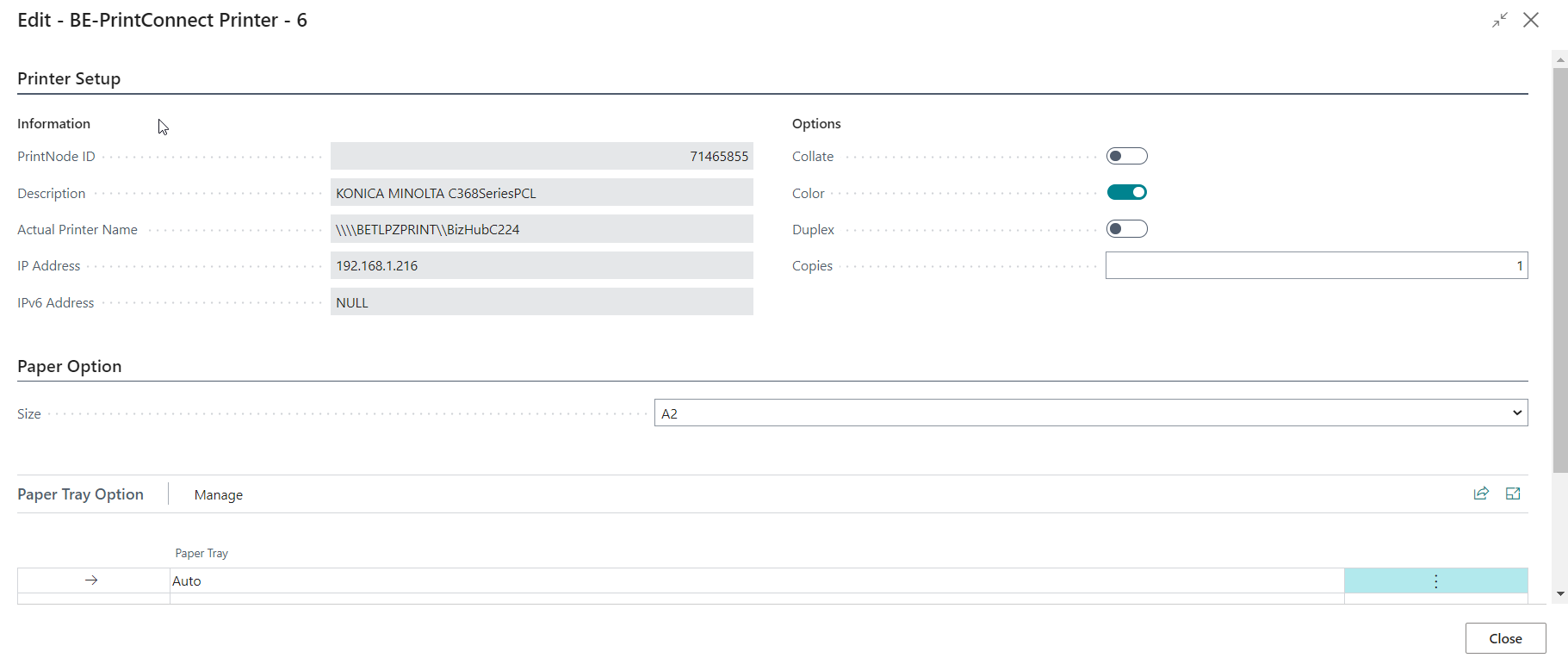
- If special formats are required, maintain the paper assignment of the target printer first in Administration and then select the mapped size in the printer setup.
- If the Business Central document dialog already defines copies, these copies are added to the copies maintained in Printconnect for the printer.
- Printconnect checks whether the PrintNode server is reachable before the job is sent.
- If the PrintNode server is unreachable or the client is not signed in, the job stops before handover and must be triggered again after the issue is fixed.
- Print options such as copies, color, duplex, or paper size are maintained on the selected printer and applied to the print job.
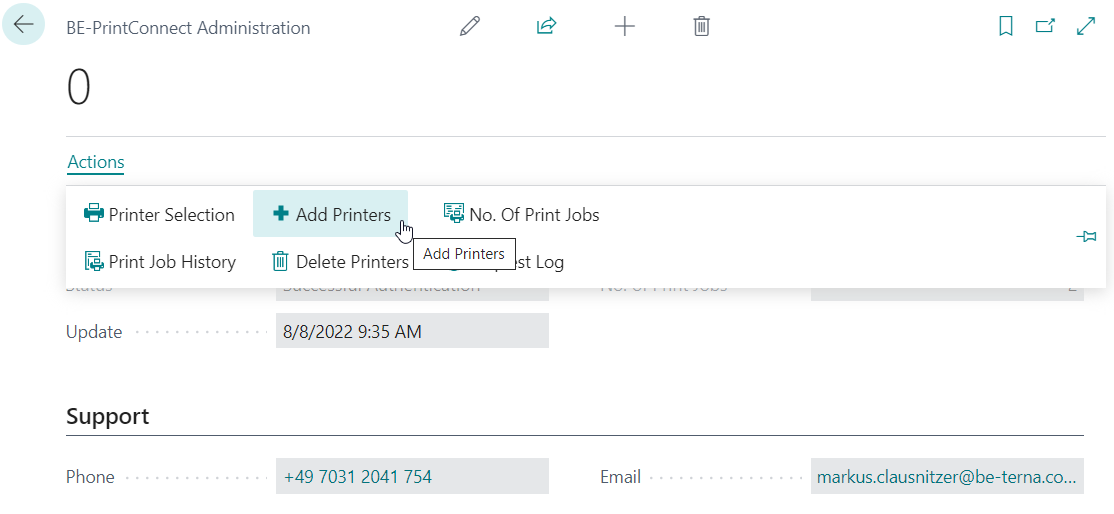
Process Maintain the printer landscape The administration pages bundle the addition and removal of productive printers.
- Open the BE-terna Printconnect administration and use Actions to switch to the pages for adding or deleting printers.
- Add only the printers that are actually required for Business Central print jobs.
- Remove obsolete or duplicate printers so that printer dialogs and default assignments stay manageable.
- Use unique printer names to avoid collisions with locally available devices.
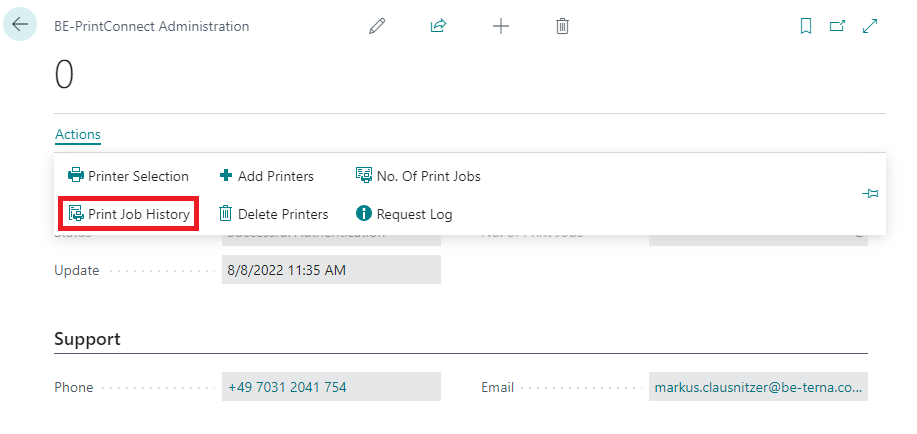
Process Review print history The print-job history in Business Central supports tracing and support analysis.
- The monthly number of print jobs is already visible on the administration page.
- Open Print Job History to review the list of transferred print jobs.
- Use the PrintJobID to open the detailed status history of an individual job.
- Use the history to trace status changes and assignments to documents or printers.
Outcome
- Recurring Printconnect workflows are documented in a compact and traceable way.
- Users and key users know where print jobs, printer management, and history meet in Business Central.
- The transitions between setup, printing, history, and FAQ stay clear.
Links