Administration
Purpose
This page describes the ongoing administration of BE-terna Printconnect. It serves key users and administrators as the central reference for extension web access, default printers, and recurring printer-management tasks.
Access in Business Central
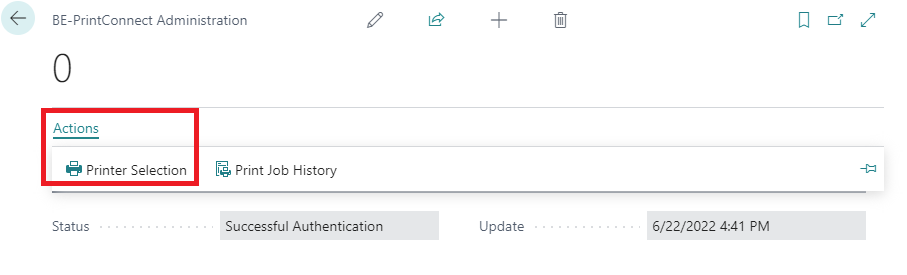
- Open BE-terna Printconnect Administration when printers, default mappings, or print history must be maintained.
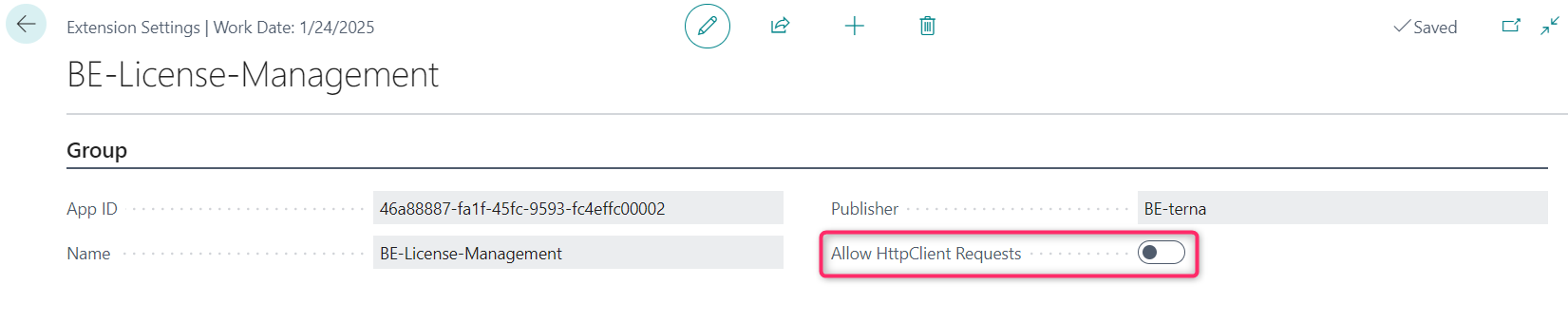
- Open Extension Management when Allow HttpClient Requests for the extension must be checked.
Prerequisites
- You have key-user or administrative permissions in Business Central.
- PrintNode and BE-terna Printconnect are already set up on a basic level.
Activities
Verify HttpClient access for the extension
In Extension Management, Allow HttpClient Requests must be enabled so that the extension can access external web services. Check this setting especially after reinstallations or updates.
Maintain default printers and report mappings
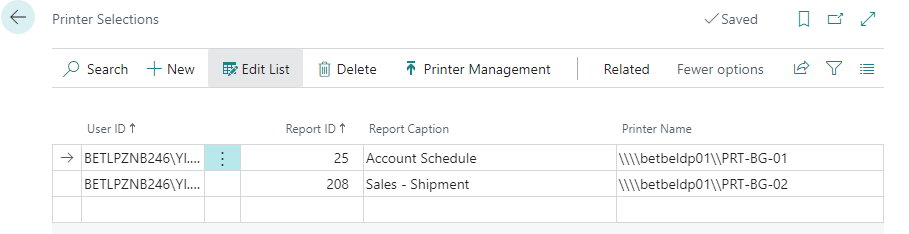
The administration pages allow you to assign default printers to specific reports or document types. This removes manual printer selection for recurring print jobs.
Maintain paper assignments and special formats
If a printer works with standard Business Central formats such as A4 or A5, the normal printer setup is usually sufficient. As soon as a printer uses deviating paper codes or custom formats, maintain the assignment directly on the respective Printconnect printer.
Open the printer in printer management and run Open Paper Assignment. There, map the Paper Type used in Business Central to the printer-specific Paper Code. For formats that Business Central does not offer as a fixed paper type, use Custom and select the matching printer description or paper code.
After saving, the mapped format becomes available again in the printer setup in the Size field. If custom paper sizes use printer-specific labels, also review the BE-terna Printconnect Search Term page so that Printconnect can resolve the correct paper description.
Keep the printer inventory clean
Keep the productive printer list intentionally small. Remove printers that are no longer needed and use unique printer names so that printer dialogs, default assignments, and support cases remain manageable.
Fields and Actions
| Field / Action | Meaning |
|---|---|
| Allow HttpClient Requests | Allows the extension to access external web services. |
| Open Paper Assignment | Opens the mapping between BC paper types and printer-specific paper codes. |
| Add Printers / Delete Printers | Maintains the productive printer inventory for Business Central. |
| Print Job History | Provides status details for transferred print jobs. |
Monitoring and Troubleshooting
- Compare the number of print jobs on the administration page with the expected usage volume.
- When issues are reported, open Print Job History first to review the status and assignment of the affected job.
- For connection issues, invalid printer data, or URL problems, continue with the FAQ.
- After changes to paper sizes or printer parameters, verify that the configuration still matches the real capabilities of the printer.
- For custom paper sizes, also review the paper assignment and, when necessary, the BE-terna Printconnect Search Term page.
Best Practices
- Use unique values in Actual Printer Name to avoid duplicate assignments.
- Maintain default printers only for recurring document types with stable output devices.
- Recheck Allow HttpClient Requests after every reinstall or update.
- Maintain special formats through the printer’s paper assignment before you use them productively in print dialogs.
- Keep only the printers active that are actually required in the Business Central context.
Links