FAQ
FAQ The installation fails because local printers already exist in Business Central Local printer entries in Business Central printer management can block the initial Printconnect setup.
If Business Central already contains local printers in printer management, the initial setup can fail with an installation error. In this situation, Printconnect typically cannot create the printer as a cloud printer.
First, verify whether local printers are already active in the target system’s printer management.
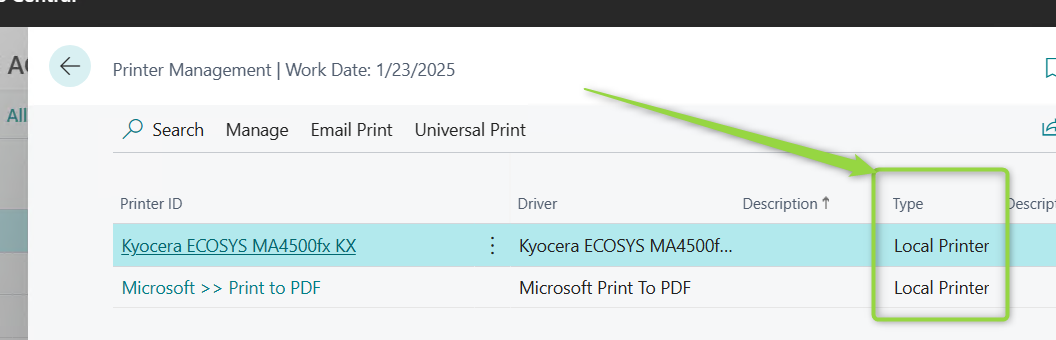
Warning: Removing the extension including extension data can permanently delete existing Printconnect configuration and history. Before you proceed, create a backup and, for productive systems, confirm the step with the responsible support team.
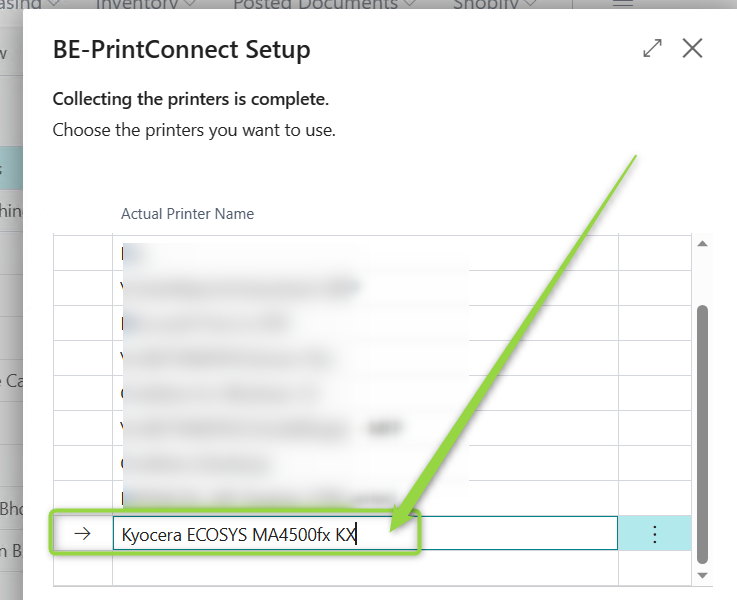
Only if this is an initial setup or a non-productive system where no required Printconnect data exists yet, remove the extension including extension data, reinstall Printconnect, and assign a unique printer name during the Printer Selection step.
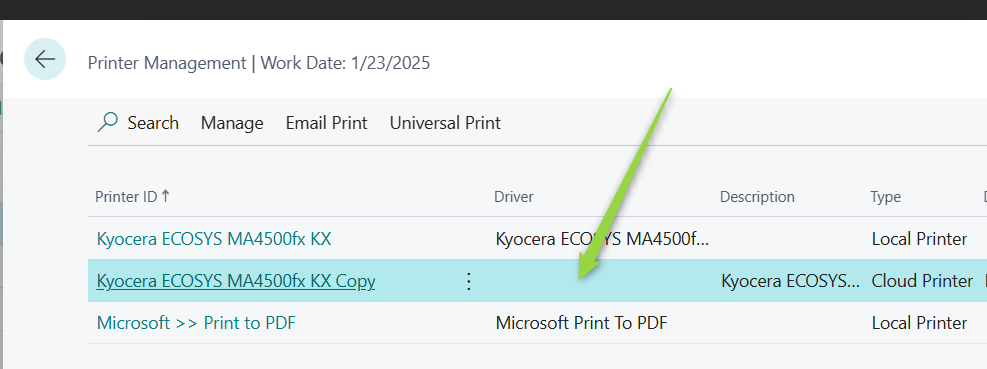
After the new setup, the printer should appear in Business Central as a Cloud Printer and should be configurable.
FAQ Why do I receive Response Code 403 when I trigger a print job? An HTTP 403 from PrintNode usually means a service refusal on the provider side or invalid access data.
In most cases, a 403 error is returned by PrintNode. For a more detailed diagnosis, a GET request with the customer token in a tool such as Postman can help expose the JSON response.

Check the credentials that are used for the request and verify the connection to PrintNode. If the response keeps returning 403, document the JSON payload and pass it to the responsible support team.
FAQ What does 'Request URL could not be found' or a timeout mean? In most cases the reason is missing internet access, disabled HttpClient access, an incorrect API URL, or firewall rules.
For 404 or timeout errors, start by checking the system’s internet connectivity. Then verify in Extension Management that Allow HttpClient Requests is enabled for BE-terna Printconnect.
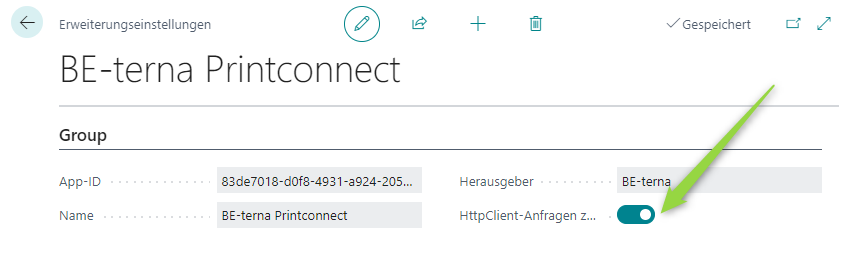
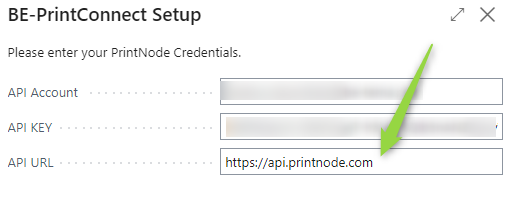
Also verify the API URL in the Setup. A wrong format or incomplete URL can lead to the same error pattern.
If the system is protected by a firewall, review the outbound rules for the PrintNode connection as well.
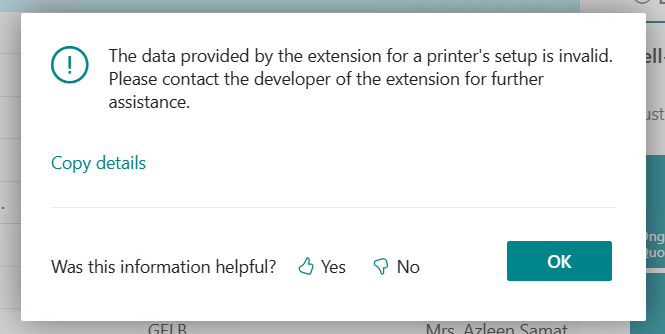
FAQ Why does the system report that the printer setup data provided by the extension is invalid? This error often appears after changes to paper formats or printer parameters.
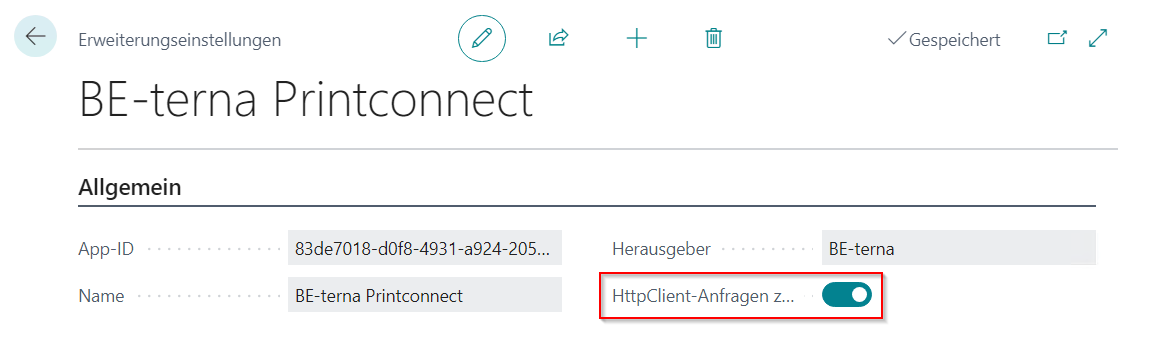
First, verify in Extension Management that Allow HttpClient Requests is still enabled.
If the problem started after changing printer settings or paper sizes, review the stored printer configuration and the mapping to supported paper formats. In many cases, the server event log already shows the invalid value in the printer JSON configuration. Use unique printer names and correct invalid values before opening printer management again.
A frequent special case is a custom paper size that was selected in Printconnect but is not mapped to a valid printer-side paper description. In that case, review the affected printer’s paper assignment and, when printer-specific labels are used, also the BE-terna Printconnect Search Term page.
For further analysis, continue with Administration and the print-job history described in the Process Catalog.
FAQ What should I do when a printer name exists twice? Local and cloud-based printers with the same name can block the Printconnect administration pages.
If the event log reports that a printer name already exists, there is usually already a local printer with the same name as one of the Printconnect printers. Check whether a new printer was added when the issue occurred and change its Actual Printer Name to a unique value.
If Business Central and PrintNode are installed on the same server, the same device can appear both as a local and as a cloud printer. In that case, use a prefix or suffix when adding the Printconnect printer and, if possible, avoid installing PrintNode directly on the Business Central server.
If the administration pages still remain inconsistent afterwards, a database-level cleanup is possible, but it should be coordinated with technical support or the responsible operations team.