Project Map
Project Map
The project card represents the central administration interface of all receipts, documents, processes and tasks for a specific construction project.
By clicking on a project number within the project list, the corresponding project card can be opened.
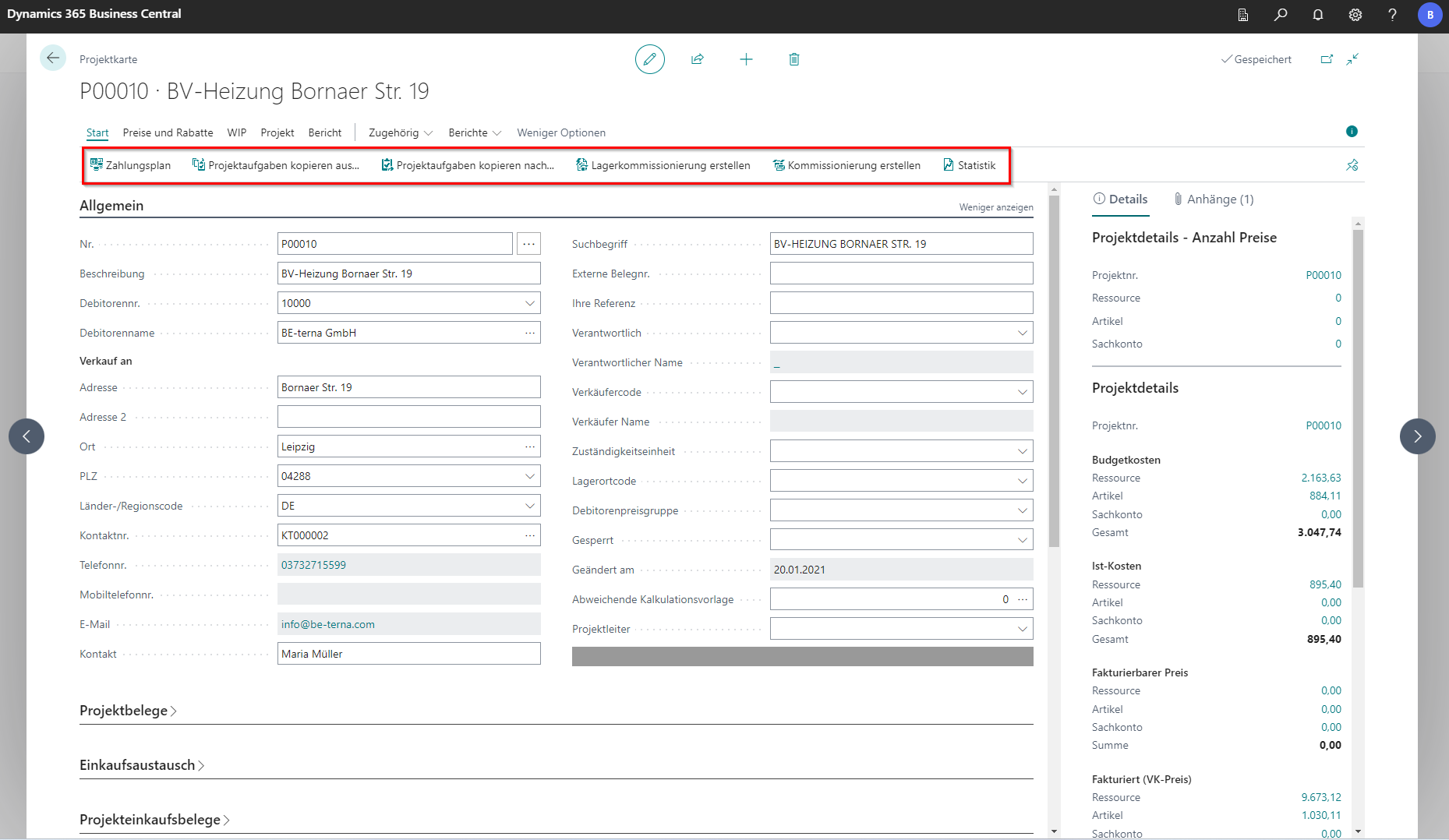
Functions/Actions
The following actions are available on this map:
Start
| Field | Explanation |
|---|---|
| Payment plan | Opens the project’s payment schedules. |
| Copy project tasks from… | Opens an editor for copying project tasks from another project into the current one. |
| Copy project tasks to… | Opens an editor for copying project tasks and moving them to a selected target project. |
| Create warehouse pick | Creates a warehouse pick for the project items based on project planning lines. |
| Create pick | Creates warehouse pick documents for the related project planning lines. |
| Statistics | Opens project-specific statistics. |
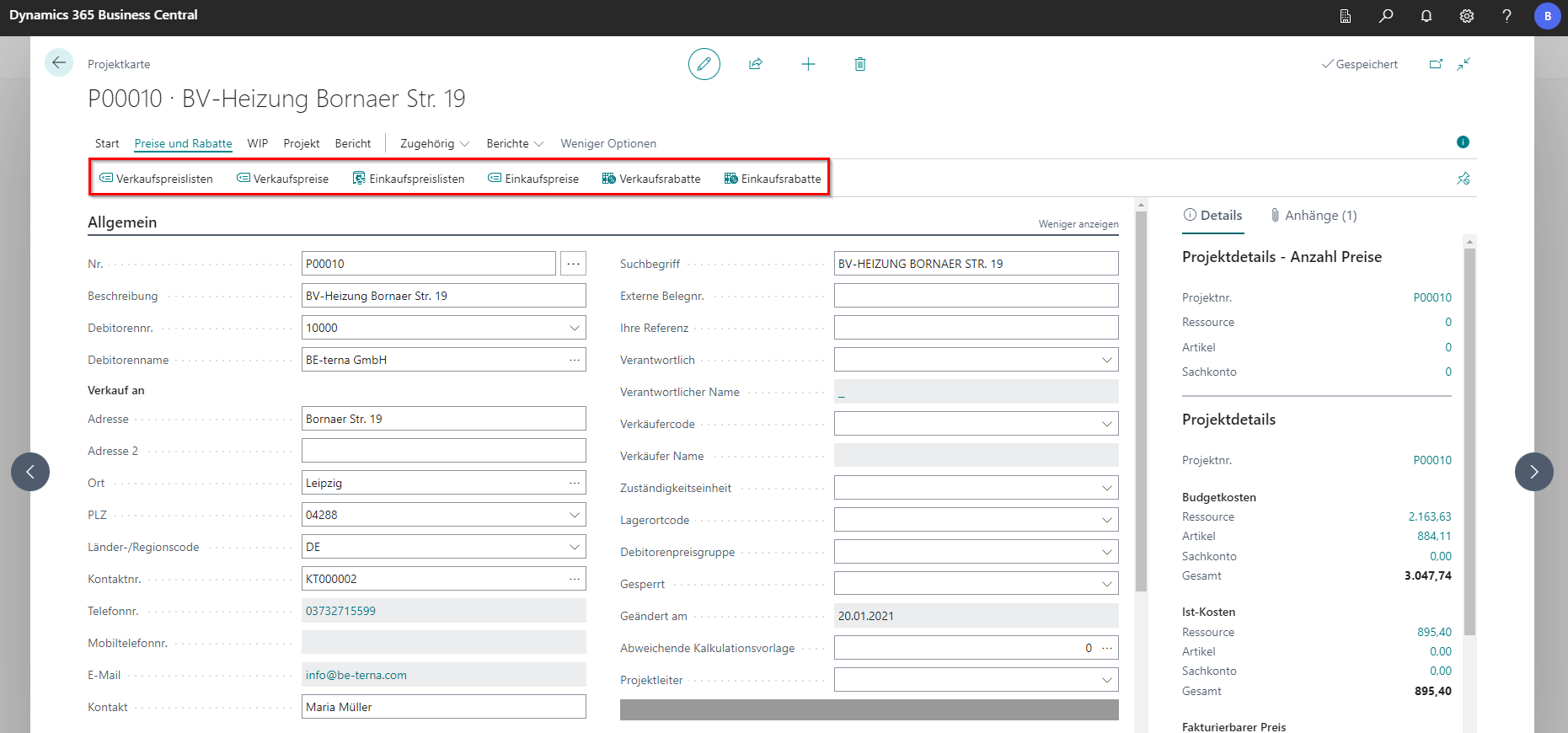
Prices and Discounts
| Field | Explanation |
|---|---|
| Sales price lists | Opens an overview of project-specific sales price lists. |
| Sales prices | Opens sales price list lines. |
| Purchase price lists | Opens purchase price lists for the project. |
| Purchase prices | Opens purchase price list lines. |
| Sales discounts | Opens sales discount price list lines. |
| Purchase discounts | Opens purchase discount price list lines. |
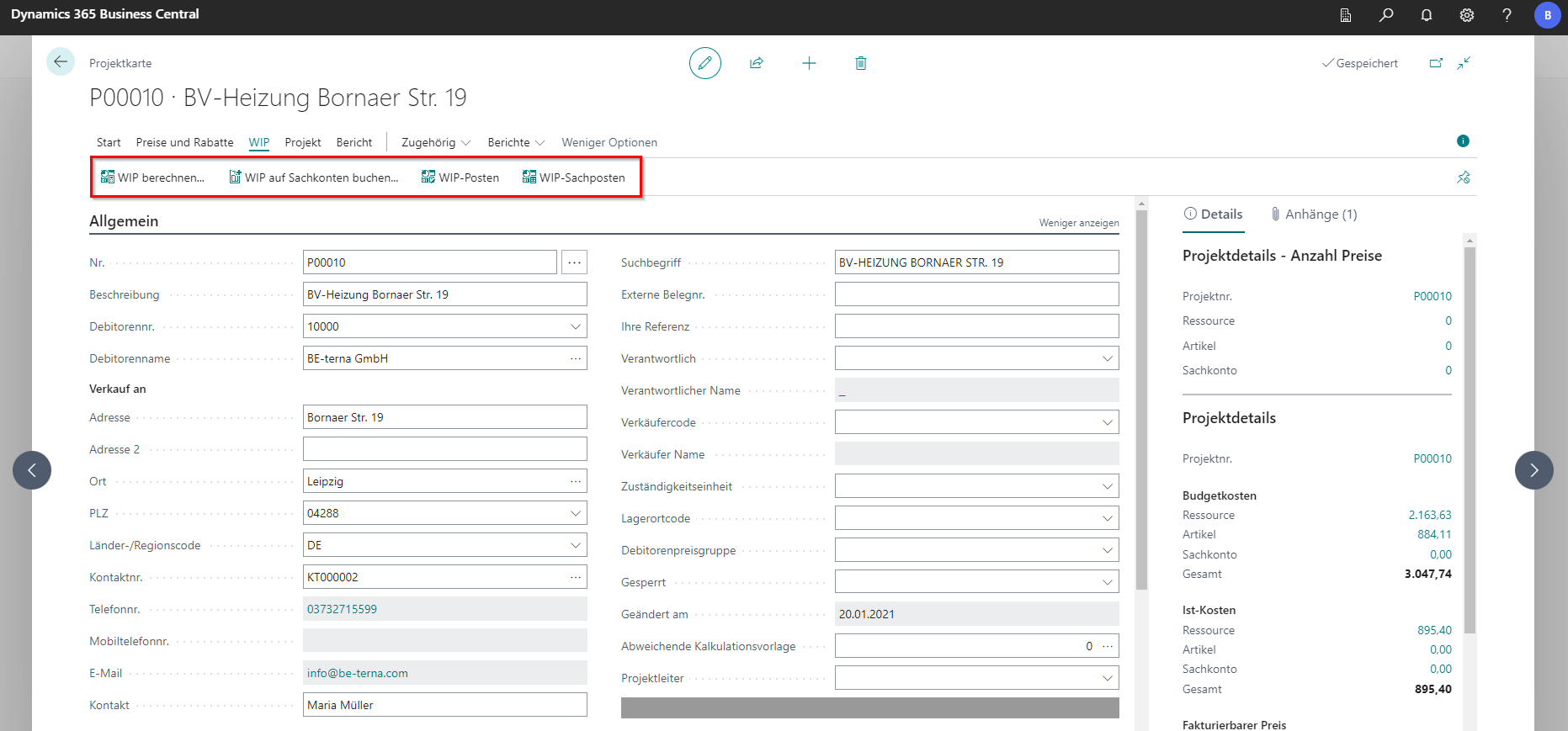
WIP
| Field | Explanation |
|---|---|
| Calculate WIP… | Opens a window to create a report showing all documents for project tasks in progress. |
| Post WIP to G/L… | Runs a batch process that posts work-in-progress project tasks to their corresponding G/L accounts. |
| WIP entries | Shows entries for the project that are posted as work in progress. |
| WIP G/L entries | Shows the project’s work-in-progress G/L entries. |
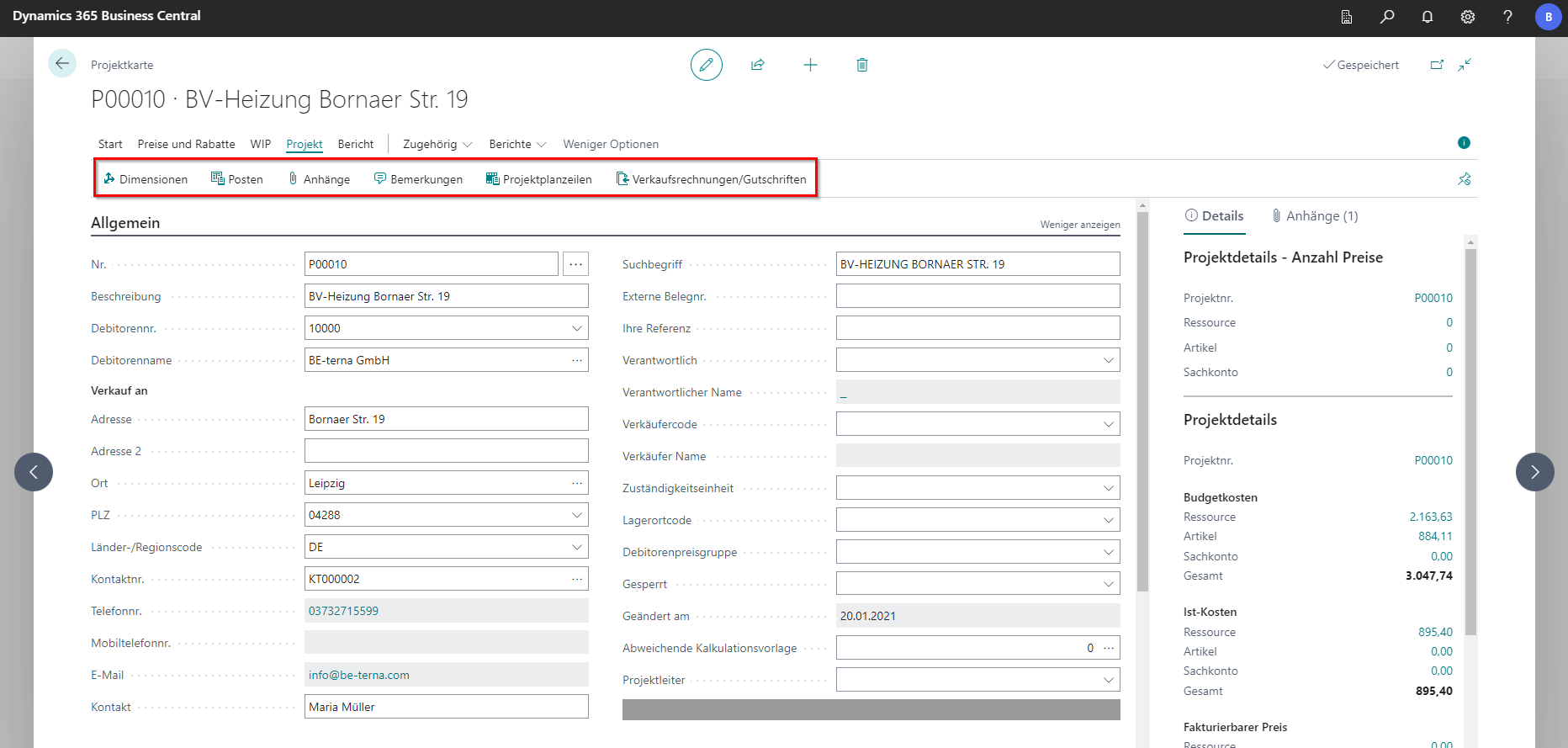
Project
| Field | Explanation |
|---|---|
| Dimensions | Opens the list of dimensions assigned to the project. |
| Entries | Shows the history of transactions posted for the selected record, usually resource or item consumption. |
| Attachments | Attach a file (for example images or vouchers) to the project. |
| Notes | Opens an editable list of project-specific notes. |
| Project planning lines | Shows all planning lines for the project. This window is used to plan the use of items, resources, and cost or financial accounting entries. |
| Sales invoices/credit memos | Shows all sales invoices and sales credit memos related to the selected project. |
Report
| Field | Explanation |
|---|---|
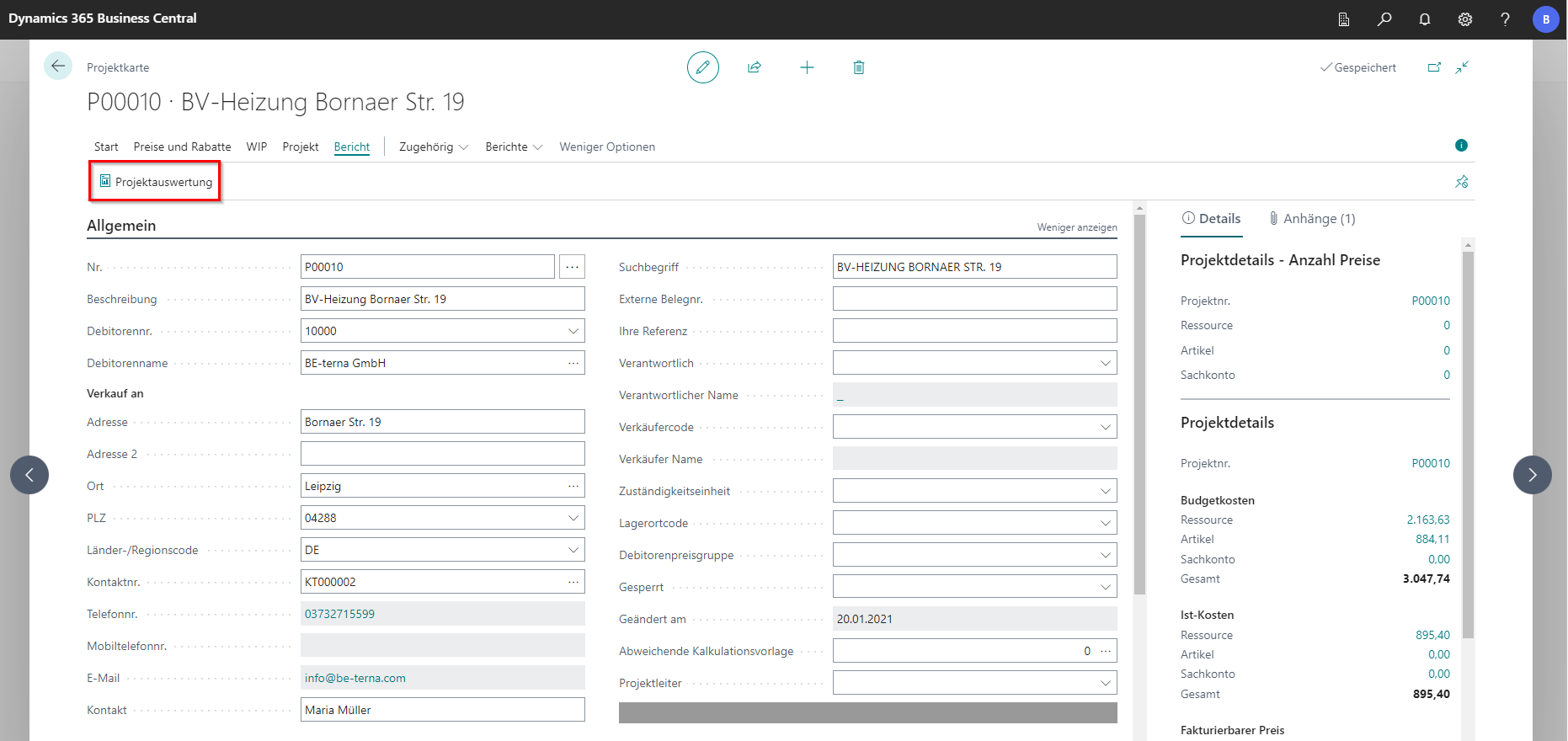
| Project analysis | Opens a dialog for creating an overall project summary. Reports can be generated in different file formats via Send to…. The report includes key project metrics such as purchase and sales values as well as item and resource consumption. |
Related
Project
| Field | Explanation |
|---|---|
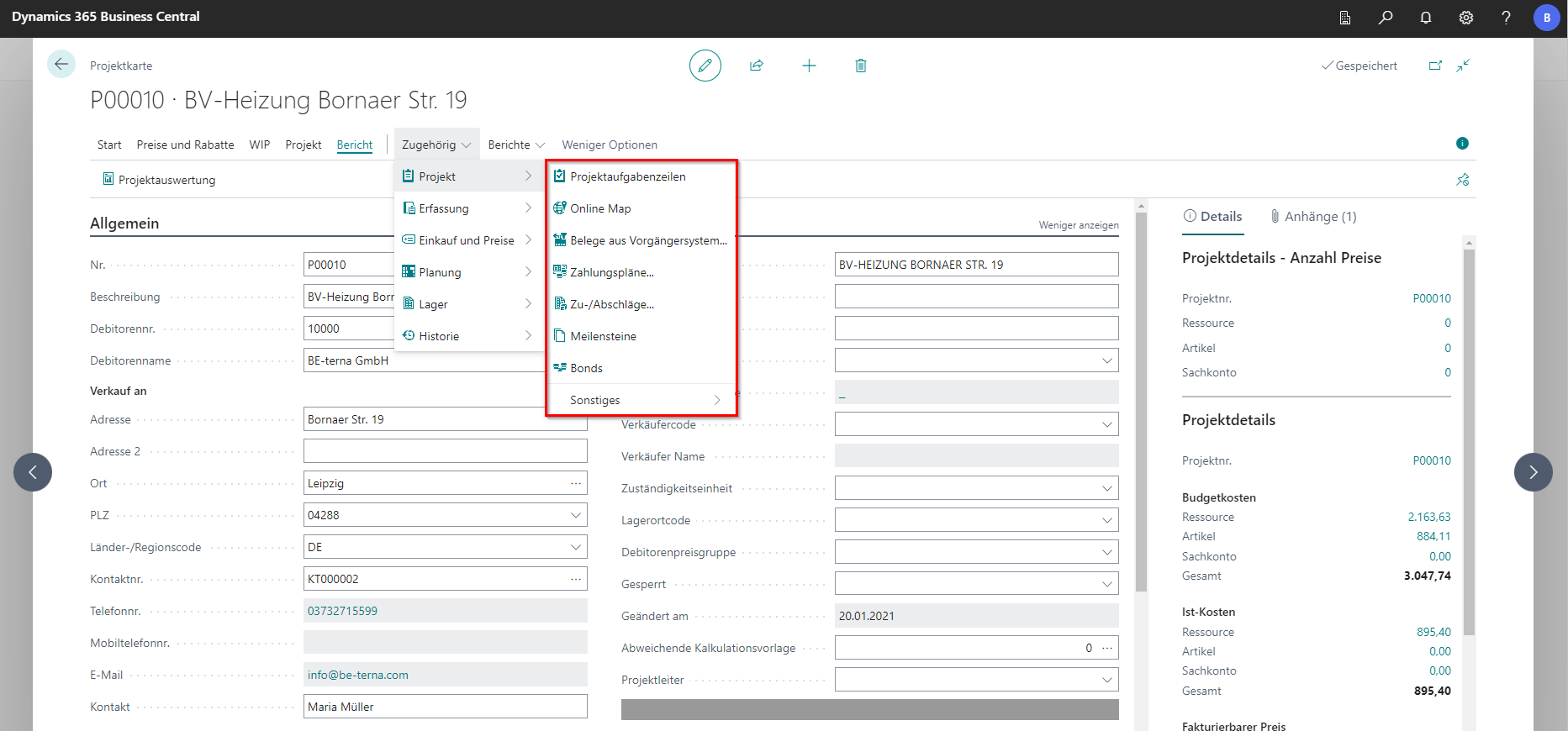
| Project task lines | Opens the list of project task lines with task descriptions and task numbers. |
| Online Map | Opens a browser tab showing the project-specific address on Microsoft Bing Maps. |
| Documents from legacy system… | Opens an editor to create documents from a legacy system. |
| Payment plans… | Opens the project’s payment schedules. |
| Surcharges/discounts… | Opens a list of project-specific surcharges and discounts. |
| Meilensteine | Opens a list of project-specific milestones. |
| Bonds | Opens project-specific bonds. |
| Miscellaneous | Contains a submenu with actions that are already available elsewhere in the action ribbon. |
Capture
| Field | Explanation |
|---|---|
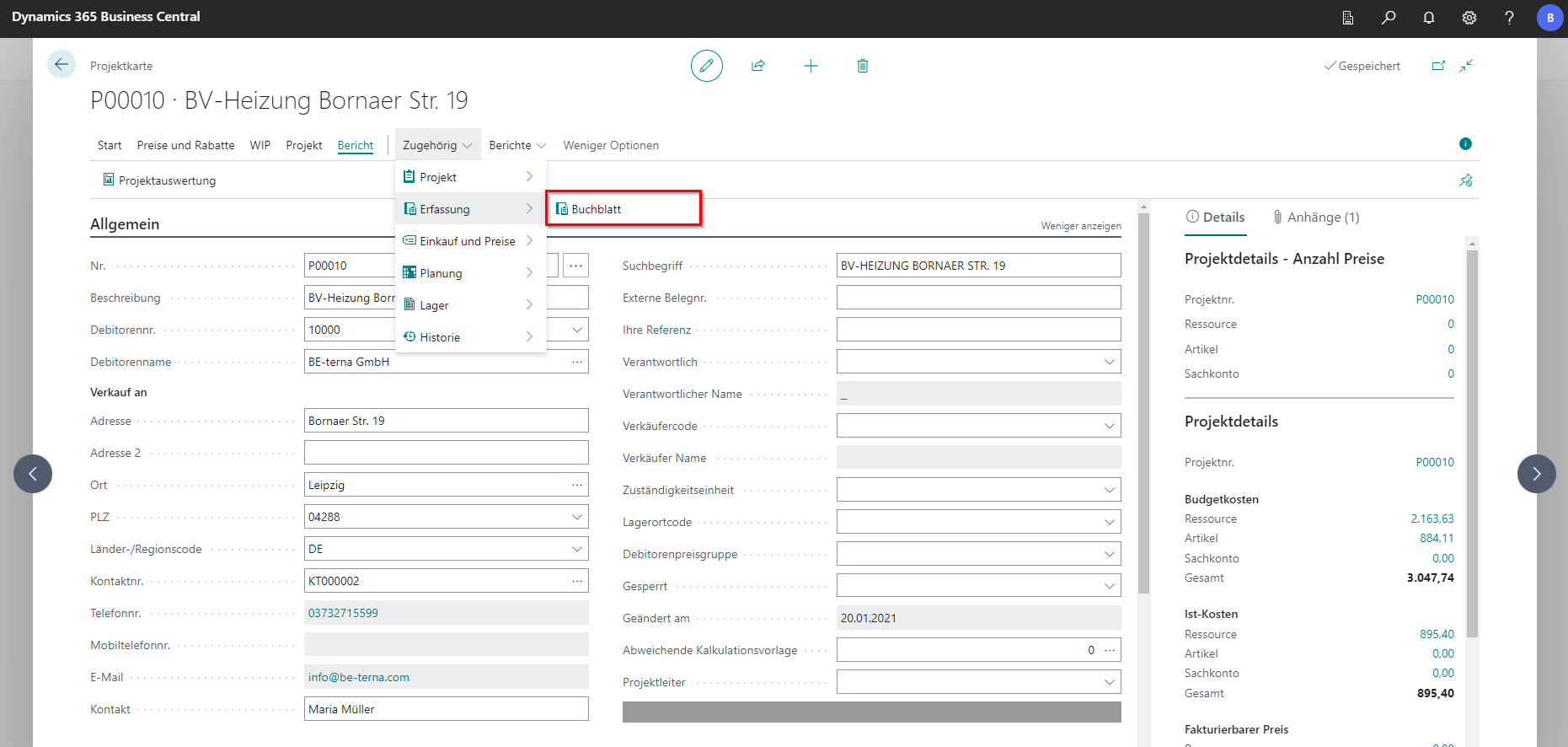
| Journal | Opens the project journal used to post project tasks to financial accounting. |
Purchasing and prices
| Field | Explanation |
|---|---|
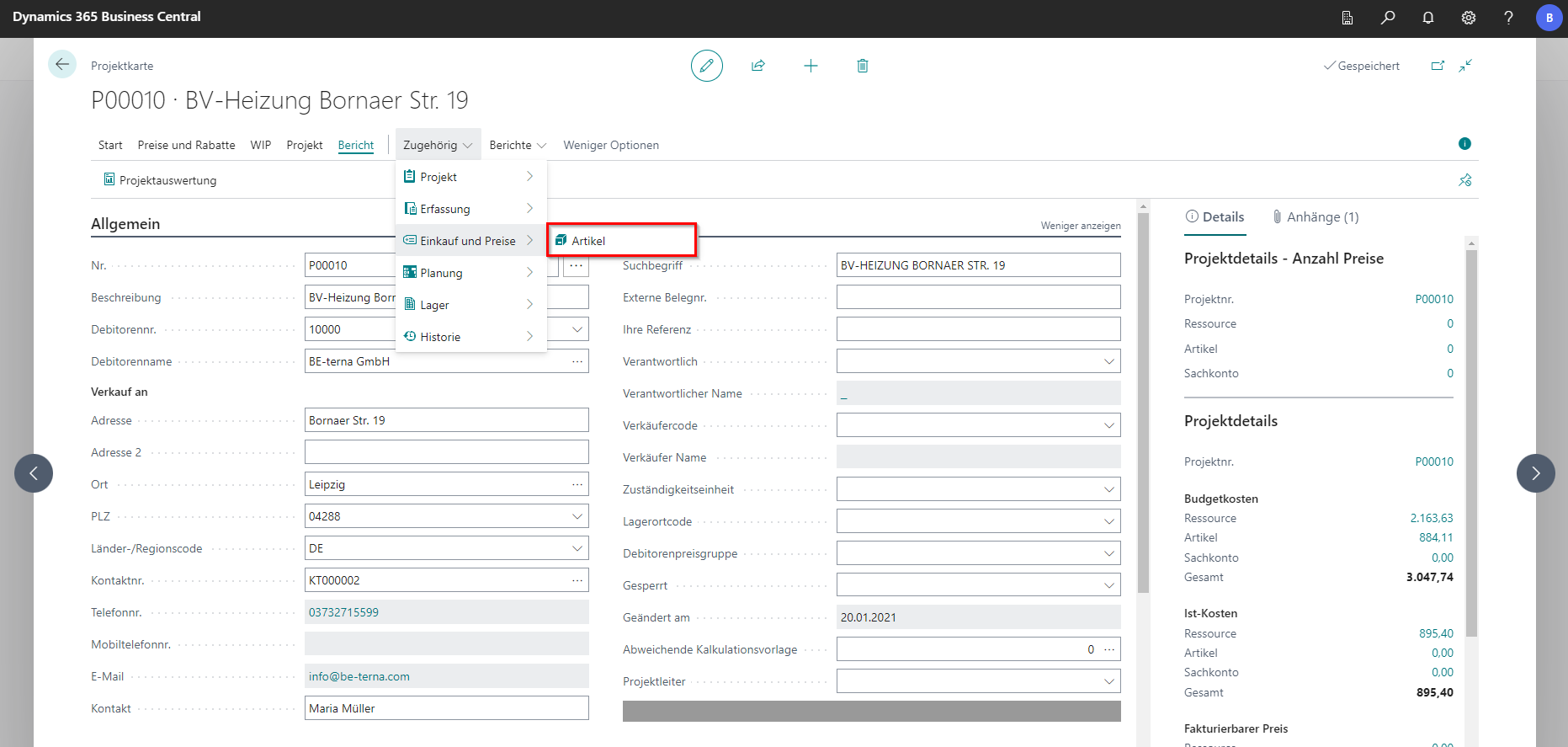
| Artikel | Shows a list of item purchase prices. |
Planning
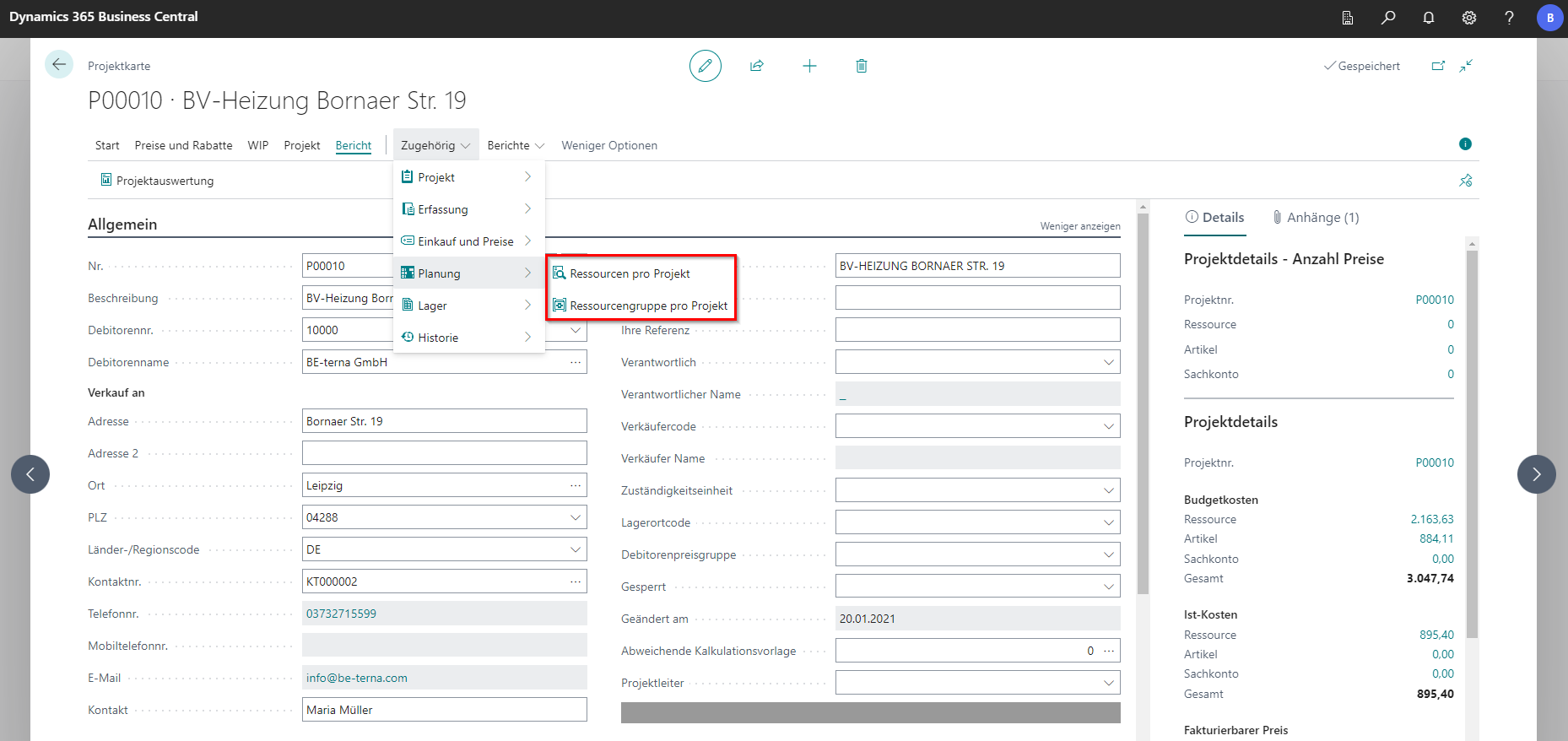
| Field | Explanation |
|---|---|
| Resources per project | Shows the resources assigned to the project. |
| Resource groups per project | Shows the resource groups assigned to the project. |
Warehouse
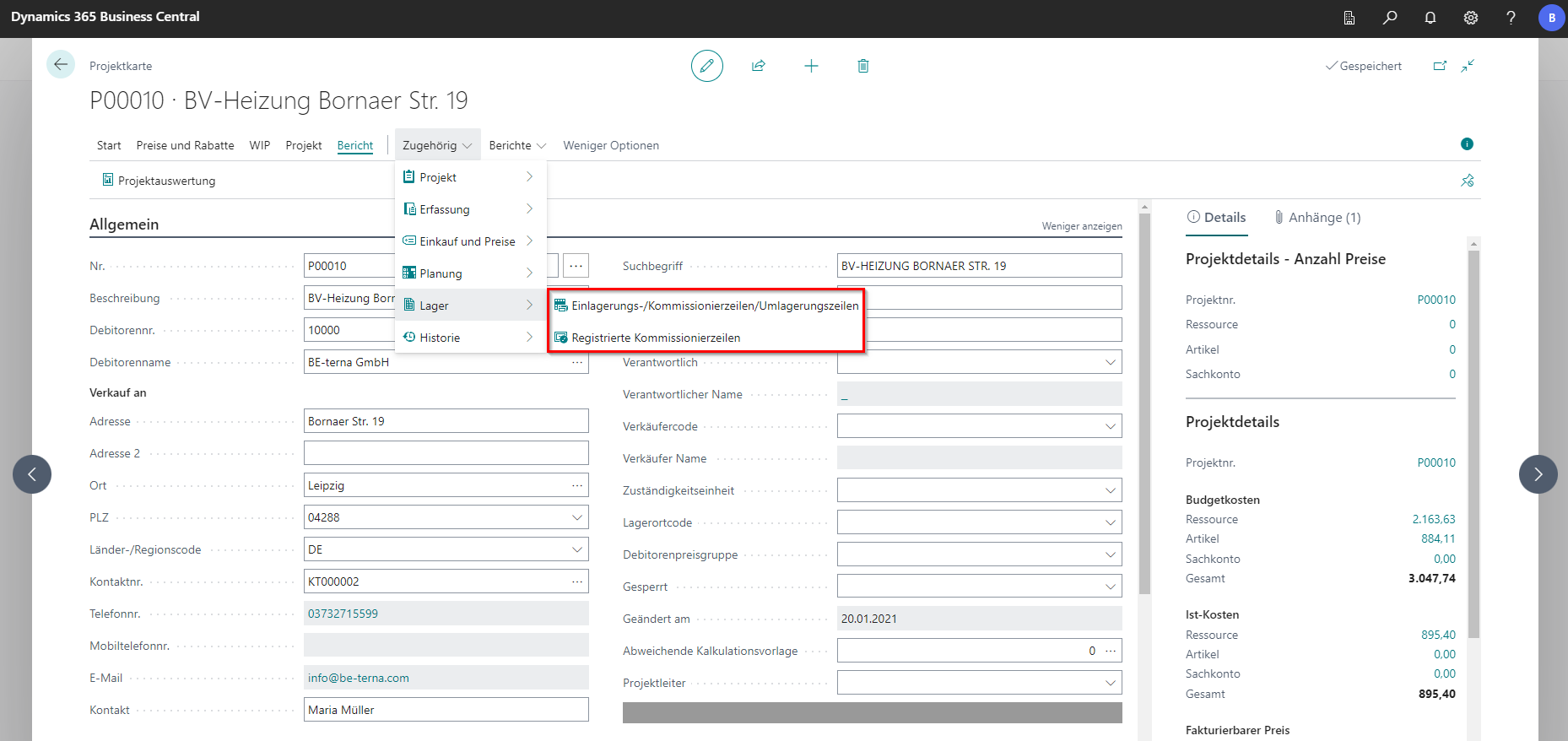
| Field | Explanation |
|---|---|
| Put-away/pick/transfer lines | Opens the list of ongoing warehouse put-away, picking, and transfer lines. |
| Registered pick lines | Opens the project-specific list of registered warehouse pick lines. |
History
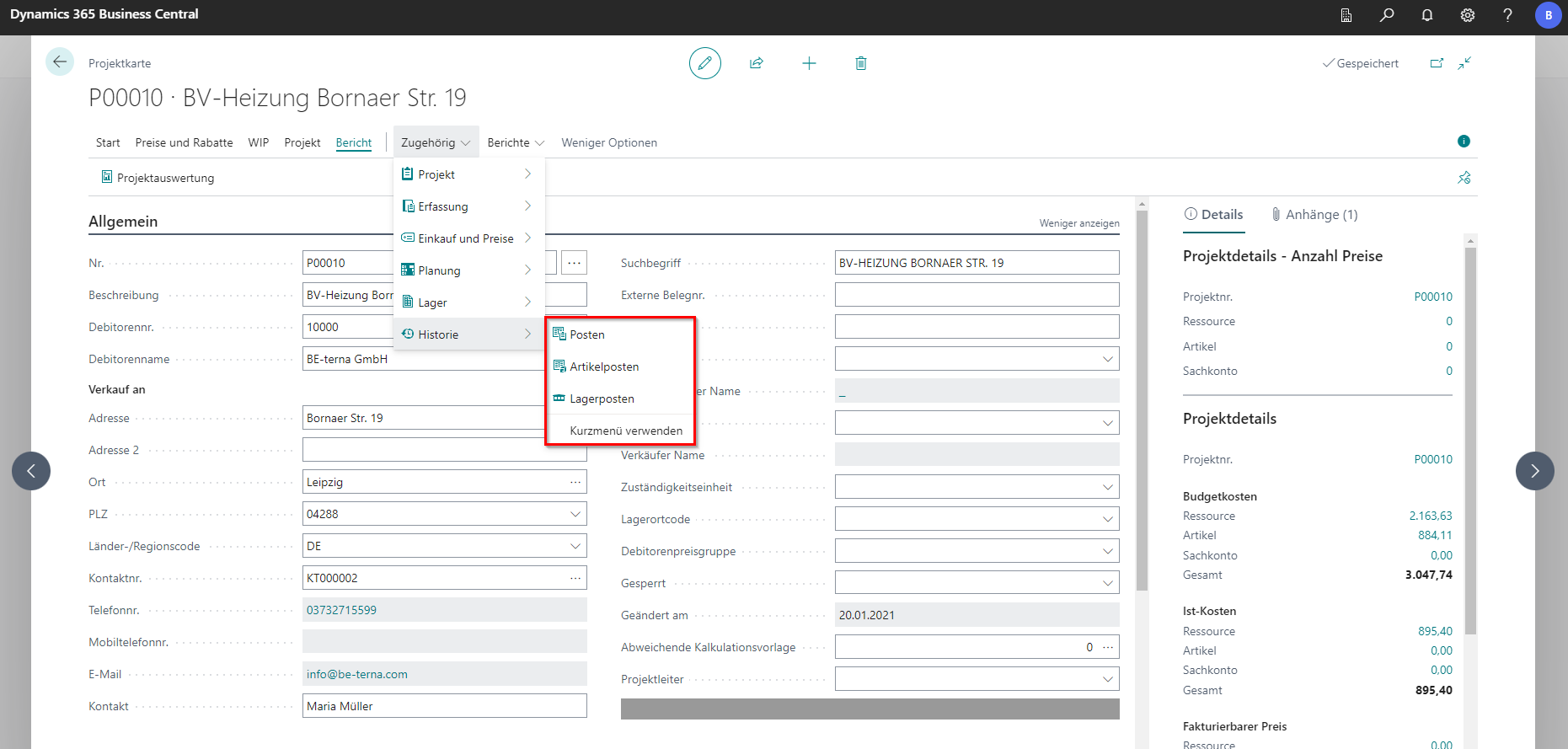
| Field | Explanation |
|---|---|
| Entries | Shows the history of transactions posted for the selected record. |
| Item entries | Shows item ledger entries for items consumed by the project. |
| Warehouse entries | Shows warehouse entries for items consumed by the project. |
Reports
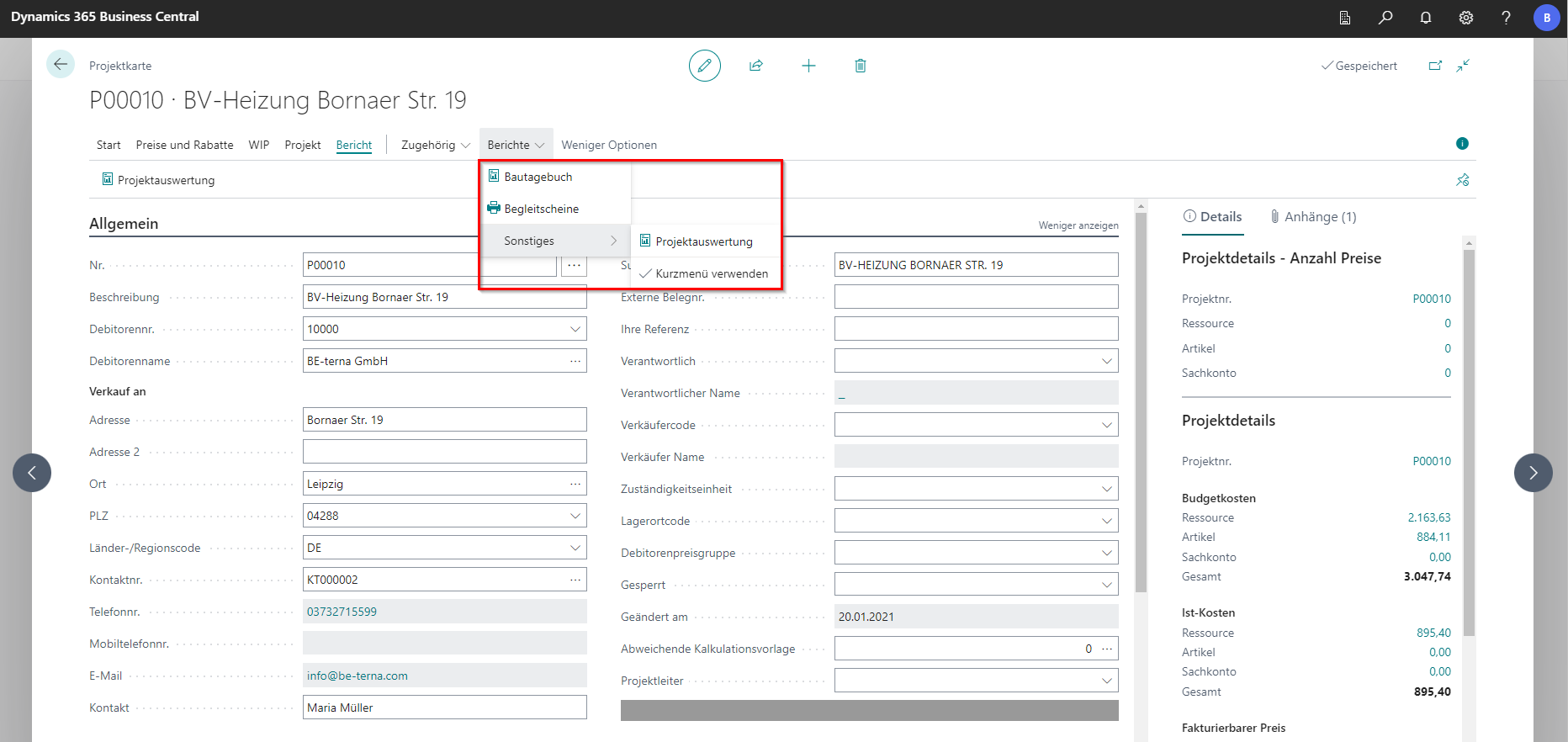
| Field | Explanation |
|---|---|
| Construction diary | Opens an editor for creating the construction site diary. |
| Delivery slips | Opens the project’s delivery slips. |
| Project analysis | Opens a dialog for creating an overall project summary. Reports can be generated in different file formats via Send to…. The report includes key project metrics such as purchase and sales values as well as item and resource consumption. |
Tabs
General
The General tab represents the project header. In this tab, the master data of the project is stored.
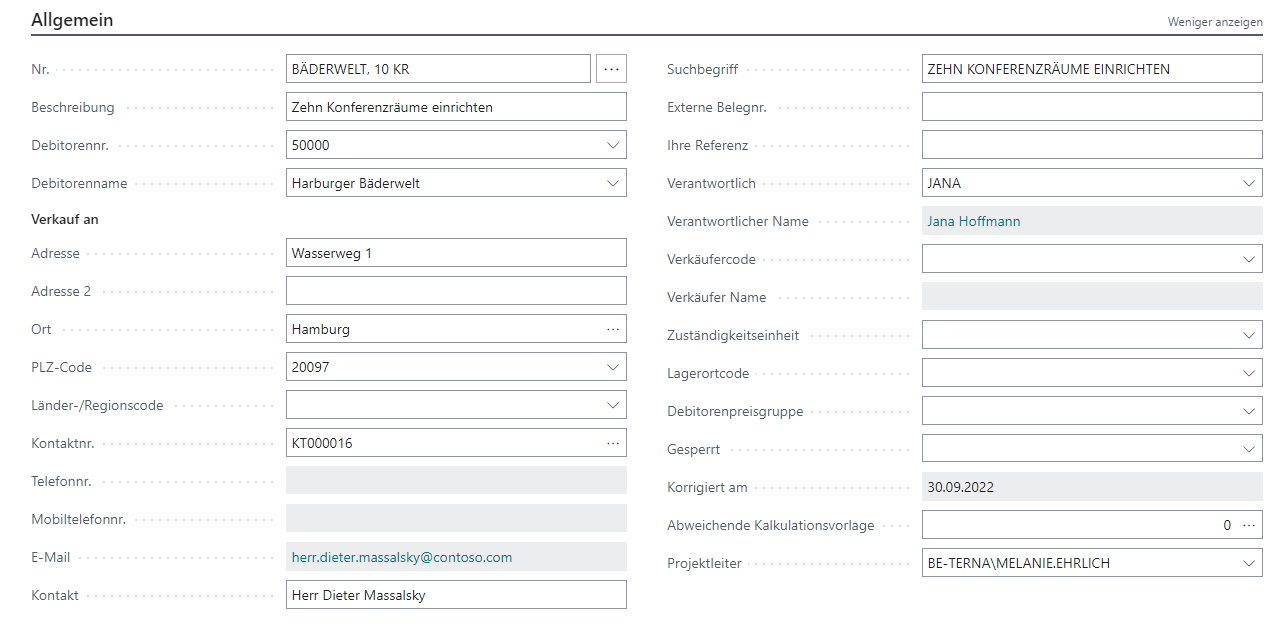
| Field | Explanation |
|---|---|
| Nr. | Project number. It is usually assigned automatically from the configured number series. Manual assignment is possible if allowed by the number series setup. The project number uniquely identifies the project. |
| Description | Detailed description of the project. |
| Customer no. | Number of the customer who receives the products and is invoiced by default. Address and contact details are filled automatically afterwards. |
| Customer name | Name of the customer, auto-filled after selecting the customer number. |
| Address fields | Address, city, postal code, and country or region code. |
| Contact data | Contact number, (mobile) phone number, email address, and contact name. |
| Search term | Specifies an additional description for the order to support search operations. |
| External document no. | Specifies an external document number based on the numbering system used by the customer or vendor. |
| Your Reference | Specifies the customer’s reference. The contents of this field are printed on sales documents. |
| Responsible | Person in your company (short code) responsible for the project. |
| Responsible name | Person in your company (full name) responsible for the project. |
| Salesperson code | Salesperson code assigned to the project. |
| Seller Name | Captures the seller (advertised) on the project. |
| Responsibility center | Responsibility center. In multi-branch setups, a predefined code can be used to assign the responsible branch for this project. |
| Location code | Defines the default warehouse location used for this project via a predefined location code. |
| Customer price group | Customer price group. |
| Blocked | Blocks the project for posting and entry. |
| Modified on | Date of the latest change on the project card. |
| Alternative calculation template | Stores a calculation template that differs from the default template. |
| Project manager | User responsible for project management. |
Project Receipts
In this tab, all documents of the respective project are stored. These can be the following documents: Draft, Quote, Order Confirmation, Maintenance Order, Down Payment Invoice, Partial Invoice, Invoice, Collective Invoice, Final Invoice, Partial Credit Statement, and Credit Note.

The following functions are available under Manage:
| Field | Explanation |
|---|---|
| New | Opens the editor for creating a new project document. |
| View | Opens the project document in view mode. |
| Edit | Opens the project document in edit mode. |
| Delete | Deletes the project document. |
| Opens the print settings dialog. | |
| Versionen | Opens a list of available older versions of the document. |
The following functions are available under All tasks:
| Field | Explanation |
|---|---|
| Beleg kopieren | Opens an editor to copy the document to the current, a new, or another project. |
| Move document | Opens a list of projects to which the document can be moved. |
| Line tracking | Opens line tracking. |
| Project document comparison | In development. |
| Check out | Locks the document for other users until it is checked in again or checkout is undone. A new version is created during checkout. |
| Undo checkout | Reverts checkout. The checked-out version is discarded and the active version is restored. |
| Check in | Checks in the document so the checked-out version becomes active and can be edited by other users again. |
| Unlock | Manually unlocks a still-locked document so it can be edited. After that, the document may still need to be checked in. |
| Aufmaßerfassungsmatrix | Allows capturing measurements via a matrix. |
| Transfer to capacity planning | In development. |
| Zahlungsplan | Lets you store a payment schedule directly on the project or assign an existing one to a debtor. |
| Change budget relevance | Enables or disables budget relevance for the document so its amounts are included in planned statistics. |
| Update budget | Updates the budget when budget relevance is enabled on the document. |
| Delete budget | Deletes the stored budget. |
| Auftragsauswertung Soll/Ist Vergleich | Compares planned values with actual purchase and sales values and includes measured lines. |
| Project document statistics | Opens project statistics for the selected document. |
| Release | Releases the document or creates a new document. |
| Selects available print options: delivery slip, document, or document variant. |
Purchasing Exchange
Under the Purchase Exchange tab, you will find all documents that have been transferred to the Purchase Exchange. It is intended as an interface between the project document and the purchasing documents.
Project Purchasing Documents
Here you will find a list of all Orders assigned to the project.

Project invoices
All Invoice receipts in the project are listed here.

Delivery Orders
This tab lists all delivery orders for the project.

Project Posting Documents
In this tab, you will find a list of the project-relevant posting documents as well as the material withdrawal notes.

Project participants
List of all vendors, customers, contacts, and resources involved in the project. It is possible to enter participants who are not stored in the system as a contact or similar and should not be stored.

Booking
The Posting tab contains all the information that is important for accounting.

| Field | Explanation |
|---|---|
| Status | Shows the current status of the project. The project status can be changed during processing. Closing calculations can be run for completed projects. |
| Project posting group | Specifies the posting group that links project transactions to the correct G/L accounts based on posting matrix setup. |
| WIP method | Specifies the method used to calculate the work-in-progress value for the project. |
| WIP posting method | Specifies how WIP posting is executed. Per project calculates WIP based on total WIP costs and sales value. Per project entry calculates WIP based on cumulative WIP cost and sales values. |
| Allow budget/billable lines | Specifies whether planning lines of type Budget and Billable can be added to the project. |
| Invoicing according to §13b | Specifies whether invoicing should follow German VAT rule §13b. |
Invoice and shipping
In this tab, you enter the billing and shipping details as well as payment terms.
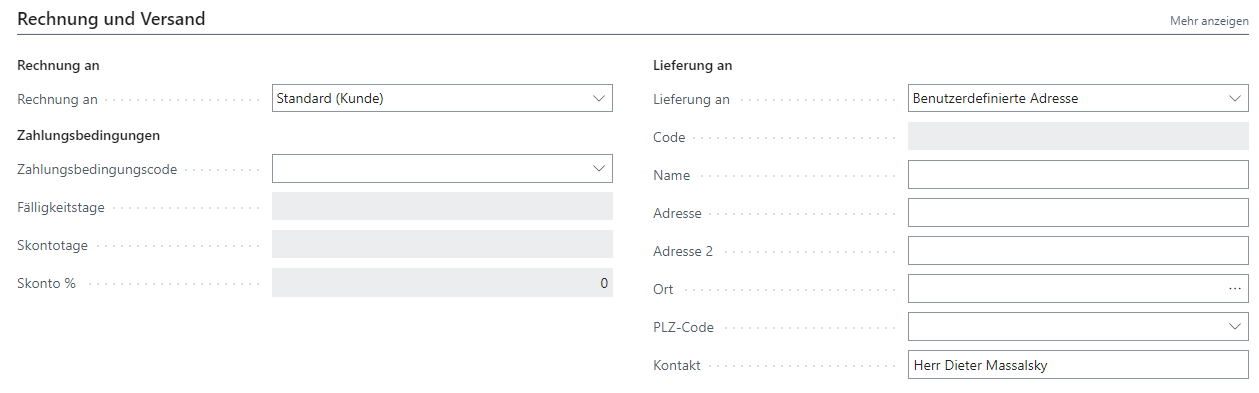
| Field | Explanation |
|---|---|
| Bill-to | Specifies the customer to whom the sales invoice is sent. Standard (Customer): same as on the sales invoice. Different customer: customer defined in the fields below. |
| Payment terms code | Specifies a formula used to calculate due date, discount date, and discount amount. |
| Due days | Number of days until the invoice is due. |
| Discount days | Number of days during which a cash discount is granted. |
| Skonto % | Cash discount percentage. |
| Ship-to | Specifies the shipping address for products on the sales document. Standard (Sales address): same as the customer’s sales address. Alternative shipping address: a stored alternate customer address. Custom address: address defined in the fields below. |
| Code | Specifies the code of an alternate shipping address for the customer that is entered by default. |
| Name | Specifies the recipient name for products on the sales document. |
| Address | Specifies the shipping address for products on the sales document. |
| Adresse 2 | Specifies additional address information. |
| City | Specifies the city for the customer on the sales document. |
| Post code | Specifies the postal code. |
| Contact | Specifies the contact person for the shipping address on the sales document. |
Dates
Here you can set dates for the project.

| Field | Explanation |
|---|---|
| Start date | Specifies the date on which the project actually starts. |
| End date | Specifies the date by which the project should be completed. |
| Creation date | Specifies the date when the project was created. This field is filled automatically when the project is created. |
Foreign trade
In this tab, you can set settings for foreign trade.

| Field | Explanation |
|---|---|
| Currency code | Specifies a currency code for the project. By default, the field is empty. If a foreign currency code is entered, planning and invoicing are done in that currency. |
| Language code | Specifies the language code. |
WIP and Revenue Recognition
This tab provides an overview of the project’s WIP data.
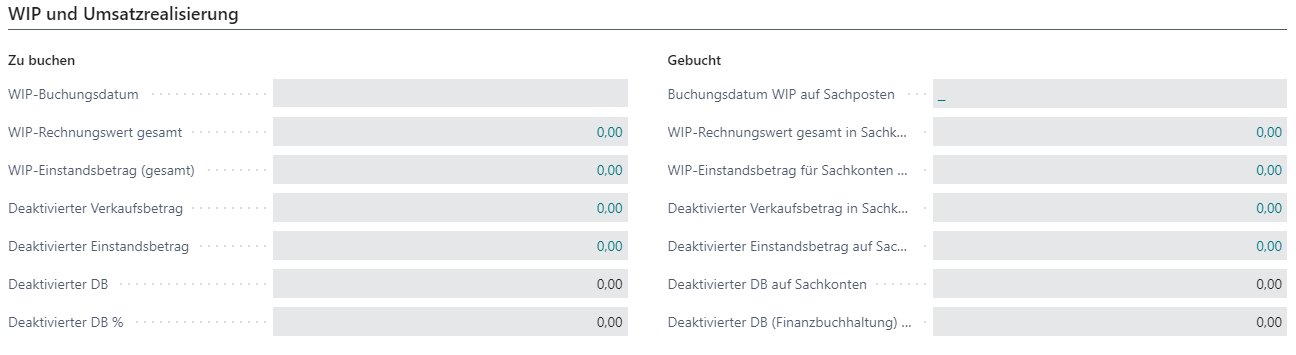
| Field | Explanation |
|---|---|
| WIP posting date | Specifies the posting date entered when the batch process “Calculate WIP Project” was last run. |
| Total WIP sales amount | Specifies the total WIP sales amount most recently calculated for the project. |
| Total WIP cost amount | Specifies the total WIP cost amount most recently calculated for the project. |
| Deferred sales amount | Specifies the declared sales amount most recently calculated for the project. |
| Deferred cost amount | Specifies the declared cost amount most recently calculated for the project. |
| Deferred contribution margin | Specifies the deactivated contribution margin for the project. |
| Deferred contribution margin % | Specifies the deactivated contribution margin percentage for the project. |
| Posting date of WIP to G/L | Specifies the posting date entered when the batch process “Post WIP to G/L Project” was last run. |
| Total WIP sales amount in G/L | Specifies the total WIP sales amount most recently posted for the project in financial accounting. |
| Total WIP cost amount in G/L | Specifies the total WIP cost amount most recently posted for the project in financial accounting. |
| Deferred sales amount in G/L | Specifies the total declared sales amount most recently posted for the project in financial accounting. |
| Deferred cost amount in G/L | Specifies the total deactivated cost amount most recently posted for the project in financial accounting. |
| Deferred contribution margin in G/L | Specifies the contribution margin realized for this project in financial accounting. |
| Deferred contribution margin (financial accounting) % | Specifies the contribution margin percentage realized for this project in financial accounting. |