Discount Reason
Setup of discount reasons, usage options, and print settings in POS Core.
If the cash register is to work with discount reasons, they can be configured under Setup → Discount Reason.
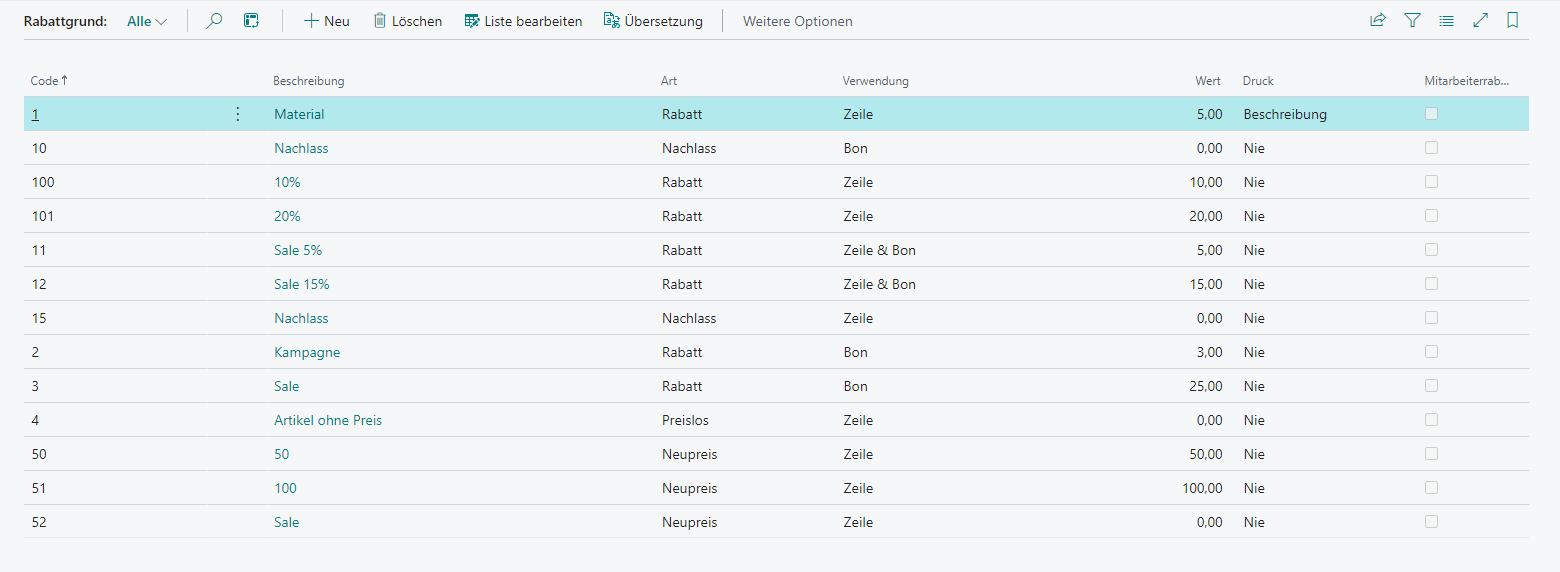
Actions
Only one action is available within the discount reasons: the language-dependent translation option.
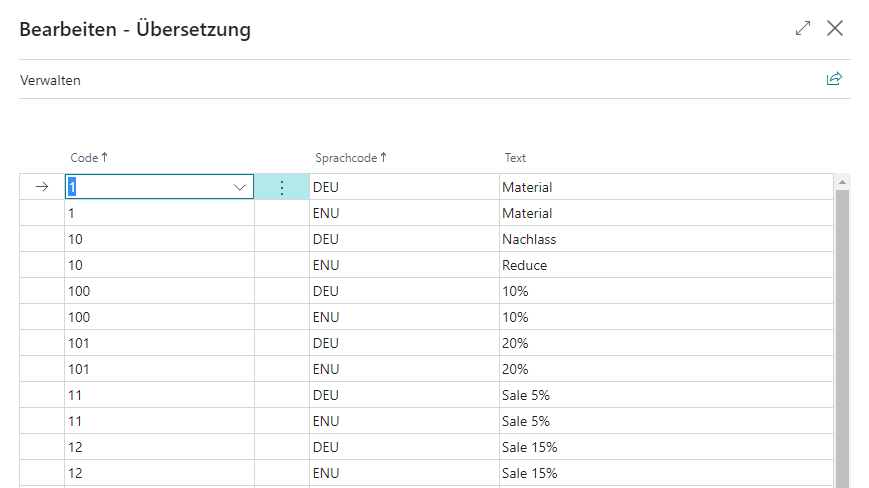
Translation
In the translation overview, language-dependent descriptions can be stored for the respective discount reason.
Setup
| Field | Description |
|---|---|
| Code | Unique discount reason code |
| Description | Contains the language-dependent description |
| Type | Defines the type of discount reason Discount: Percentage reduction at line or receipt level Reduce: Absolute reduction at line or receipt level New Price: Assignment of a new sales price at line level No Price: Item without price at line level Free: Sets the sales amount to 0 and can be applied as a discount, reduce, or new price at both line and receipt level |
| Usage | Defines where it can be used Line: At line level Receipt: At receipt level Line & Receipt: At line and/or receipt level |
| Value | Defines a value (percentage or absolute; if no value is specified, it is requested manually during the cash register process) |
| Controls the print mode Never: The discount reason is not printed Code: The discount reason code is printed Description: The discount reason description is printed |
|
| Employee Discount | Allows assigning the discount to an employee purchase |