Employees
Configuration of employees, employee groups, and employee discounts in POS Core.
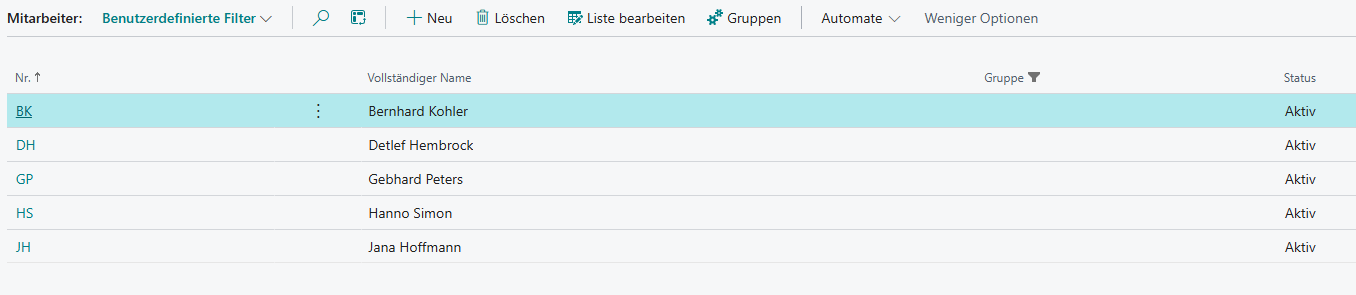
Under Setup → Employees, employees and employee groups are configured.
Actions
Groups
This is where employee groups are managed. This makes it possible to group discounts among employees, for example according to length of service or classification.
Actions
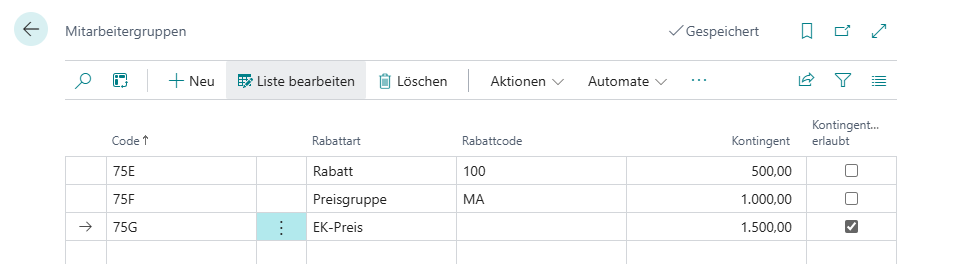
Apply
Applies the selected group to all existing employees. If the prompt is confirmed with Yes, the group is always applied; otherwise only employees without an existing employee group assignment are updated.
Setup
| Field | Description |
|---|---|
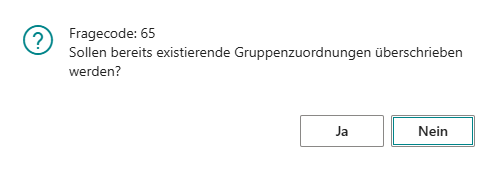
| Code | Identifier for the employee group |
| Discount Type | Defines the type of reduction Discount: Allows the use of discount reasons marked as employee discount Price Group: Allows a specific price group to be stored Cost Price: Allows employees to purchase items at cost price |
| Discount Code | Defines a specific reduction Discount: If a specific discount reason is stored, only that reason can be applied for the employee. If the field remains blank, all discount reasons marked as employee discount can be used Price Group: When items are purchased, the stored price group is used for the relevant employee. If the field remains blank, only the default price group is used Cost Price: If a specific discount reason is stored here, it is added to the relevant cost price, for example cost price + 20%. If the field remains blank, only the cost price is used |
| Contingent | Defines the employee’s yearly contingent |
| Contingent Overrun Allowed | Allows the relevant employee to exceed the stored contingent after confirming an informational message |
Setup
Within the standard employee card, there is a BE-POS tab that manages discount application individually per employee.

| Field | Description |
|---|---|
| Group | The employee group assigned to the employee. Changes within the employee group are automatically transferred to all assigned employees |
| Discount Type | Defines the type of reduction Discount: Allows the use of discount reasons marked as employee discount Price Group: Allows a specific price group to be stored Cost Price: Allows employees to purchase items at cost price |
| Discount Code | Defines a specific reduction Discount: If a specific discount reason is stored, only that reason can be applied for the employee. If the field remains blank, all discount reasons marked as employee discount can be used Price Group: When items are purchased, the stored price group is used for the relevant employee. If the field remains blank, only the default price group is used Cost Price: If a specific discount reason is stored here, it is added to the relevant cost price, for example cost price + 20%. If the field remains blank, only the cost price is used |
| Contingent | Defines the employee’s yearly contingent |
| Contingent Overrun Allowed | Allows the relevant employee to exceed the stored contingent after confirming an informational message |