Guarantees
Create and process guarantees
A list of all guarantees can be found in the Guarantee Overview, which can be accessed via the search function. The New function can be used to create a new guarantee.
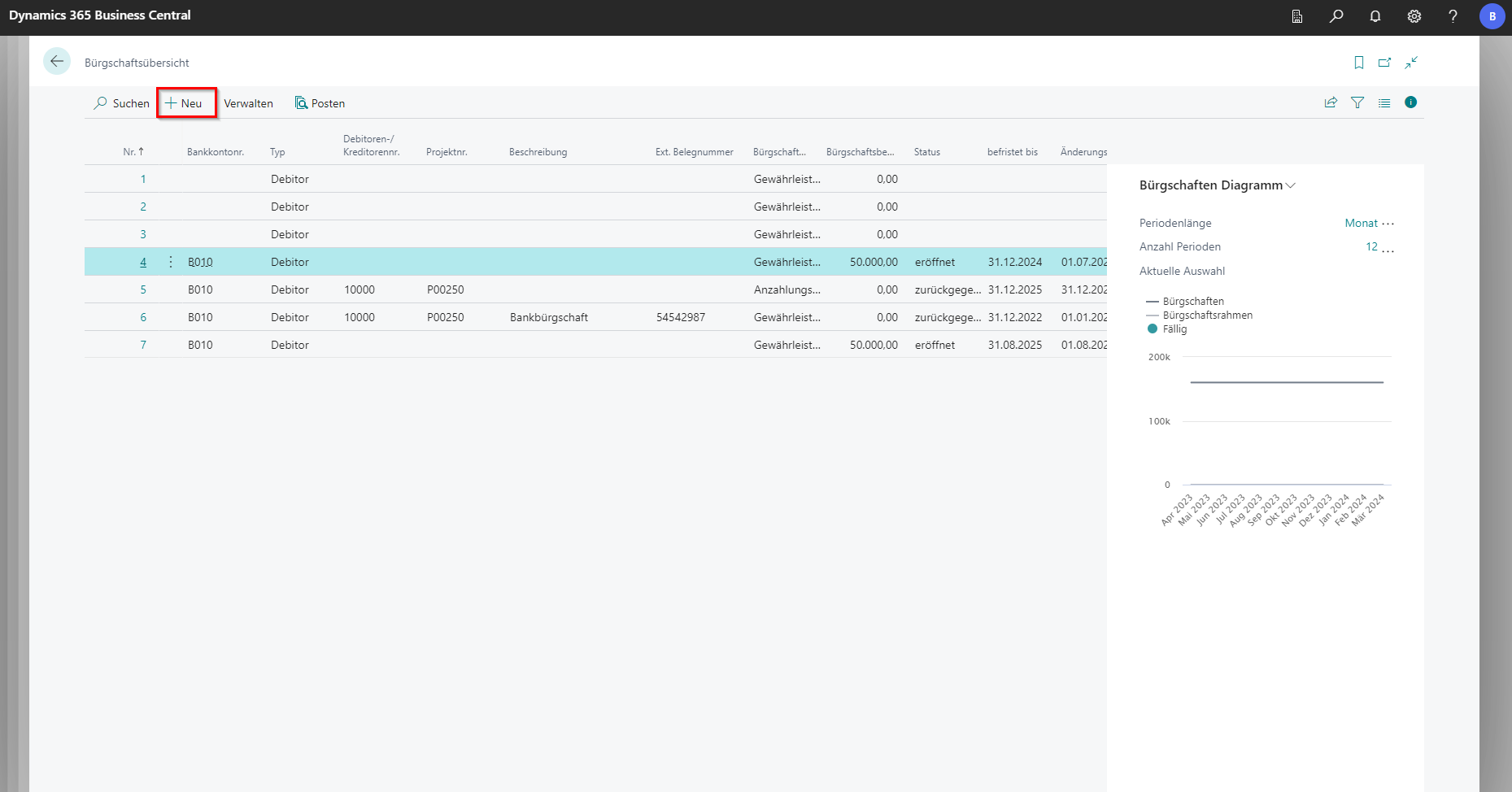 Click to enlarge
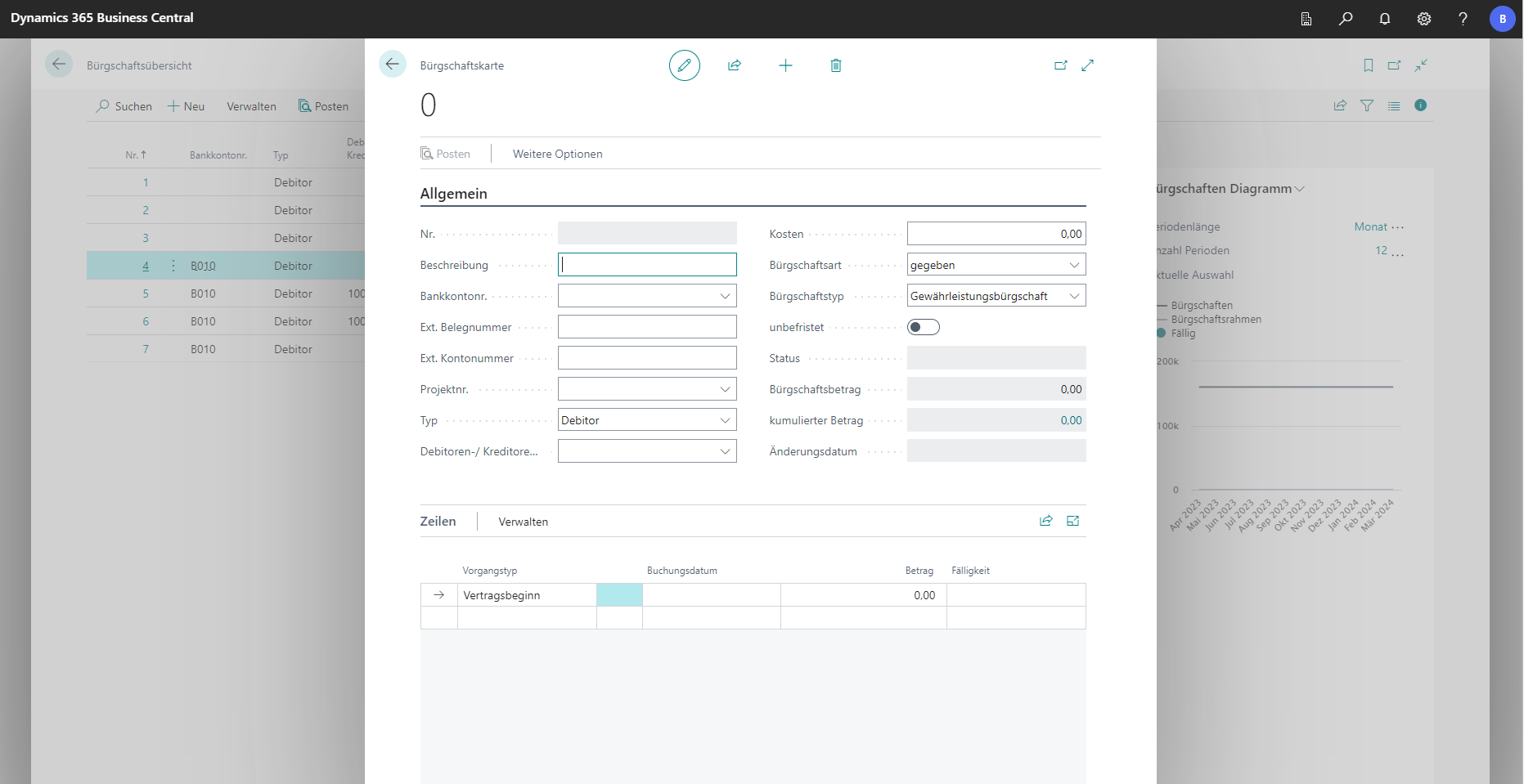 Click to enlarge
| Field | Explanation |
|---|---|
| Nr. | Wird automatisch vergeben. |
| Beschreibung | In diesem Feld kann eine Beschreibung als Freitext für Bürgschaften gepflegt werden. Dafür gibt es keine Vorgaben. |
| Bankkonto Nr. (Pflichtfeld) | Das Bankkonto des Users. |
| Ext. Belegnummer | In diesem Feld wird die Belegnummer des Partners hinterlegt. |
| Ext. Kontonummer | An dieser Stelle kann die zugehörige, externe Kontonummer erfasst werden. |
| Projektnummer | Die Projektnummer zu welcher die Bürgschaft hinterlegt wird. |
| Typ | Hier kann ausgewählt werden ob der User ein Debitor oder Kreditor ist. |
| Debitoren-/Kreditorennummer | Je nach Einstellung unter Typ, wird hier der jeweilige Debitor bzw. Kreditor ausgewählt. |
| Kosten | Kosten die für diese Bürgschaft entstehen. |
| Bürgschaftsart | Hier wird ausgewählt, ob die Bürgschaft gegeben oder empfangen wurde. |
| Bürgschaftstyp | In diesem Feld wird festgelegt, um welche Art Bürgschaft es sich handelt. |
| Unbefristet | Legt fest, ob es sich um eine unbefristete Bürgschaft handelt. |
| Status | Zeigt den aktuellen Status der Bürgschaft an. |
| Bürgschaftsbetrag | Höhe der Bürgschaft. |
| Kumulierter Betrag | Gesamtbetrag aller Bürgschaftszeilen. |
| Änderungsdatum | Letzte Änderung an der Bürgschaft (wird automatisch gesetzt). |
Different types of guarantees can be created in the BE-Project:
- Warranty bond
- Bidding Guarantee
- Deposit guarantee
- Contract performance bond
- Prepayment guarantee
- Mietaval
- Warranty
Various processes can be stored via the lines:
- Contract start/end
- Increase/decrease
- Strain
- Renewal
- Returns
- Maturity
The lines in the guarantee are used to manage deadlines. The type is used to record what kind of process it is. A guarantee is always opened at the beginning of the contract and ends at the end of the contract and a return. In between, the various processes such as an increase or strain are recorded. For each transaction, the respective cumulative amounts are entered with corresponding due dates.
Create guarantees in the project
To create guarantees for a specific project, navigate to Related in the navigation menu of the project card. Under Project is the Guarantees function. An overview of guarantees opens in which all guarantees for the project are listed and new guarantees can be maintained.
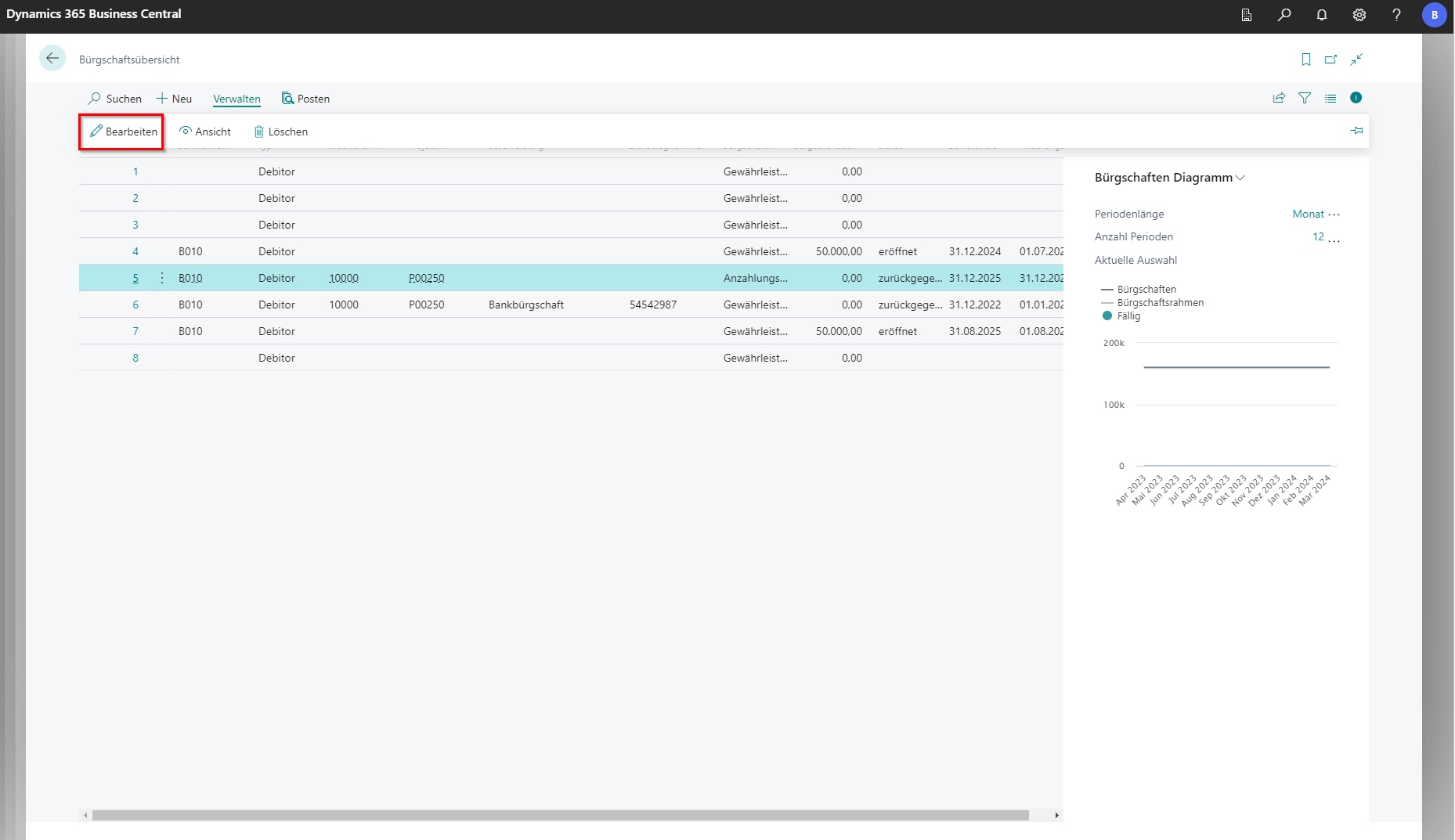 Click to enlarge
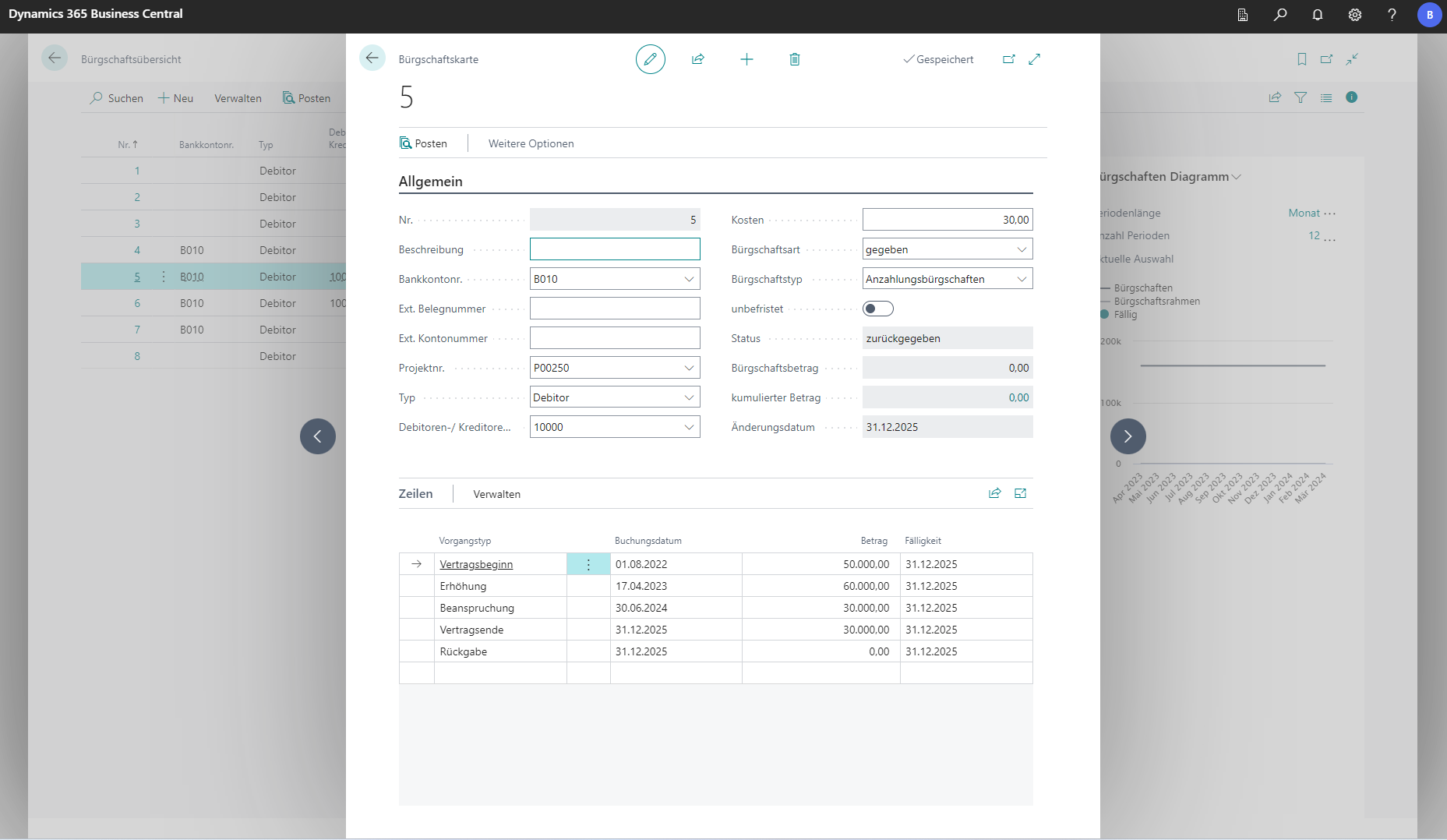 Click to enlarge
Surety Chart
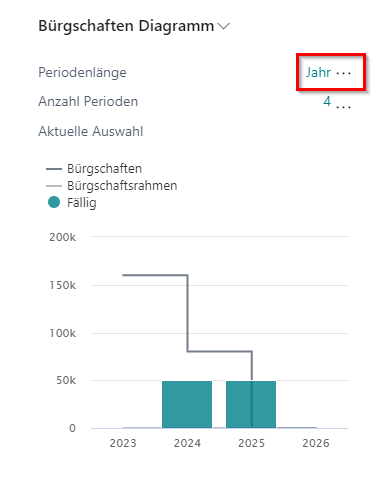
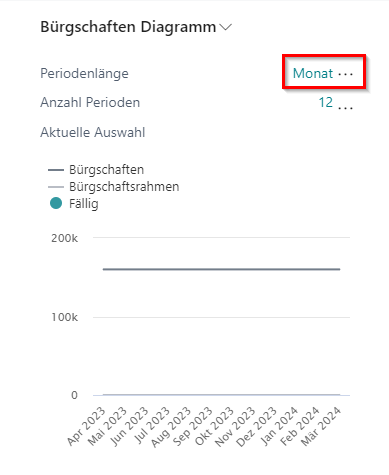
In the list of sureties, a surety chart is displayed as an infobox. The “Guarantees” line shows the history of the total volume of all guarantees for the selected bank.
If a guarantee limit has been defined for the bank, this is also displayed as a graph in the diagram. “Due” indicates the amount for one or more guarantees that are due at that time.
 Click to enlarge
 Click to enlarge
Period Length specifies which time periods to display in the chart. Number of Periods indicates how many of the selected periods are represented in the chart.