Base Setup
General standard templates, overview setup, role center, and demo data for POS Core.
Within the base setup, general standard templates and settings can be defined.
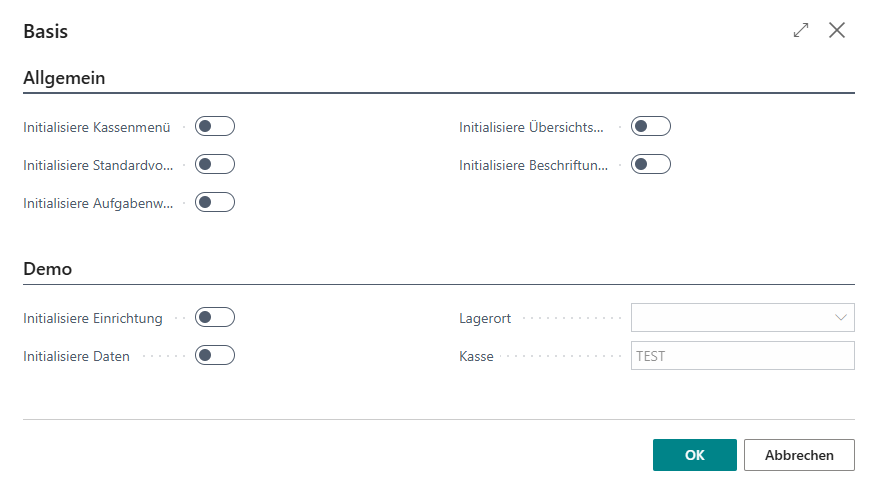
General
| Field | Description |
|---|---|
| Initialize Cash Register Menu | Creates and assigns the BE-POS role center for the signed-in user |
| Initialize Standard Template | Creates the general standard template for interface and functionality |
| Initialize Job Queues | Creates the cash register job queues if they do not yet exist. This automatically imports movement data into the journals, for example. |
| Initialize Overview Setup | Creates or extends the overviews that the standard uses for various search functions in the cash register interface |
| Initialize Captions | Creates receipt text captions, including multilingual captions |
Demo
| Field | Description |
|---|---|
| Initialize Setup | Creates DEMO cash register setups (cash register setup, tenders, etc.) |
| Initialize Data | Creates DEMO cash register data (receipts) |
| Location | The location code for the DEMO cash register setup |
| Cash Register | The cash register code for the DEMO cash register setup |
Note: When a new DEMO cash register setup is created, all cash register setups and any data already generated are deleted.
Cash Register Setup
After you call the Initialize Setup function, the following message appears:
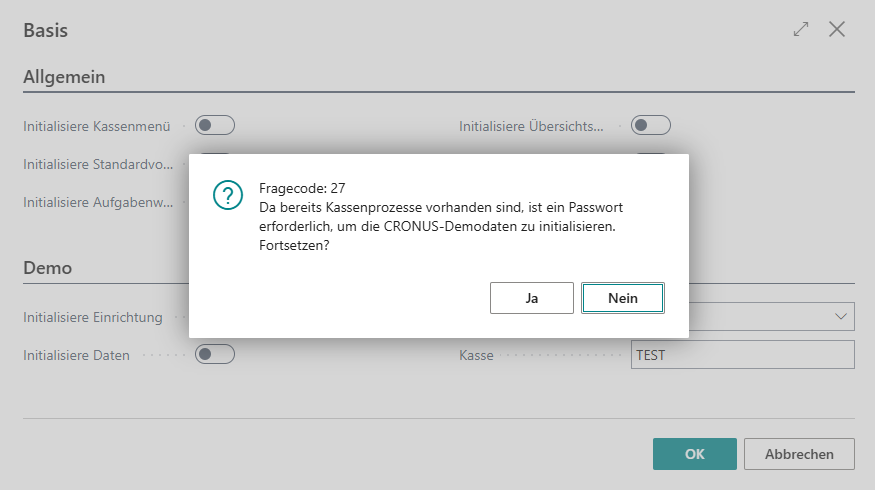
If you confirm it with Yes, you are then prompted for the admin password:
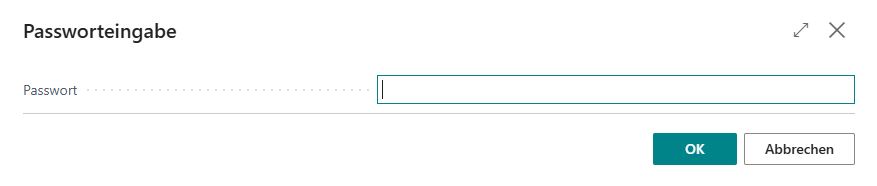
After the password is entered successfully, new CRONUS demo data is created.
Cash Register Data
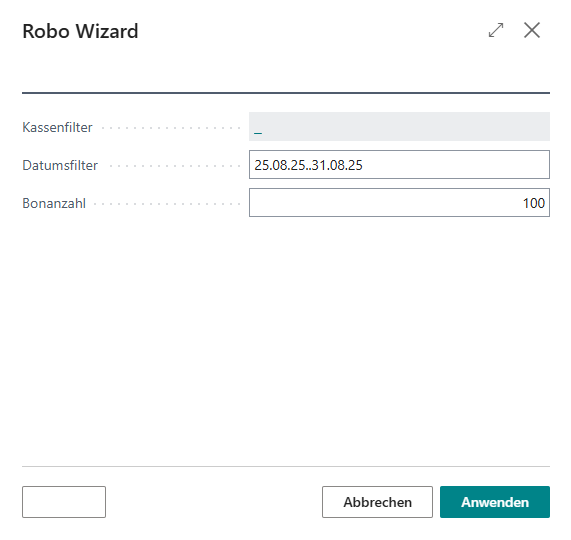
After you call the Initialize Data function, the following wizard appears:
| Field | Description |
|---|---|
| Cash Register Filter | Lets you mark all cash register setups that are to be used to generate the DEMO data |
| Date Filter | Defines the date range in which the DEMO data to be generated should fall |
| Number of Receipts | Determines the number of DEMO receipts to generate per cash register setup |
After you select Apply, you are then prompted for the admin password:
After the password is entered successfully, the DEMO receipts are then created.