Position Batch Processing
You can find the batch processing in document processing under Edit in the FastTab.
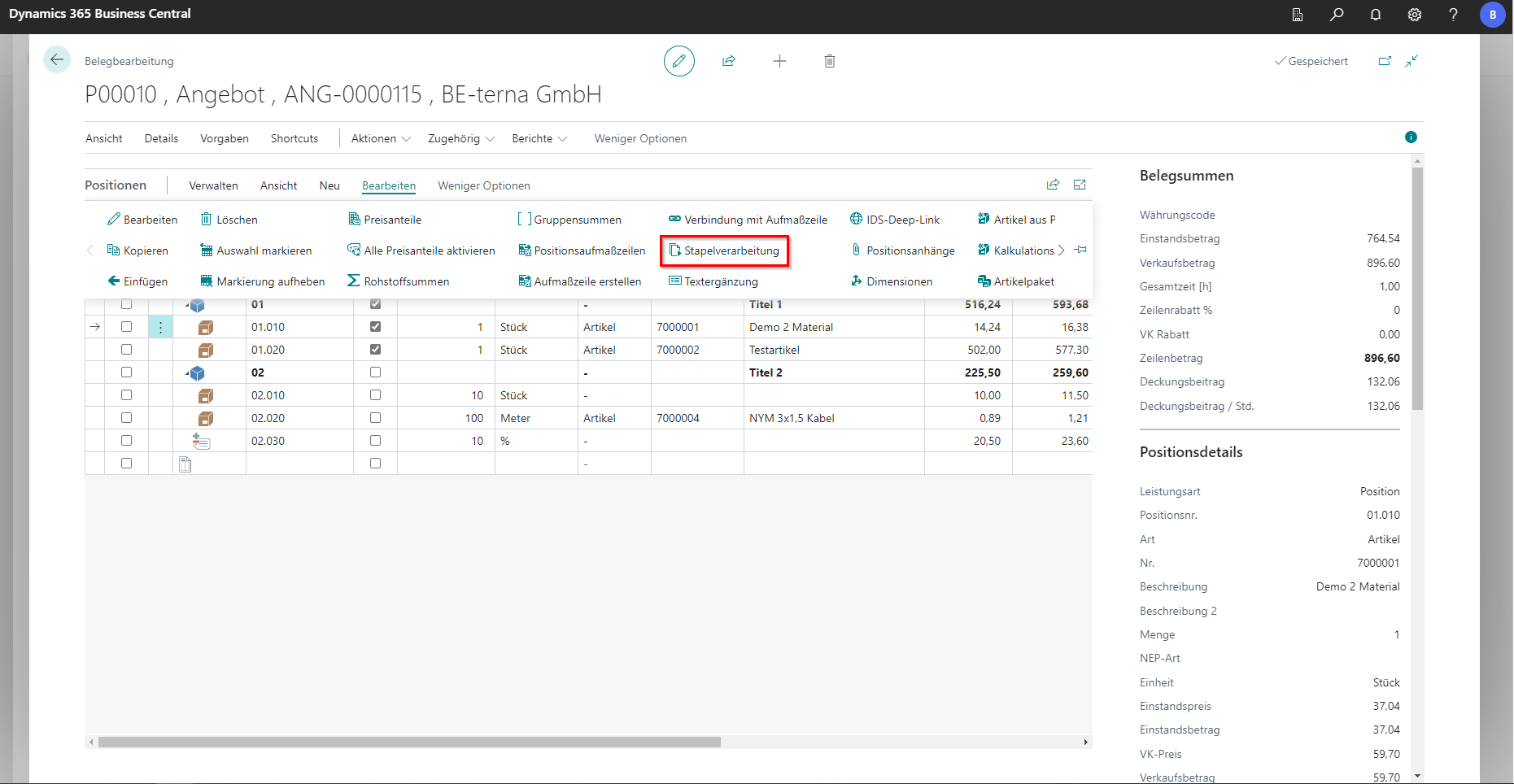
Using item batch processing, a selection of items in the project document can be changed using various setting options.
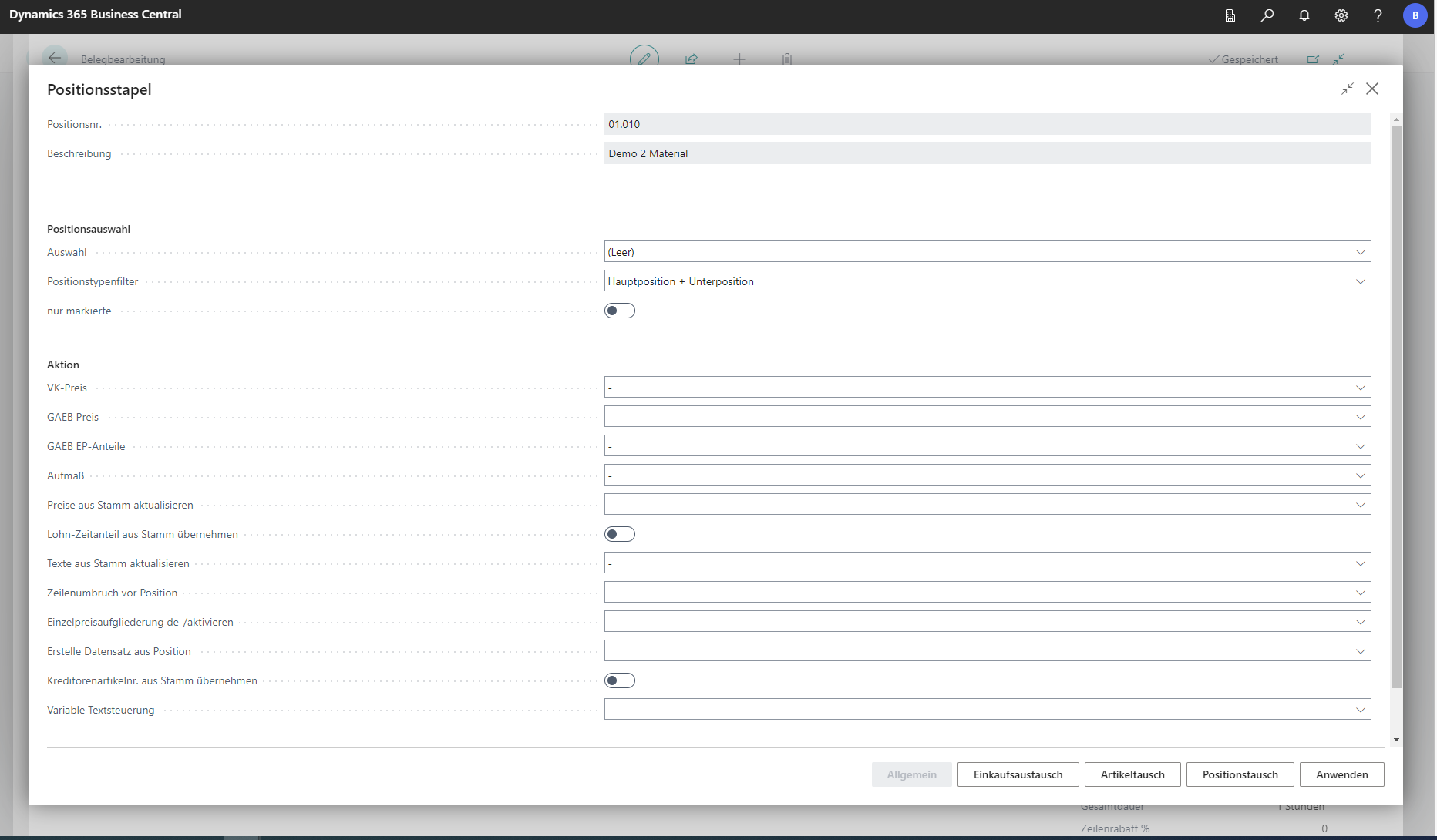
General
| Field | Explanation |
|---|---|
| Positionsnr. | Specifies the number of the position selected beforehand. |
| Beschreibung | Shows the description of the currently selected position. |
| Positionsauswahl | |
| Auswahl | This lookup defines how many positions are processed. All processes all positions in the document. Current only processes the previously selected position. Subordinate additionally includes subordinate positions. |
| Positionstypenfilter | This lookup selects whether batch processing should handle main positions and/or subpositions. |
| nur markierte | Applies the selection only to marked positions. |
| Aktion | |
| VK-Preis | In this lookup, choosing Current as manual transfers the calculated result to sales. If purchase values change later, sales prices stay unchanged. The Calculation result option recalculates the sales price from costing. The Manual sales price flag on positions (per price share) determines the sales price of the selected price share via Current Sales Price. Changes to costing fields used for that price no longer affect it. Final total calculation can still change this manual price. |
| GAEB-Preis | Specifies whether imported GAEB prices should be taken over into purchasing. The sales price is then derived from costing. |
| GAEB EP-Anteile | Defines whether unit prices from imported GAEB should be adopted and directly assigned to position price shares. |
| Aufmaß | Transfers measured quantities per position into the position quantity column. |
| Preise aus Stamm aktualisieren | After prices were changed in item or catalog item master data, this field controls whether only cost price or both cost and sales prices are updated. |
| Lohn-Zeitanteil aus Stamm übernehmen | Updates the labor time value (usually in minutes) on the labor price share from master data. |
| Texte aus Stamm aktualisieren | Updates short and long texts of positions based on the current version in master data (items, catalog items). |
| Zeilenumbruch vor Position | Selects whether a line break should be printed before the position. |
| Einzelpreisaufgliederung de-/aktivieren | For GAEB export with unit-price breakdown, activation on the main position is required. |
| Erstelle Datensatz aus Position | Creates a new costing item, item, or package in master data from a manually entered position, depending on selection. |
| Kreditorenartikelnr. aus Stamm übernehmen | Specifies whether the vendor item number should be copied from master data. |
| Variable Textsteuerung | This lookup also sets optional positions (visible in Print view). It then controls whether long and/or short texts are printed for positions in the project document. |
| Referenzkreditor | Specifies a reference vendor via lookup. |
Purchasing Exchange
The Purchase Exchange function allows selected items to be exchanged for other items from an existing purchase exchange.
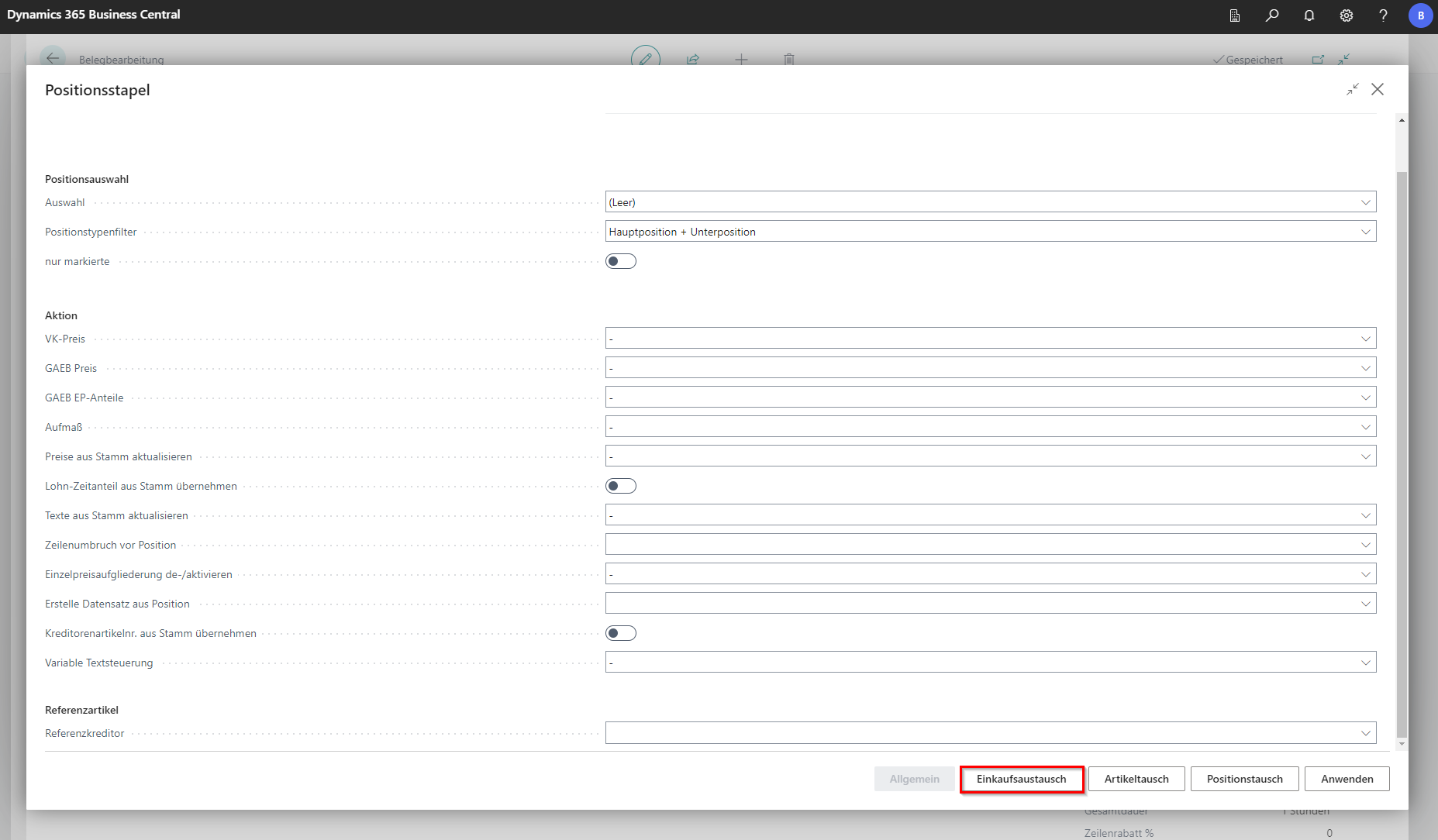 Click to enlarge
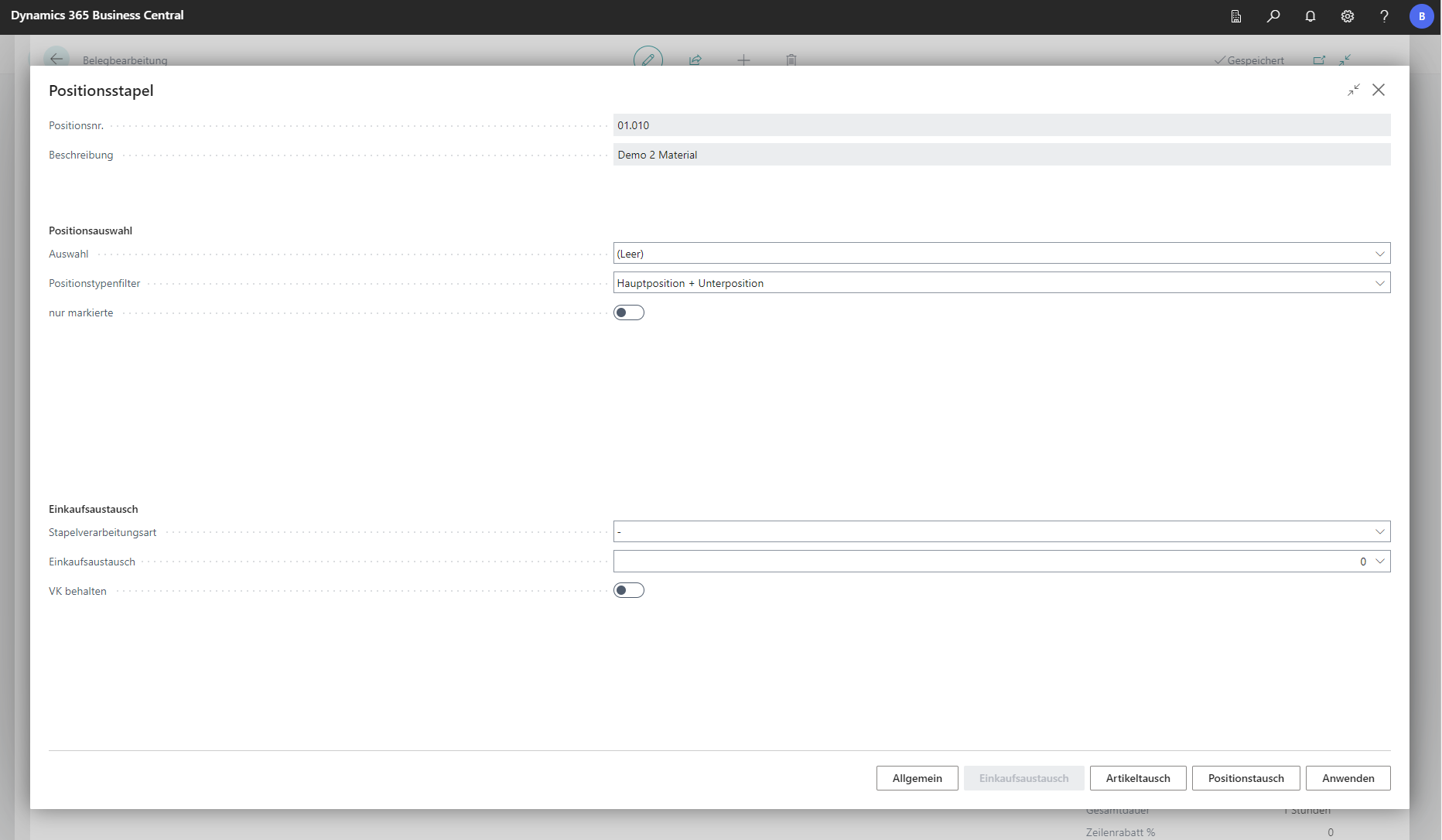 Click to enlarge
| Field | Explanation |
|---|---|
| Positionsnr. | Specifies the number of the current position in the document. |
| Beschreibung | Outputs the description of the currently selected position. |
| Positionsauswahl | |
| Auswahl | This lookup defines how many positions are processed. All processes all positions in the document. Current only processes the previously selected position. Subordinate additionally includes subordinate positions. |
| Positionstypenfilter | This lookup selects whether batch processing should handle main positions and/or subpositions. |
| nur markierte | Applies the selection only to marked positions. |
| Einkaufsaustausch | |
| Stapelverarbeitungsart | This option assigns a position from a purchasing exchange document (field “Purchasing Exchange”) to one or more positions. During assignment, corresponding price shares are transferred as purchase values into the project document. Assignment can be done by processing type “Item No.”, “GAEB OZ”, or position number. |
| Einkaufsaustausch | Select a purchasing exchange via lookup. |
| VK behalten | Specifies whether sales prices should be retained. |
Article exchange
The Item Exchange function can be used to exchange selected items for other items in the document or in the master.
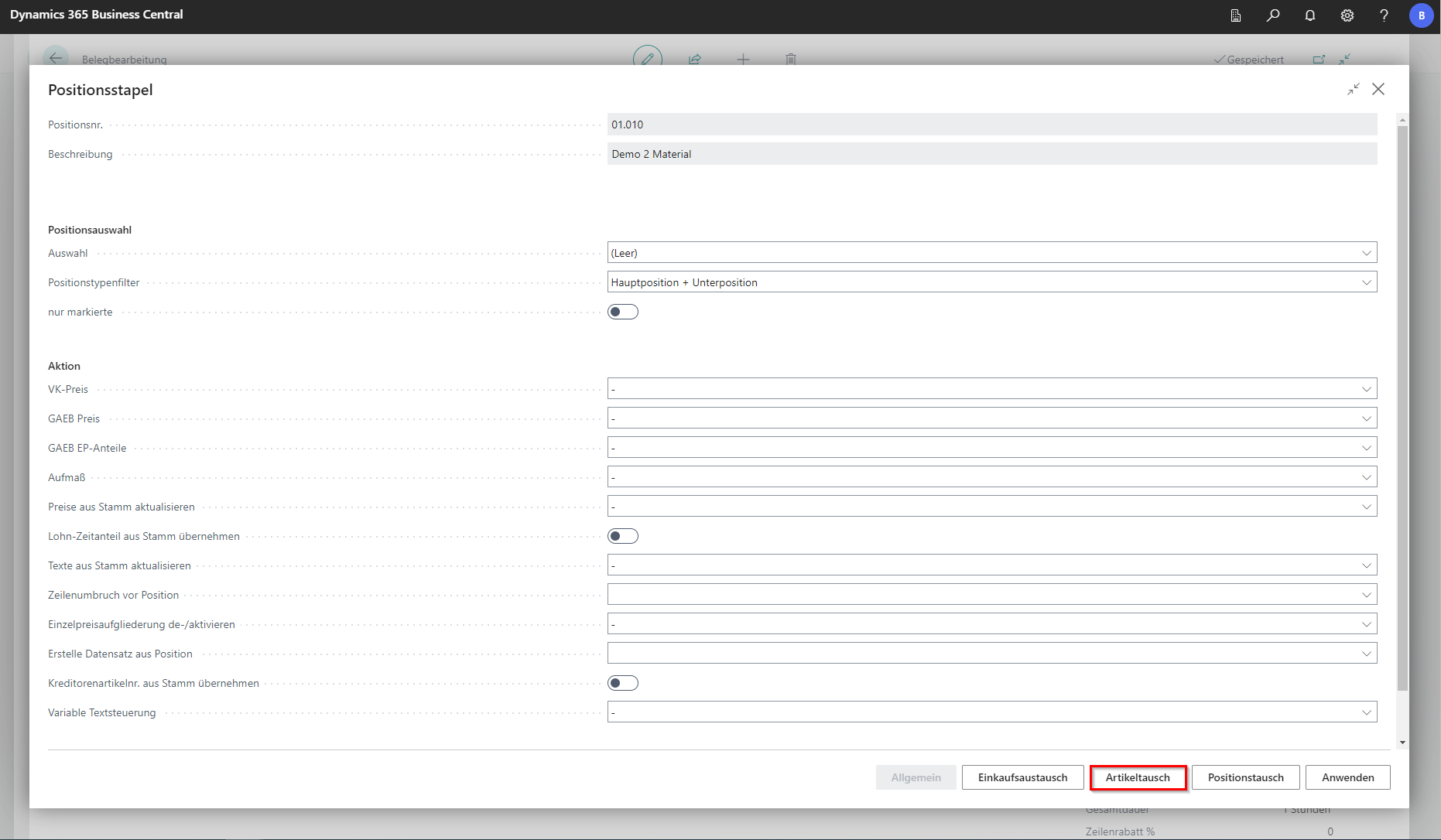 Click to enlarge
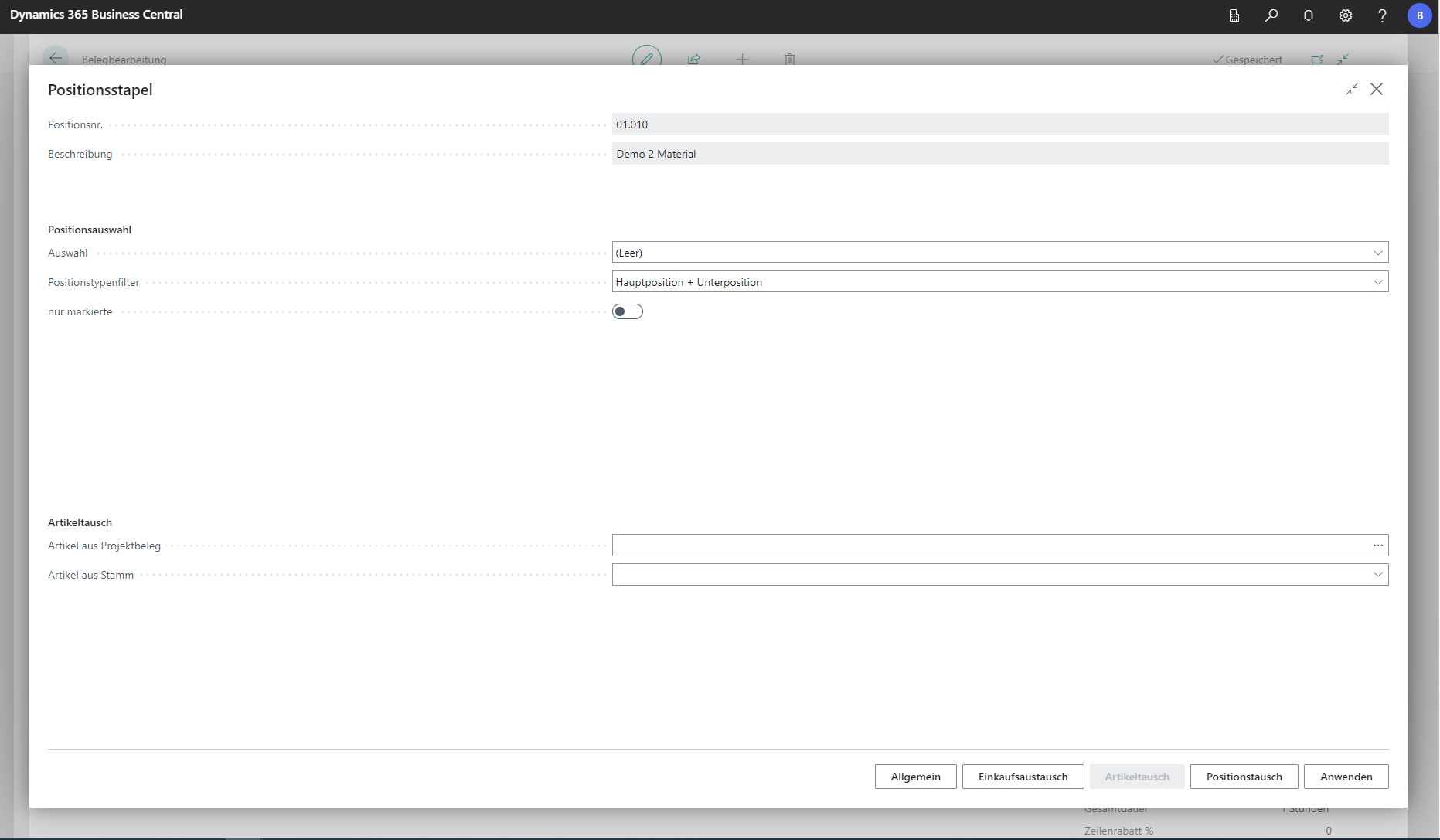 Click to enlarge
| Field | Explanation |
|---|---|
| Positionsnr. | Specifies the number of the current position in the document. |
| Beschreibung | Outputs the description of the currently selected position. |
| Positionsauswahl | |
| Auswahl | This lookup defines how many positions are processed. All processes all positions in the document. Current only processes the previously selected position. Subordinate additionally includes subordinate positions. |
| Positionstypenfilter | This lookup selects whether batch processing should handle main positions and/or subpositions. |
| nur markierte | Applies the selection only to marked positions. |
| Artikeltausch | |
| Artikel aus Projektbeleg | Selects the item in the current project document that should be replaced by another item (field Artikel aus Stamm). |
| Artikel aus Stamm | Selects an item from master data via lookup. |
Position swap
Position swapping allows you to change the type of the selected item.
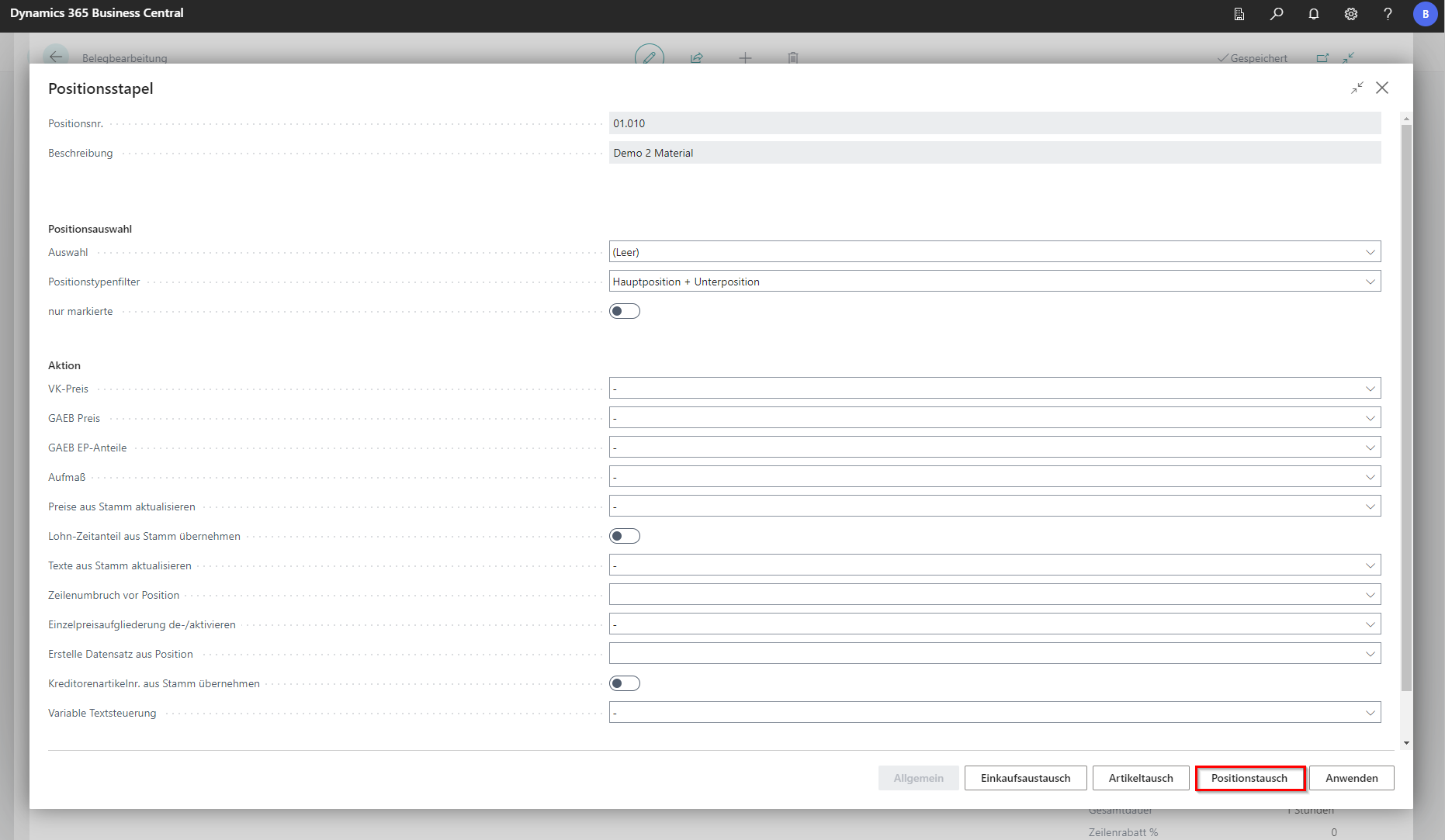 Click to enlarge
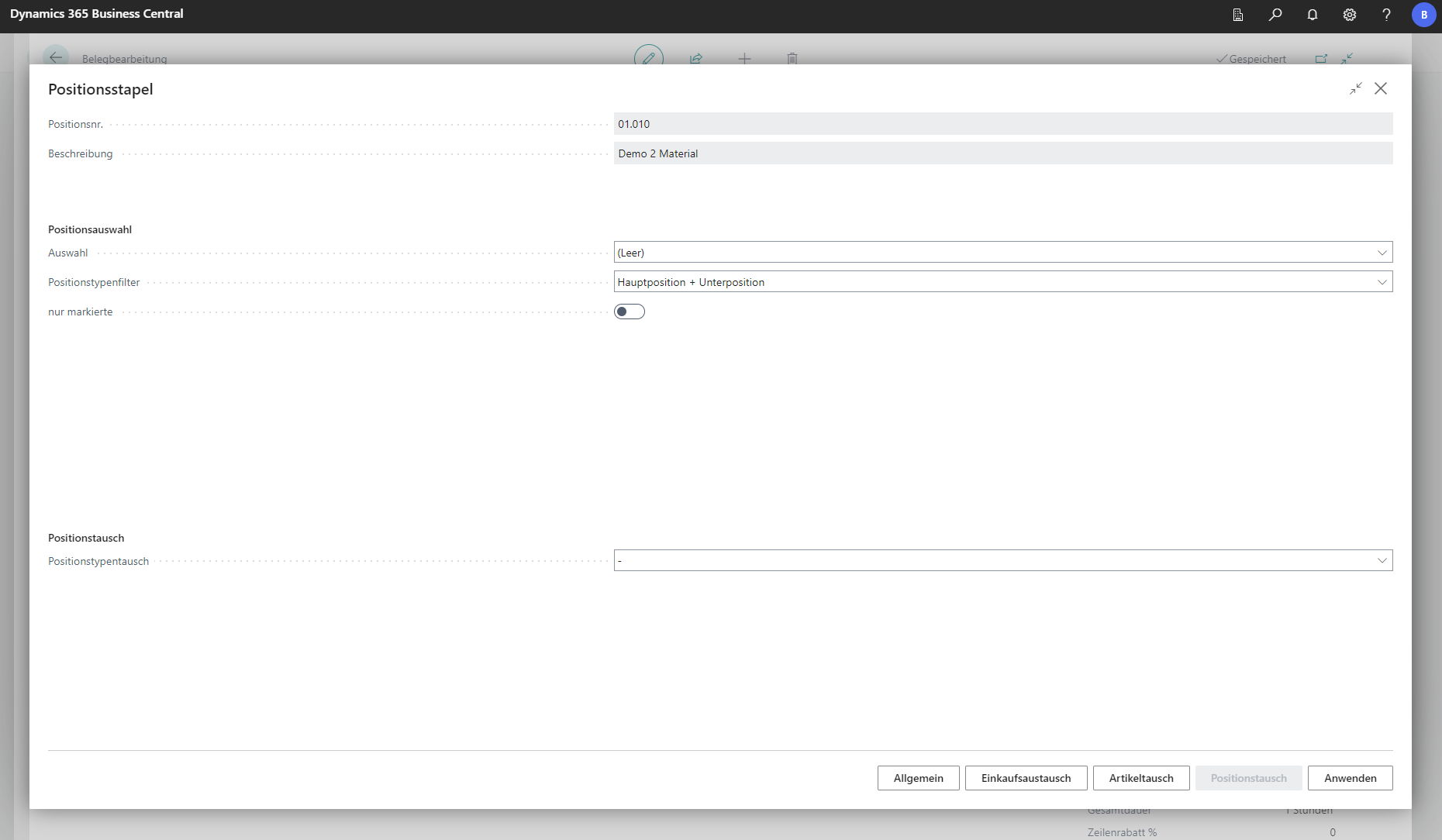 Click to enlarge
| Field | Explanation |
|---|---|
| Positionsnr. | Specifies the number of the current position in the document. |
| Beschreibung | Outputs the description of the currently selected position. |
| Positionsauswahl | |
| Auswahl | This lookup defines how many positions are processed. All processes all positions in the document. Current only processes the previously selected position. Subordinate additionally includes subordinate positions. |
| Positionstypenfilter | This lookup selects whether batch processing should handle main positions and/or subpositions. |
| nur markierte | Applies the selection only to marked positions. |
| Positionstausch | |
| Positionstypentausch | Converts position types based on selection. Options are Convert main position to text position and Convert main position to title. |