Module
Subcontracting
Purpose
The Subcontracting area describes how BE-terna Manufacturing supports collaboration with subcontractors in the production process. This includes component location defaults for subcontracted work, creation of subcontracting purchase orders from production orders, transfer of item descriptions into purchase lines, and navigation between production orders, purchase orders, and purchase receipts.
Business Value
- Components for subcontracted operations can take their location from the work center or work center group.
- Subcontracting purchase orders can be calculated and created from released production orders.
- Description and Description 2 from the item can be transferred into subcontracting purchase order lines.
- Users can open related purchasing and production documents directly from their working context.
- The detail topics Prices and Component Provision are handled as separate child pages.
Transfer Component Location from the Work Center
Usually, location codes for production components are suggested from item data, stockkeeping units, or manufacturing setup. For subcontracted production, a different location can be useful, such as a subcontractor location. BE-terna Manufacturing can transfer the location code for components from the work center when a subcontractor vendor is assigned.
Prepare the Work Center
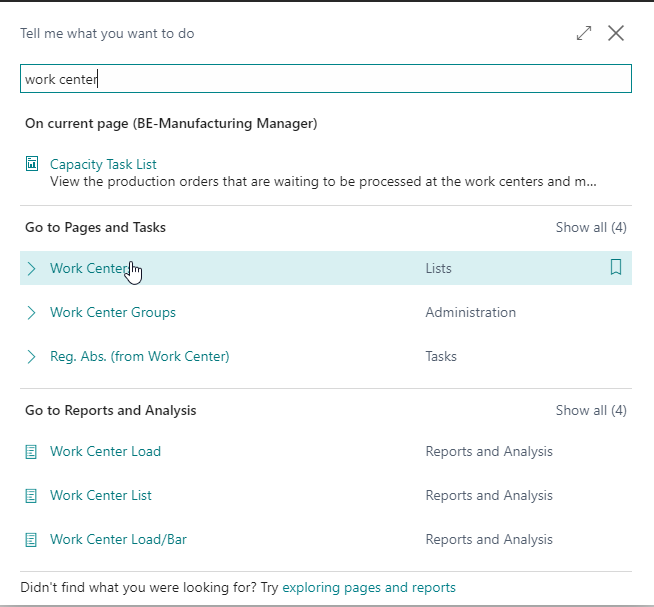
- Open Work Centers through search.
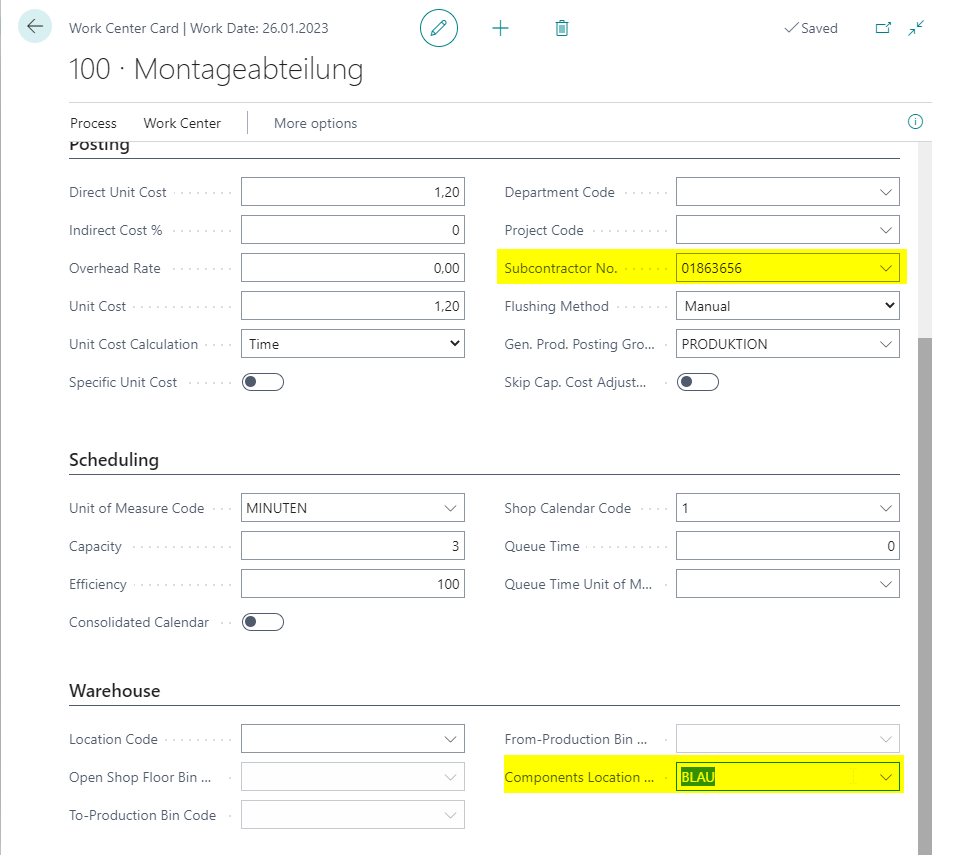
- Open the work center that represents the subcontracting operation.
- Make sure a Subcontractor No. is assigned.
- Maintain the component location.
Prepare Item, Routing, and BOM
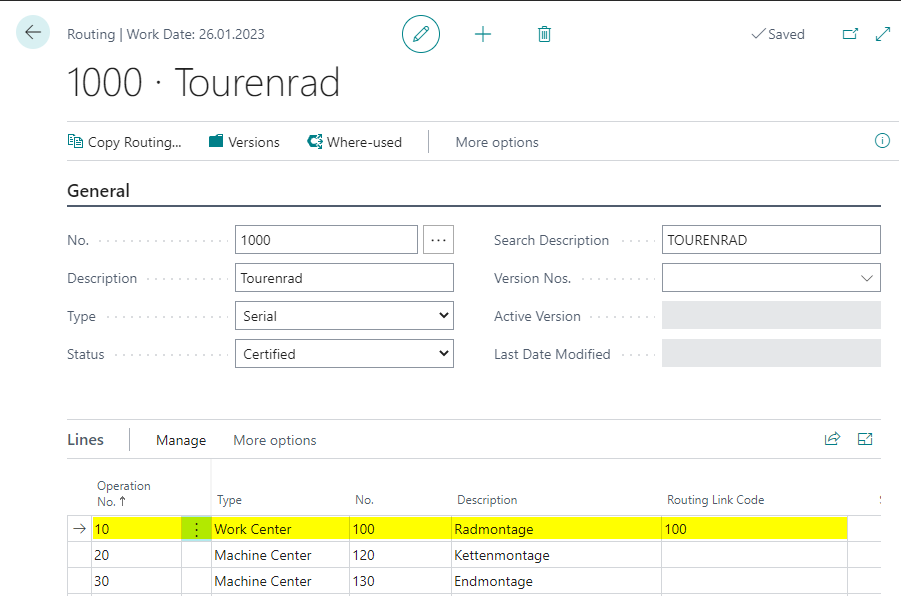
- Make sure the item routing contains an operation in the configured work center.
- Maintain a Routing Link Code on the operation.
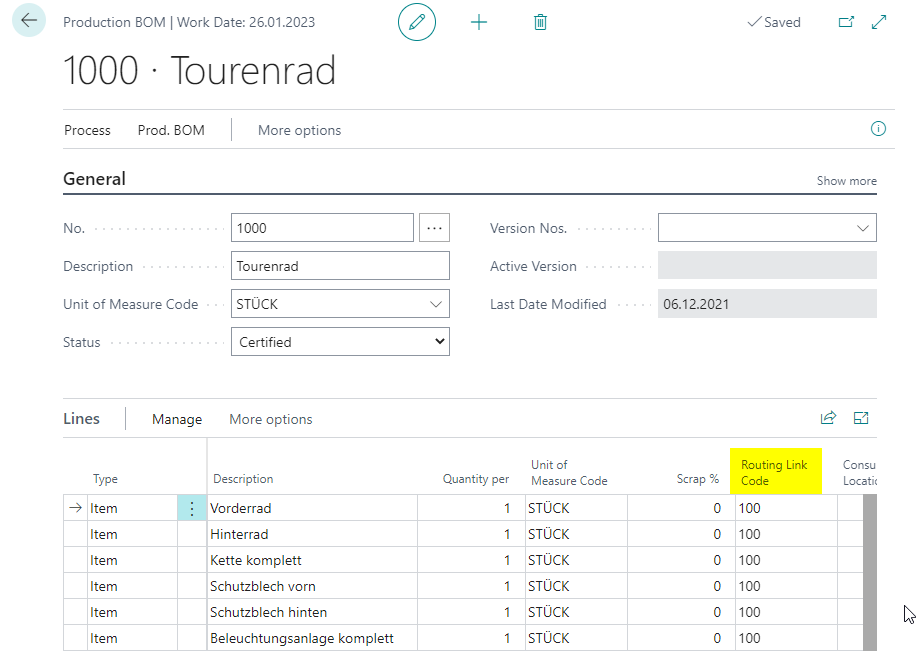
- Make sure at least one component in the production BOM is linked with the same routing link code.
Refresh the Production Order
- Create or open the production order.
- Fill the header fields as usual.
- Choose Refresh Production Order.
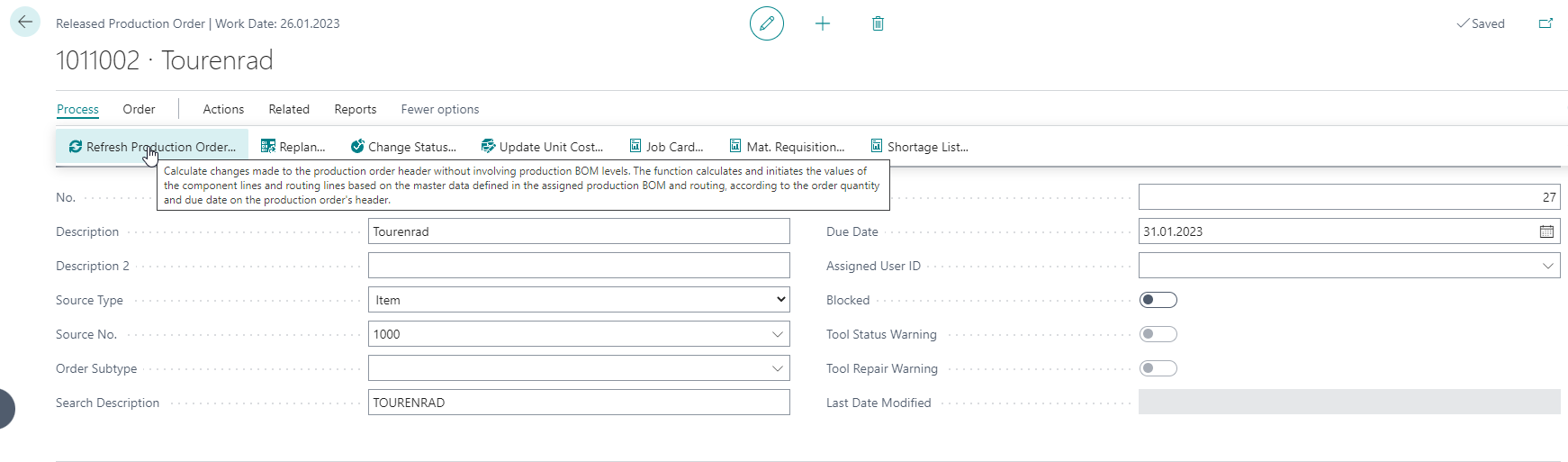
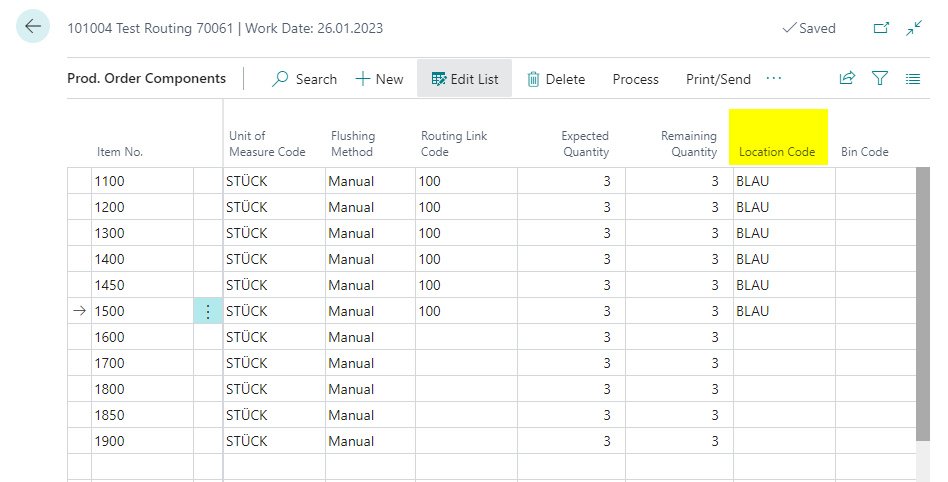
During production order calculation, the system checks whether a routing line contains the configured work center and whether components are assigned through the matching routing link code. If so, the location code from the work center is transferred into the matching components.
Create and Link Subcontracting Documents
Business Central represents subcontracting as capacity in the production process. A work center is linked to a vendor and used as an operation in the routing. After refreshing and releasing the production order, the subcontracting worksheet can be calculated. From there, the purchase order for the subcontractor is created.
BE-terna Manufacturing adds direct navigation between production order, purchase order, and purchase receipt so that users can review the subcontracting status faster.
Prepare Master Data
- Open the work center list.
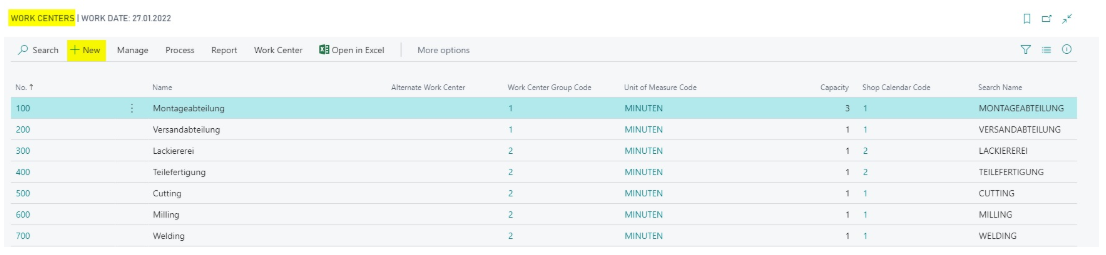
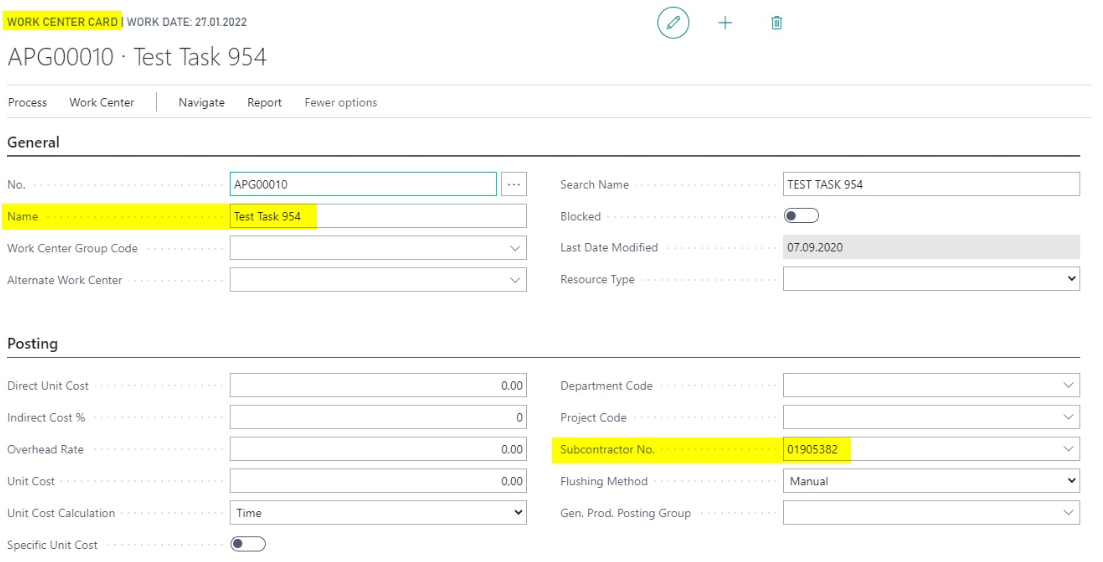
- Create a work center with a subcontractor number.
- Open the routing list.
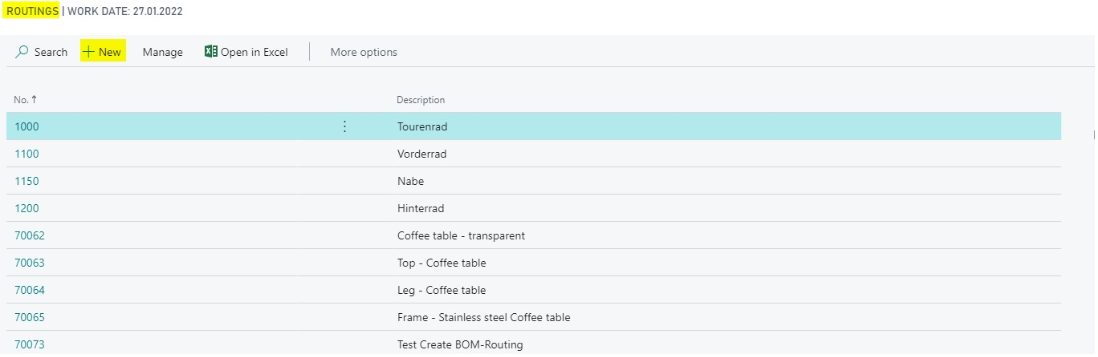
- Create a routing that contains the new work center.
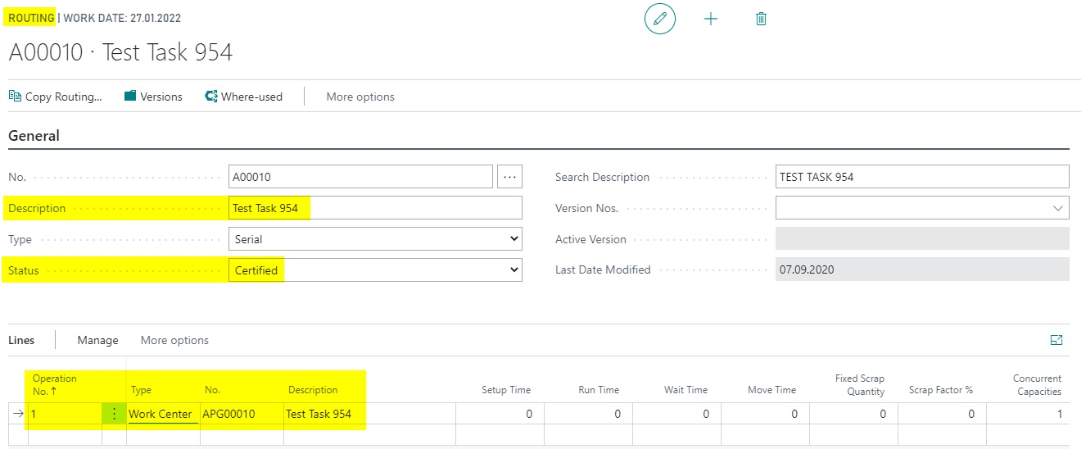
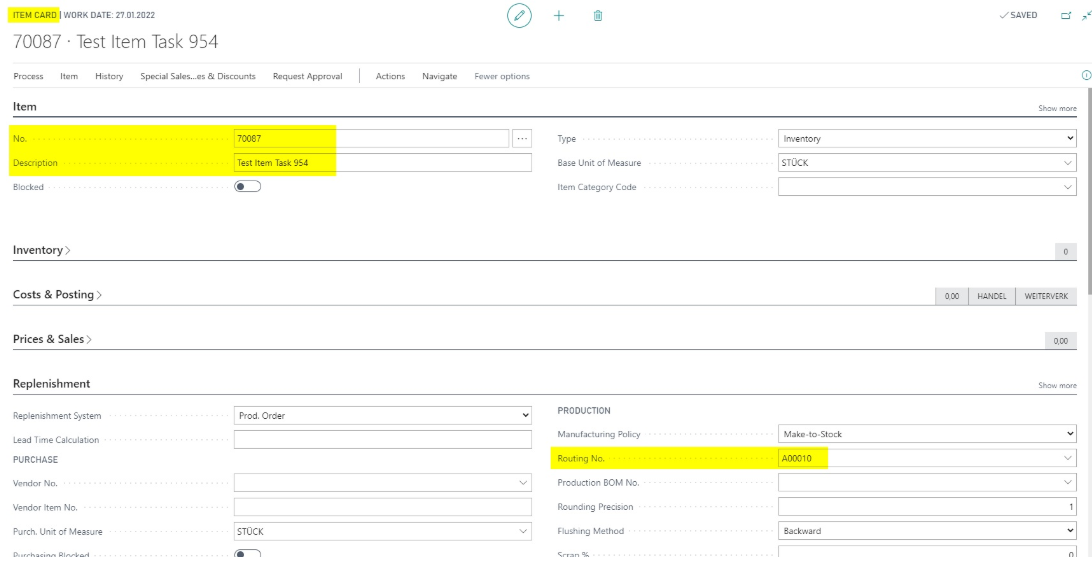
- Assign the routing to the item.
Create and Release the Production Order
- Create a production order where the item is used.
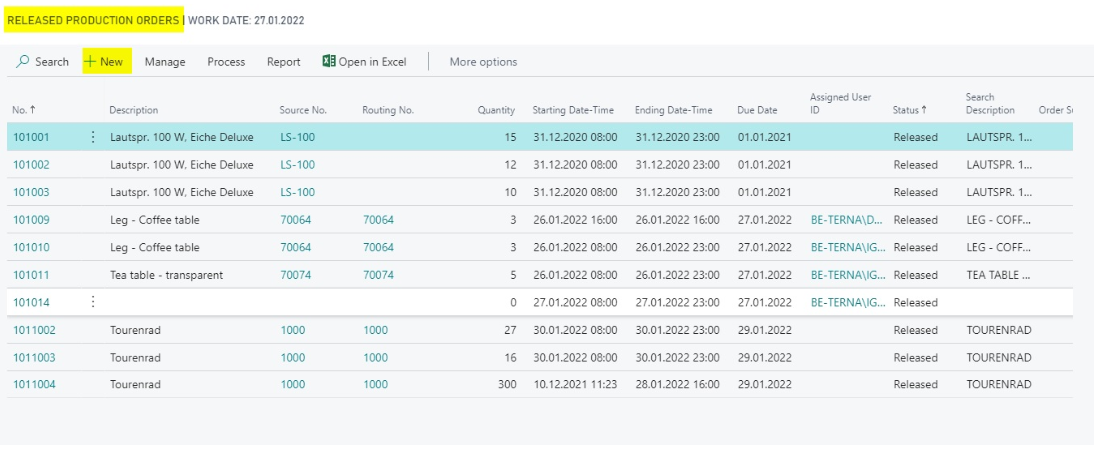
- Fill the mandatory fields.
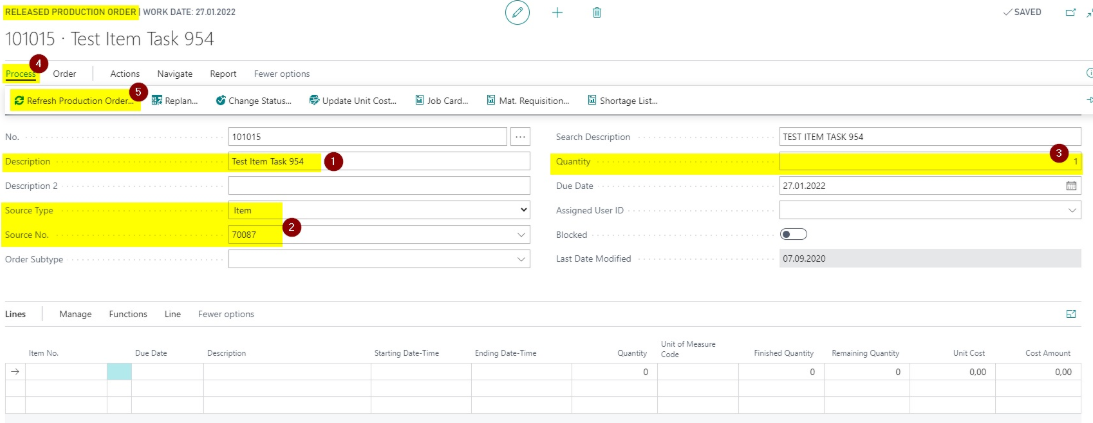
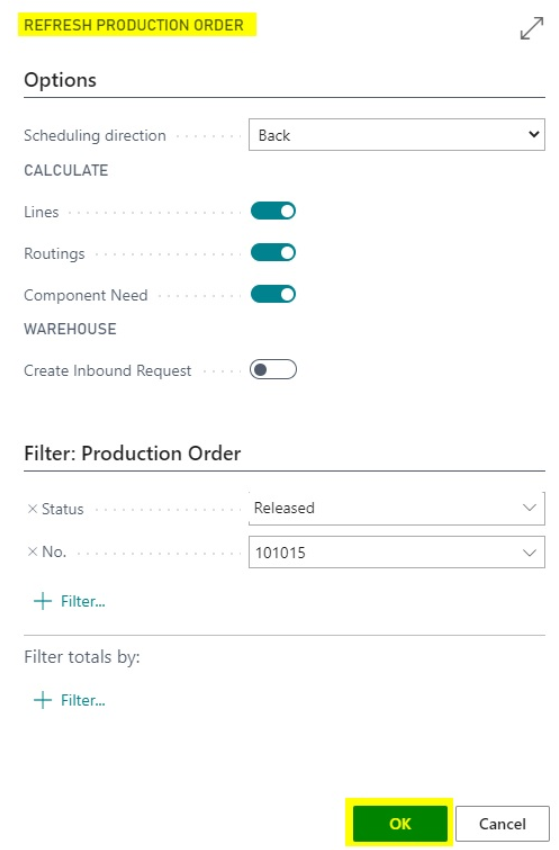
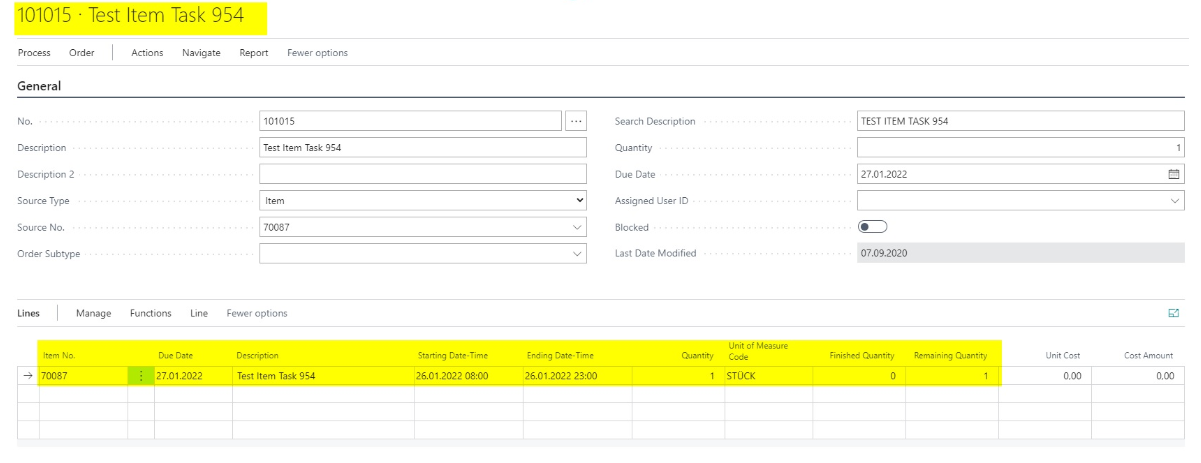
- Refresh the production order.
- Change the status to Released.
Only released production orders can be purchased as subcontracting.
Calculate the Subcontracting Worksheet and Create the Purchase Order
- Open the Subcontracting Worksheet.
- Choose Calculate Subcontracts.

The released production order appears as a line in the subcontracting worksheet.

- Choose Carry Out Action Message for the subcontracting worksheet line.
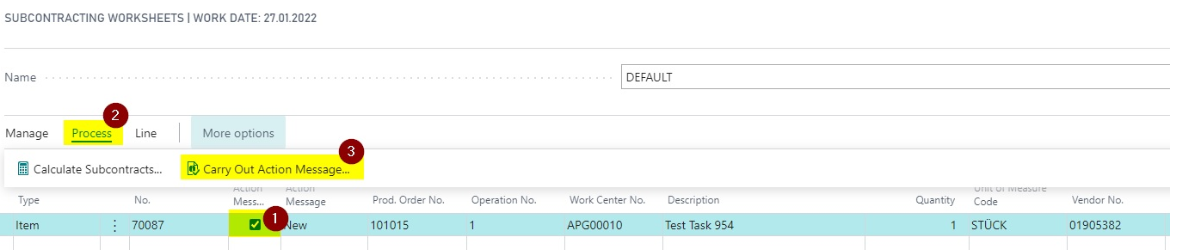
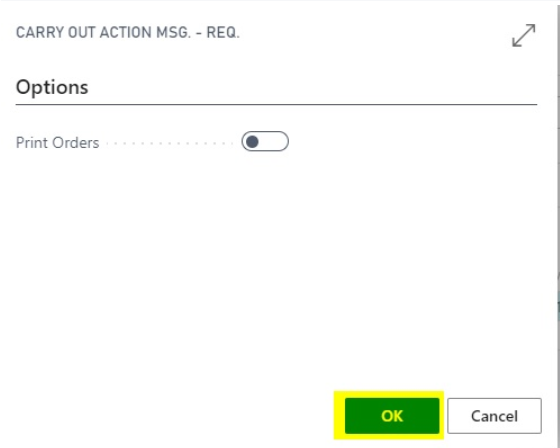
A new purchase order is created.
Open Related Documents
- Open the new purchase order.
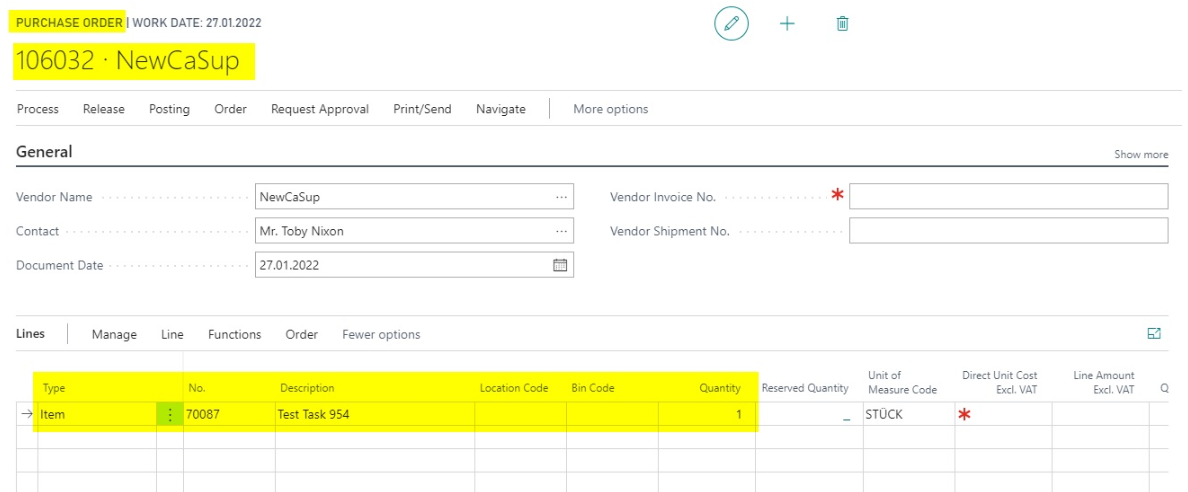
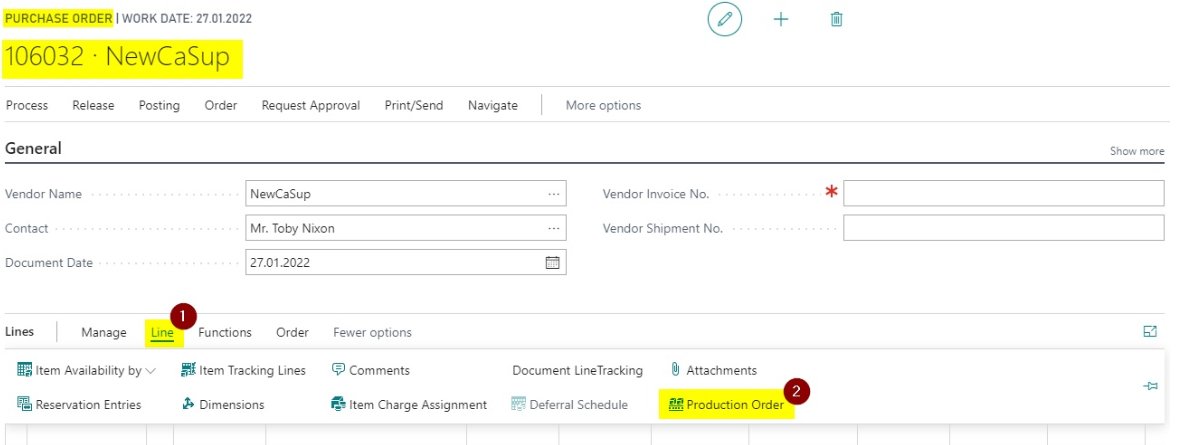
In the purchase order line, use Line > Production Order to open the originating production order. The action is visible only when the purchase line is related to a production order.
In the released production order, Line > Purchase Order shows related orders and receipts. Use these actions to open the connected document directly.
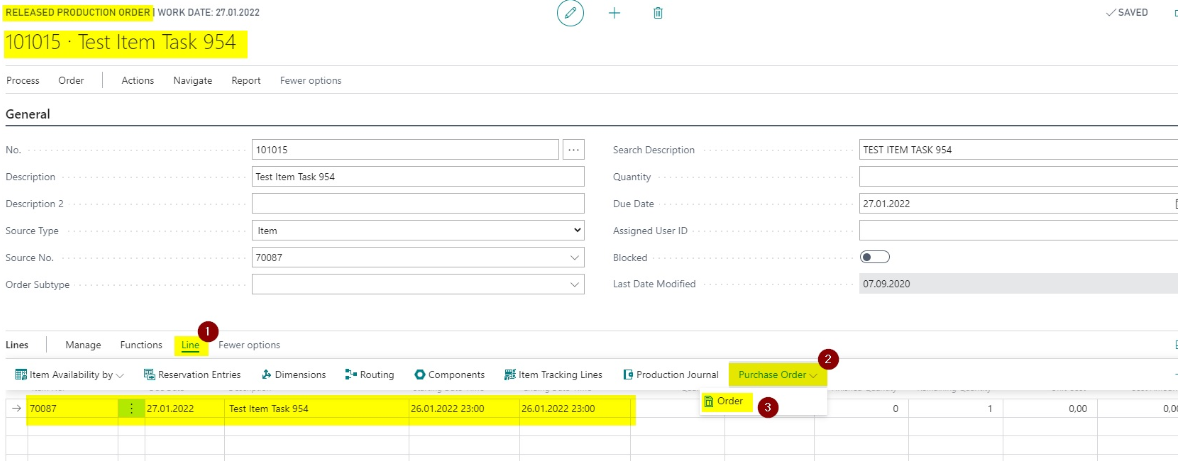
Transfer Item Description into Subcontracting Purchase Lines
In the standard flow, subcontracting purchase order lines often receive the operation description. If the subcontractor needs the exact item description instead, BE-terna Manufacturing can transfer Description and Description 2 from the item into the subcontracting purchase line.
Enable the Setup
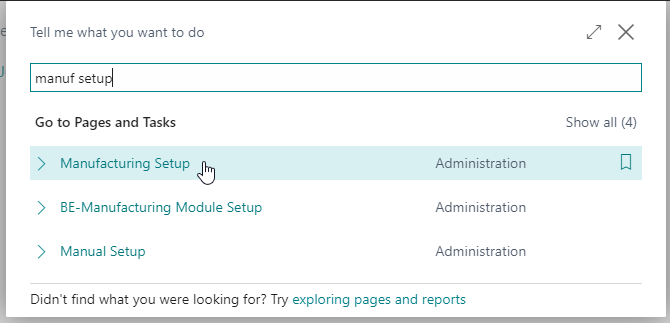
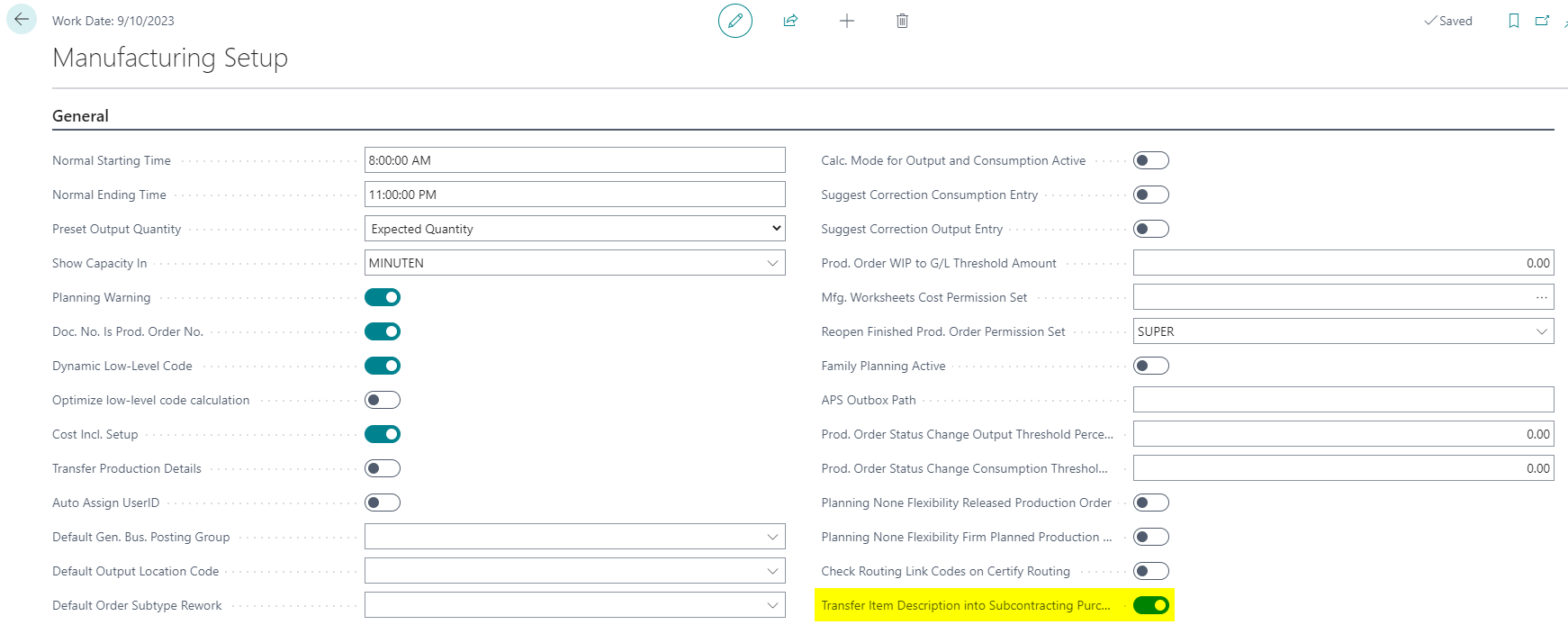
- Open Manufacturing Setup.
- Enable Transfer Item Description into Subcontracting Purchase Order Line.
Check the Functionality
- Create a released production order for an item with a subcontracting work step.
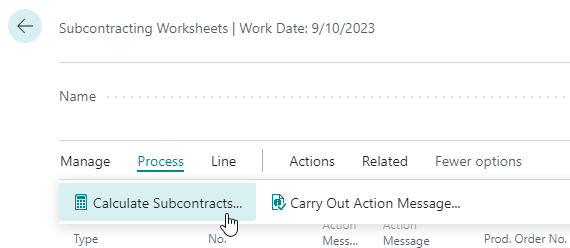
- Open Subcontracting Worksheets.
- Choose Process > Calculate Subcontracts.
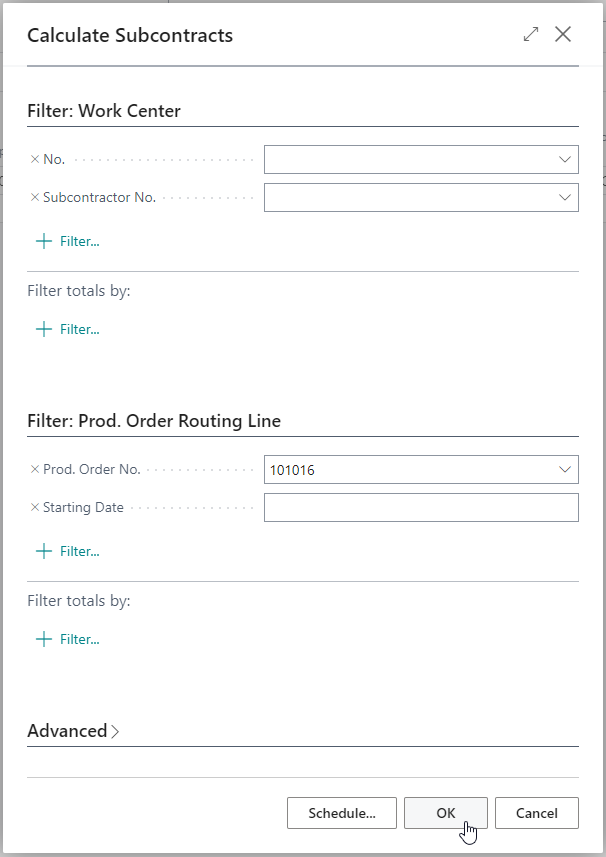
- Select the released production order or set the required filters.
- Confirm with OK.
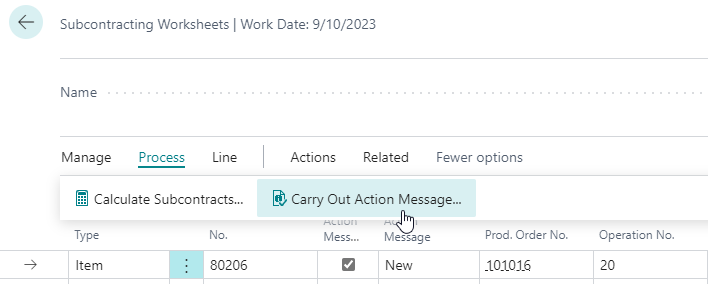
- Select the created line.
- Choose Process > Carry Out Action Message.
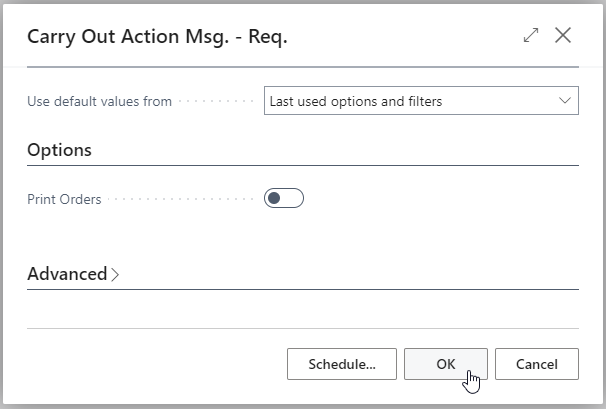
- Adjust filters if needed.
- Confirm with OK.
The created purchase order contains Description and Description 2 from the item in the purchase line.
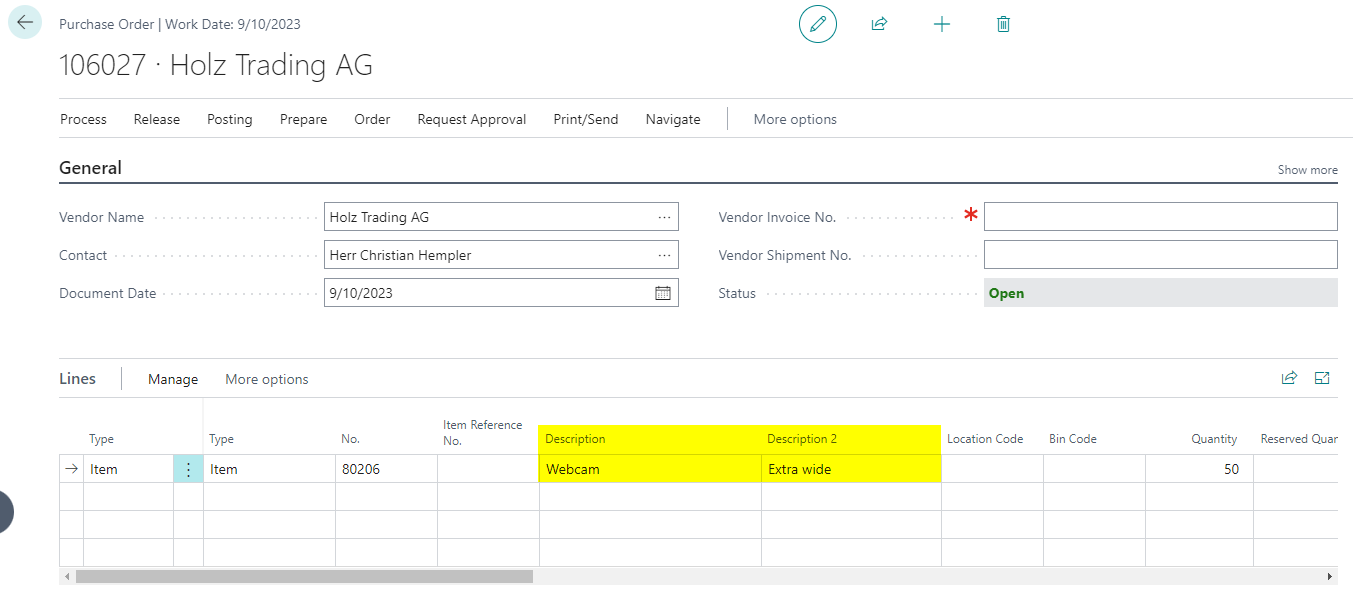
Result
After setup, you can control subcontracting from the production order through to the purchase order in a traceable way. Component locations can come from the subcontracting work center, purchase lines can contain item descriptions where needed, and related purchasing and production documents can be opened directly.