Project production
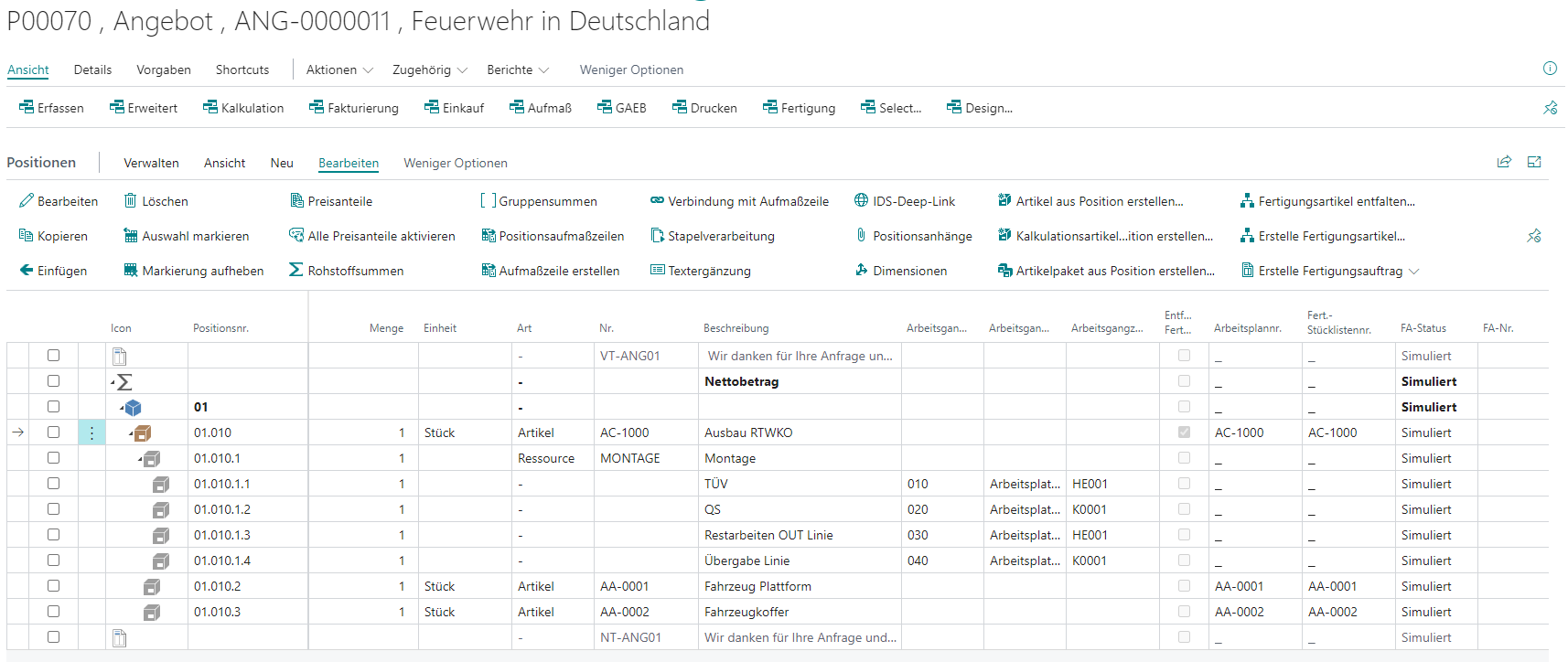
The project document editor can also deal with the topic of contract manufacturing for the production of small and medium quantities. Routings and production BOMs are mapped at subitem levels. These can be edited and supplemented so that calculations can be made down to the lowest level of BOMs in the project document.
It also provides its own (configurable) view for manufacturing.
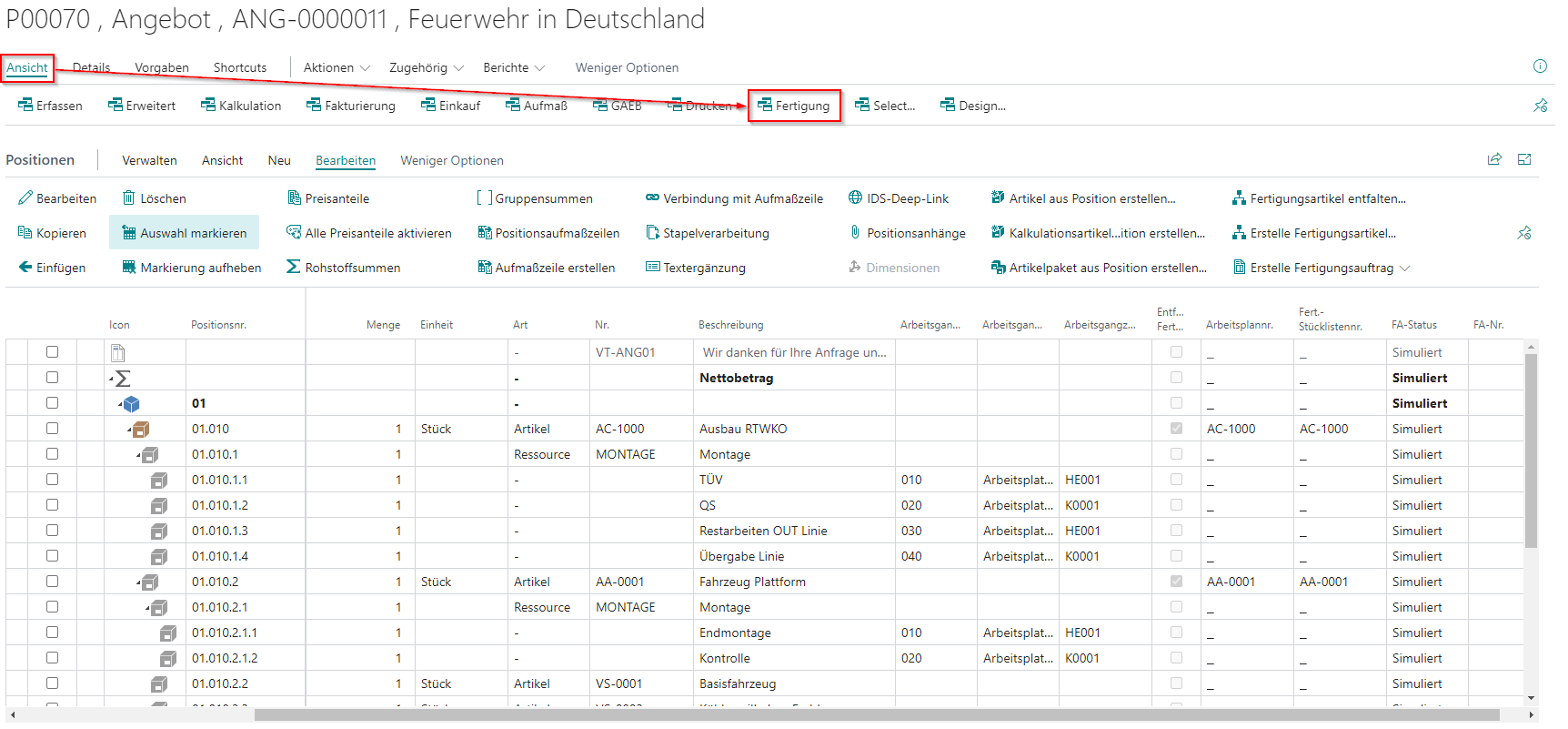
In addition, there is a tab in the BE-terna Project facility specifically for the topic of production. There you can set up the price shares on which the processing or set-up time is to be displayed. Furthermore, a resource specification for the routing (in the bill of quantities) must be created and specified accordingly. If production articles are also to be created from the bill of quantities, a separate template for production articles is required.

After completion of the calculation, production orders can be created directly from the bill of quantities.
The basic functions are explained below:
Unfold production items in the bill of quantities
In order for an item to be unfolded in the bill of quantities, it must be a production item with a production BOM and a routing.
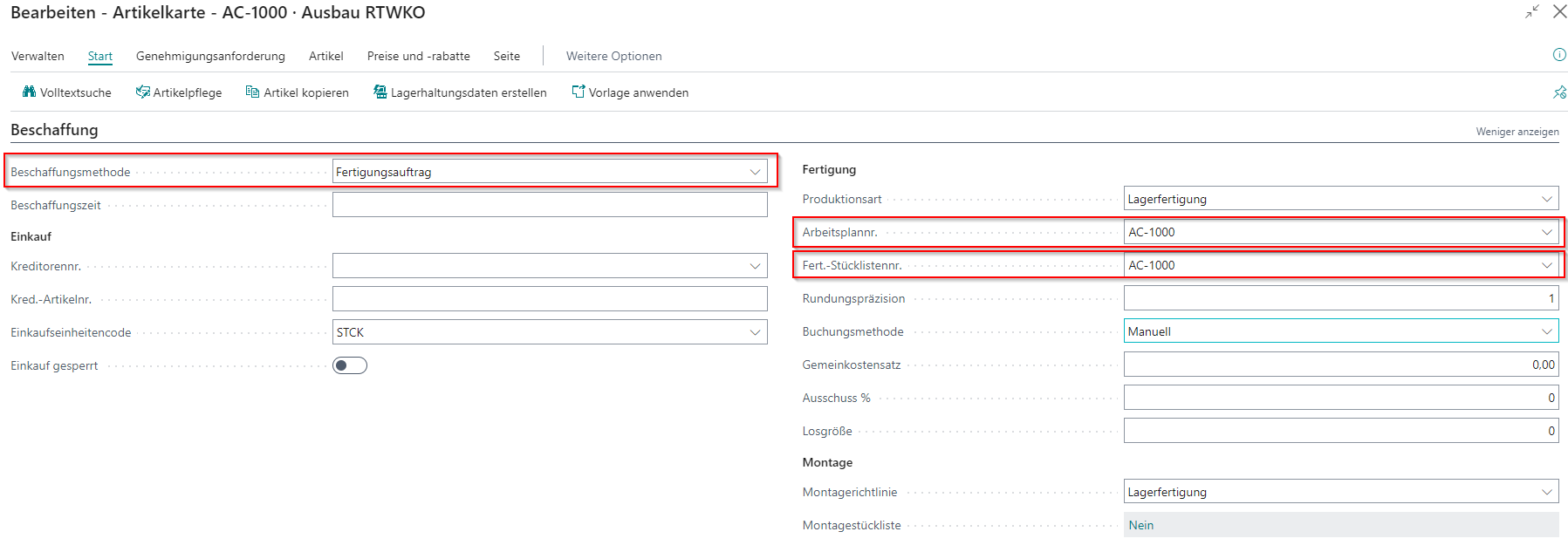
To then unfold this position, use the action Unfold production item in the Edit tab.
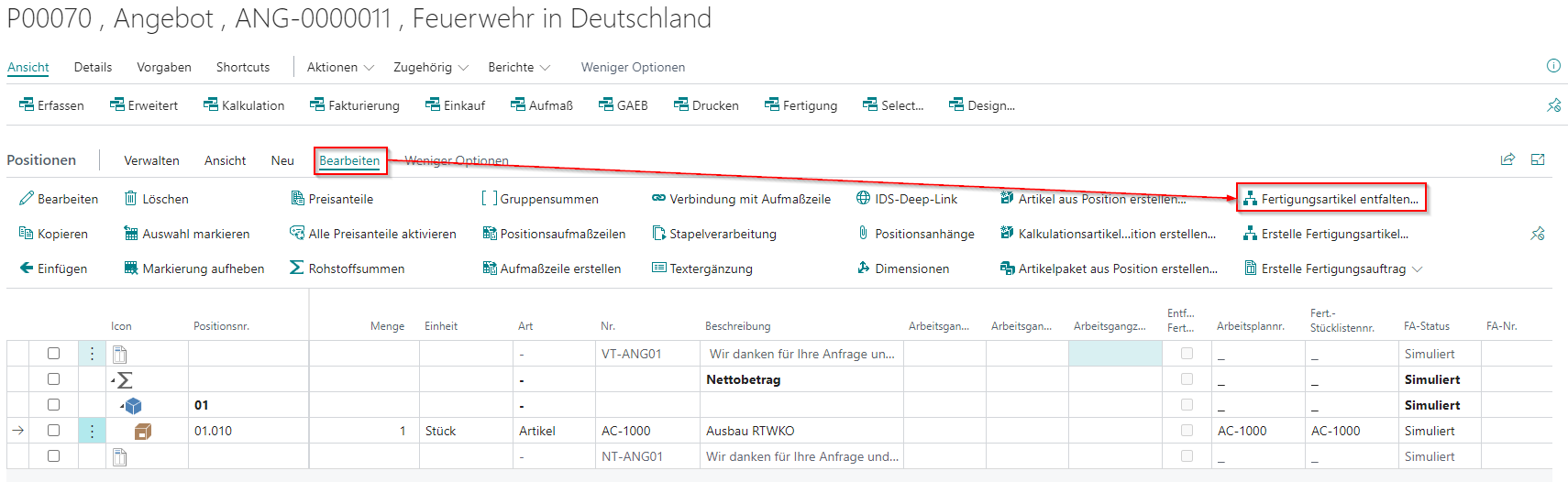
If the prerequisites described above are met, the BOM and routing are unfolded at the first level under the selected item.