Sound
Configuration of audio feedback for cash register events in POS Core.
Audio feedback is set up under Setup → Sound. The setup can be controlled individually per cash register setup, per location, or across all cash registers.
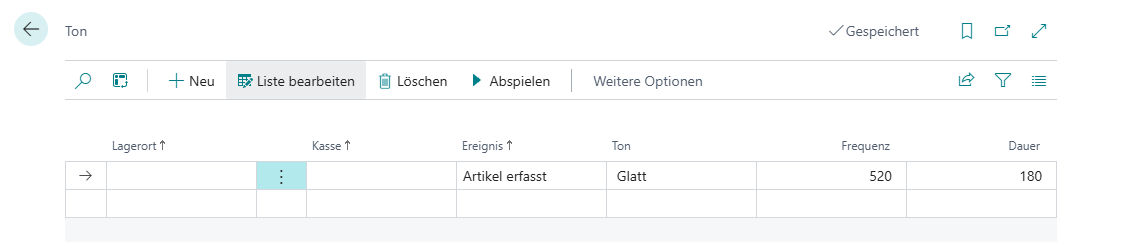
Events
Several events are available on the sound setup card and are briefly explained below:
| Field | Description |
|---|---|
| Item Captured | When an item has been captured correctly |
| Receipt End | When the receipt has been completed in full |
| Error Message | When an error message appears |
| Item Not Found | When an item has been captured but could not be evaluated correctly |
Sounds
Several sound types are available on the sound setup card and are briefly explained below:
| Field | Description |
|---|---|
| Smooth | Soft, neutral sound |
| Biting | Sharp, piercing sound |
| Edgy | Hard, restless sound |
| Warm | Harmonious sound |
The frequency, meaning the pitch of the sound in hertz, as well as the playback duration in milliseconds, can also be adjusted.