Process catalog
Operational processes for automatic and manual vendor evaluation in Vendor Rating.
Goal
This process catalog shows where operational data and manual assessments enter BE-terna Vendor Rating. It helps you understand how purchasing processes, complaints, and audits together shape the final vendor result.
Context
Vendor Rating combines indicators from purchasing processes with manually maintained assessments. The quality of the result therefore depends directly on how consistently purchase orders, goods receipts, complaints, and audits are maintained.
Prerequisites
- The basic setup and the rating criteria schema are maintained.
- Relevant vendors are enabled for vendor evaluation.
- Thresholds, grade percentages, and classifications are defined.
Process catalog
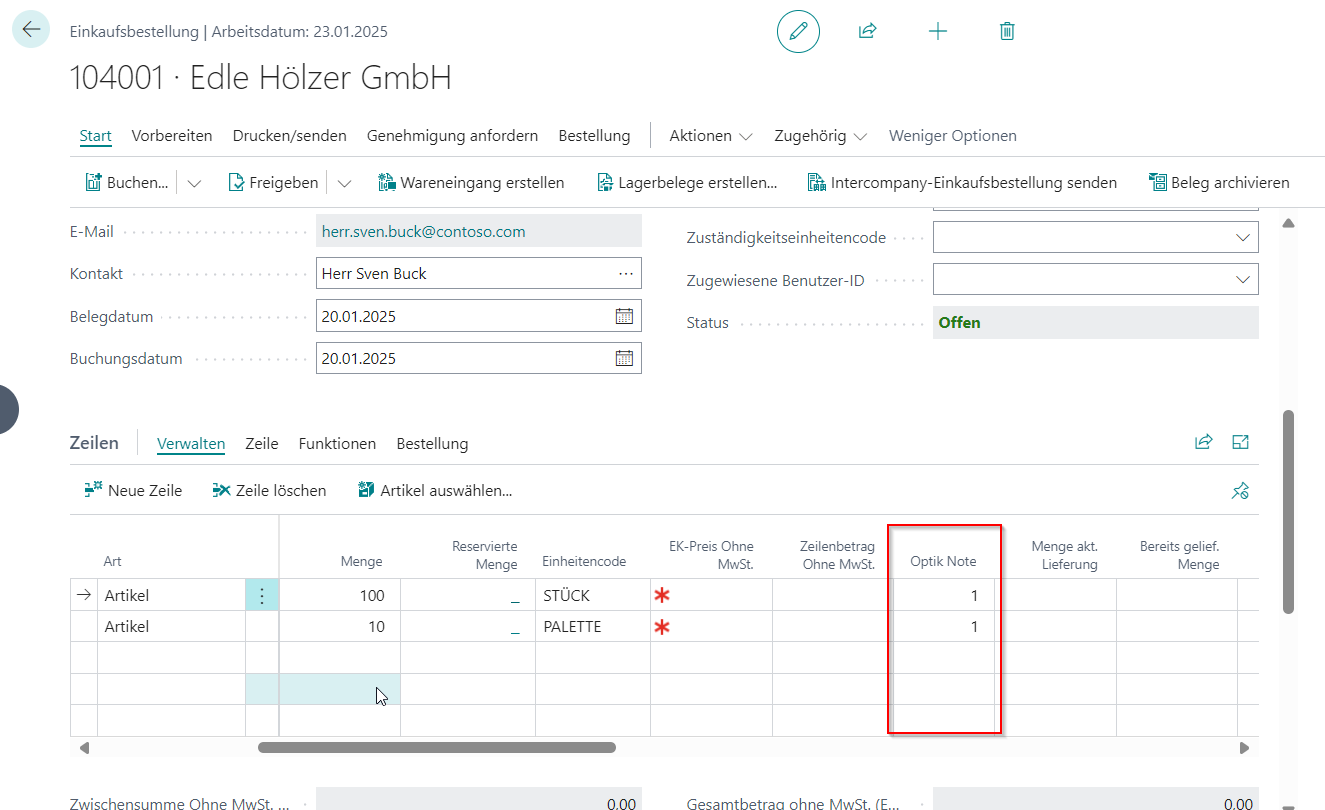
Process Purchase orders Maintain appearance grades directly on the purchase order when no separate goods receipt is used.
- In purchase orders, the Appearance grade field is available on both the header and the lines.
- The grade can be copied from the header to the lines and adjusted individually per line.
- Grades 1 to 6 are supported; grade 1 is the default value.
- After posting, the appearance grade is reset so follow-up and partial deliveries can be rated independently.
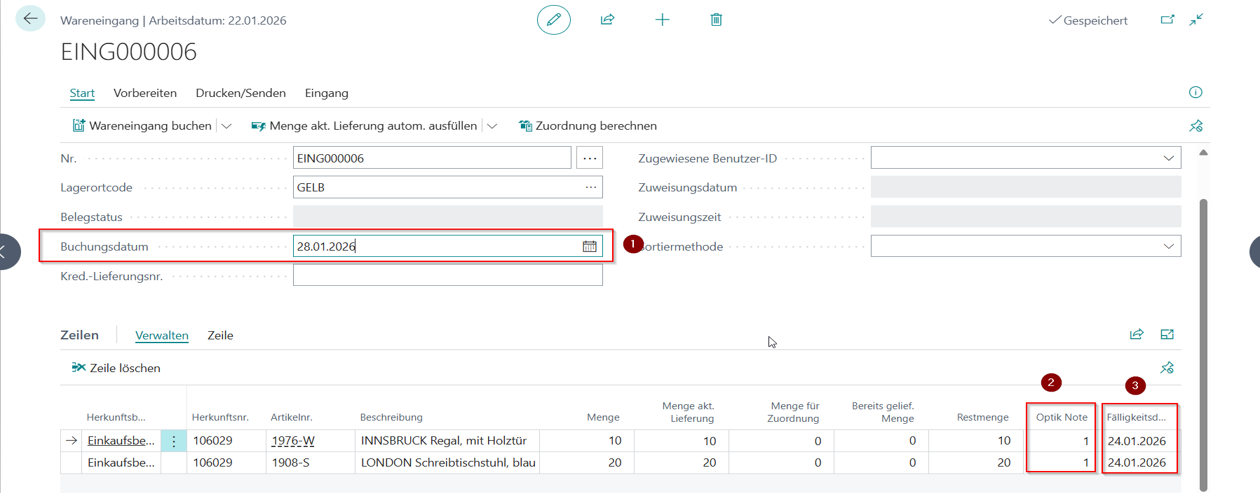
Process Goods receipt Transfer delivery time and appearance from the goods receipt into the rating automatically.
- When goods receipts are posted, the system compares the Due date and the Posting date.
- Based on the deviation in days and the maintained thresholds, the system derives the delivery-time grade automatically.
- You can also capture the Appearance of the delivery directly in the process.
- The resulting values flow into the later vendor evaluation and reporting.
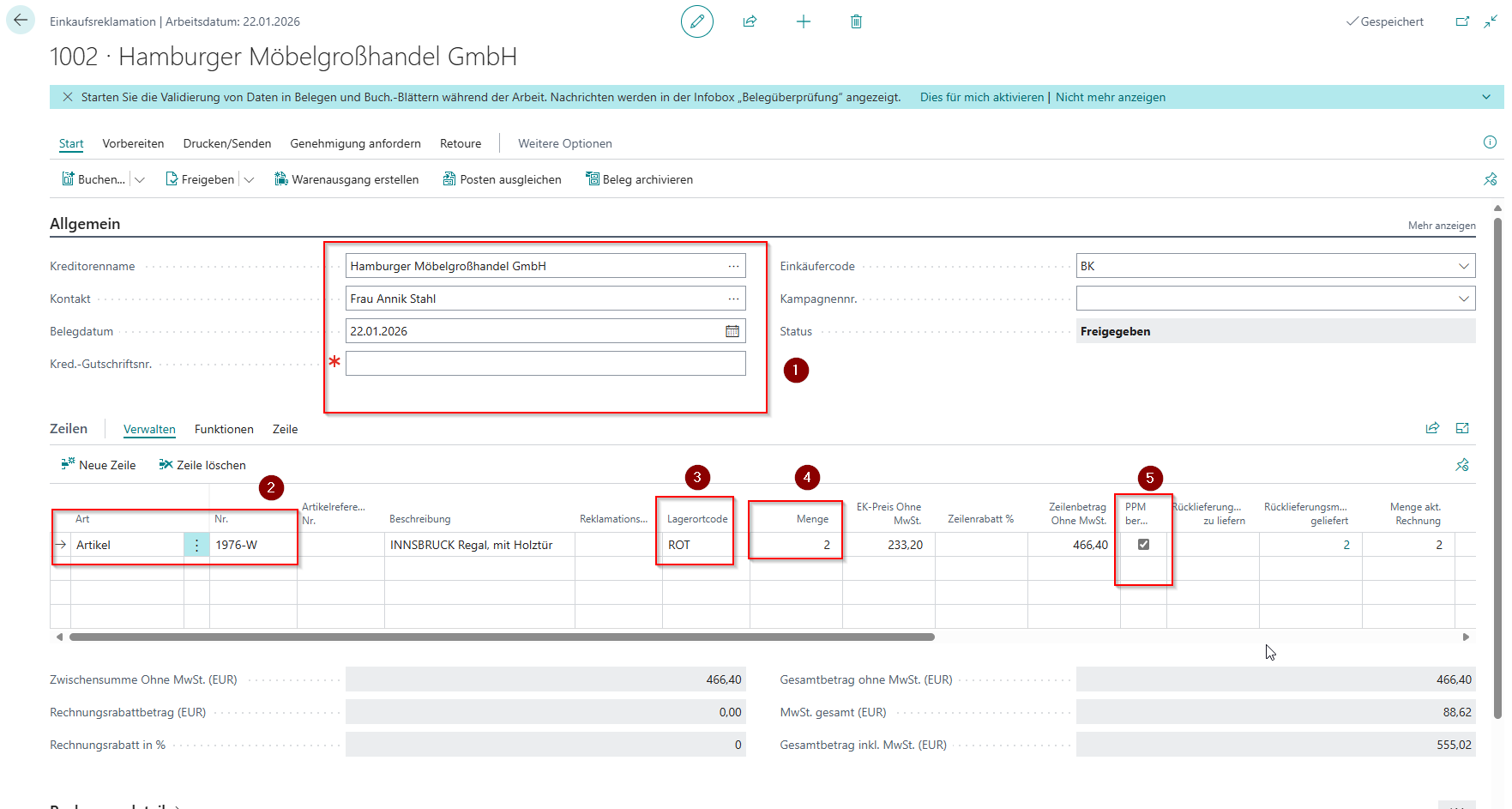
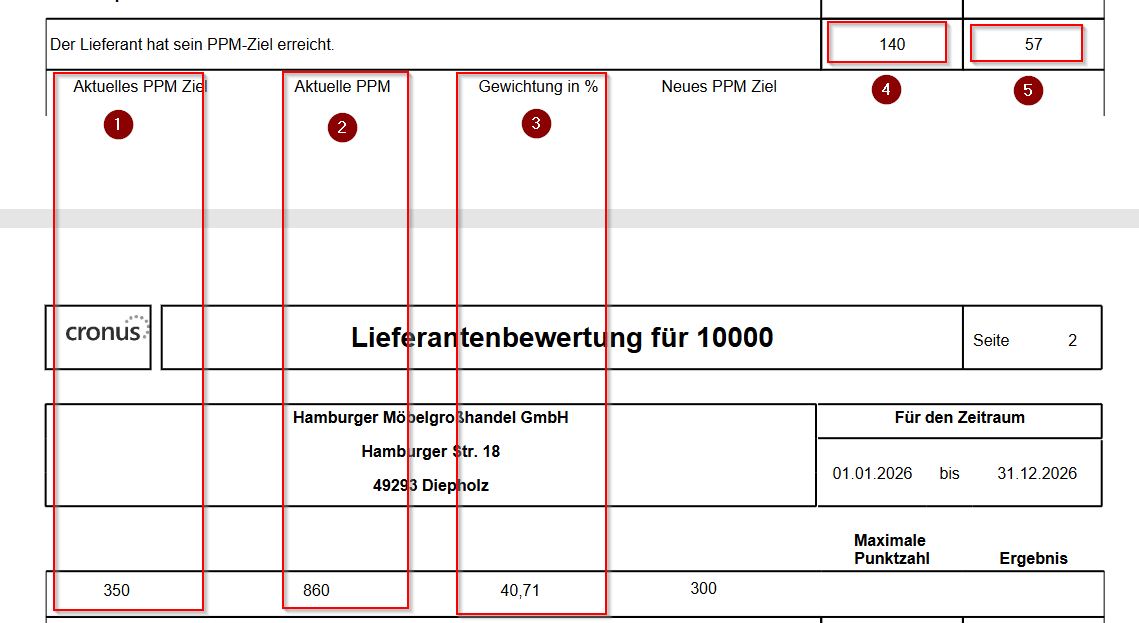
Process Purchase complaints Capture PPM-relevant defects and transfer them into the quality indicator used for rating.
- On each complaint line, you define whether it is included through Calculate PPM.
- Relevant fields include vendor, item, location, quantity, and the PPM indicator.
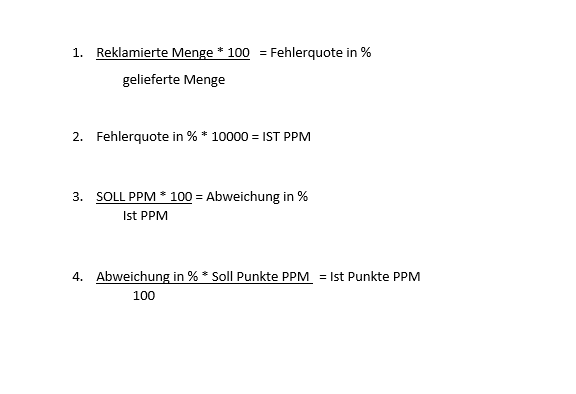
- The system compares complained quantities with delivered quantities to calculate the current PPM value.
- The deviation from the PPM target then flows into points and reports.
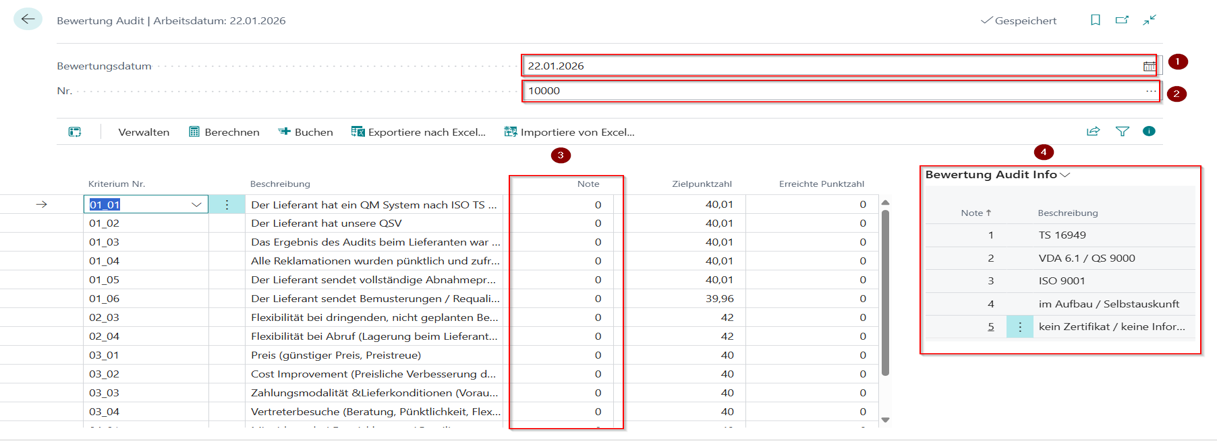
Process Rating audit Capture manual assessments for criteria that are not calculated automatically.
- Open the Rating audit and enter the rating date and the vendor.
- After selecting the vendor, all criteria that are enabled for Audit self-disclosure in the schema are displayed.
- The grades entered here are converted into points automatically by using the maintained grade percentages.
- For vendor evaluation, the system always uses the latest captured assessment for the vendor.
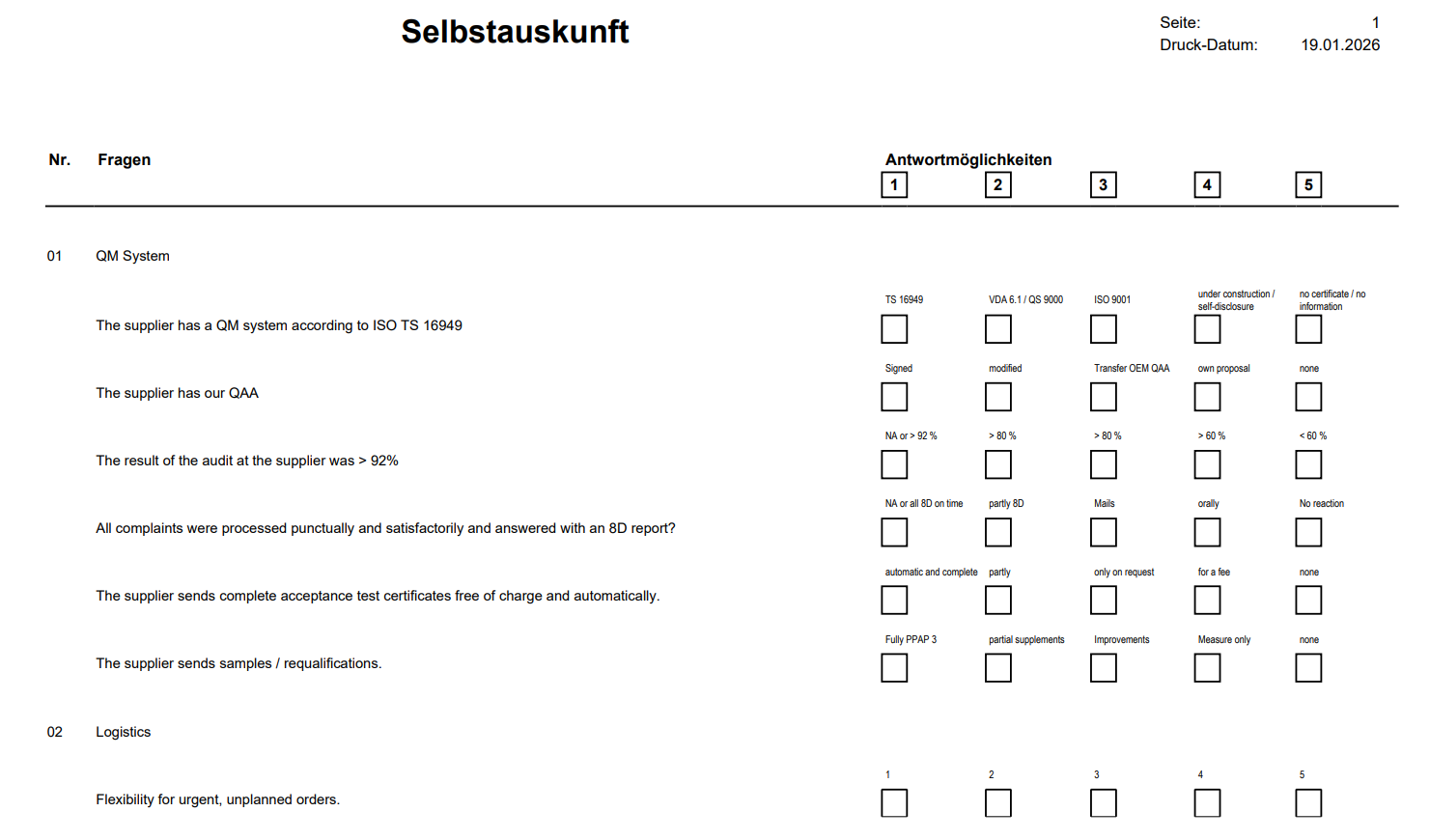
Process Self-disclosure and audit Provide a questionnaire or audit protocol based on the rating criteria schema.
- Use Rating reports - Self-disclosure / Audit to generate a structured questionnaire.
- The report contains main criteria, subcriteria, and the predefined grade levels.
- You can send the report to the vendor as a self-disclosure or use it as a checklist during a supplier audit.
- The returned or documented result then becomes the basis for manual rating in the system.
Outcome
- Operational process data and manual assessments flow into vendor evaluation in a controlled way.
- The origin of each rating remains traceable.
- Audits, complaints, and purchasing data together create a consistent overall vendor view.
Links