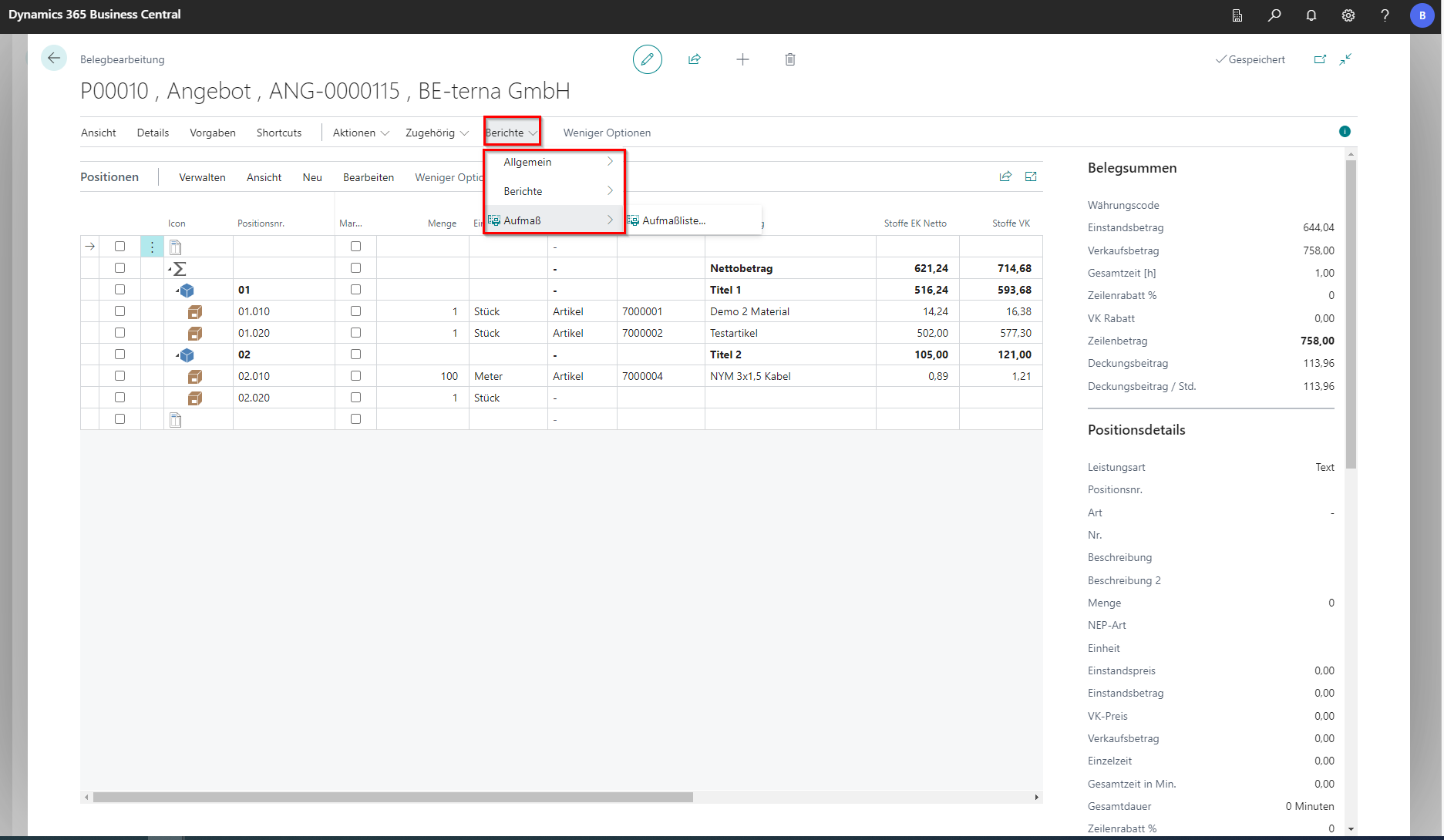
Functions in the navigation menu
Brief context for Functions in the navigation menu in BE-terna Project.
In the navigation menu, there are several options for editing at row or document level. In addition, various tabs can be shown and hidden.
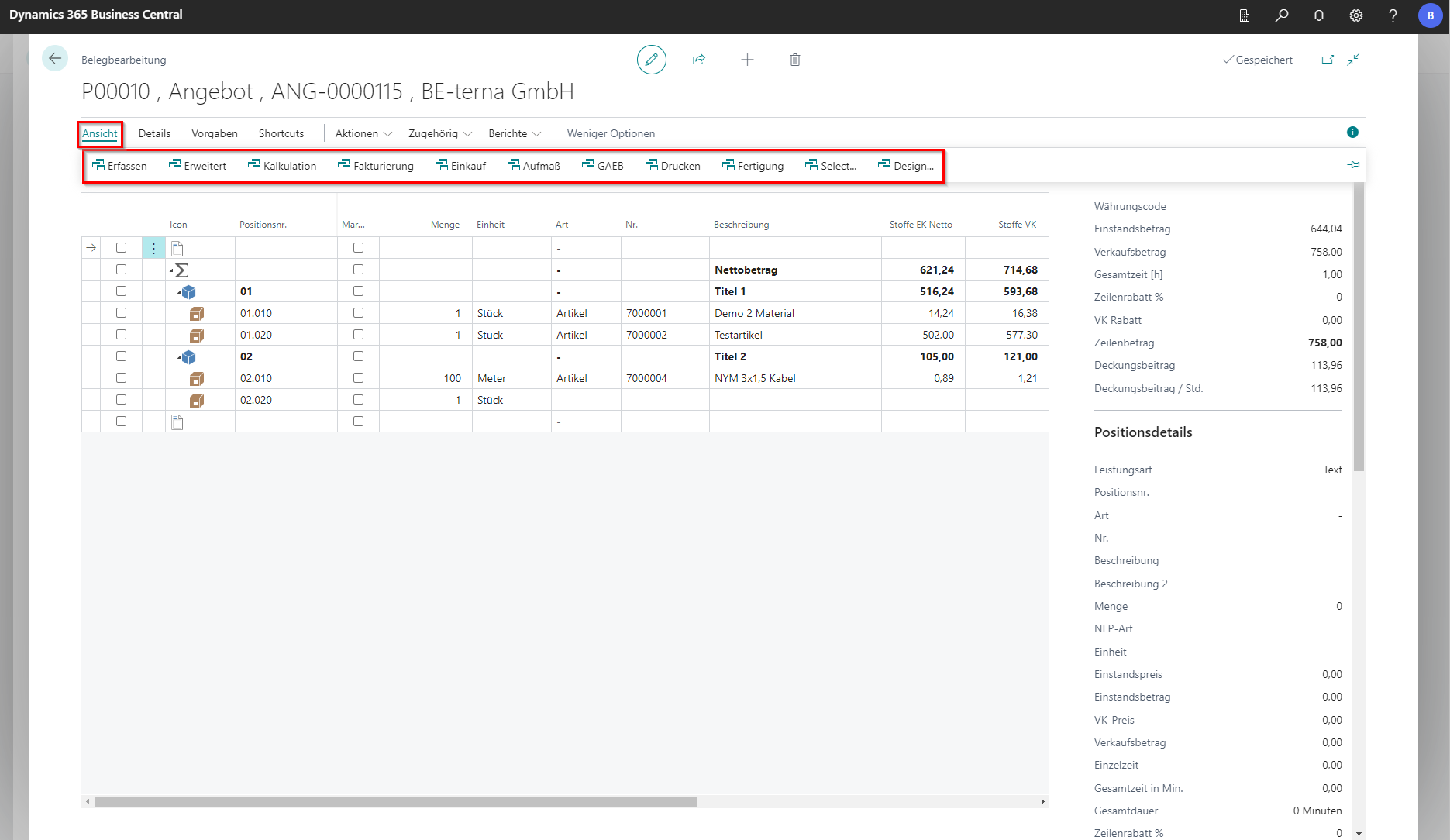
View
Click to enlarge
Field
Explanation
Entry
Changes the table header to entry view.
Advanced
Changes the table header to advanced view.
Costing
Changes the table header to costing view.
Invoicing
Changes the table header to invoicing view.
Purchasing
Changes the table header to purchasing view.
Measurement Opens a FastTab for measurements and switches the bill of quantities to measurement view.
GAEB
Changes the table header to GAEB view.
Print
Changes the table header for document print settings.
Manufacturing
Changes the table header to manufacturing view.
Select…
Opens a window to choose the project document view.
Design…
Configures a user-specific view.
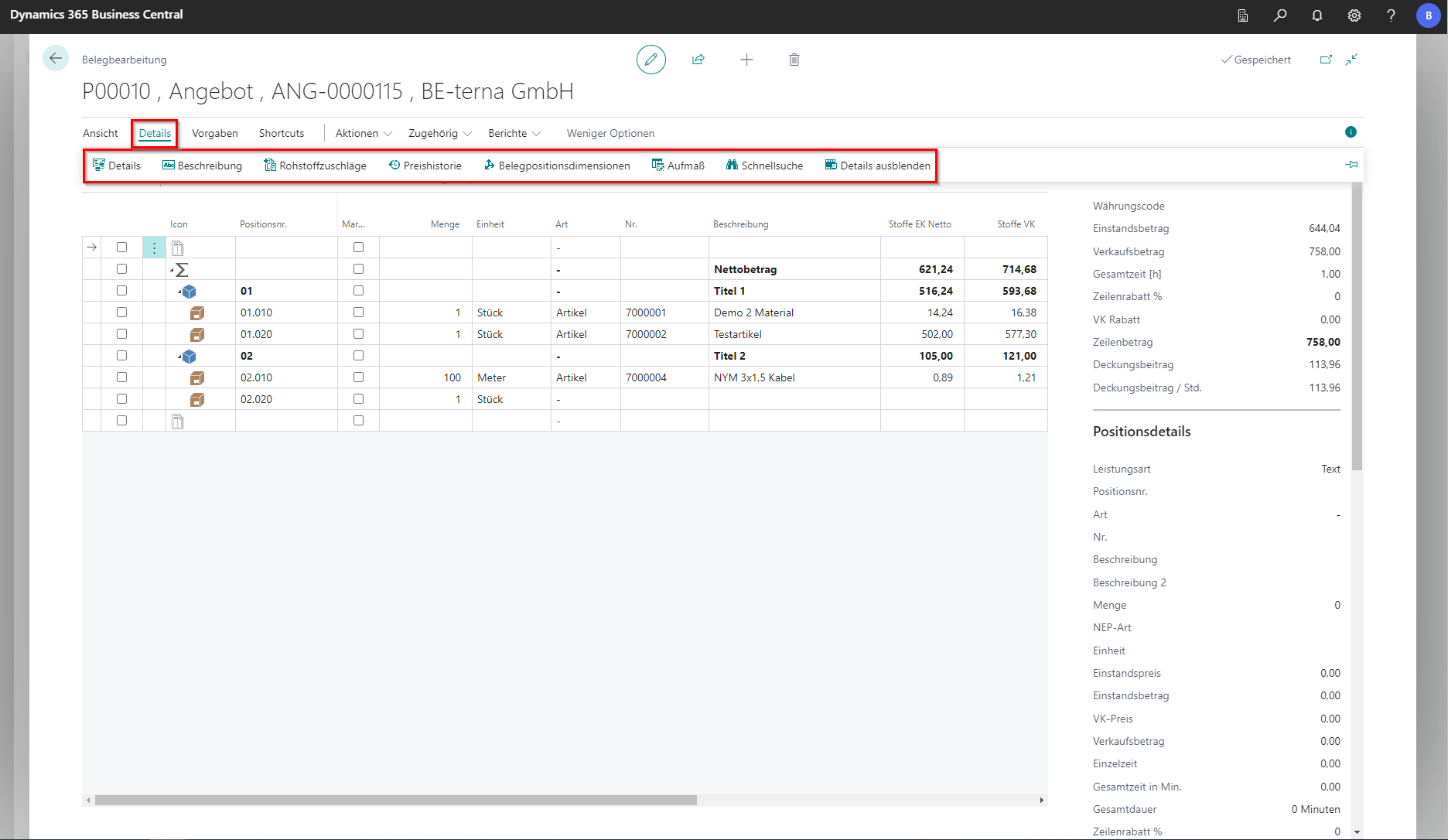
Details
Click to enlarge
Field
Explanation
Details
Opens the Details tab.
Description
Opens the Description tab.
Raw Material Surcharges Opens the Raw Material Surcharges tab.
Price History Opens the Price History tab.
Document line dimensions
Opens the document line dimensions tab.
Measurement Opens the Measurement tab.
Quick search
Starts quick search at line level.
Hide details
Closes all tabs.
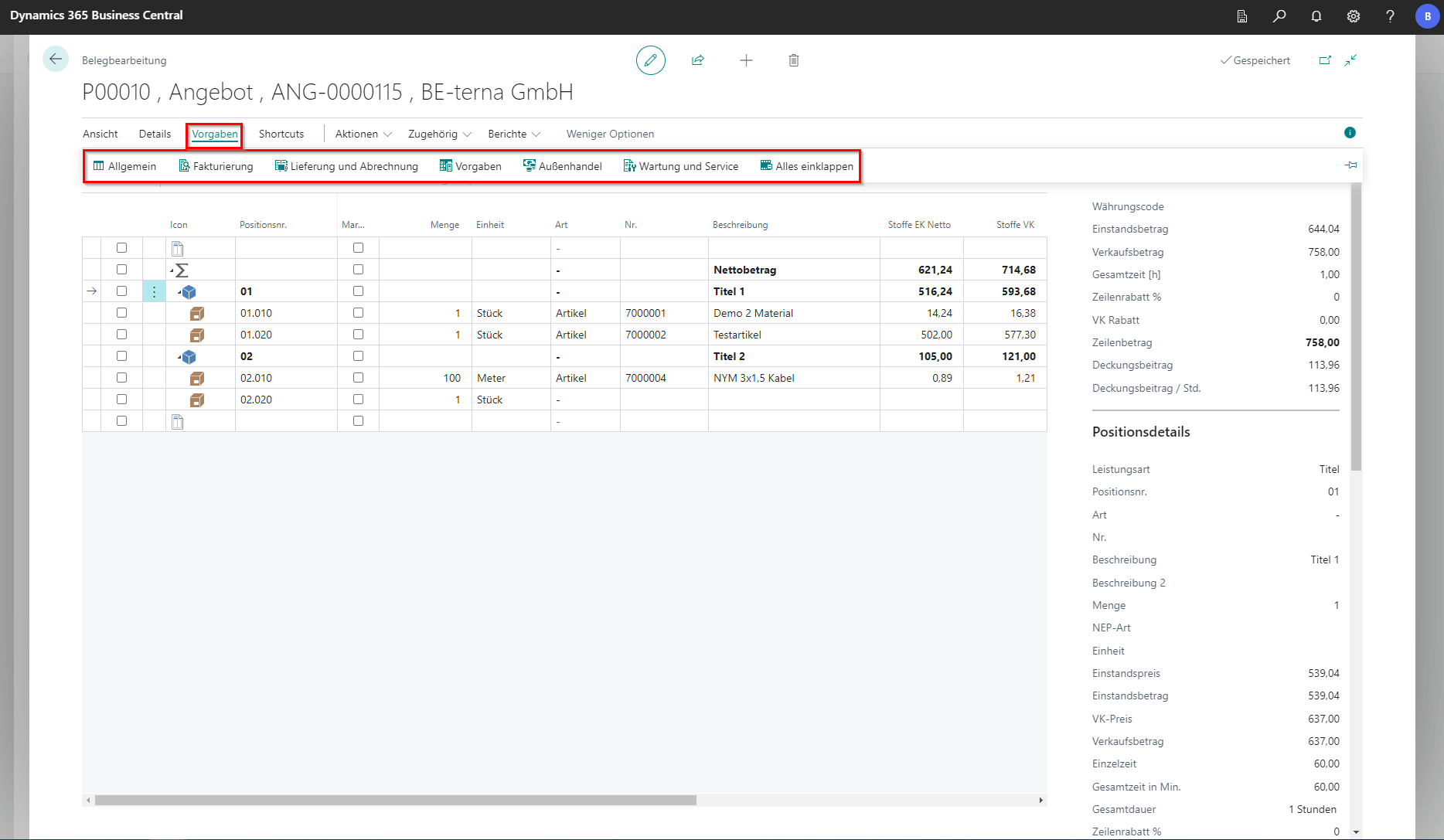
Specifications
Click to enlarge
Field
Explanation
General
Opens the General tab.
Invoicing
Opens the Invoicing tab.
Delivery and Billing
Opens the Delivery tab.
Defaults
Opens the Defaults tab.
Foreign trade
Opens the Foreign Trade tab.
Maintenance and Service
Opens the Maintenance and Service tab.
Collapse all
Closes all tabs.
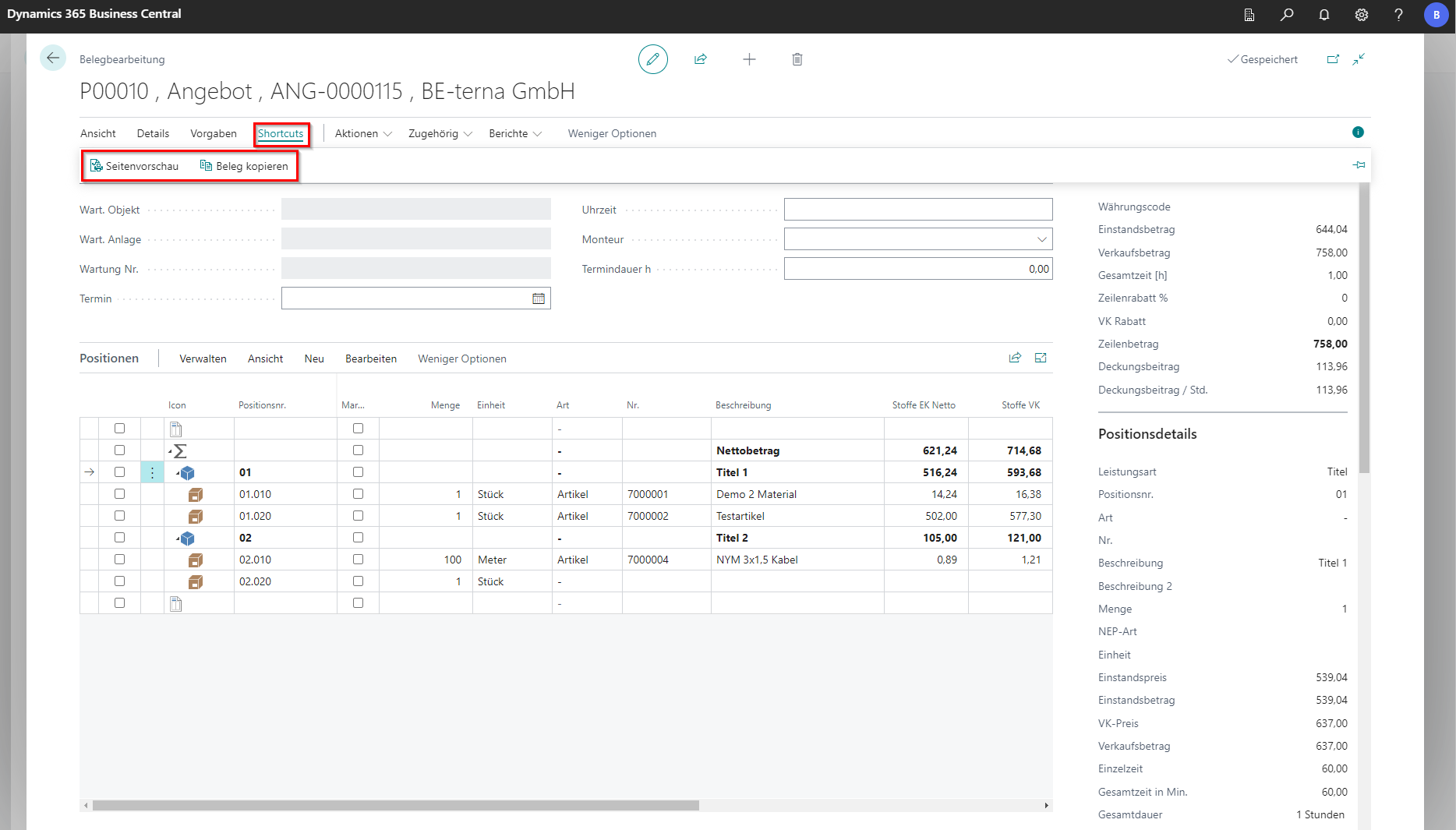
Shortcuts
Click to enlarge
Field
Explanation
Page preview
Opens a new dialog for print settings and preview.
Copy document Opens a new dialog with copy options.
Actions
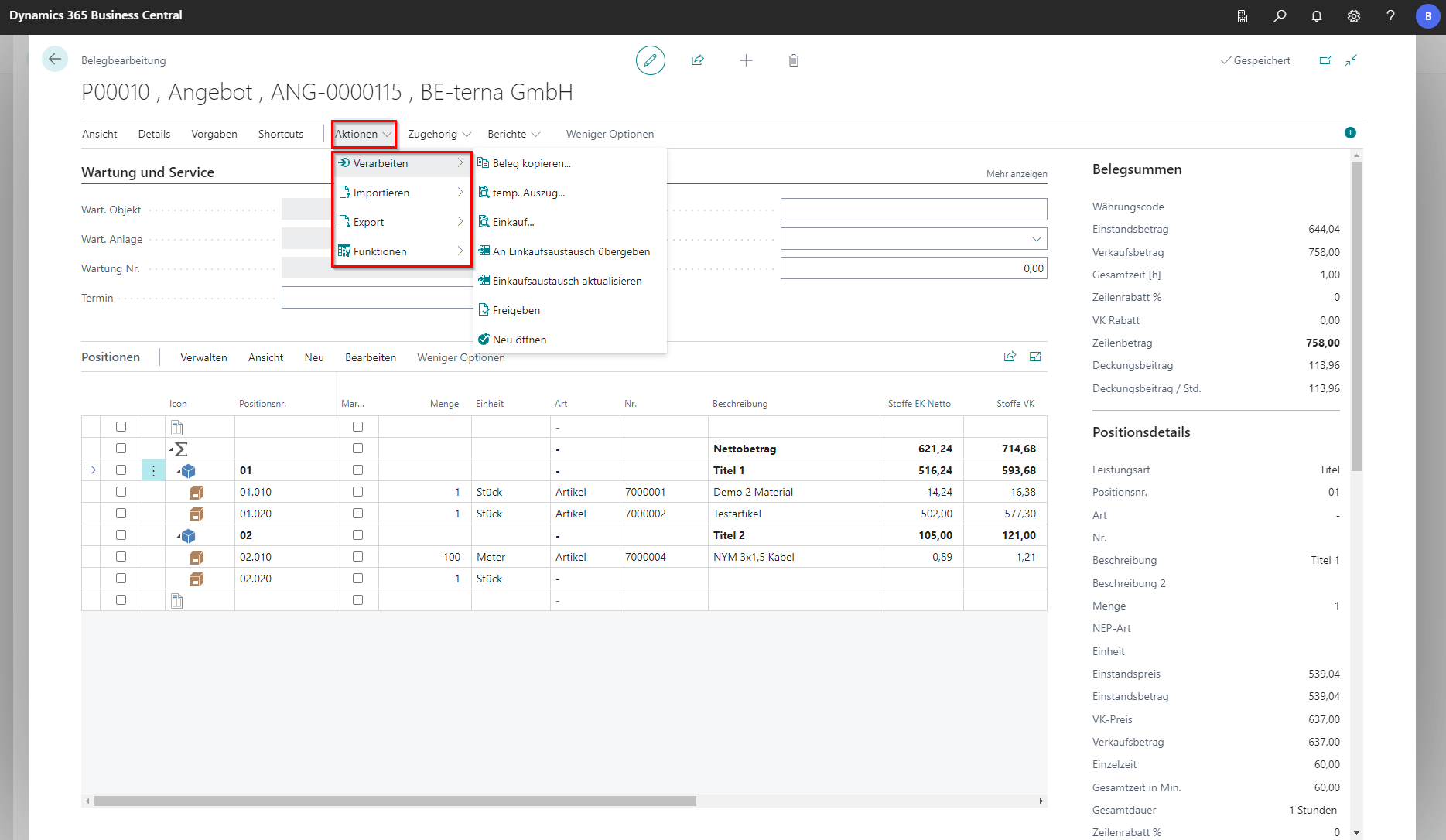
Under the individual groups, further actions can be expanded.
Click to enlarge
Process
Field
Explanation
Copy document… Copies the document.
temp. extract…
Creates a temporary extract that is deleted again after closing.
Purchasing… Transfers selected positions into another document.
Transfer to purchasing exchange
Transfers the document to purchasing exchange and lets you select suppliers in a new dialog.
Refresh purchasing exchange
Opens a dialog with the purchasing exchange overview.
Release
Releases the document.
Reopen
Reopens the document.
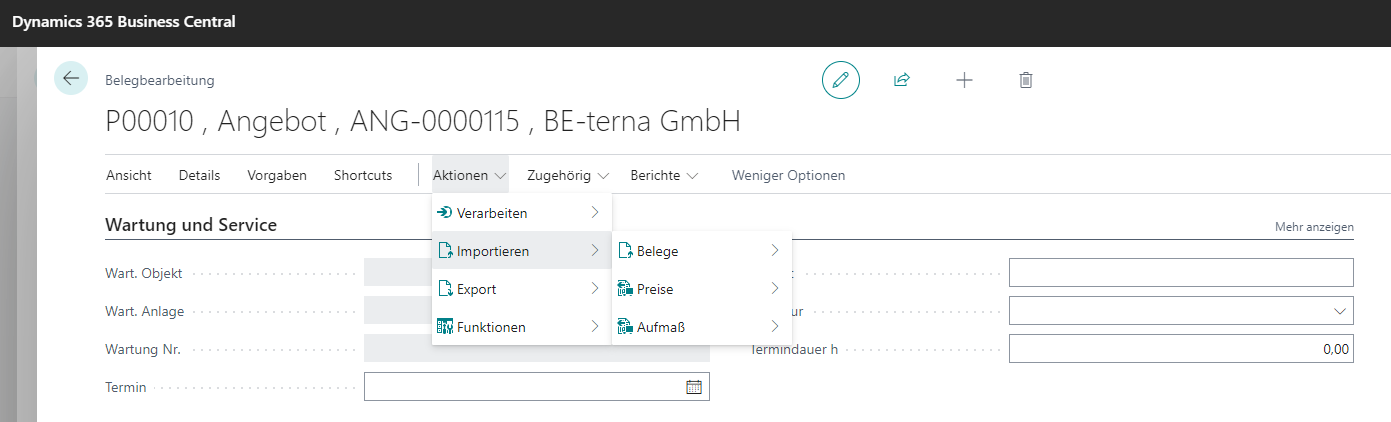
Click to enlarge
Import
Field
Explanation
Documents
Imports documents from selected file formats.
Prices
Imports prices from selected file formats.
Measurement
Imports measurements from selected file formats.
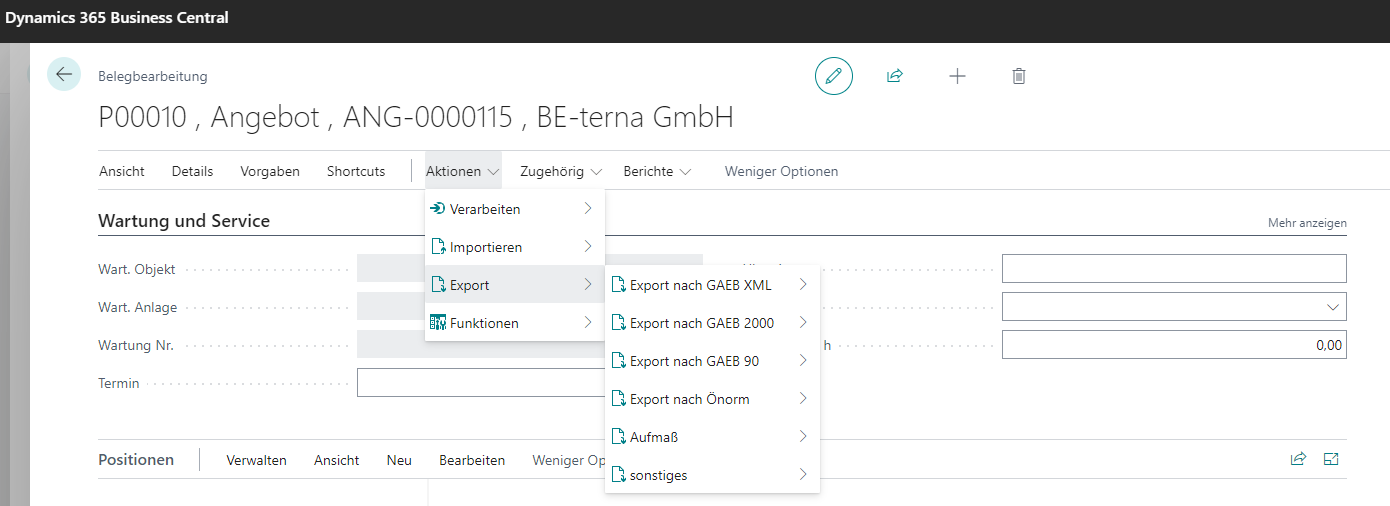
Click to enlarge
Export
Field
Explanation
Export to GAEB XML
Exports the document using the selected option in GAEB XML format.
Export to GAEB 2000
Exports the document using the selected option in GAEB 2000 format.
Export to GAEB 90
Exports the document using the selected option in GAEB 90 format.
Export to ONorm
Exports the document using the selected option as an ONLV file according to ONorm.
Measurement Opens a dialog for REB export settings.
Miscellaneous
Exports the document as an XML file.
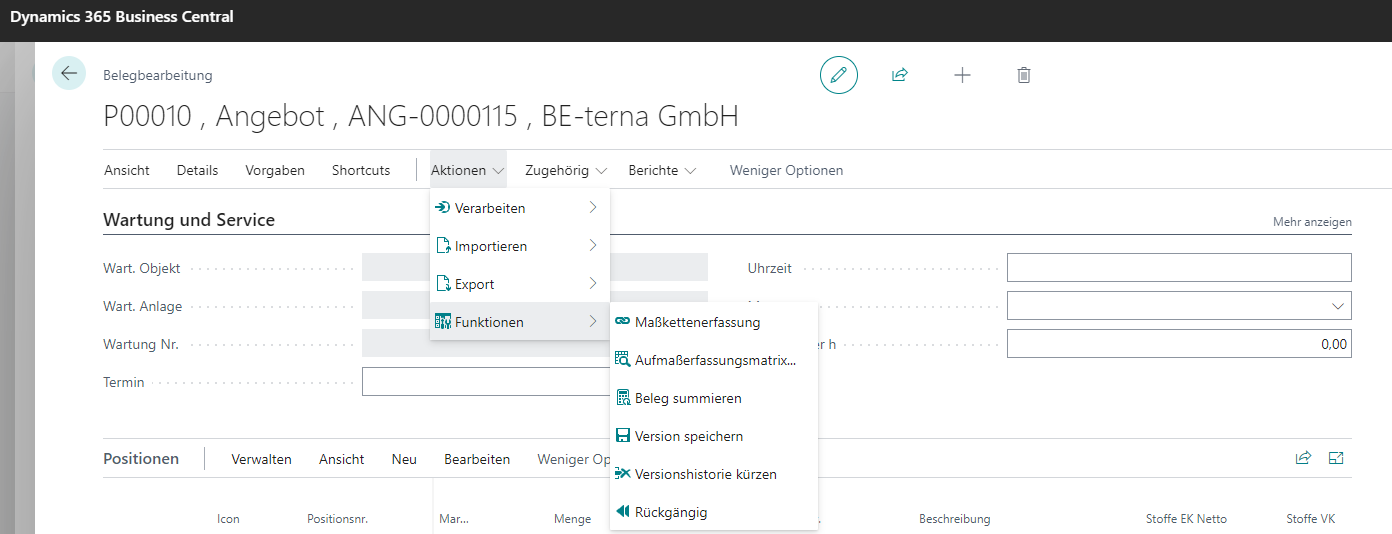
Click to enlarge
Features
Field
Explanation
Chain measurement capture
Opens a dialog for assigning measurements to document positions.
Measurement matrix Opens a dialog to capture measurements in matrix form.
Recalculate document totals
Recalculates values of all positions along the document structure.
Save version
Saves the current edit state as a new version.
Trim version history
Trims the version history.
Undo
Activates the most recently saved document version.
Click to enlarge
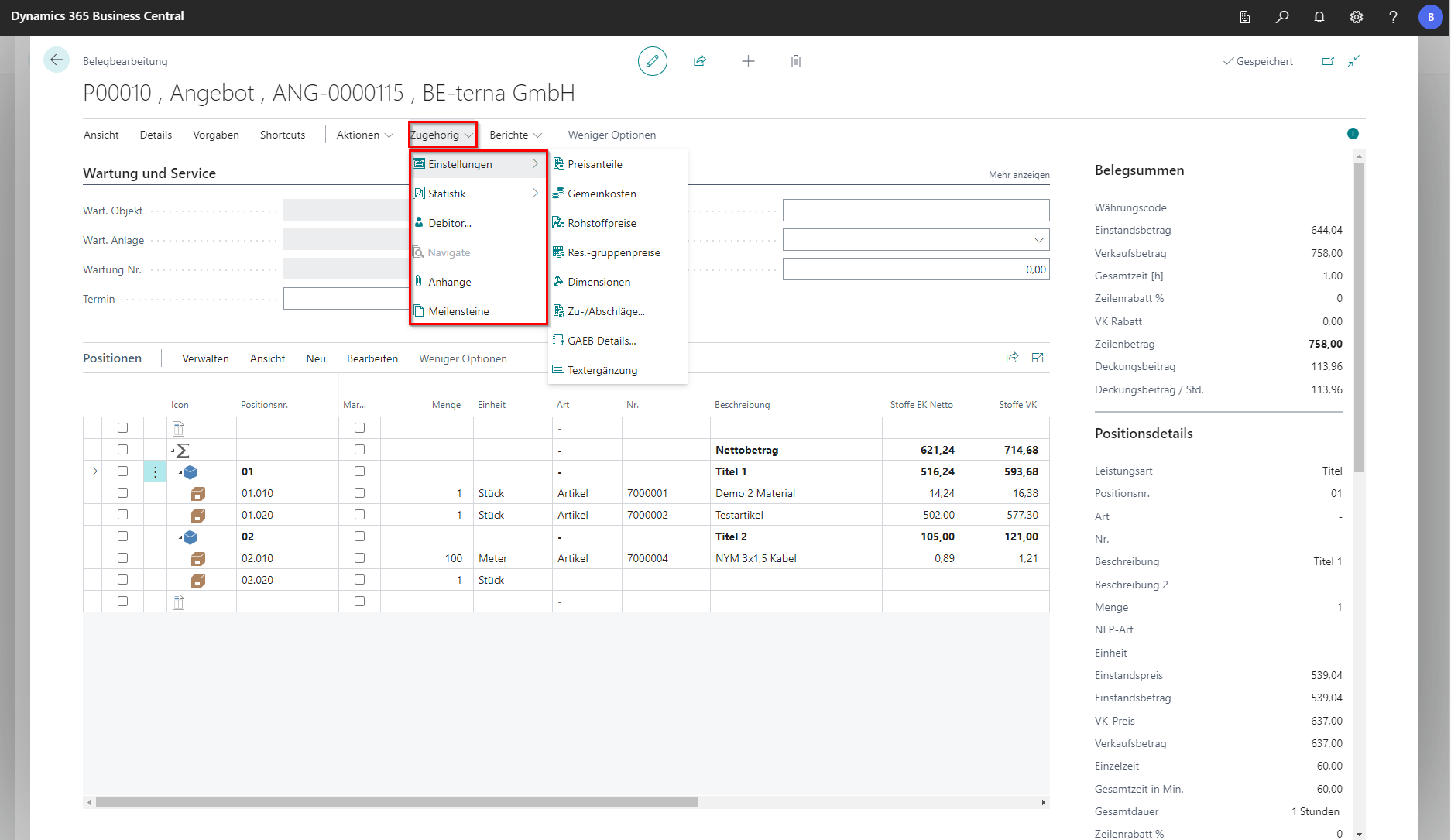
Settings
Field
Explanation
Price shares Opens a dialog for editing price shares.
Overhead costs Opens an editor for overhead costs on price shares.
Raw material prices Opens a dialog for managing raw material prices.
Resource group prices
Opens a dialog for editing resource group prices.
Dimensions
Opens a dialog for editing dimension set entries.
Surcharges/Discounts… Opens a dialog for editing surcharges/discounts on cost objects.
GAEB details…
Opens a dialog for editing GAEB details.
Text additions
Opens a dialog for editing text additions.
Click to enlarge
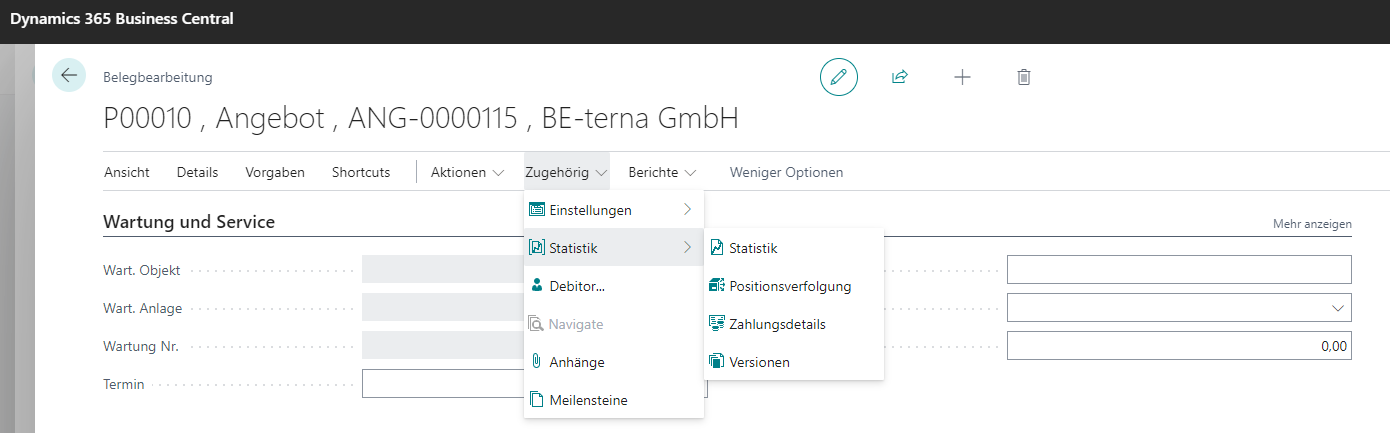
Statistics
Field
Explanation
Statistics Opens an overview with document statistics.
Position tracking
Opens an overview for position tracking.
Payment details
Opens an overview for invoice payments.
Versions Opens an overview for editing document versions.
Field
Explanation
Customer…
Opens the customer card.
Attachments
Opens a dialog to attach files and images to the document.
Milestones
Opens project-specific milestones.
Reports
Click to enlarge
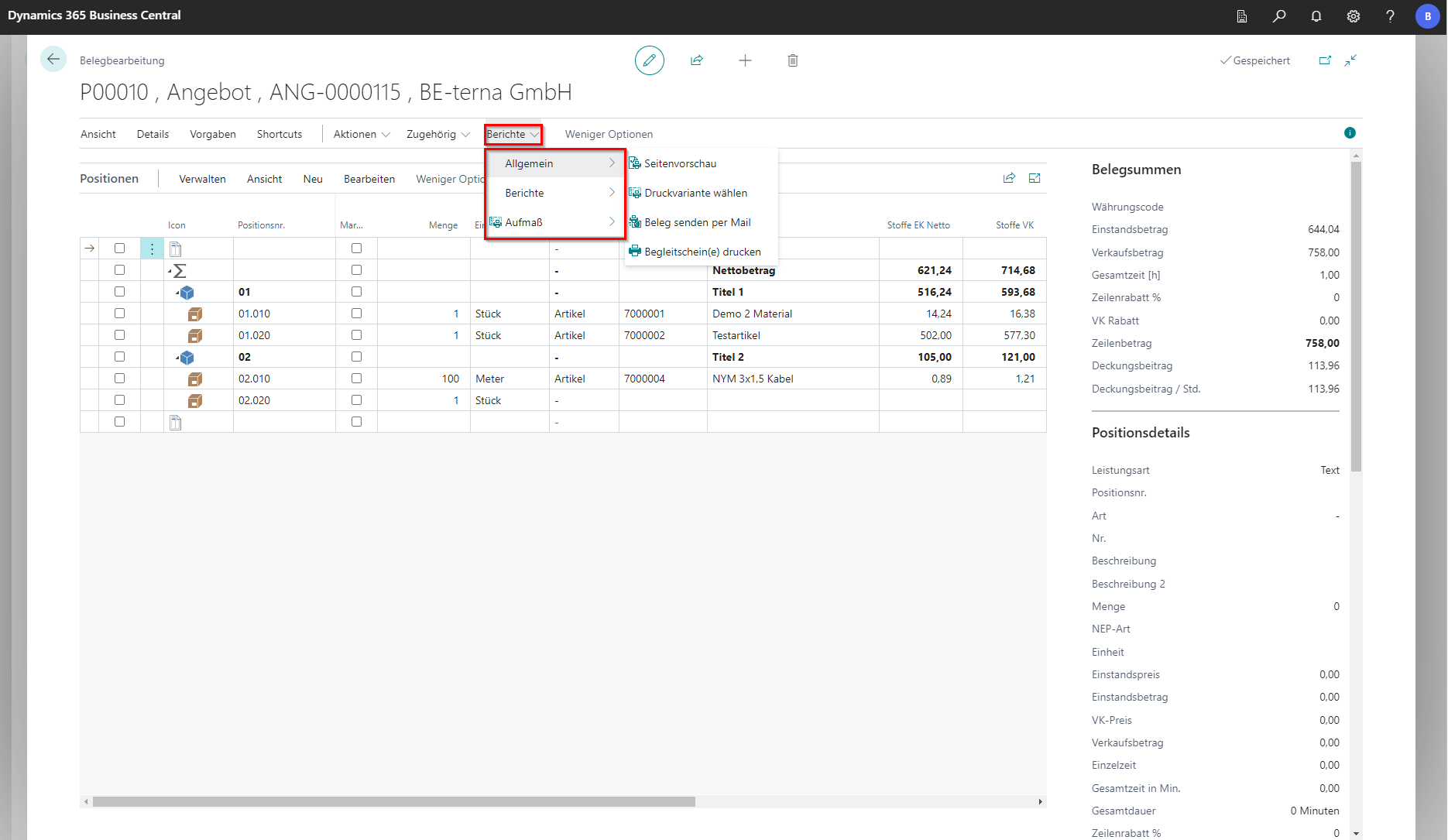
General
Field
Explanation
Page preview
Prints the document in the standard variant.
Select print variant
Opens a dialog to choose another print variant.
Send document by email
Sends the document by email.
Print delivery slips
Prints delivery slips.
Click to enlarge
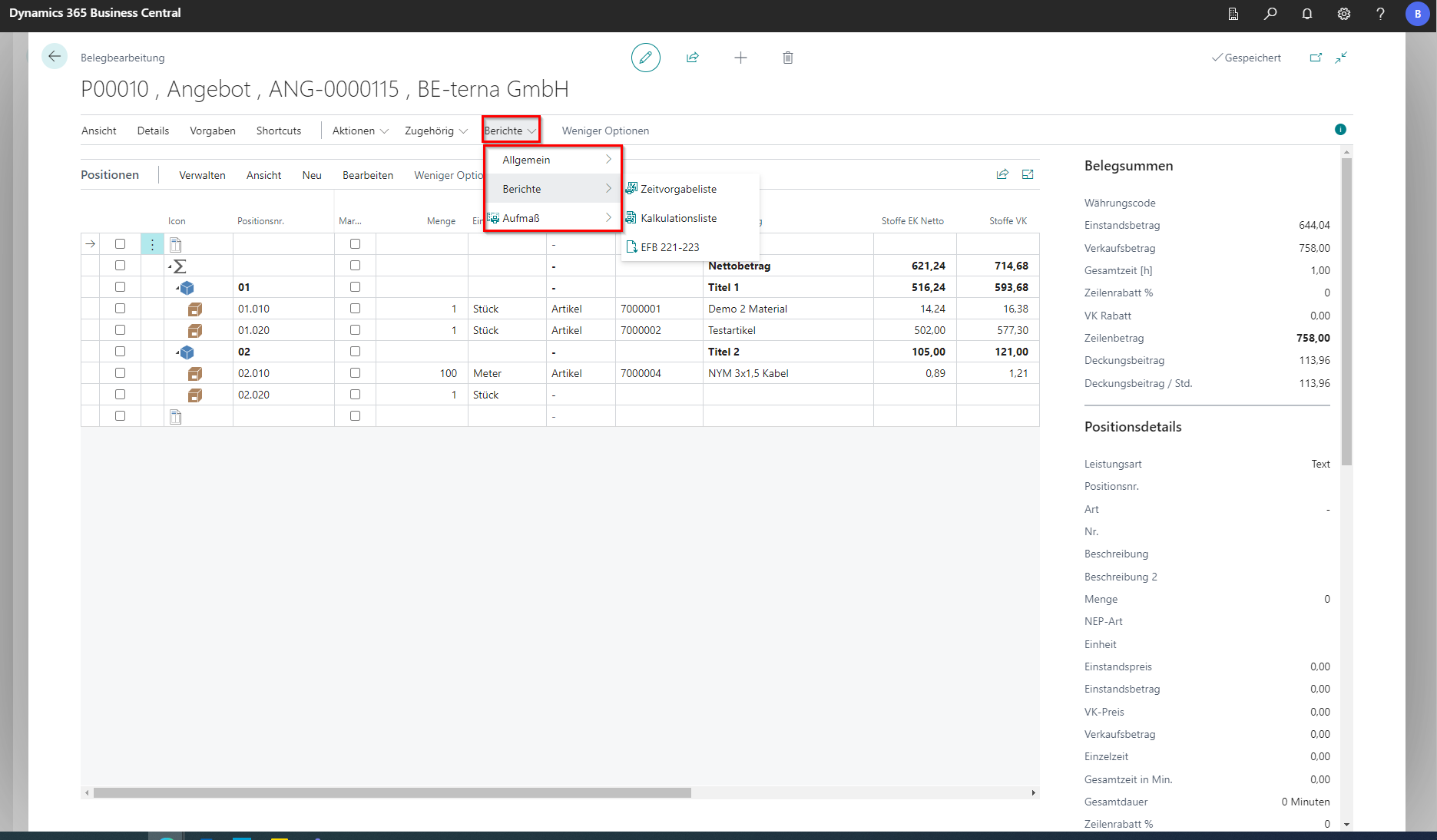
Reports
Field
Explanation
Time default list
Opens a dialog for predefined time values for technicians to perform a service.
Costing list
Prints the costing list.
EFB 221-223
Exports forms for third parties.
Click to enlarge
Measurements
Field
Explanation
Measurement list…
Prints the measurement list.