Copying a Project Document
Brief context for Copying a Project Document in BE-terna Project.
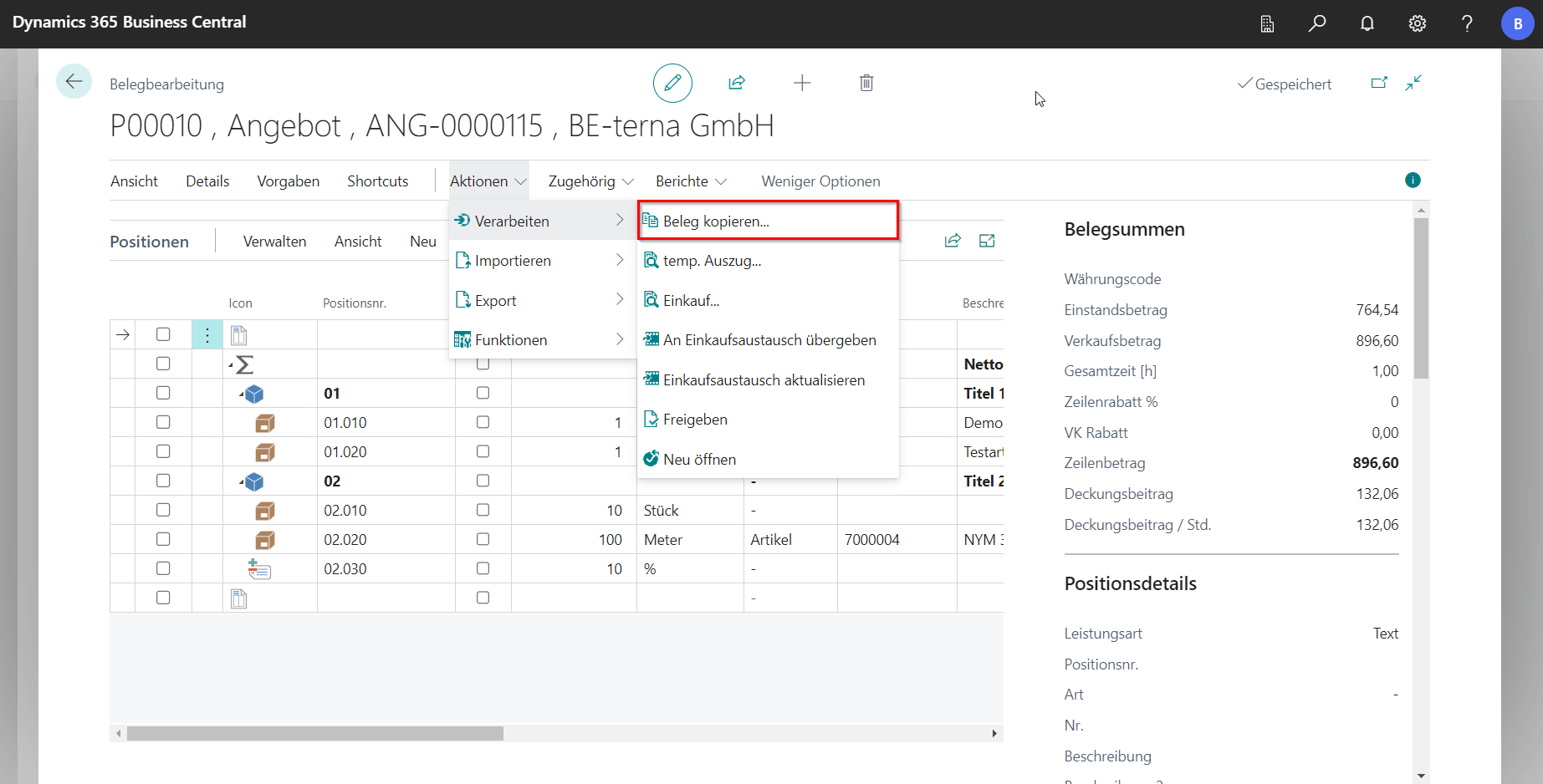
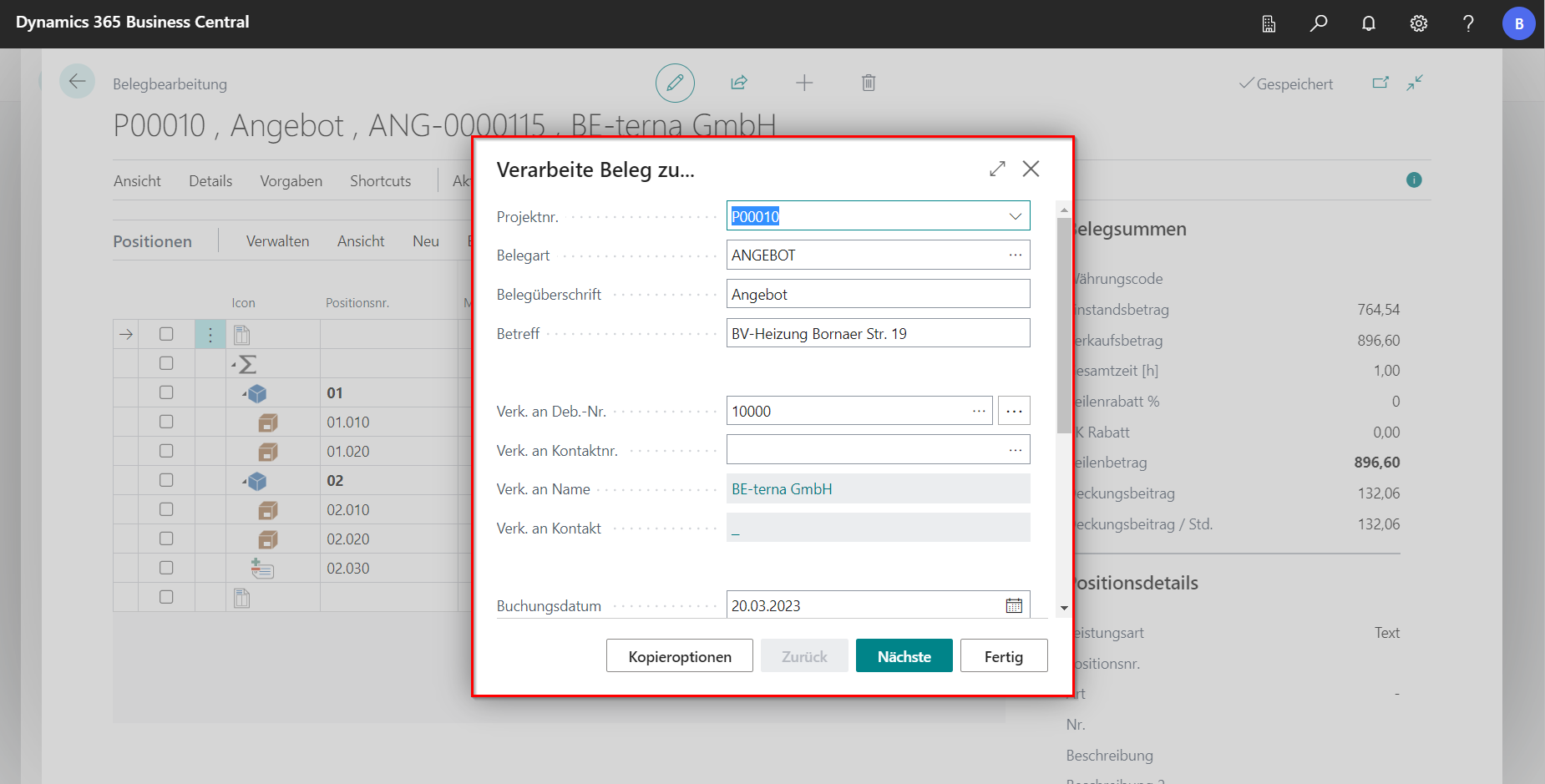
A document that has already been entered can be copied within a project or moved to another project. To copy, select Process in the navigation menu under Actions and click Copy document…. First, a dialog opens with settings similar to [Creation of a new document](/BE%2Dterna-Project-Documentation/Project Documents/Creation-of-a-New-Document).
 Click to enlarge
 Click to enlarge
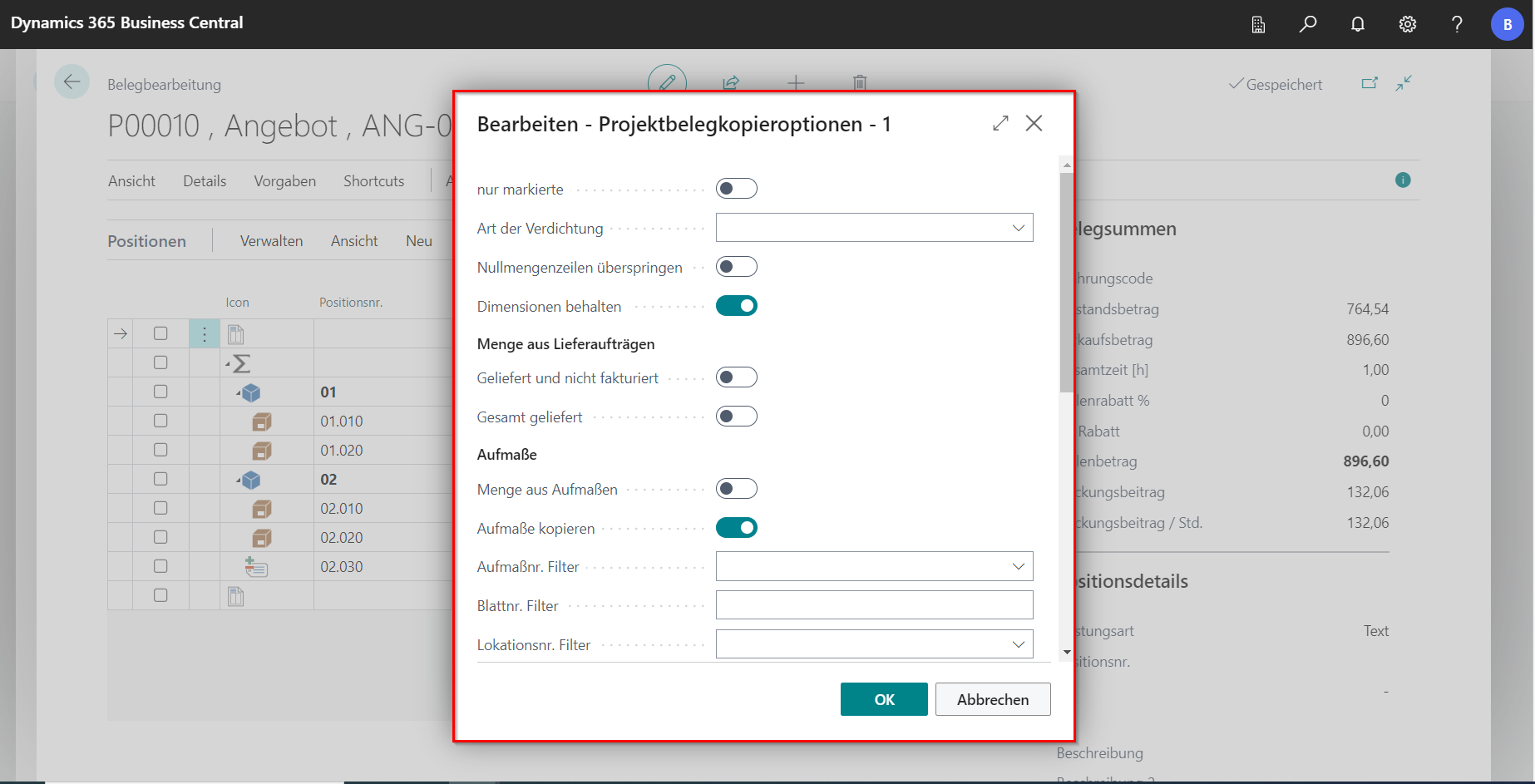
Additional options for copying the document are available under Copy Options.
| Field | Explanation |
|---|---|
| Marked only | Copies only positions marked in the bill of quantities. |
| Consolidation type | Two options are available: Flatten subpositions converts subpositions to positions. Flatten and consolidate by no. also converts subpositions to positions, removes title levels, and consolidates quantities of identical items. |
| Skip zero-quantity lines | Lines without quantity are not copied. |
| Keep dimensions | Keeps dimensions from the source document or applies dimensions from the target project. |
| Quantity from delivery orders | Uses quantities from delivery orders instead of the quantities stored in the bill of quantities. |
| Quantity from measurements | Uses measured quantities instead of quantities stored in the bill of quantities. Can be combined with Skip zero-quantity lines to create an invoice with measured positions and quantities only. |
| Copy measurements | Copies measurements. |
| Measurement no. filter | Copies only measurements with selected measurement numbers. If empty, all measurements are considered. Applies to both Quantity from measurements and Copy measurements. |
| Sheet no. filter | Copies only measurements from selected sheet numbers. |
| Location no. filter | Copies measurements from the selected location into the new document. |
| Pre-/post-texts | New documents are always created with standard texts if configured. During copy, existing texts can either be replaced or supplemented. If no texts are maintained, empty text positions are created. |
| Pre-text | Copies maintained pre-texts. |
| Keep pre-text | Uses the pre-text from the source document. |
| Standard pre-text | Replaces the source pre-text with the configured standard pre-text. |
| Post-text | Copies maintained post-texts. |
| Keep post-text | Uses the post-text from the source document. |
| Standard post-text | Replaces the source post-text with the configured standard post-text. |
| Company copy | |
| Copy from other companies | Copies the document from another company and enables the following fields. |
| Company | Select a permitted company. |
| Project no. | Select a project by its project number. |
| Project document no. | Select a project document by its project document number. |
| Base document type | Defines the base document type, for example Draft. |
| Document type | Defines the document type. |