Receipt Text
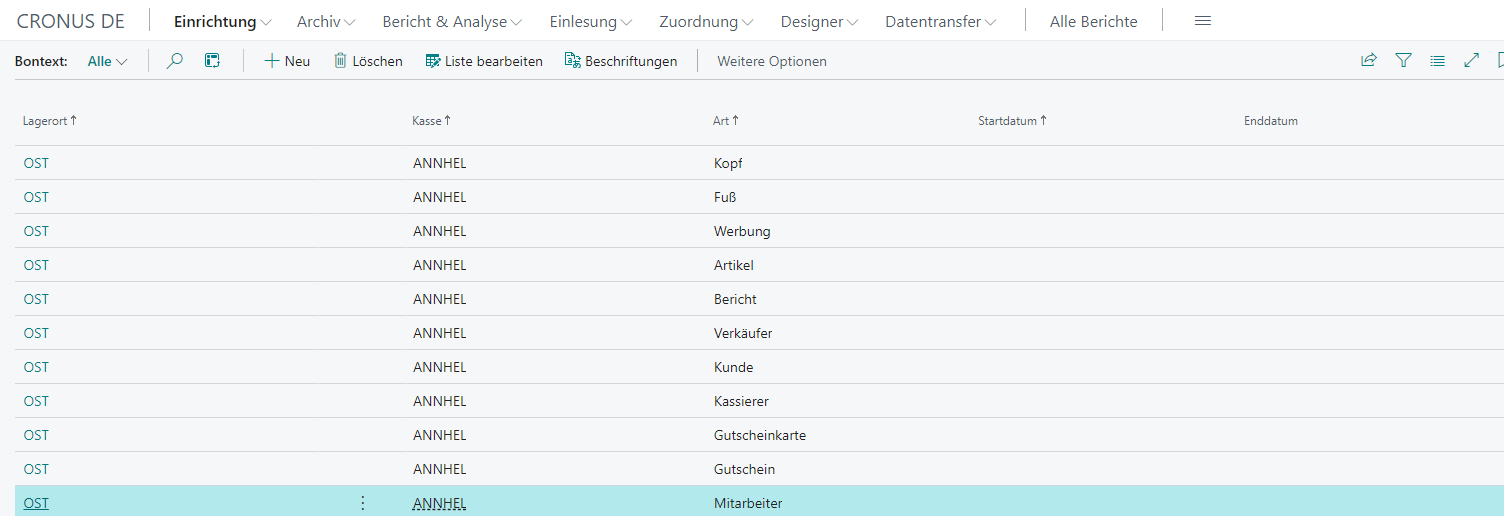
Receipt texts can be configured under Setup → Receipt Text.
Actions
The following actions are available on the respective receipt text card:
| Action | Description |
|---|---|
| Receipt Test | Sends the currently selected receipt text as a test receipt to the stored receipt printer. |
| Device Setup | Opens the device setup overview. |
Setup
| Field | Description |
|---|---|
| Location | Location code |
| Cash Register | Cash register code |
| Type | Defines the receipt text type |
| Start Date | Specifies the date from which the text line should be printed |
| End Date | Specifies the date until which the text line should be printed |
Types
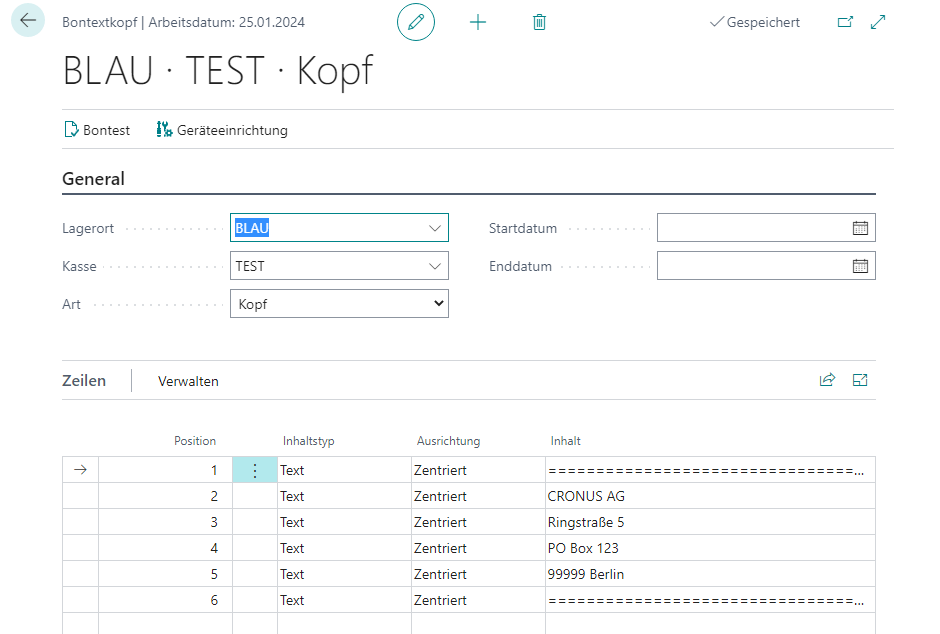
Header
In the header lines, for example, the address and contact data of the respective branch can be specified.
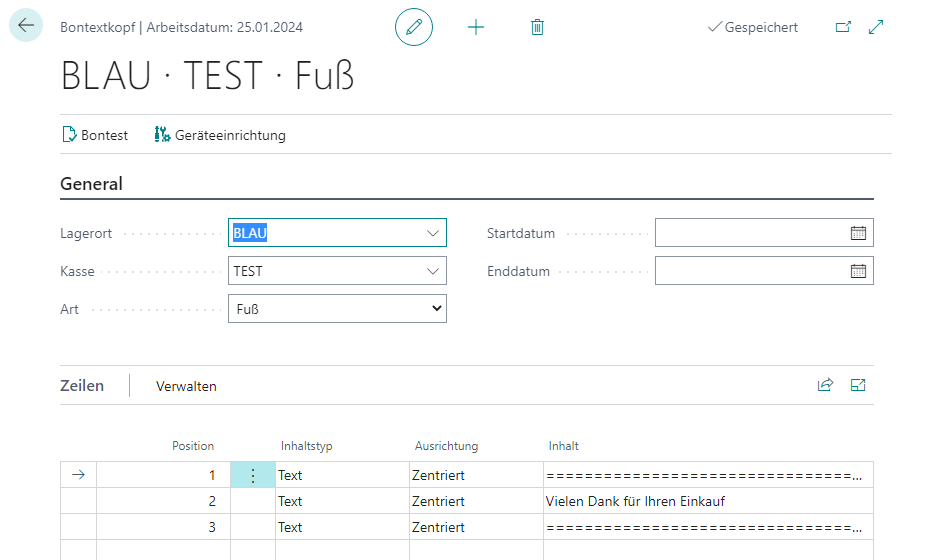
Footer
In the footer lines, for example, a greeting can be stored.
Advertising
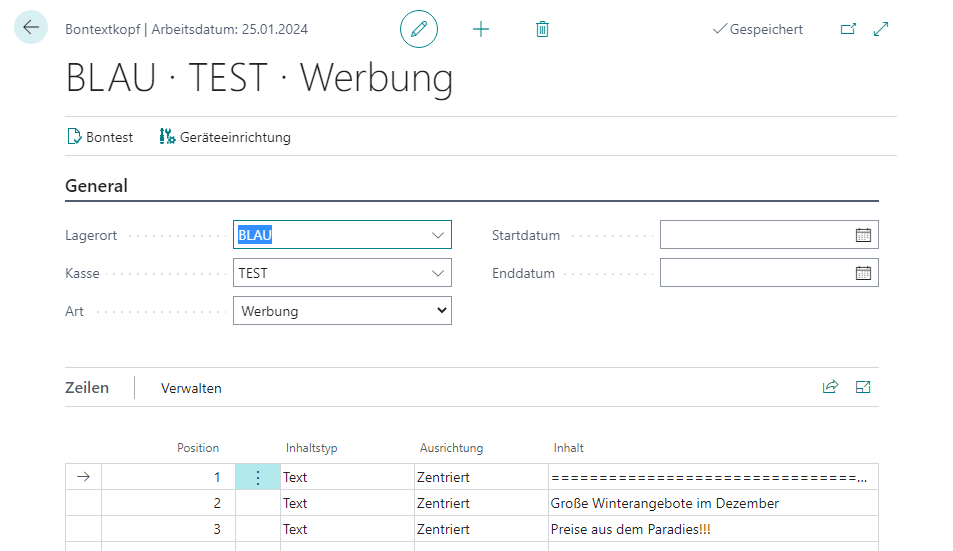
Advertising lines can be used to point to specific promotions or display in-house advertising.
Item
This category defines which information should be printed in the receipt roll during item sales. This includes, for example, individual values or combinations of the following values:
| Field | Description |
|---|---|
| Blank | Nothing is printed |
| Item No. | The item number is printed |
| Item No. 2 | The item’s no. 2 is printed |
| Item Description | The item description is printed |
| Complete Item Description | The complete item description of the item is printed, spanning multiple lines if necessary |
| Complete Item Description 2 | The complete item description 2 of the item is printed, spanning multiple lines if necessary |
| Barcode | The input that triggered the item sale is printed (barcode or item no.) |
| Item Category | The item category code is printed |
| Item Category Description | The item category description is printed |
| Variant | The item variant code is printed |
| Variant Description | The item variant description is printed |
| Quantity | The sales quantity of the item is printed |
| Price | The sales price of the item rounded to two decimal places is printed |
| Price (unrounded) | The unrounded sales price of the item is printed |
| Salesperson | The salesperson code of the item is printed |
| Unit | The unit of measure of the item is printed |
| VAT | The VAT percentage applied to the item is printed |
| Lot No. | The lot number of the item is printed |
| Serial No. | The serial number of the item is printed |
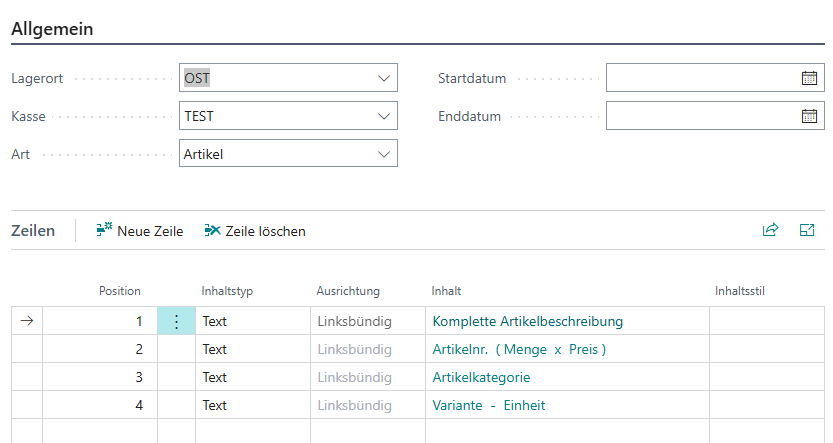
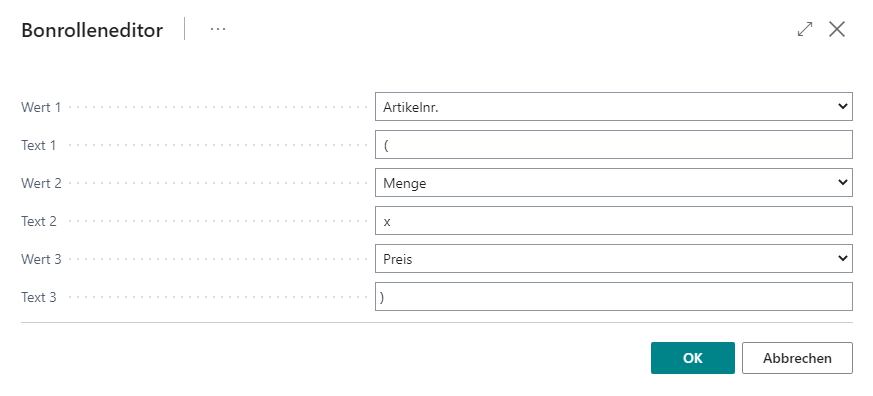
The respective lines can contain up to three combinations of these values, which can be linked with up to five characters.
Report
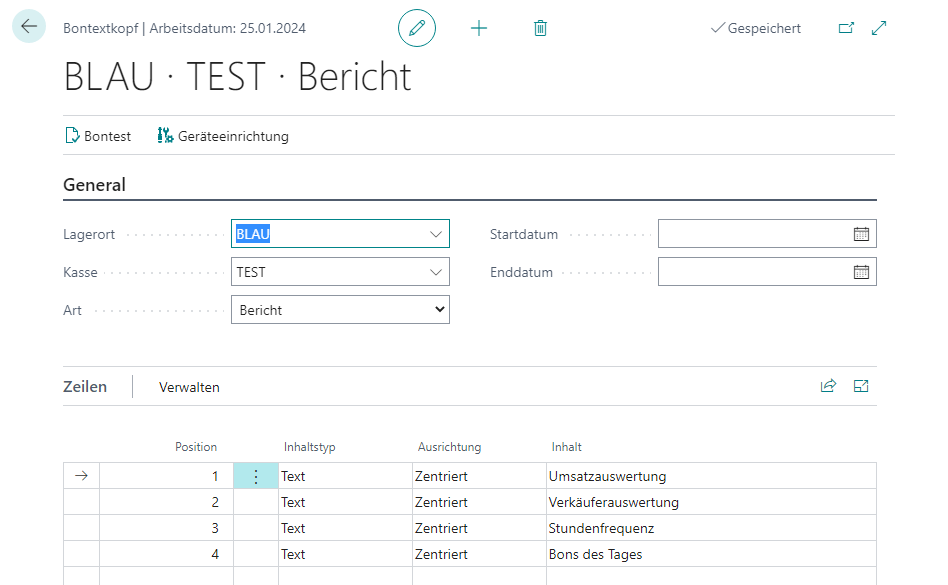
This category defines which additional information should also be printed during cash register closing. The following options are available and can be output either individually or in combination:
| Field | Description |
|---|---|
| Turnover Information | Displays the turnover performance of the respective item categories |
| Salesperson Evaluation | Shows how many receipts were processed by the respective salespersons |
| Hourly Frequency | Shows customer/receipt frequency in half-hour intervals |
| Receipts of the Day | Shows the highest-grossing receipts of the current day |
Salesperson
This category defines how the salesperson should be printed on the receipt.
Cashier
This category defines how the cashier should be printed on the receipt.
Customer
This category defines which customer data should be printed on the receipt.
Voucher Card
This category defines which information should be printed on the receipt when a voucher card is sold. Note: Printing takes place only when the voucher card setup is active.
Voucher
This category defines which information should be printed on the receipt when a voucher is sold.
Employee
This category defines which employee information should be printed on the receipt when selling to an employee.
Resource
This category defines which information should be printed in the receipt roll during resource sales.
Open Entries
This category defines which information should be printed in the receipt roll during open entry balance.
Gift Item
See Item - the only difference is that no item price is printed on the receipt.
Gift Resource
See Resource - the only difference is that no resource price is printed on the receipt.
Captions
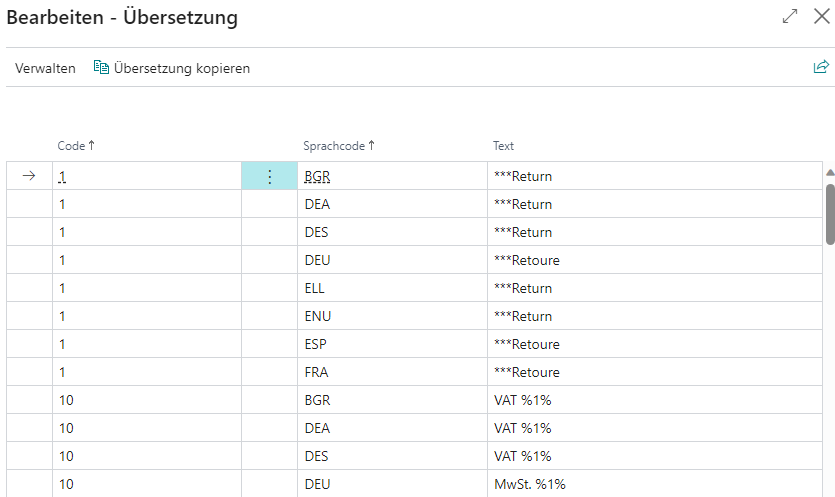
This action can be used to define the information printed in the receipt roll. Each line is assigned to a language code that determines for which language setting from the cash register setup the line should be applied. With the Copy Translation action, all lines of one language code can be copied to another language code.