Tender
Setup of the available tenders, card assignments, and checks in POS Core.
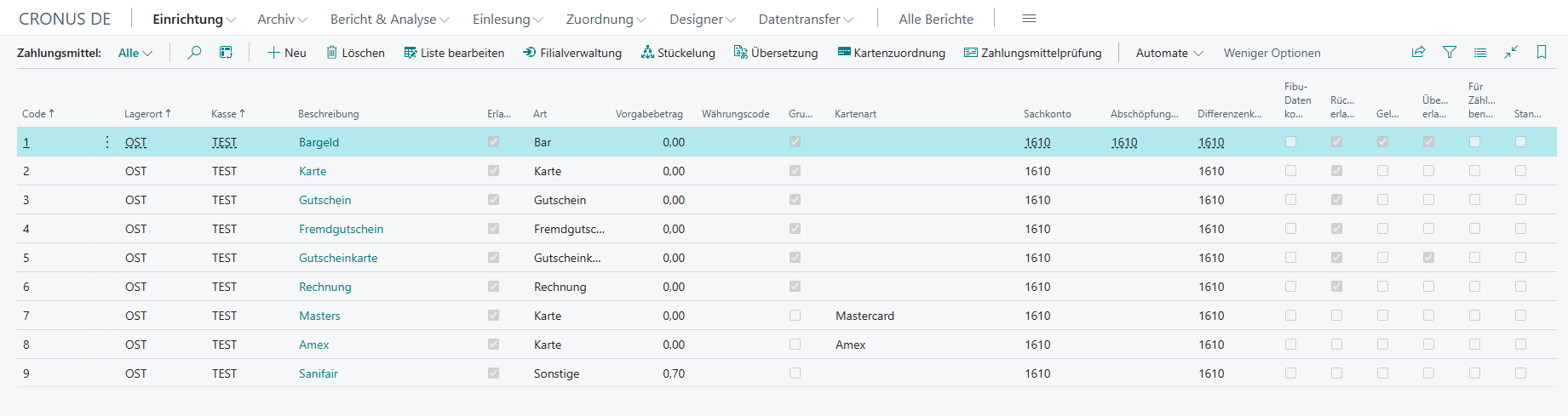
Under Setup → Tender, the tenders available for the relevant cash register setup are configured.
Actions
Several action buttons are available in the tender overview and are briefly introduced below.
| Field | Description |
|---|---|
| Store Management | Enables the management of multiple stores |
| Denomination | Stores the denominations for cash tenders |
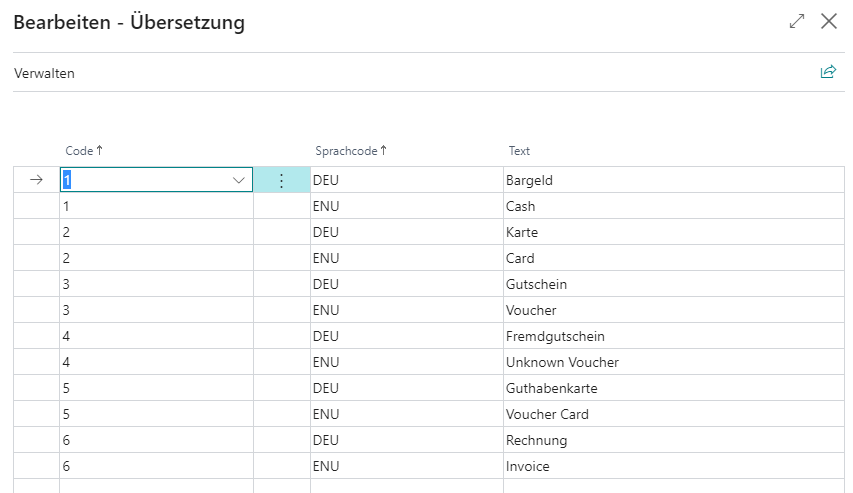
| Translation | Stores the language-dependent description for the selected tender |
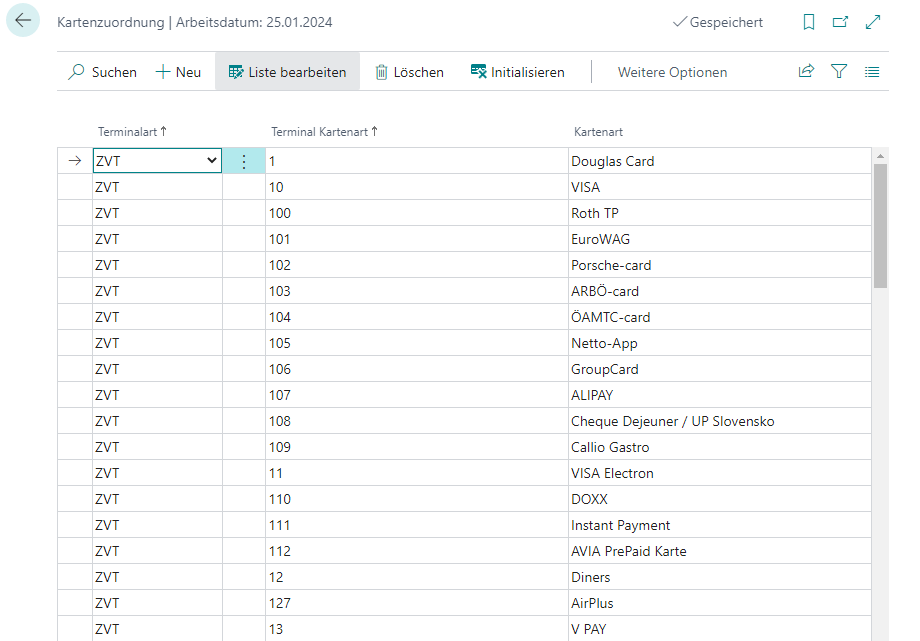
| Card Assignment | Opens an informative overview of the terminal-dependent card types |
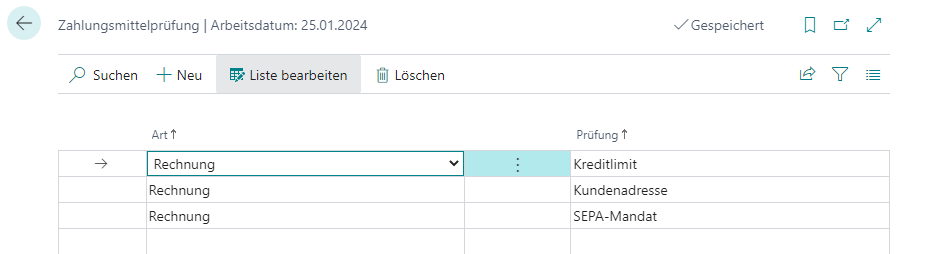
| Tender Check | Allows selected tender types to be assigned specific check criteria |
Translation
In the translation overview, language-dependent descriptions can be stored for the respective tenders.
Card Assignment
Provides an overview of the possible protocol-dependent return values of certain card types.
Tender Check
This can be used to assign additional check criteria to selected tender types that must be fulfilled in order to use the respective tender.
Setup
| Field | Description |
|---|---|
| Code | Tender code |
| Location | Location code of the related cash register setup |
| Cash Register | Cash register code of the related cash register setup |
| Description | Description of the tender |
| Allowed | Activates use of the tender for this cash register setup |
| Type | Defines the type of tender Cash: Accepting cash Card: Accepting card payments Voucher: Accepting vouchers Third-Party Voucher: Accepting third-party vouchers (vouchers not known in the cash register system) Voucher Card: Accepting voucher cards Invoice: Issuing invoices Other: For other tenders (for example cheque) |
| Default Amount | This field must be shown manually and makes it possible to define a default amount for tender group “Other”, which is applied automatically when the tender is selected |
| Currency Code | Makes it possible to store a currency code on a tender that differs from the tenant currency. When used, automatic conversion into the tenant currency takes place, so that for example, with a receipt amount of EUR 100.00 and a payment of CHF 50.00, around EUR 53.05 is settled from the receipt amount |
| Group Default | Defines the respective tender as the default tender of the relevant tender type. The default tender of that type is used when no specific tender can otherwise be assigned (for example, when payment is made by card VISA but no corresponding tender was found) |
| Card Type | The assigned card type for this (card) tender, depending on the terminal interface used |
| G/L Account | Specifies the G/L account to which the tender should be posted |
| Cash to Bank G/L Account | Specifies the G/L account to which Cash to Bank postings of this (cash) tender should be posted |
| Variance Account | Specifies the G/L account to which variances for this (cash) tender should be posted |
| Compress Financial Data | Activates compression of financial data from payment lines |
| Refund Allowed | Activates use for return-related credits |
| Cash Drawer Opening | Indicates that the cash drawer should be opened when this tender is used |
| Overpayment Allowed | Allows overpayment for this tender |
| Use for Counting | Lists the tender in the denomination during cash register closing |
| Default Tender | Default setting of the tender in the payment process |
| Capture Text | Allows remarks to be entered during payment |
| Prevent Split Payment | Defines whether split payments should be prevented for this tender |