Example setup
Create and adapt a predefined starting point for BE-terna Vendor Rating.
Purpose
The example setup helps you get BE-terna Vendor Rating up and running quickly. It creates a predefined baseline structure that you can refine afterwards to match your business requirements.
Prerequisites
- The basic Vendor Rating setup is already in place.
- You want to start with a predefined rating schema.
- No productive, individually designed criteria structure is in use yet.
Recommended order
- Open the Vendor Rating setup.
- Switch to the example setup area.
- Create the example configuration once.
- Review and refine the schema, weightings, and criteria afterwards.
Setup components
Open the example setup
You can reach the function through Setup and then Example setup. Use it when you do not want to start from an empty criteria structure.
Create the example configuration
Selecting Create example setup creates a predefined configuration in your system. This step is meant as a starting point and should only be executed once.
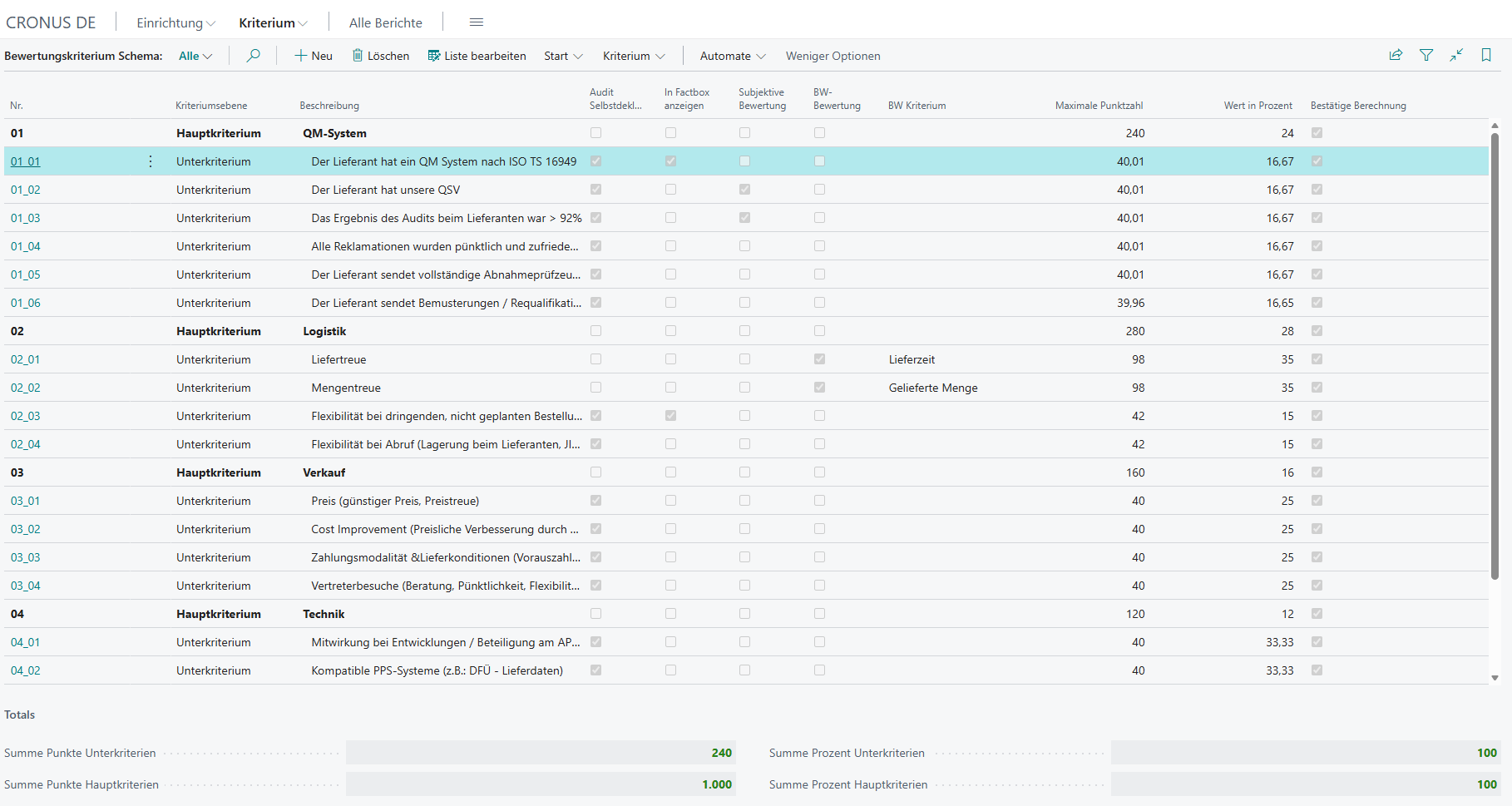
Review the structure after creation
After creation, adapt the rating criteria schema to your requirements. Typical follow-up tasks are:
- add or adjust main criteria and subcriteria
- change weightings
- review business criteria and thresholds
- maintain vendor-specific target values
Links