REB Export
Recorded measurements can be exported in REB format and in GAEB DA 31 format. The function is available from Actions > Export > Measurement.
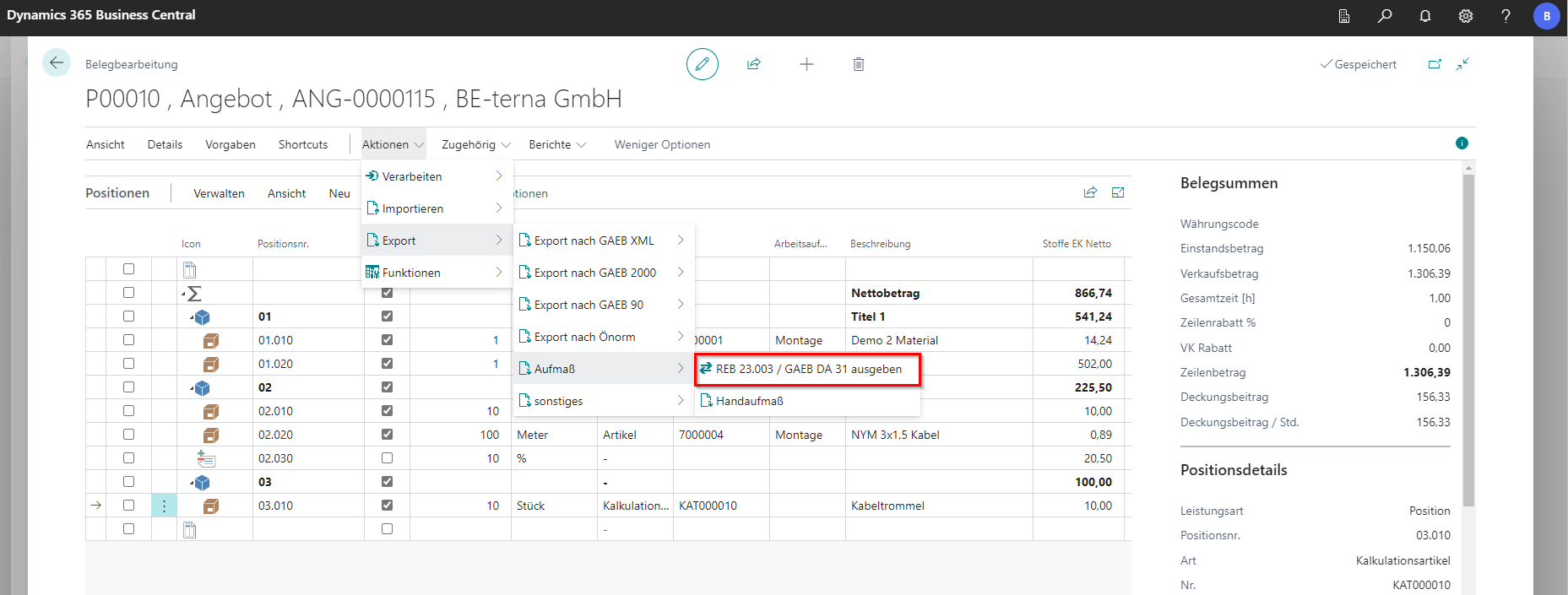
An export dialog appears with various options:
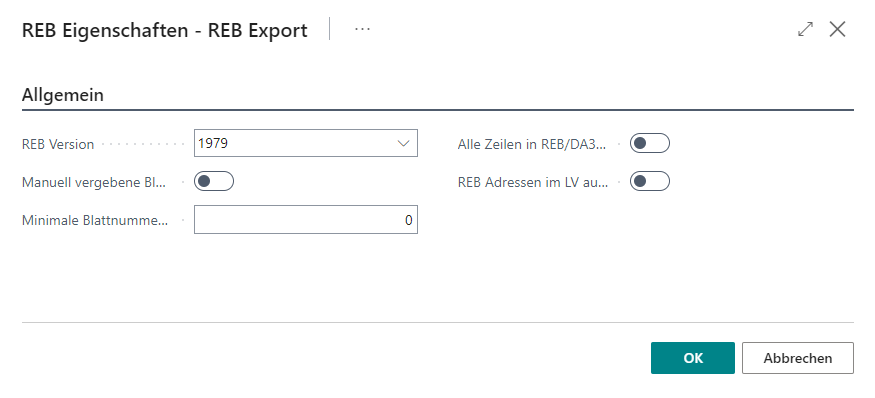
REB version
| Selection | Explanation |
|---|---|
| 1979 | In this version, the OZ pattern is mandatory: only documents containing OZ pattern 1122PPPPI (in BE-Project #2241) can be exchanged. Output sorting follows sheet number and column index. |
| 2009 | In this version, the OZ pattern is limited to a maximum of 9 characters. Within that limit, the OZ pattern can vary. Output sorting follows sheet number and column index. |
| GAEB DA31 (1979/2009) | In these versions, OZ patterns with more than 9 characters can be output. Sorting follows line numbers. OZ pattern 1234PP is recommended. |
It is advantageous to agree with the business partner which version he can read successfully so that it can be decided which version should be used for export.
Use manually assigned sheet number for REB export
| Status | Explanation |
|---|---|
| Enabled | If enabled, manually entered sheet numbers are used for export. |
| Disabled | If disabled, sheet numbers are assigned automatically and written to the measurement lines. Manual entries are ignored. |
It should be noted that the “Sheet No.” field is not filled for manual entry by this function. There are separate fields for the sheet number for the export. These fields will be filled during export.
Minimum sheet number for automatic allocation
In this field, the “Start Sheet Number” is specified, which is automatically used and incremented. If this indicator is used in combination with “Use manual sheet number for REB export” = Yes, measurement lines without sheet number are numbered consecutively starting from the “Minimum sheet number” (e.g.: sheet numbers from 1 to 20 were assigned manually, minimum sheet number is 1000, measurement lines without sheet numbers are automatically assigned sheet number 1000 or higher).
Export all rows to REB/DA31
| Status | Explanation |
|---|---|
| Enabled | If enabled, all measurement lines are exported to the file (including lines already exported). |
| Disabled | If disabled, only measurement lines that have not yet been exported are included (after export, fields “REB Page No. Begin, REB Column No. Begin, REB Page No. End, REB Column No. End” are filled). This works only in combination with “Keep REB addresses in the bill of quantities”. |
Keep REB addresses in the LV
If this indicator is activated, the fields “REB Page No. Begin, REB Column No. Begin, REB Page No. End, REB Column No. End” at the measurement lines. If this indicator is deactivated, the above fields will not be filled.
The exported measurement chains can be a maximum of 6 lines of 30 characters each. A maximum of 9 characters are transmitted from remarks within the measurement chains. The export only supports the export of “free measurement chains” (Formula 91). If there are duplications in the sheet addresses, only one line is transferred. If too many measurement items are assigned to a sheet number (can occur from more than 26 measurement lines), errors may occur during the export that indicate the source. This export outputs NO location or sublocation information.