Orders
Creating a purchase order
All purchase orders for a project can be viewed in the project card under the Project Purchasing Documents tab.

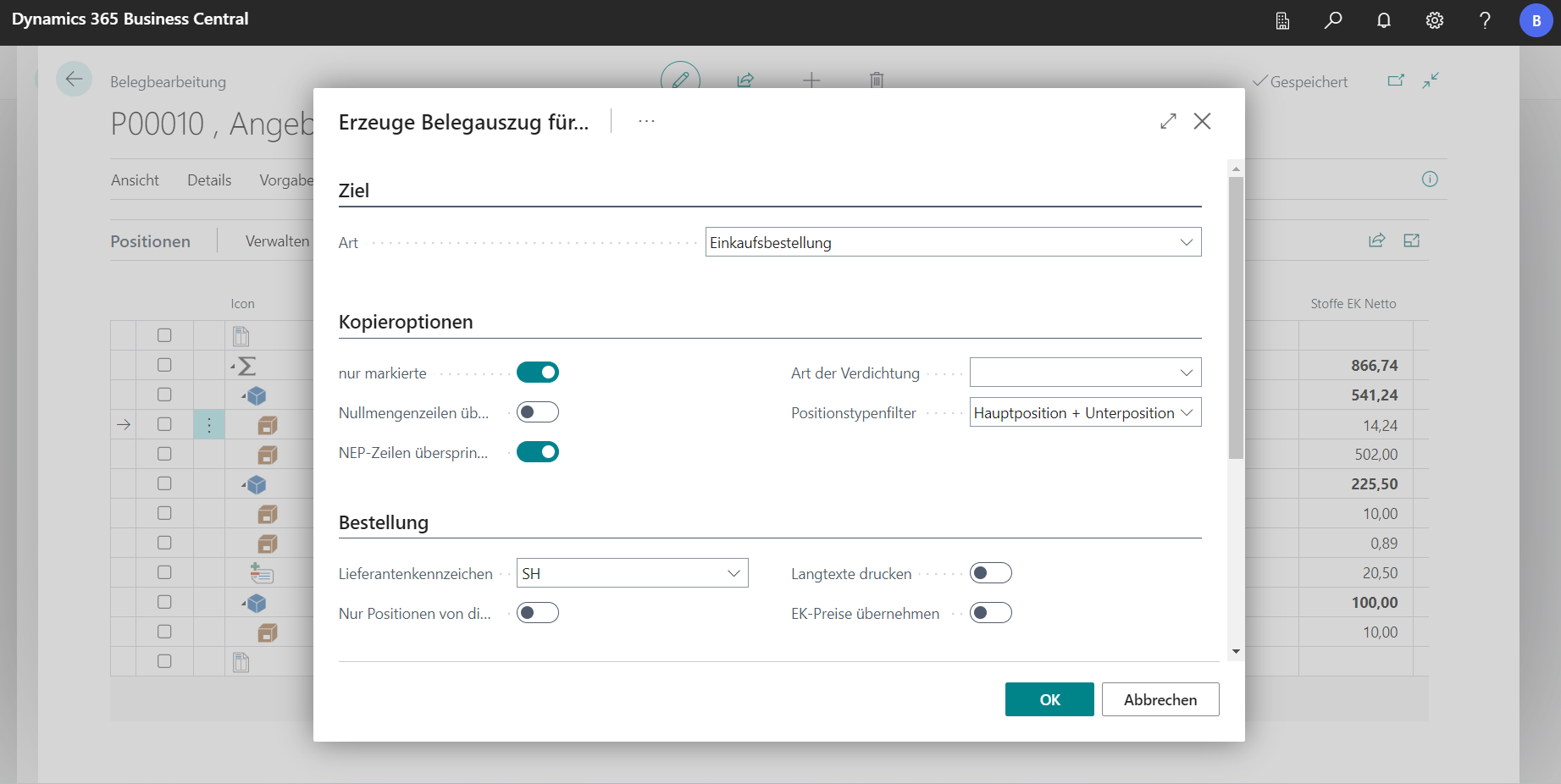
In the project, a purchase order document can be created from the bill of quantities in the same way as the procedure described in the item [Order Requests](/BE%2Dterna-Project-Documentation/Purchasing/Purchase Requests). For this purpose, Destination is selected as a type of purchase order in the tab.
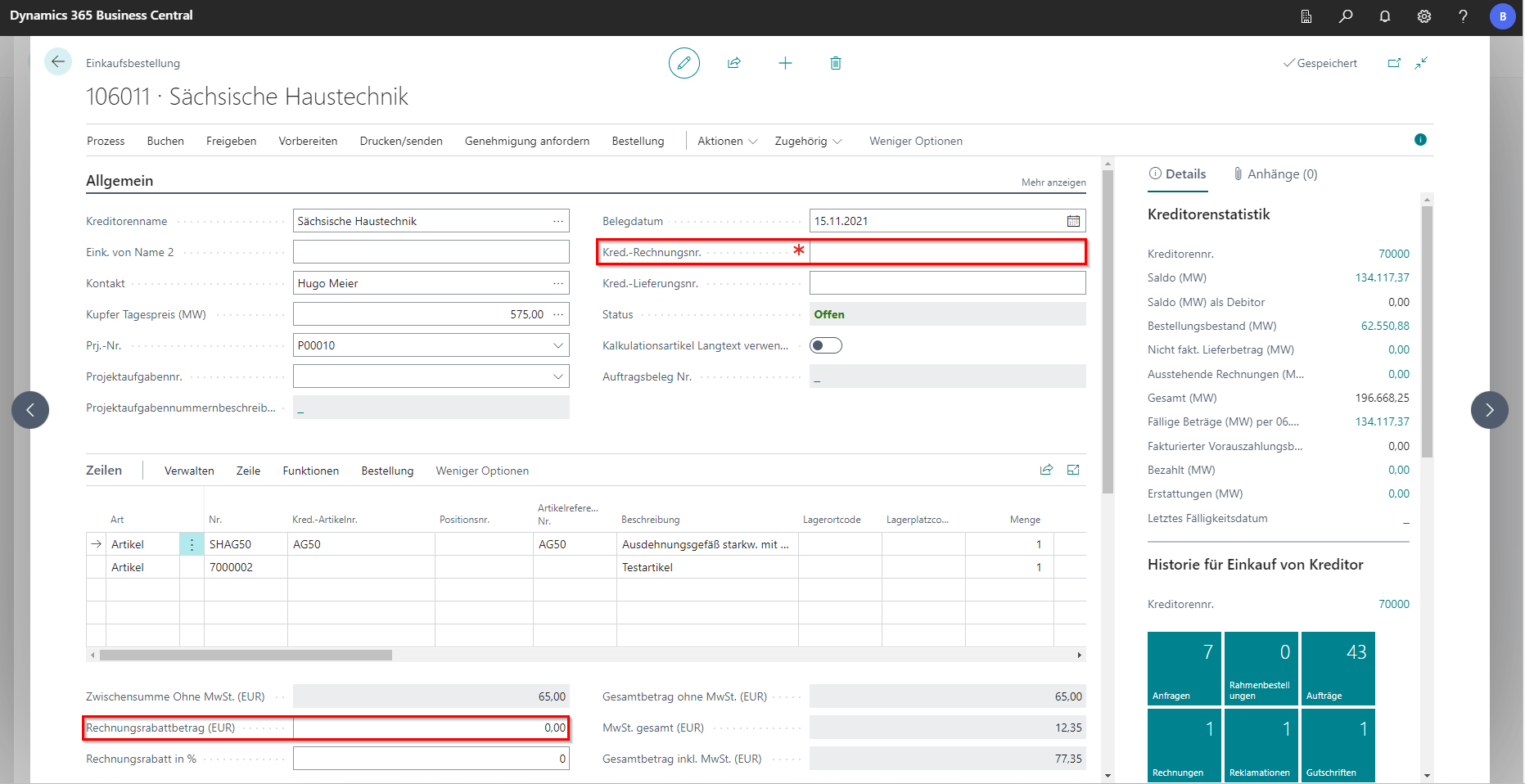
The purchase order opens and takes over all the master data that is stored on the vendor and the project.
Processing an Order
In the Vendor invoice number field, the invoice number received from the vendor must be stored. In the lower field you can store an invoice discount, which will then be deducted from the amount.
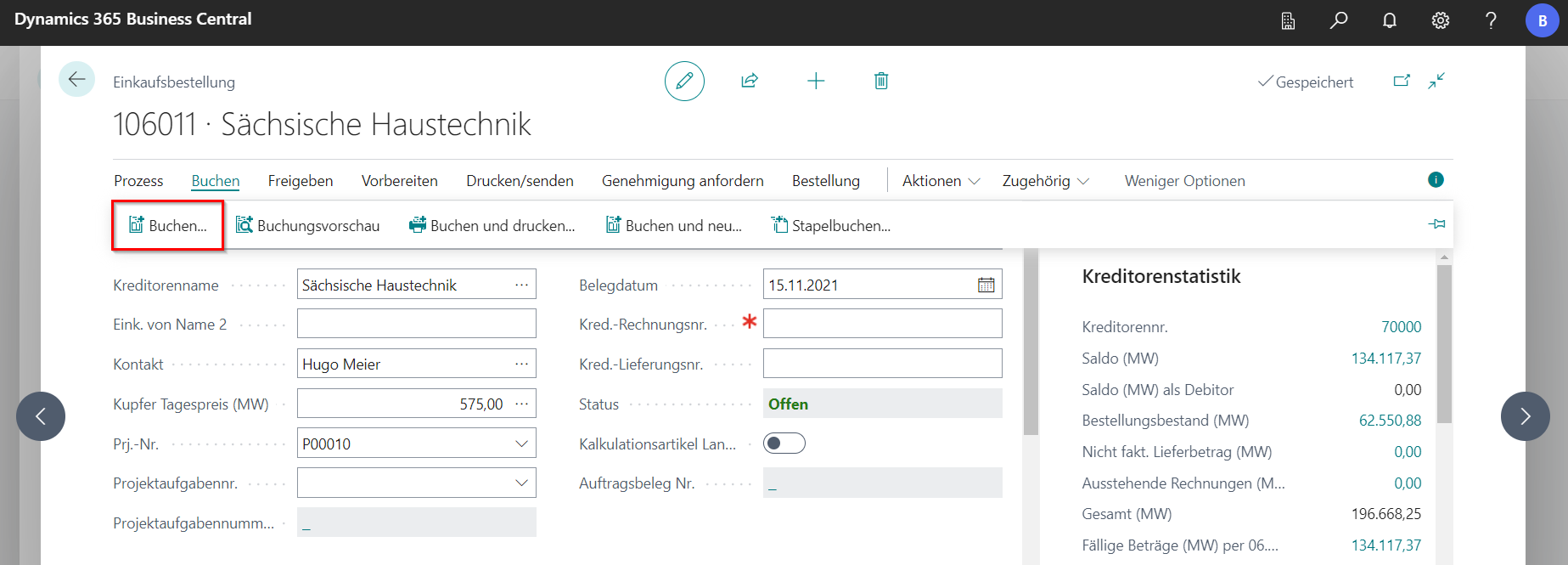
In the BE-Project, no goods receipt is posted, as deliveries are usually made directly to the construction sites, etc. Therefore, the booking is made directly on the order.
The order can be sent to the supplier in the navigation menu under Drucken/Senden in various ways. For some orders, it may be necessary to request a permit. The approval request can be sent directly from the order, or approval for an order can be given. The prerequisite for this is an appropriately set up workflow.
The purchase order can be delivered and/or invoiced via Booking (F9).
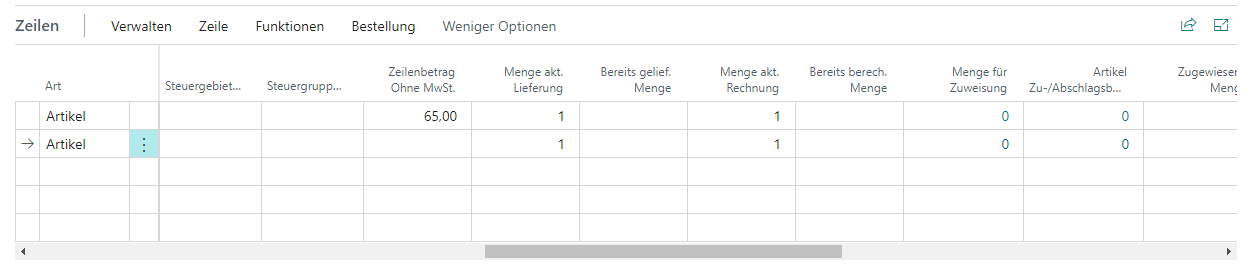
Only the quantity specified in the columns Quantity act. Delivery or quantity act. Invoice. The Menge akt. Delivery indicates the quantity of items that are still expected. After booking a delivery, the items are placed in the Already delivered column. Quantity. The same applies to the quantities in the columns Quantity in act. Invoice and Already calculated. Quantity when invoicing. When related to the project, corresponding items are generated. These can then be seen in the project statistics.