Calculation in the bill of quantities
In the bill of quantities, the calculation is made by adding the subitems to the items, which in turn are added up to the title level. The total result of all title levels is then shown in the total line. BE-terna Project allows flat calculations, as well as complex calculations on several levels.
Subheadings
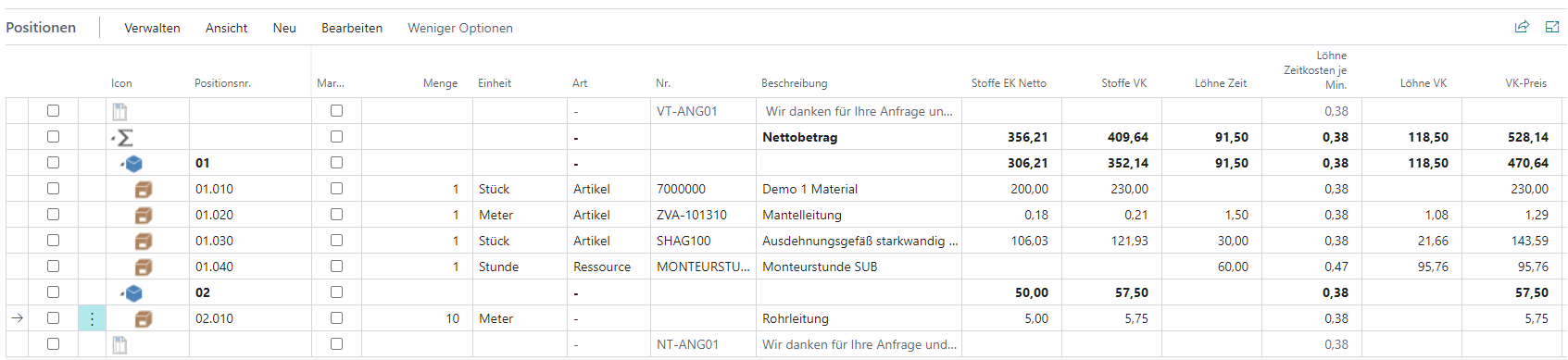
Since the reference value of the subitems refers only to a unit of measure of the parent item, quantities are maintained accordingly only for a unit of measure of the parent item. These quantities are then factored with the required quantity of the main item and summed up to the title level.
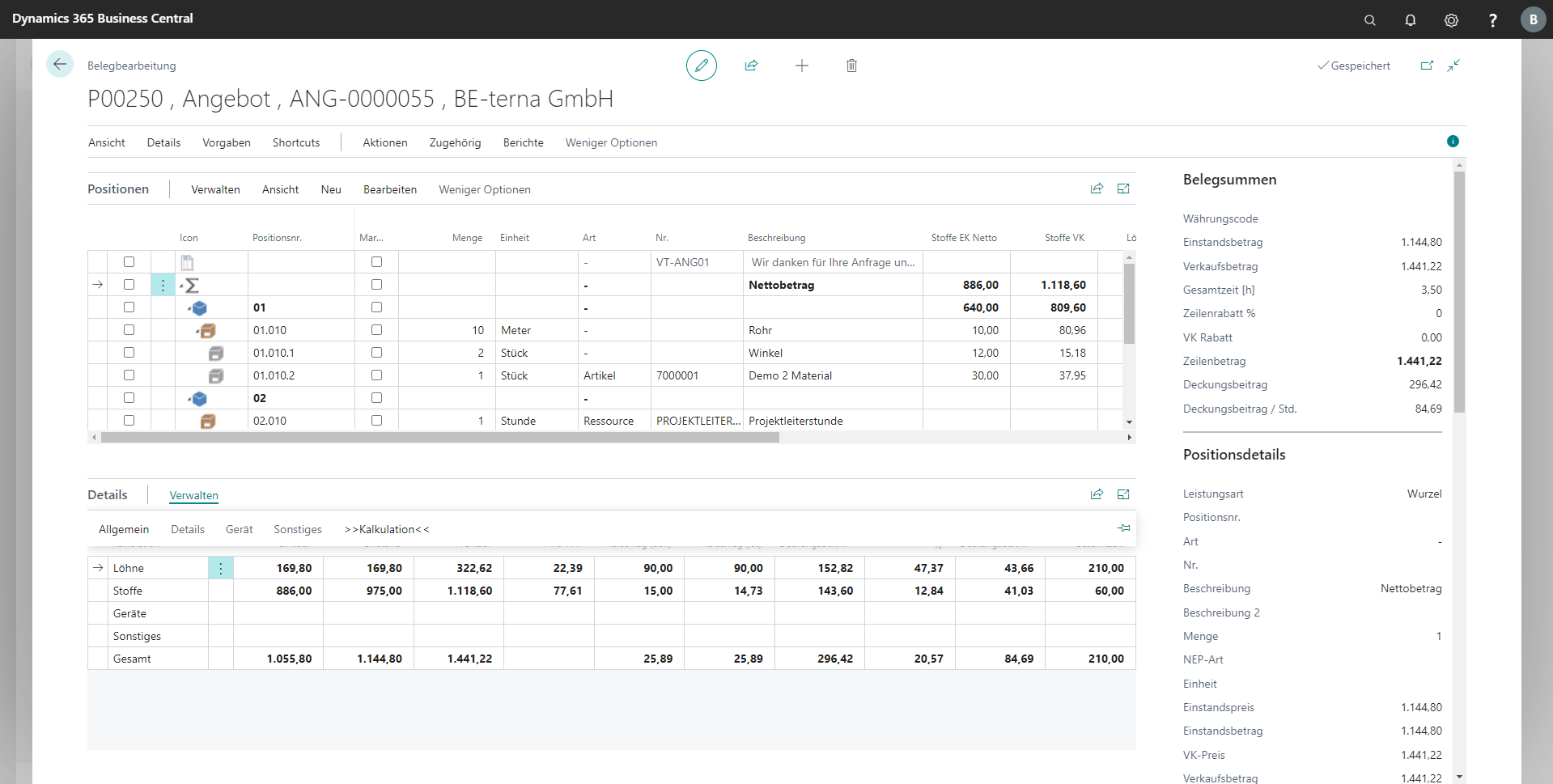
In the following example, you need three clamps per meter of pipe. If five meters of pipe are required, 15 clamps and the corresponding prices are calculated accordingly.

Title and Summary Line
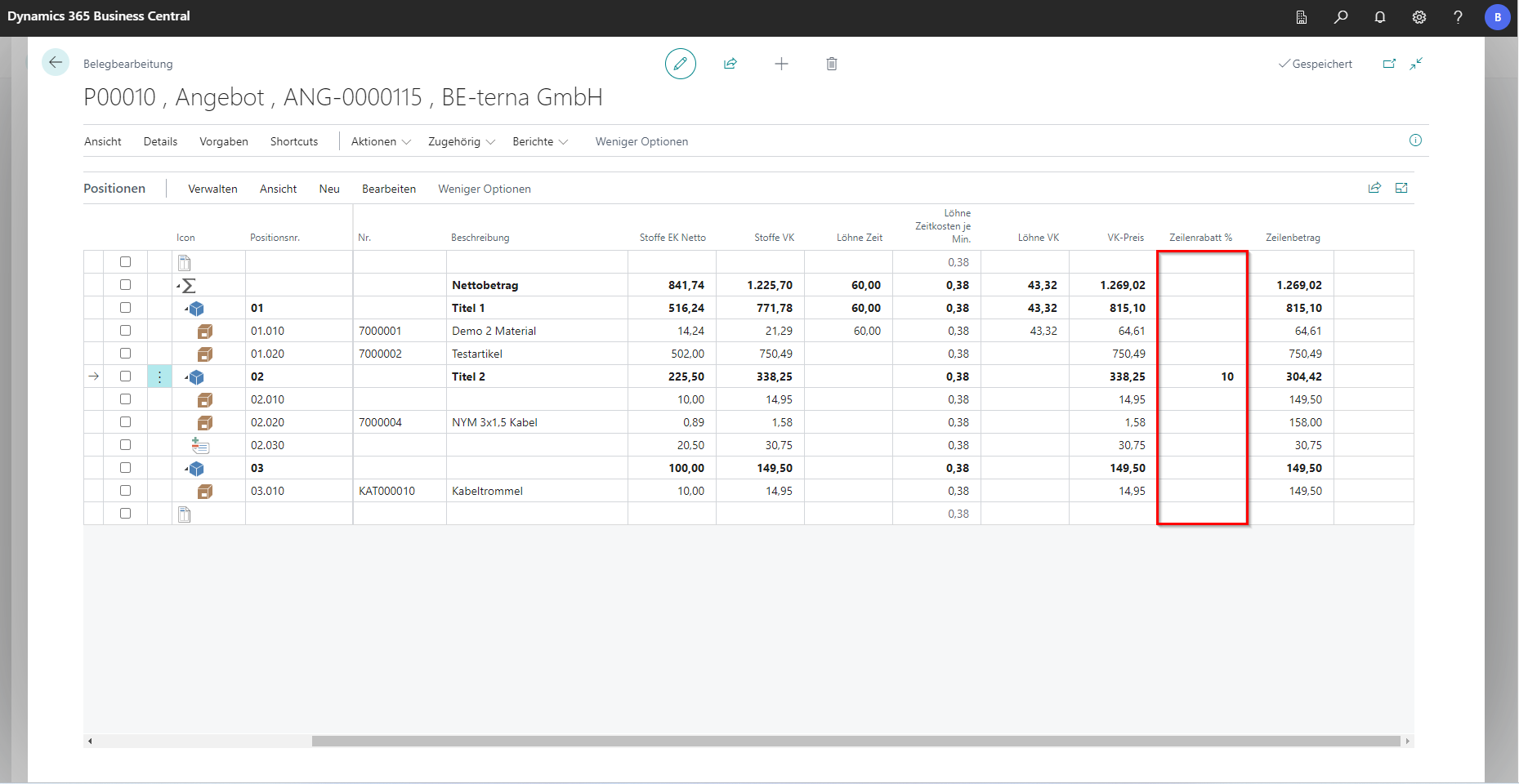
The title and the sum line do not have their own contribution, but only contain the summed up value of the items below it. However, you can assign line discounts at the title level or for the entire document, which are then inherited to the items below.
Calculation details
In the navigation menu under Details it is possible to call up the tab “Details”. There are further calculation options.
Each price share has its own calculation method:
Fabrics
The basis for the calculation is the list price and the corresponding price unit. Up to three discounts can be chained together, resulting in the net purchase price. With optional [Raw material surcharges](/BE%2Dterna-Project-Documentation/Costing/Raw Material Surcharges) you get the entire purchase price. If available, additional purchase surcharges and overhead costs are added and thus result in the cost price. The sales premium is added to the cost price and the sales price is obtained.
Wages
In the column Wages Time the number of minutes of the work effort at the item is indicated and in the column Wages Time Costs per Min. the corresponding wage price per minute. If you multiply the two columns, this results in the wage sales price, which can be found next to it in the column Wages VK. If you add up the overhead costs, you get the cost price. If the sales surcharge for the fabrics is added, the sales price is obtained.
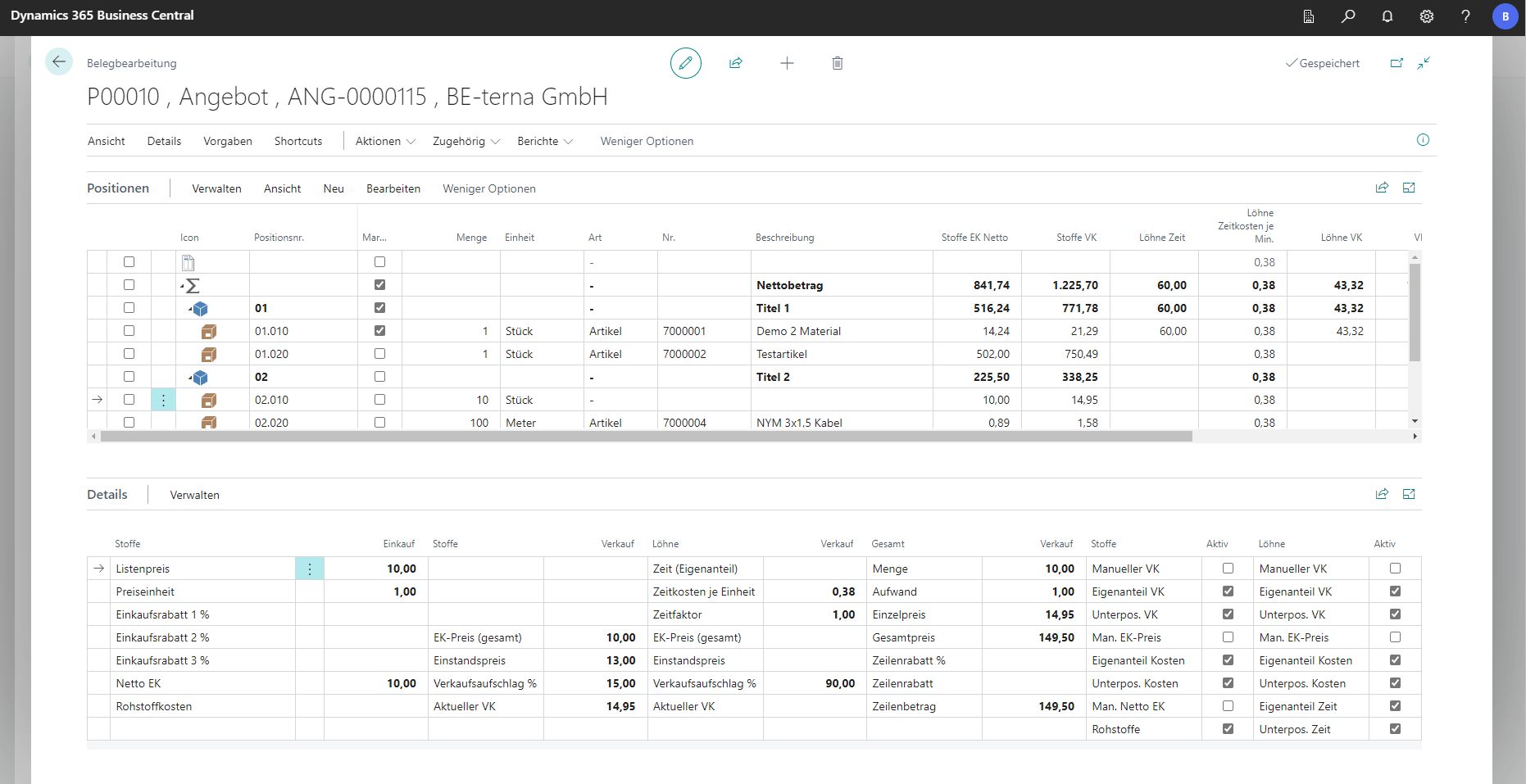
All price shares together result in the corresponding value of the position. The composition can be displayed in the Details tab and then Costing.

Final Total Calculation
Costing is possible at any level (subitem, item, title), as well as for the entire document (total line). The final total calculation is done automatically and can be called up in the document via Details and in the Details tab under Costing.
If you change the markups in the titles, they are automatically inherited into the positions below. On the total line, the markup (actual) is adjusted accordingly.
If, for example through negotiations with the supplier, prices other than those agreed in the calculation have been agreed, these prices can be entered manually in the calculation and corresponding purchasing discounts/surcharges will be assigned. If necessary, the markups can be calculated in order to maintain the retail price or the existing markups can be applied to the new price. It should be noted that the change is not noted on the title itself, but is distributed proportionately to the underlying items.
Calculation template
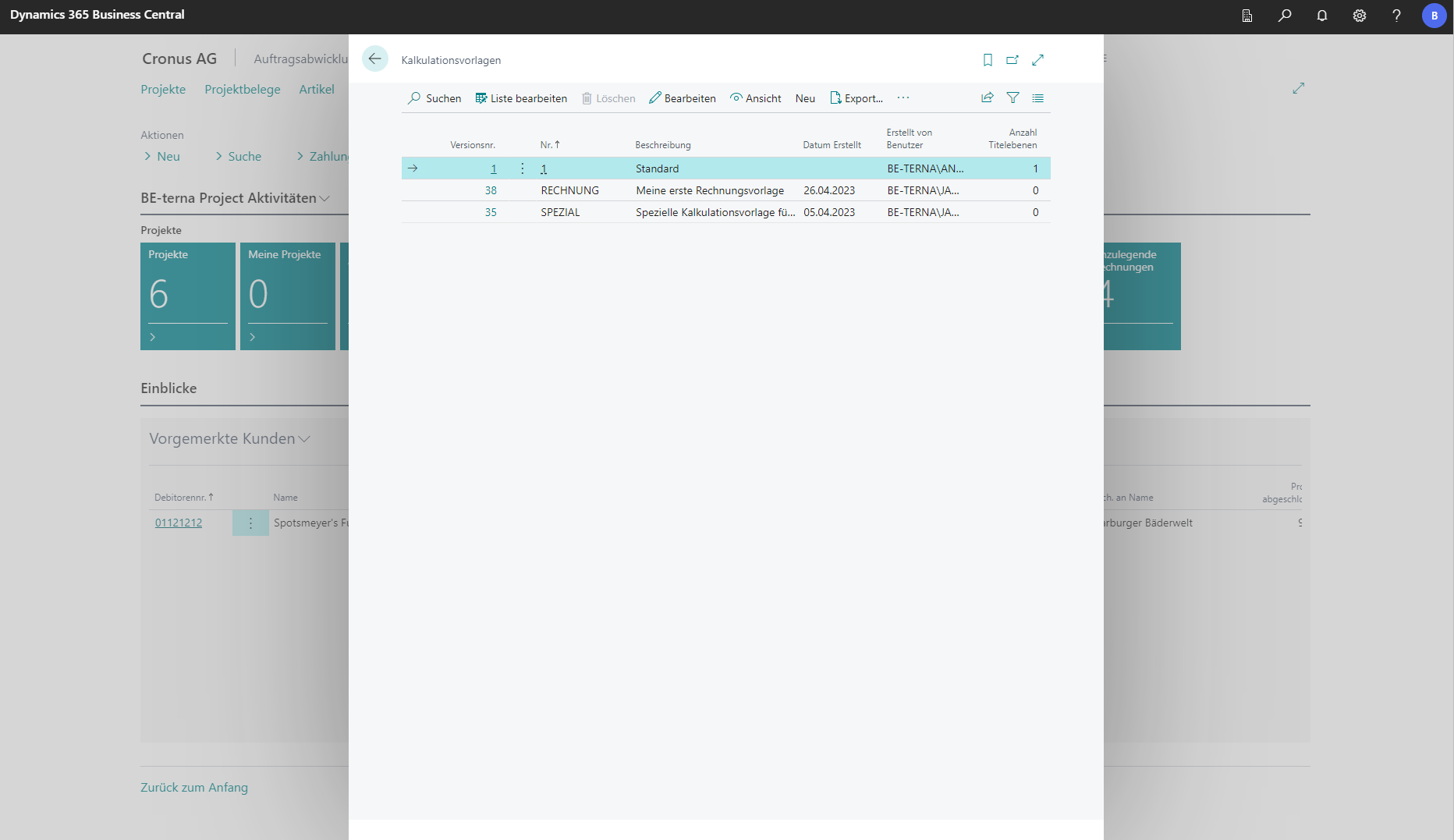
A costing template is an empty bill of quantities that can be used as a template for new documents in projects. The list of all calculation templates can be accessed via the search function. All settings (price shares, wages, time costs per unit, etc.) that are maintained in the template are transferred to the new document. Calculation templates can be imported and exported as text files in order to transfer them to another client. If a new calculation template is created via New, you will be taken to an empty bill of quantities in which all desired values and settings can be maintained.