Import of DATANORM
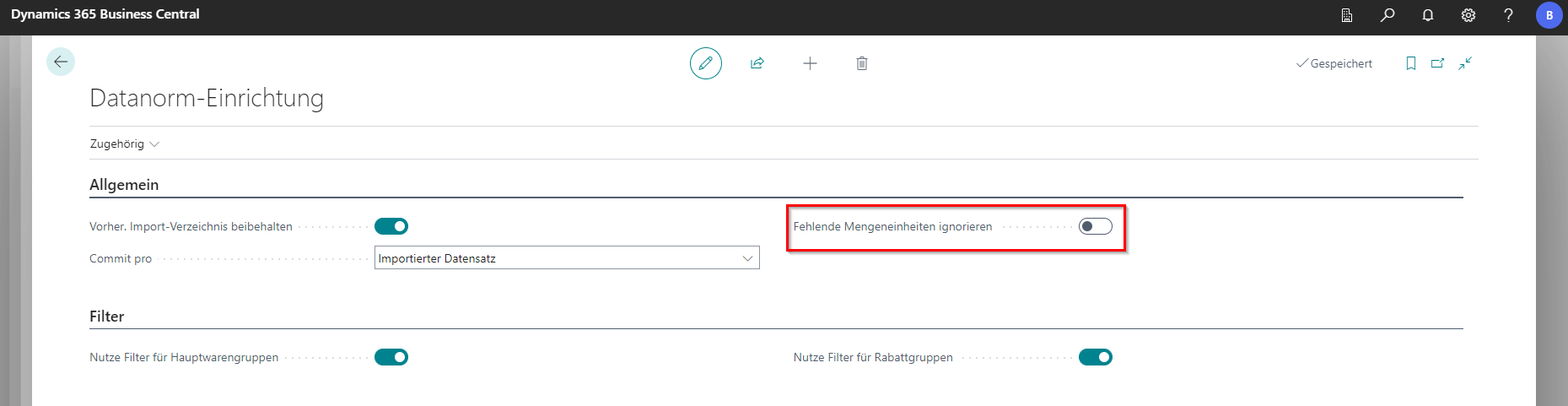
In the event that a unit is stored in DATANORM that cannot be managed in the master data, the “Ignore missing units of measure” field in the DATANORM setup can be used to specify that when DATANORM is imported, it should be asked whether a new unit of measure should be maintained. Otherwise, no message will be displayed and the items will be transferred without a unit of measure.
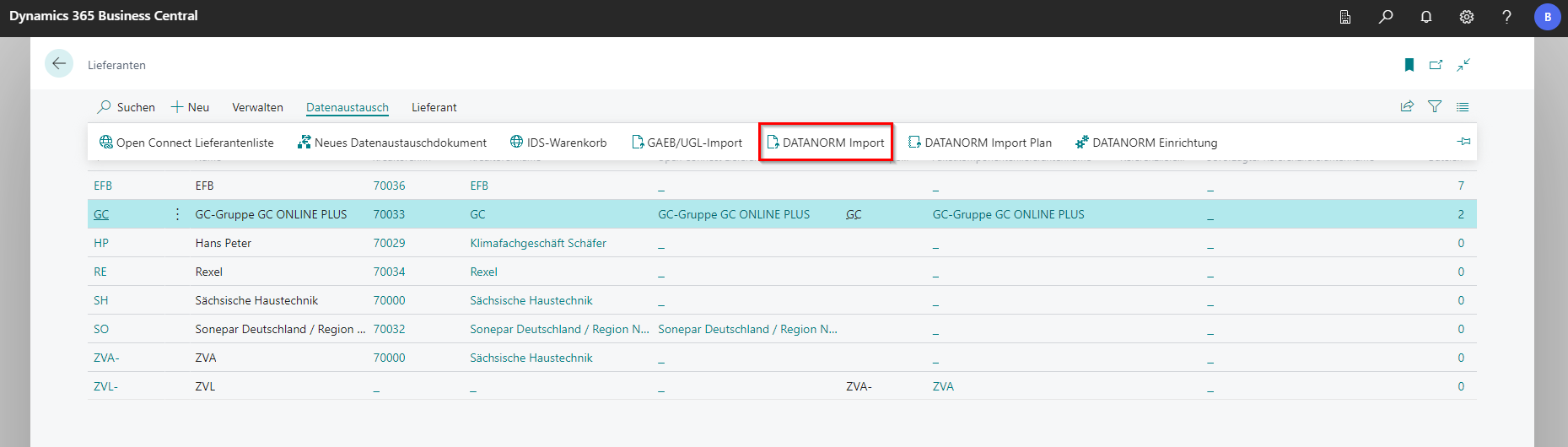
For the import, the list of suppliers must first be called. There you can select the supplier for which the files are to be imported. In the ribbon under Data Exchange is the function DATANORM Import. A new window will open.
 Click to enlarge
 Click to enlarge
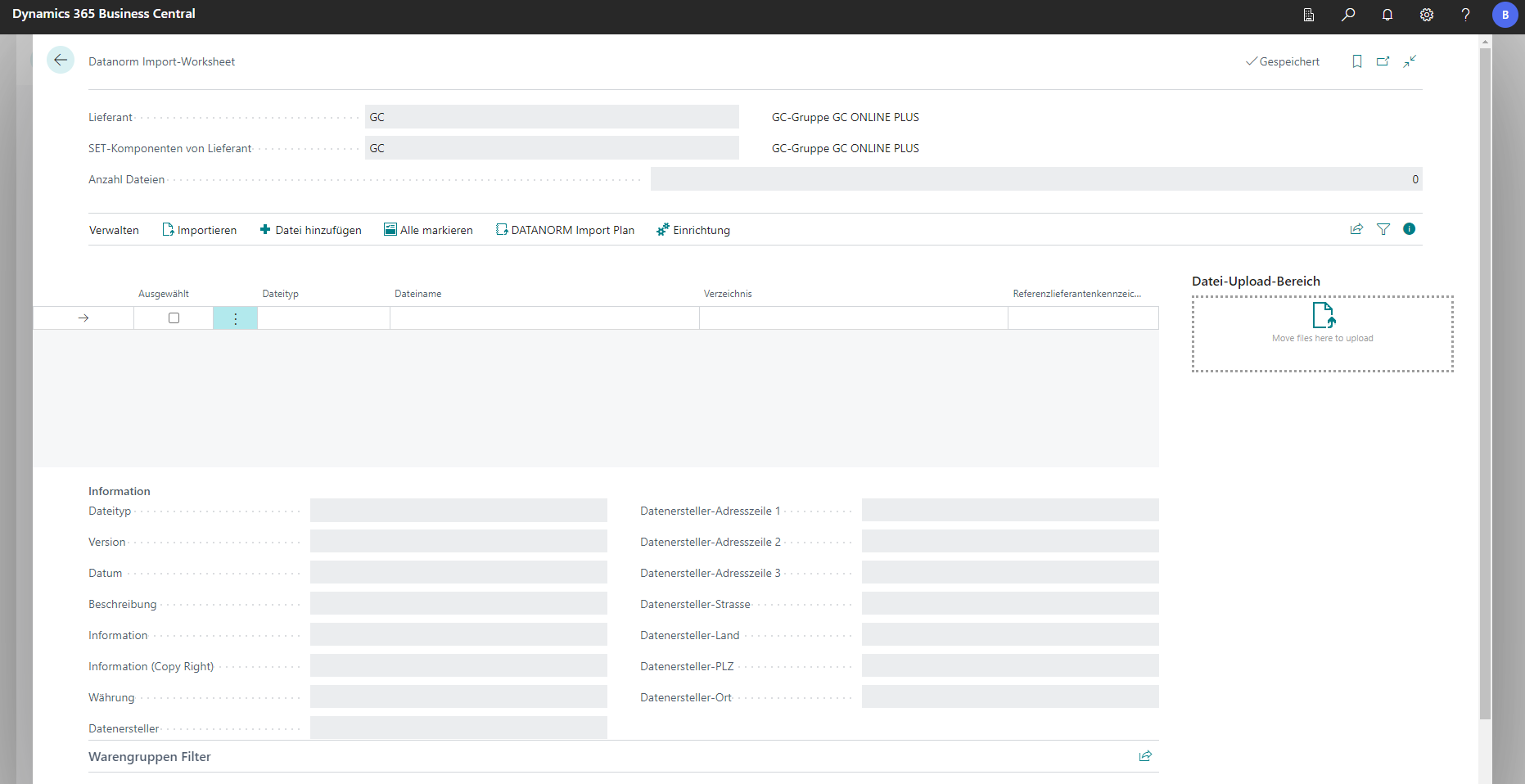
The Datei hinzufügen button can be used to select locally stored data via Explorer or to add the files in the “File Upload Area” field by dragging and dropping. Clicking on the Import button will start the process.
“Selected” can be used to decide which files should be imported.
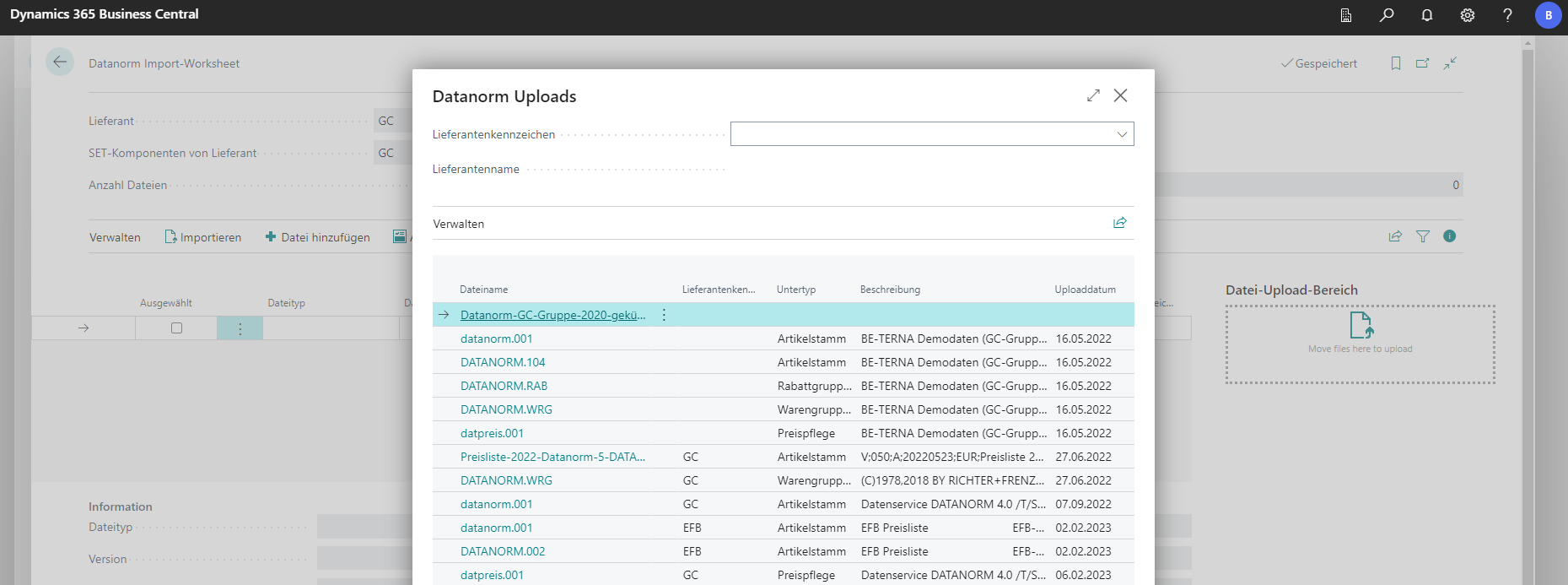
The DATANORM Import Plan provides an overview of the uploads made as a history. The imports can be filtered according to the stored suppliers.