Voucher Card
The configuration of voucher cards can be found under Setup → Voucher Card.

Setup
General
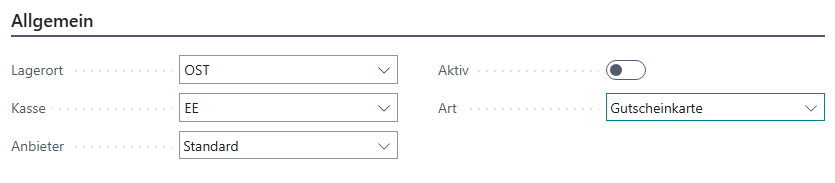
| Field | Description |
|---|---|
| Location | The location code of the cash register setup to be used |
| Cash Register | The cash register code of the cash register setup to be used |
| Provider | The provider of the voucher card system Standard: No special external provider, but an in-house solution Point4More: Interface for Point-4-More voucher cards |
| Active | Activates the voucher card function |
| Type | Defines how the voucher card should be titled on or in related buttons and messages |
Settings
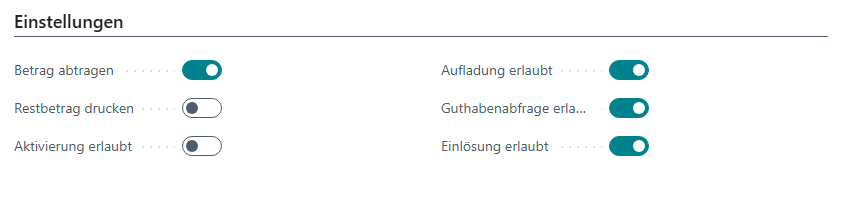
| Field | Description |
|---|---|
| Deduct Amount | Defines whether the amount can be deducted partially or redeemed only once |
| Print Remaining Amount | Defines whether the remaining amount should be printed on the receipt when redeemed |
| Activation Allowed | Allows activation at the cash register |
| Reload Allowed | Allows reloading at the cash register |
| Balance Inquiry Allowed | Allows balance inquiry at the cash register |
| Redemption Allowed | Allows redemption at the cash register |
Standard
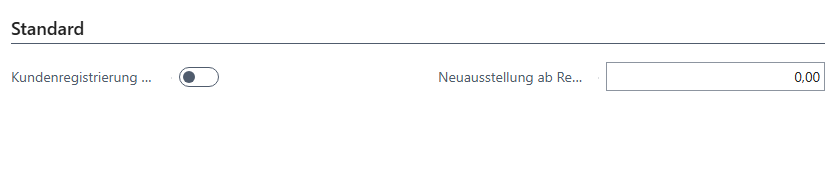
| Field | Description |
|---|---|
| Customer Registration Required | Indicates whether customer registration is required for use |
| Deduct Amount | Defines whether redemptions are always deducted from the voucher card or whether it is always redeemed completely, with any remaining amount paid out |
| Reissue from Remaining Amount | Issues a new voucher card as a replacement for the redeemed one from a certain remaining amount |
Point4More
Note: The additional Point4More tab appears only if Point4More is defined as the provider.

| Field | Description |
|---|---|
| URL | Contains the web service URL of the interface |
| API Key | The security key for authentication |
| Client ID | The client ID provided by Point4More, customer no. |
| Workstation ID | The workstation ID provided by Point4More, cash register no. |
AVS
Note: The additional AVS tab appears only if AVS is defined as the provider.

Notes: User name, password, and terminal ID are provided by AVS after contact has been established.
| Field | Description |
|---|---|
| URL | Contains the web service URL of the interface. It is already filled with the production URL by default. |
| User Name | The user name for authentication. |
| Password | The password for authentication. |
| Terminal ID | Assignment of the cash register to the voucher card interface |
Note: Reloads can only be carried out at specific stations. AVS manages this via the assigned terminal ID.
Knistr
TODO
SVS
Note: The additional SVS tab appears only if SVS is defined as the provider.
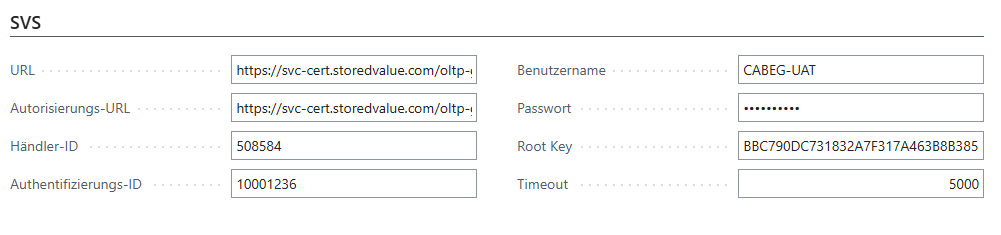
| Field | Description |
|---|---|
| URL | Specifies the URL provided by SVS for the API endpoint. |
| Authentication URL | Specifies the URL provided by SVS for the authentication endpoint. |
| Authentication ID | Specifies the authentication ID provided by SVS. |
| Merchant ID | Specifies the merchant ID provided by SVS. |
| User Name | Specifies the user name provided by SVS. |
| Password | Specifies the password provided by SVS. |
| Root Key | Specifies the root key provided by SVS. |
| Timeout | Timeout in milliseconds. |
Functions
Assignment
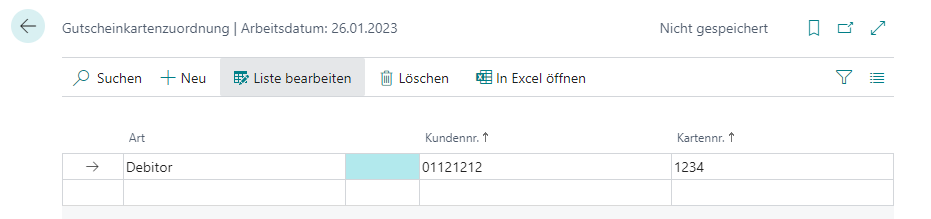
An assignment of customers to voucher cards is possible via Assignment.
General
| Field | Description |
|---|---|
| Type | Type of customer, Contact or Customer |
| Customer No. | The customer number |
| Card No. | The card number assigned to the customer |
Usage
This assignment is only required if voucher card type Standard is to be used and is filled automatically as soon as a card is activated at the cash register. This is used later to check during Reload or Redemption whether the card has already been issued.
If existing activations or card data from a third-party system are to be transferred, they must be maintained manually or the event OnIsVoucherCardActivated(“Type”: Text; CardNo: Text; var Result: Boolean) must be implemented.
| Field | Description |
|---|---|
| Type | The voucher card provider |
| CardNo | The number of the card to be checked |
| Result | The result indicating whether the card is activated or not |