Measurement recording via Excel
The third way to measure is via Excel. In the navigation menu under Actions, go to Export and Aufma ß and select Handaufma ß.
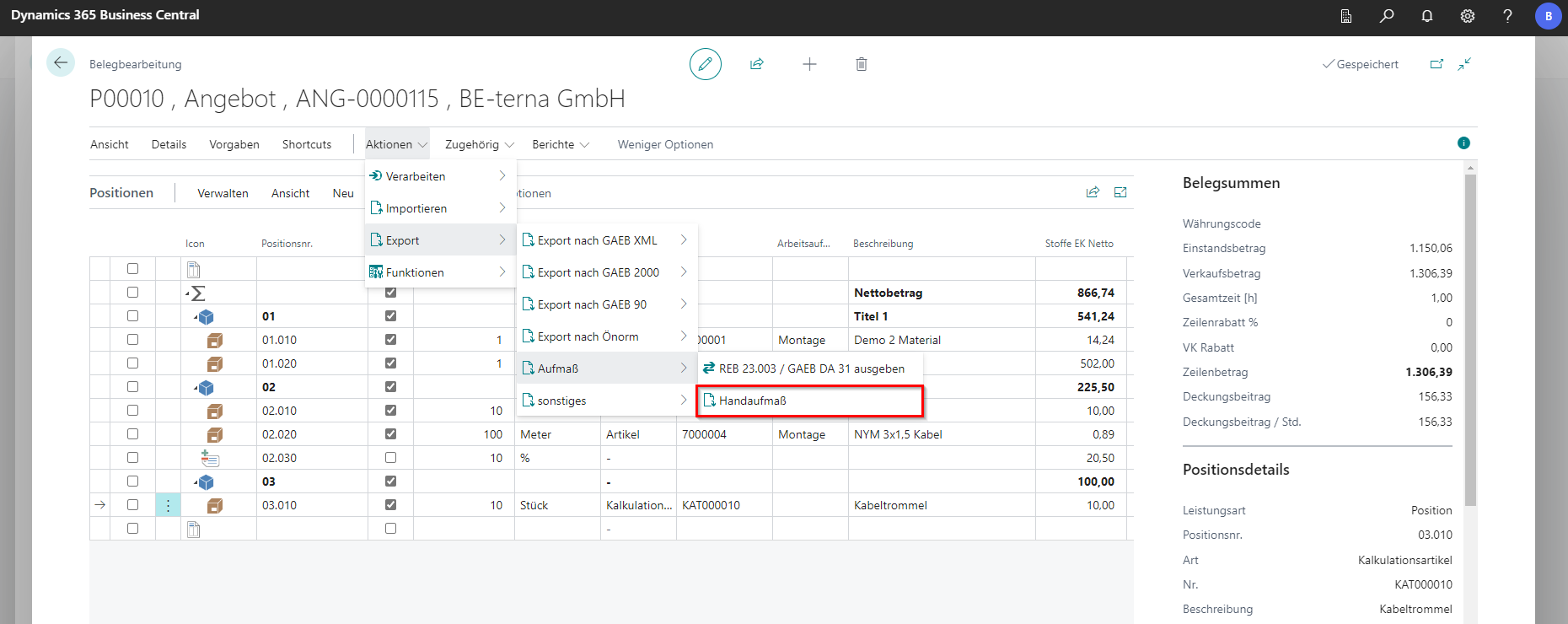
A list opens where a hand measurement can be selected from the Excel templates. By default, two templates are available:
- Hand Measurement - BE-terna-Project_Handaufmass_V1.0.xlsx
- Hand Measurement Cross - BE-terna-Project_Handaufmas_Makro_V1.0.xlsm
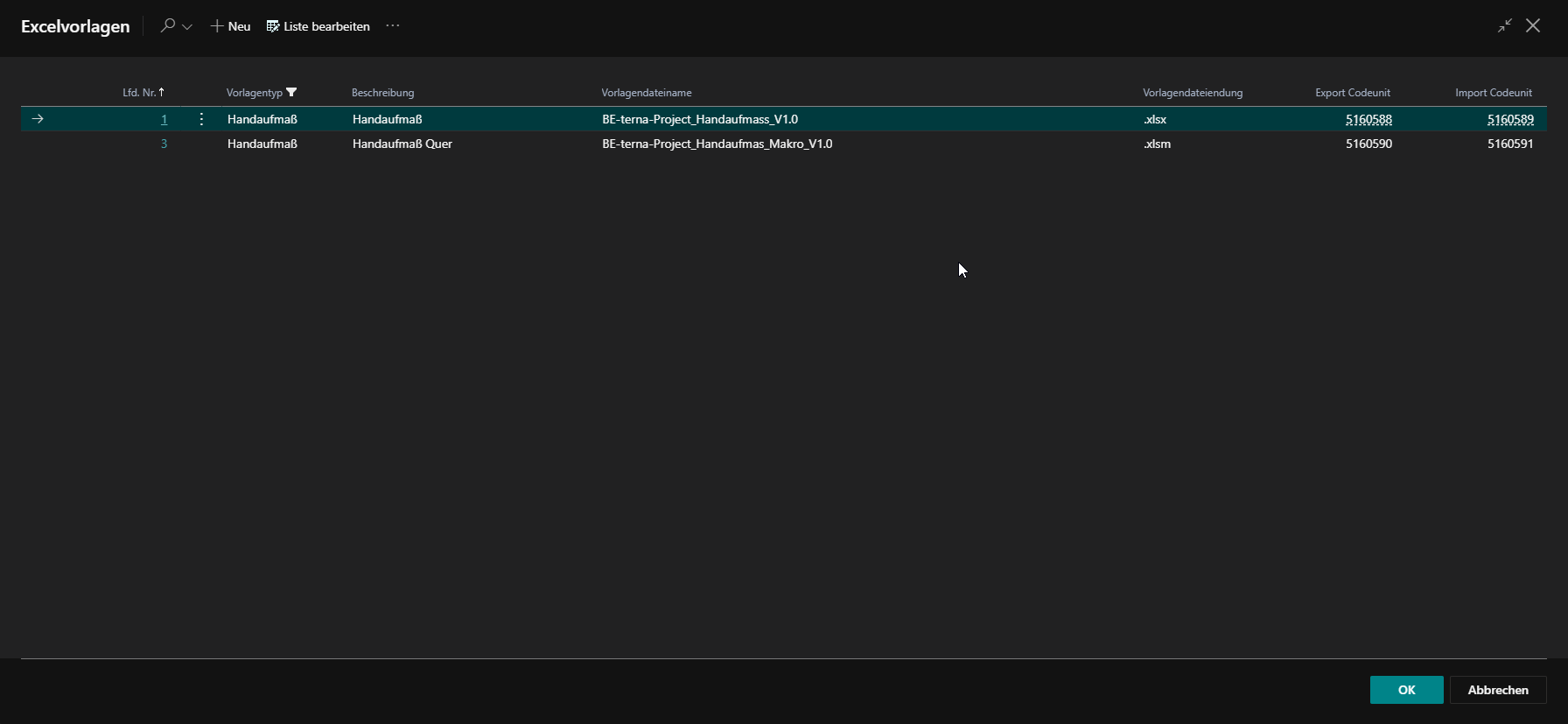
Note: For the hand measurement horizontally, macros must be activated on the corresponding client. If no macros are available on the client system, the manual measurement BE-terna-Project_Handaufmass_V1.0.xlsx can be used.
Attention: Until update BC 22.11, the external tool “saXml2ExcelSetup-x64-2020-01.msi” is required for export. This can be obtained at the BE-Project facility.
Hand measurement:
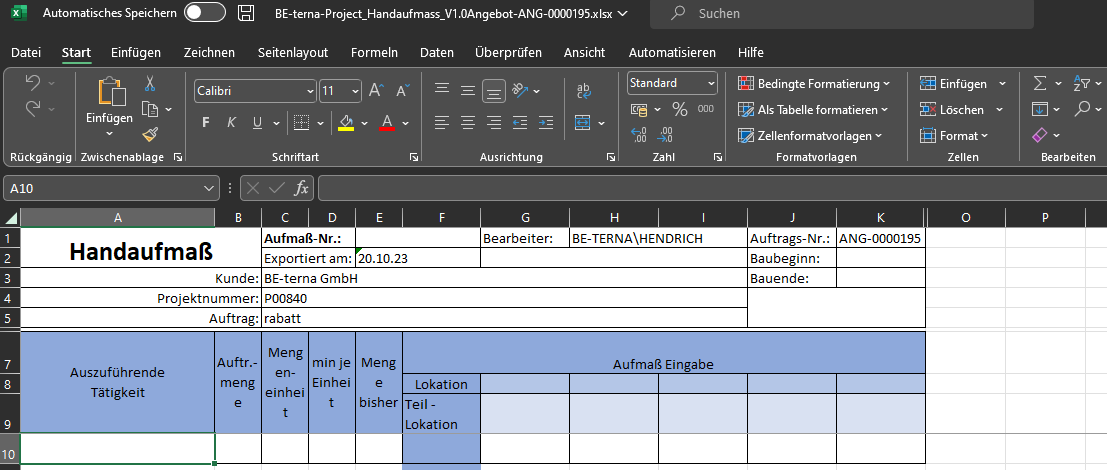
The file can be edited directly in Excel. Here, the measurement quantities for the items can be entered directly, and new locations and sub-locations can also be created. After the file has been filled, it can be imported back into the system in the navigation menu under Actions at Import via Aufma ß using the function Handaufma ß Import. The changes are automatically transferred to a new measurement.
Hand measurement transverse:
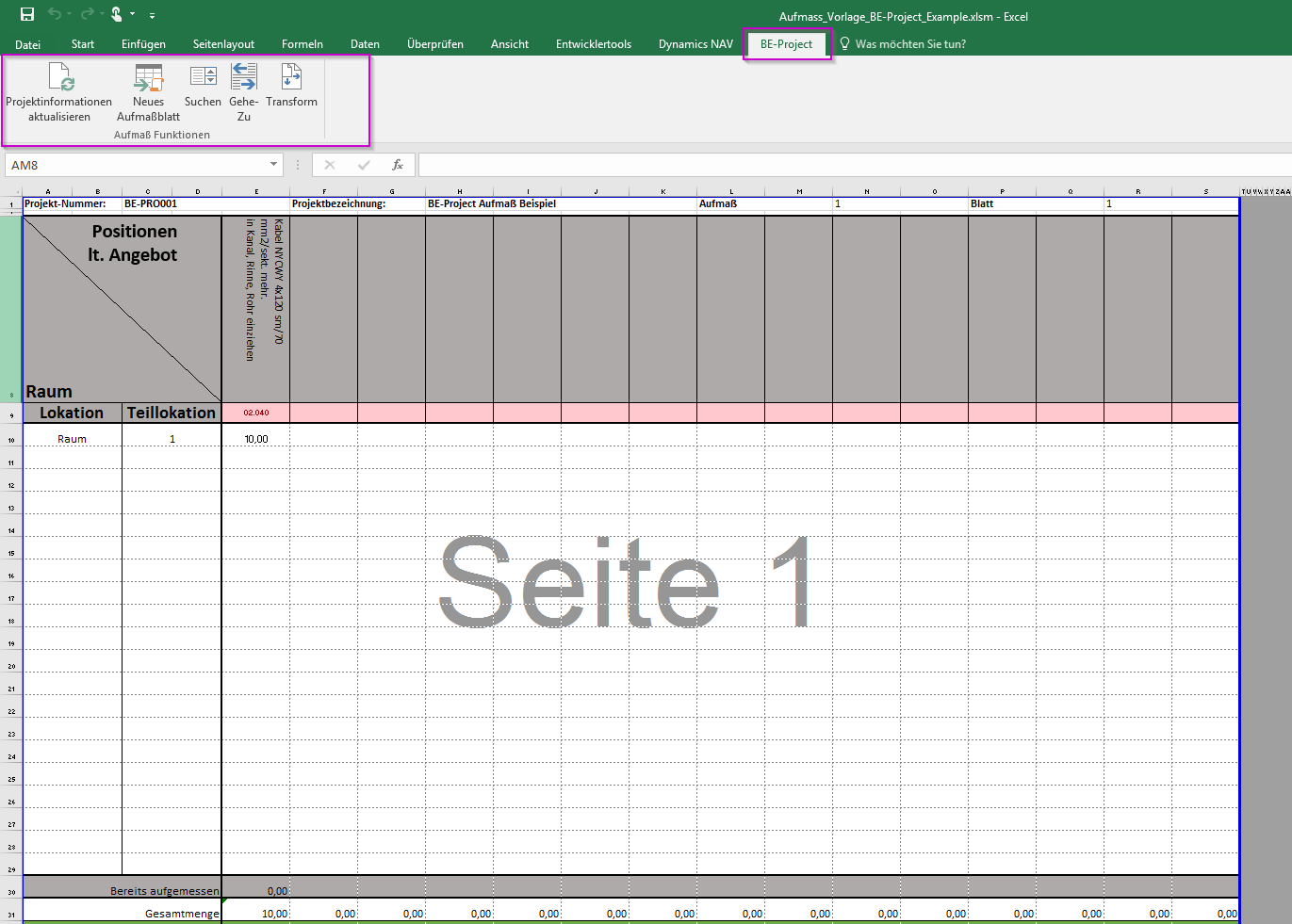
A new measurement sheet can be entered in Excel via the BE-Project tab.
The measurement quantities can be entered in the new worksheet. Items can be searched for and added to the columns. Location and sublocations can be found in the rows.
After the file has been filled, it can be imported back into the system in the navigation menu under Actions at Import via Aufma ß using the function Handaufma ß Import.
It should be noted that the file should not be changed from the column view, otherwise it will result in a loss of functionality.