Packaging materials and structures
Purpose
This page expands on the master-data foundation of Handling Unit Management. It explains how packaging materials are created, how packaging structures are built, and how alternatives and rules are prepared for later automatic packaging assignment.
Business value
- Makes packaging materials and structure templates available as reusable master data.
- Creates a reliable foundation for automatic standard packaging on documents.
- Helps teams maintain alternatives, weights, and validation rules consistently.
Content focus
Define packaging materials
Packaging materials can be created from items or resources. In practice, items are often used. Marking an object as a packaging material mainly controls filtered selection and input validation in the downstream tables.
Maintain weights and attributes
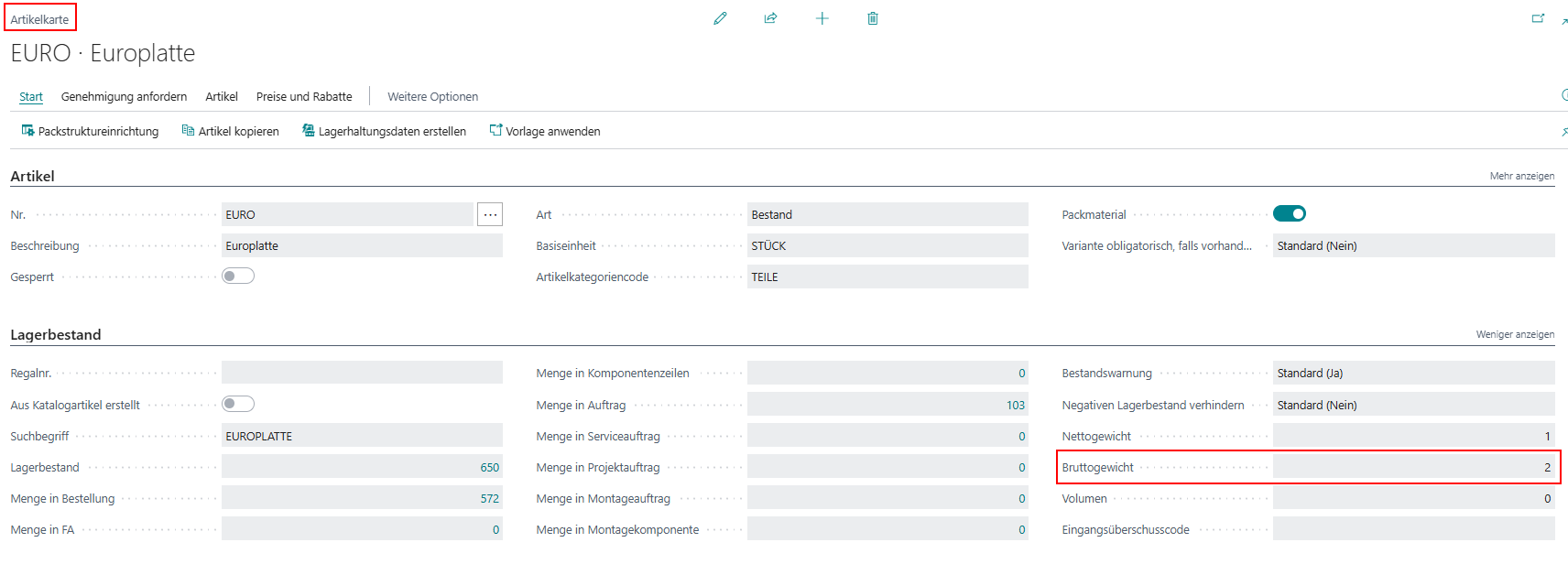
Weight calculations inside the packaging assignment use the gross weight from the item card. Dimensions and additional attributes can also be maintained when they are needed for planning, rules, or later evaluations.
In packaging-material maintenance, these fields are most relevant for end users:
- Weight for tare and gross calculations.
- Stacking Factor for stacking constraints.
- Optional picture and attribute data for visual identification and packing list output.
Build packaging structure definitions
Packaging structure definitions describe a reusable, process-independent packaging template. The most important rules are:
- The top packaging level has no assignment.
- Exactly one top line without an assignment is allowed.
- All further lines belong to a superior level.
- The top line always has quantity 1.
- At least one line must describe the actual content.
Apply packaging structures to master data and documents
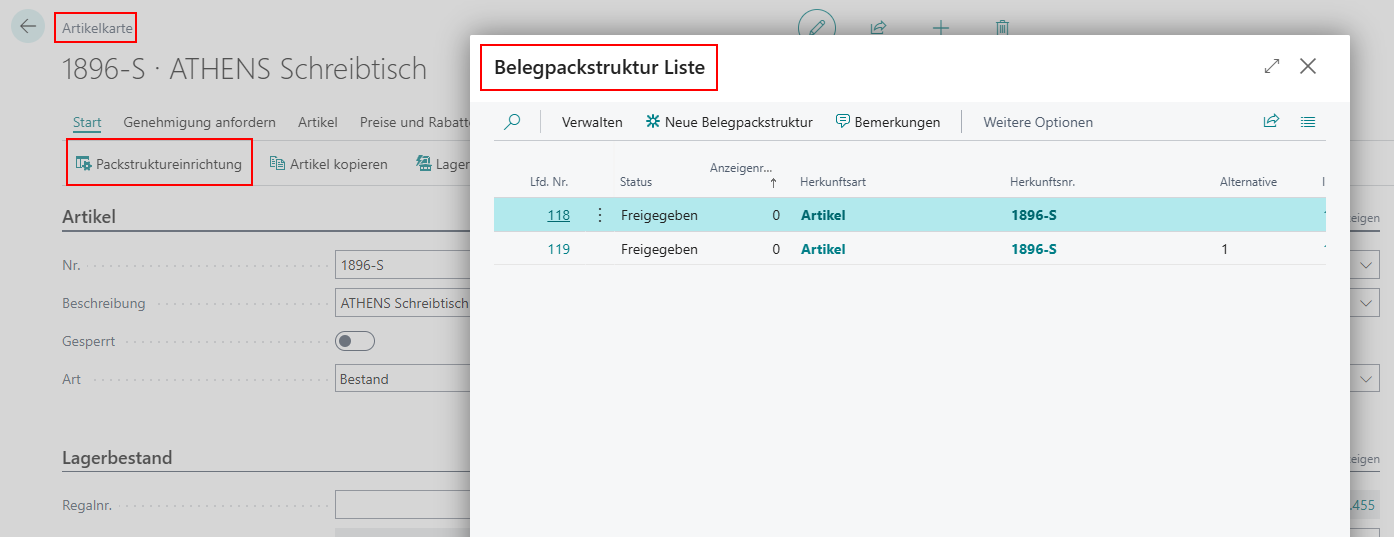
Packaging structures can be assigned to items, customers, vendors, and document-related contexts. During document creation, the available structures are combined so that the most specific released structure can be proposed as the default packaging structure.
Typical priority during selection:
- Document line
- Item variant
- Item
- Item category
- Document header
- Customer or vendor
- Setup
Alternatives, copies, and rules
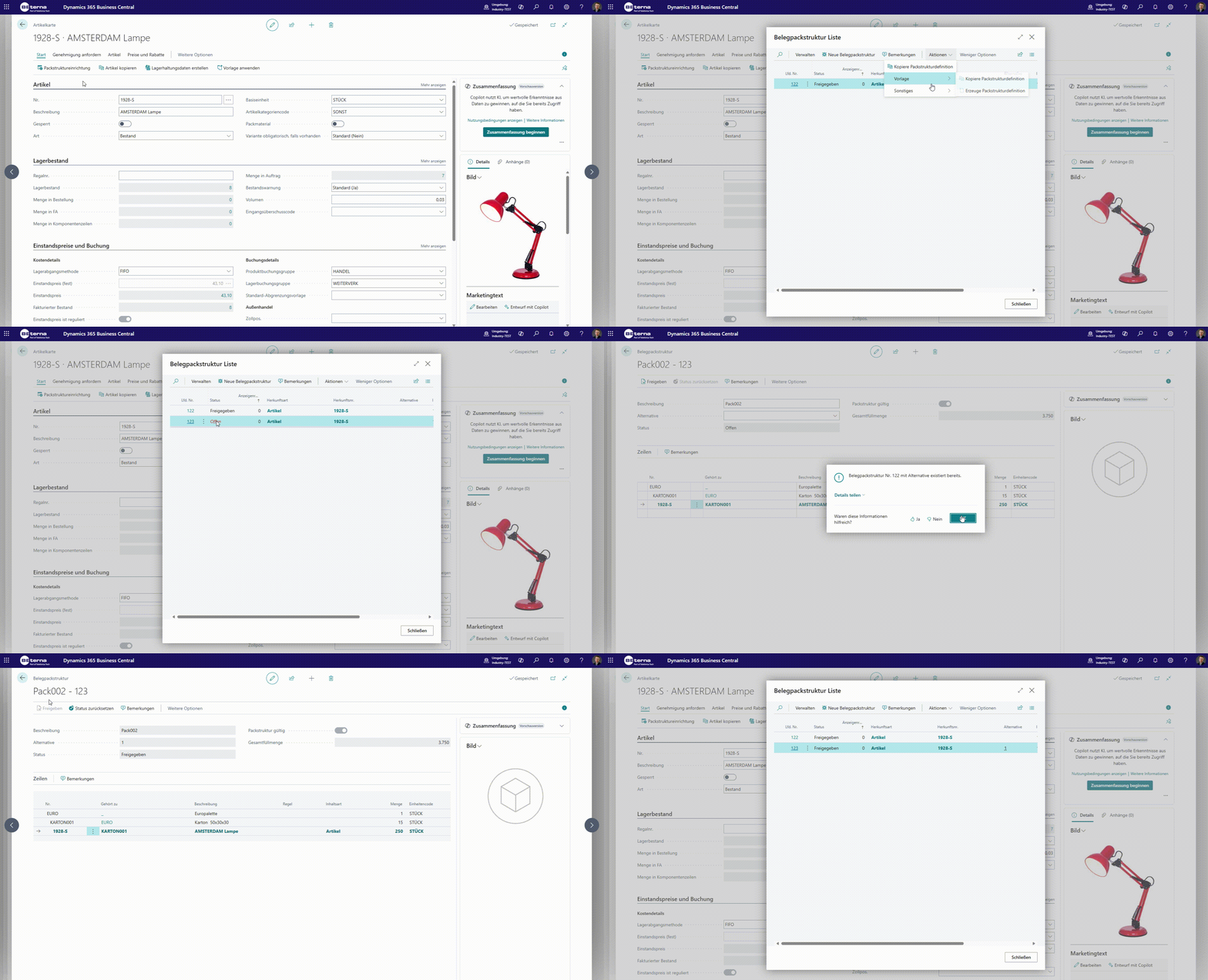
When packaging structures are copied, the content can be replaced or left empty. If multiple comparable structures exist in the same context, alternatives must be maintained. Packaging rules additionally help validate external or internal requirements during creation and registration.
The copy function is especially useful for building similar customer-specific or process-specific variants faster.
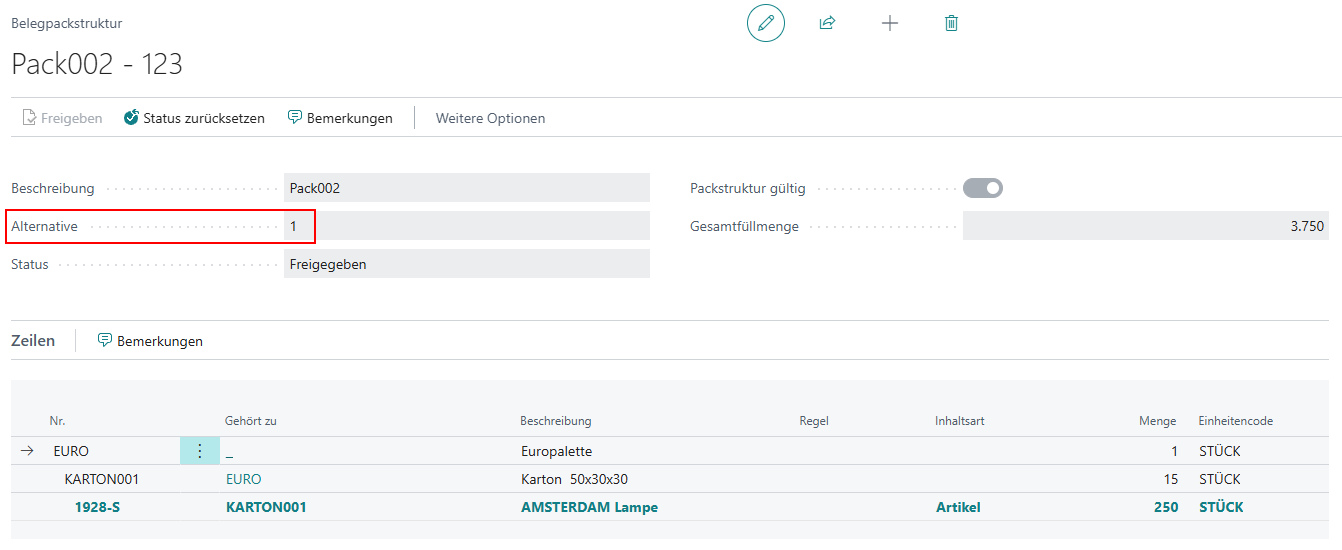
The alternative is maintained directly on the respective document packaging structure.
Rules define additional business limits, for example for fill quantity, weight, or print relevance.
Typical rule options in daily use:
- Error or Warning as reaction type.
- Min/Max Filling Quantity.
- Min/Max Weight.
- Pure Item No. and Pure Lot No. for pure-content requirements.
- Print and Contains Hazardous Material as additional characteristics.
In addition, Package Types can provide default rules per packaging type so new structures can be created faster and more consistently.

Result
- Packaging materials and structure templates are documented as reliable master data.
- The logic for standard and alternative structures is explained in a traceable way.
- Weights, rules, and document priorities can be used consistently in the further process documentation.
Links