Costing Groups
Brief context for Costing Groups in BE-terna Project.
Costing groups offer the possibility to use the master data to determine the mark-ups with which items are to be included in the costing. To create a new costing group, enter the term Costing Groups in the search function. Clicking on the New button will create a new line, which can now be filled. A code and a description are stored at the calculation group, as well as the percentage markups for materials, wages, equipment, external services and others.
These values can then be adjusted in the calculation.
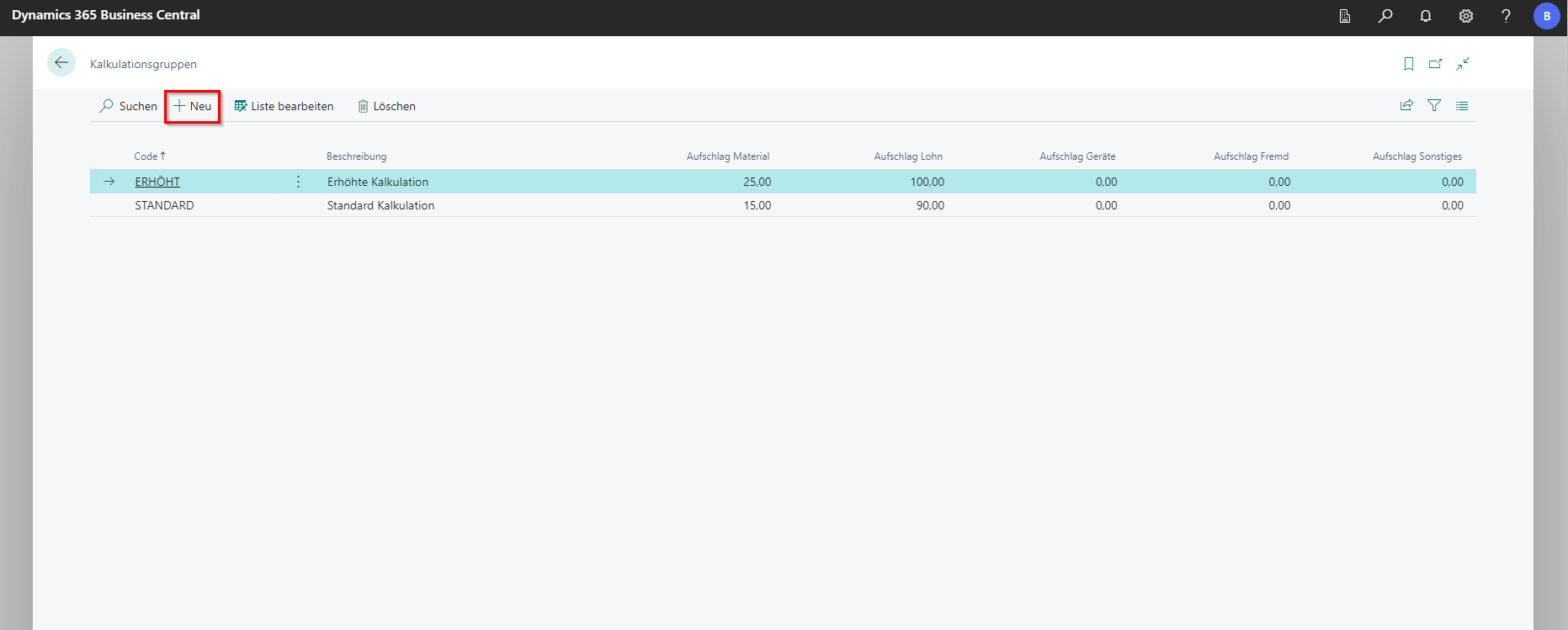
In the example, the sales mark-ups are calculated at 15% for material of the costing group Standard and at 25% for Increased if they are stored in the master data for the corresponding (costing) article.