Job queue
Purpose
The job queue is the engine for automated file exchange. This page describes the one-time setup for automatic file import and background dispatch. Ongoing operation (monitoring, retry, error analysis) is covered on the Job queue page in the administration module.
Prerequisites
- Job queues are enabled in Business Central.
- The job queue service account has access to the exchange directory (server share or Azure File Share).
- Automatic file import is enabled in the intercompany setup.
- For automatic acceptance the corresponding option is set in the intercompany setup.
Recommended order
- Enable automatic file import in the intercompany setup.
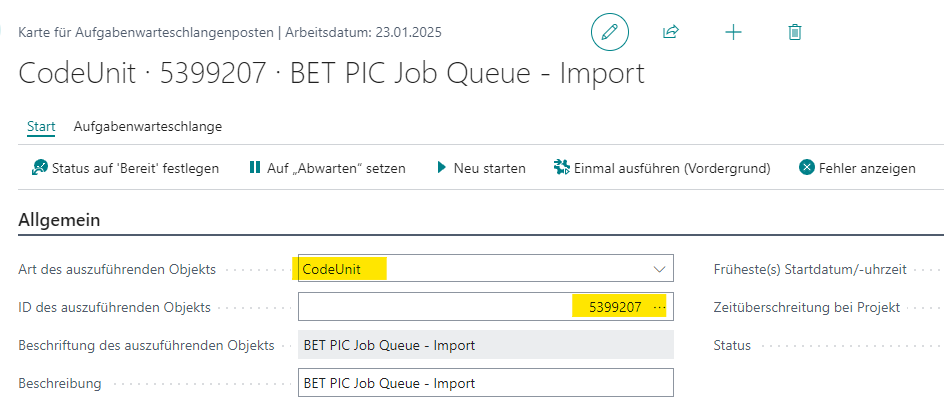
- Verify that the job queue entry for file import has been created automatically.
- If desired: enable automatic retry of acceptance, set the maximum number of attempts.
- Store credentials and path to the exchange directory in the setup.
Setup building blocks
Job queue entry for file import
Enabling automatic file import creates a recurring job queue entry automatically. It reads files from the configured directory and creates incoming transactions in the inbox.
Job queue entry for automatic retry
Enabling automatic retry of failing acceptance tasks adds a second job queue entry that periodically restarts such tasks. Disabling the option removes the entry automatically.
Connection to the exchange directory
Depending on the transfer type you configure either a server path or a connection to an Azure File Share (see Azure File Share exchange).
Links