Buttons
Configuration of function buttons with position, caption, colors, and active status in POS Core.
Under Designer → Buttons, the function buttons for cashiering can be configured.
The button designer makes it possible to change the position, caption, background color, and font color. Buttons that are not required can also be deactivated.
Note: The STANDARD template serves as the copy template and cannot be changed. If changes to the buttons are required, a copy of the STANDARD template must first be created.
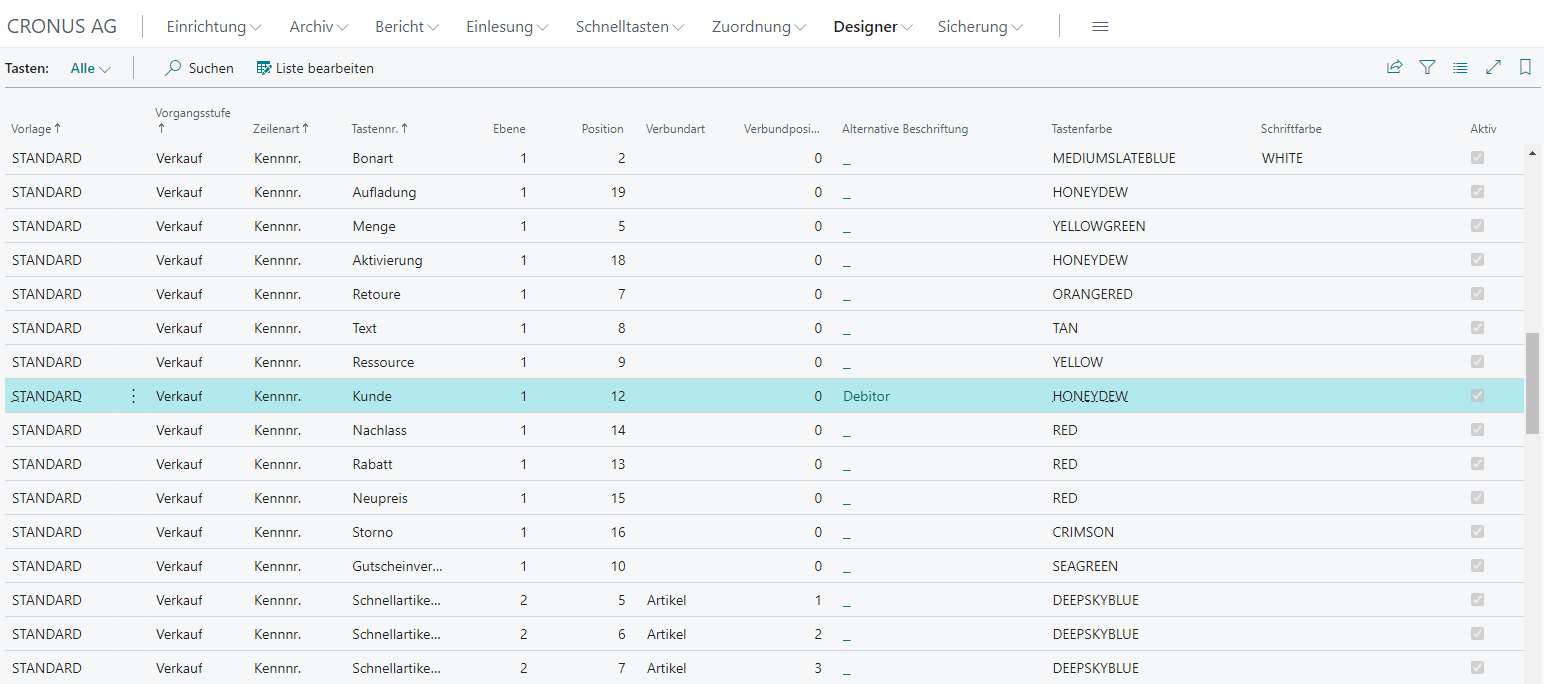
| Field | Description |
|---|---|
| Level | Defines the level on which the button should be placed (1-n) |
| Position | Defines the position of a button within a level (1-20) |
| Alternative Caption | Stores an alternative display text for a button |
| Button Color | Enables the configuration of a button’s background color |
| Font Color | Enables the configuration of a button’s foreground color |
| Active | Activates/deactivates a button in the respective state |