Packaging assignment in documents
Purpose
This page describes the operational packaging assignment on documents. It expands on the default logic, manual changes, weight calculation, and the use of lots and expiration dates in daily operations.
Business value
- Shows how standard and alternative packaging structures are actually used on documents.
- Describes which manual interventions are allowed and how structural consistency is maintained.
- Explains weight and tracking logic through registration and posting.
Process map
graph LR;

%% Nodes
  A(Propose standard structure)
  B[Select standard or alternative]
  C[Apply manual changes if required]
  D[Use wizard/detail assignment for tracking]
  E[Validate weights]
  F[Register package assignment]
  G[Post document]
  H[Review posted assignment]

%% Flow
  A -.- B
  linkStyle 0 stroke:#ffffff
  B ==> C
  C ==> D
  D ==> E
  E ==> F
  F ==> G
  G ==> H

%% Classes
  class A btProcessTitle
  class B,C,D,E,F,G,H btProcessActive
Content focus
General packaging-assignment process
The packaging assignment is maintained in the document through which the relevant shipping, purchasing, or transfer process is posted. The decisive value is the quantity that must be shipped, received, or moved on the respective document line.
In the standard scope, end users work with package assignment in these document types:
- Sales order
- Purchase order
- Transfer order
- Warehouse shipment
- Warehouse pick
- Warehouse receipt
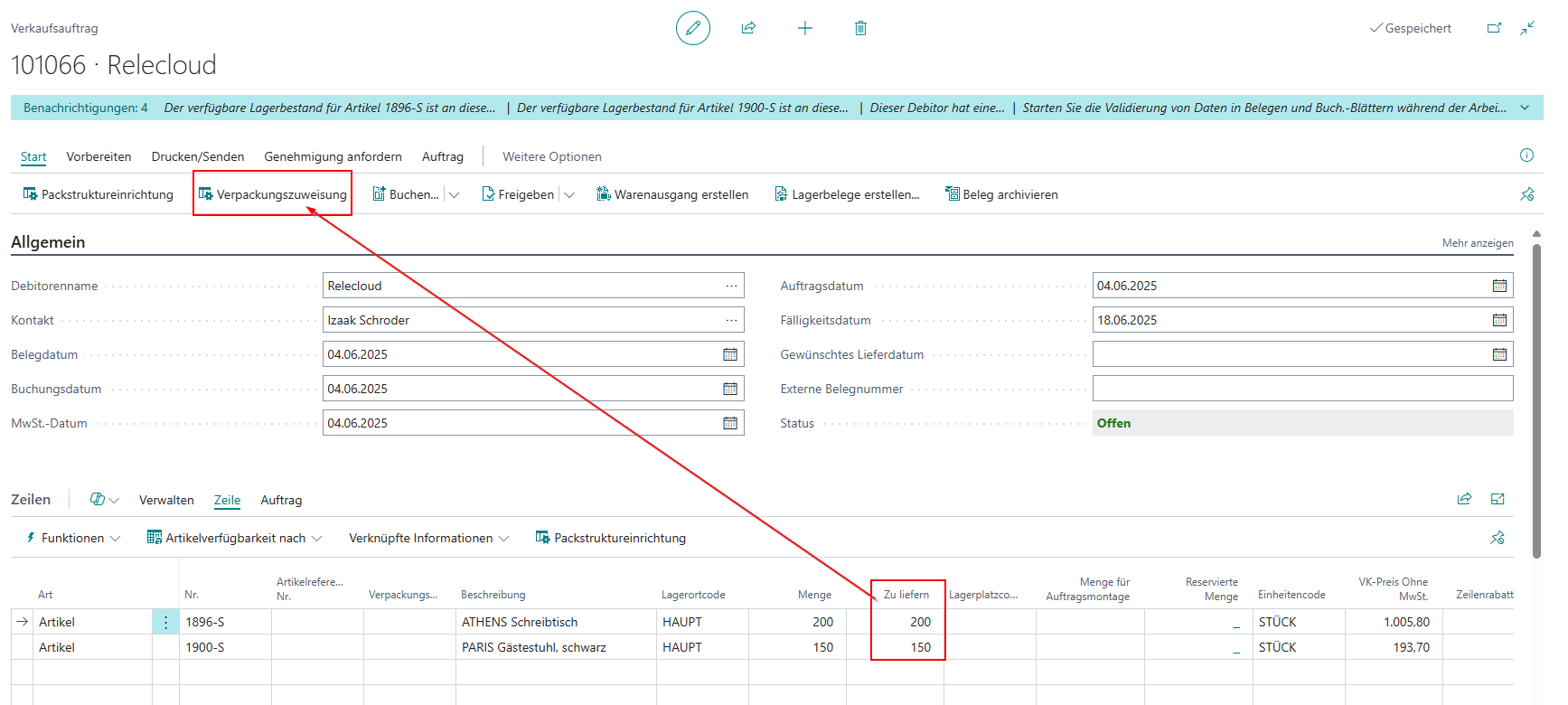
Standard packaging assignment and alternatives
A standard packaging structure can be proposed automatically for document lines. If release status, fill quantity, or customer requirements demand it, an alternative can be selected instead. Remaining quantities or deviating fill quantities can lead to additional content and packaging lines.
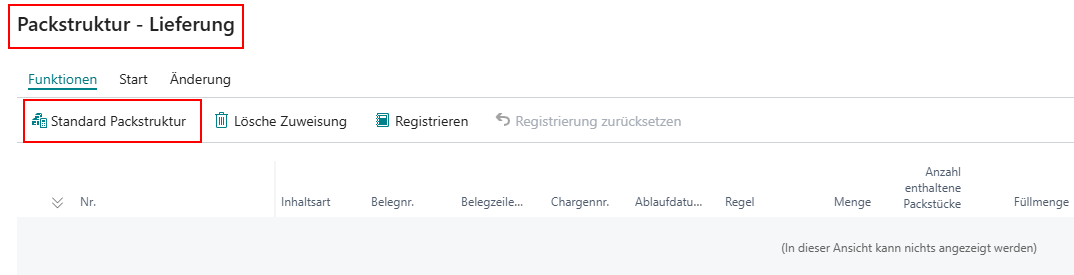
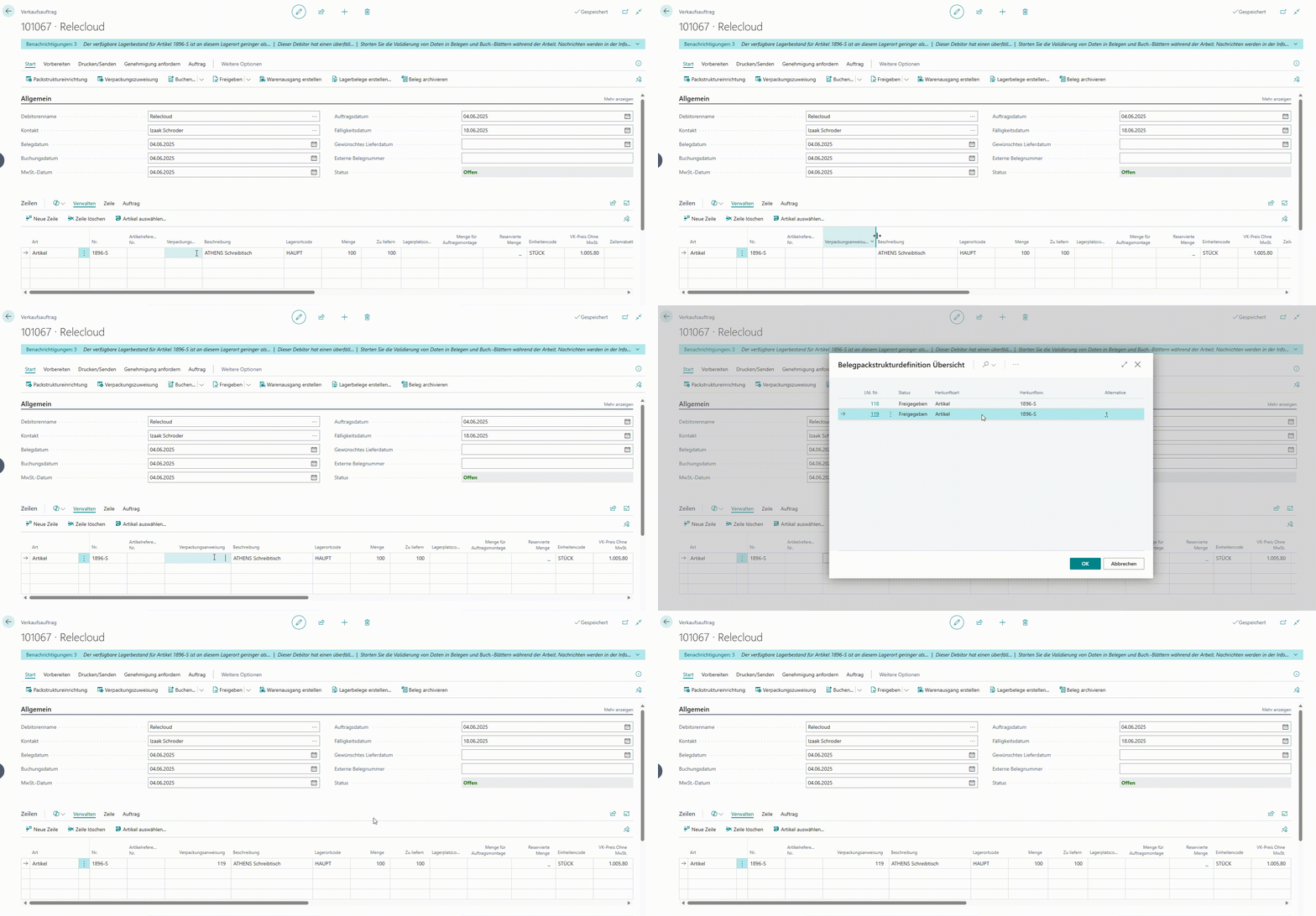
The alternative can be selected directly inside the document-specific packaging structure.
Manual changes inside the assignment
Within the packaging assignment, new packaging or content lines can be added, existing assignments can be removed, and lines can be deleted or restructured. The manually packed quantity must always match the target quantity on the document so that the structure remains registerable.
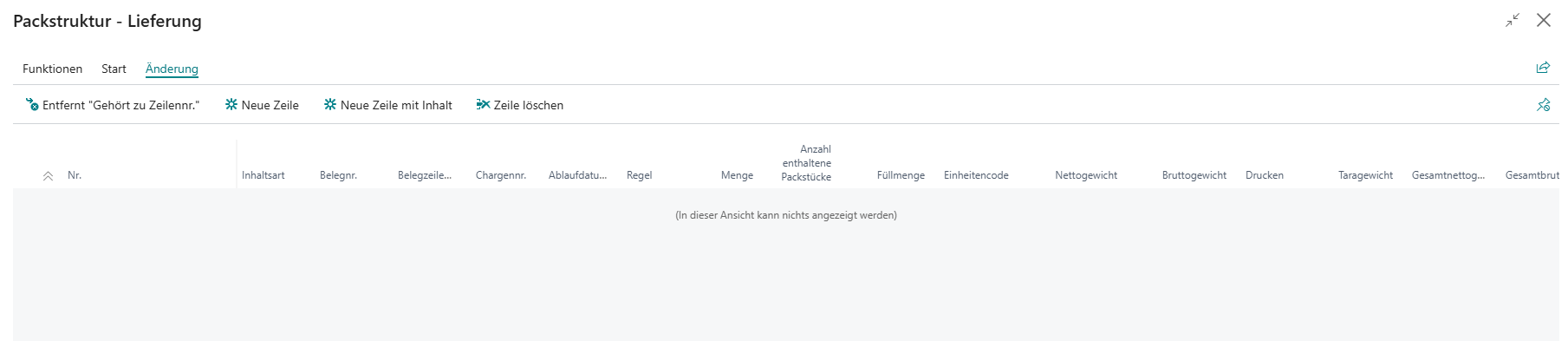
Typical manual corrections include moving individual content lines or restructuring existing packaging levels.
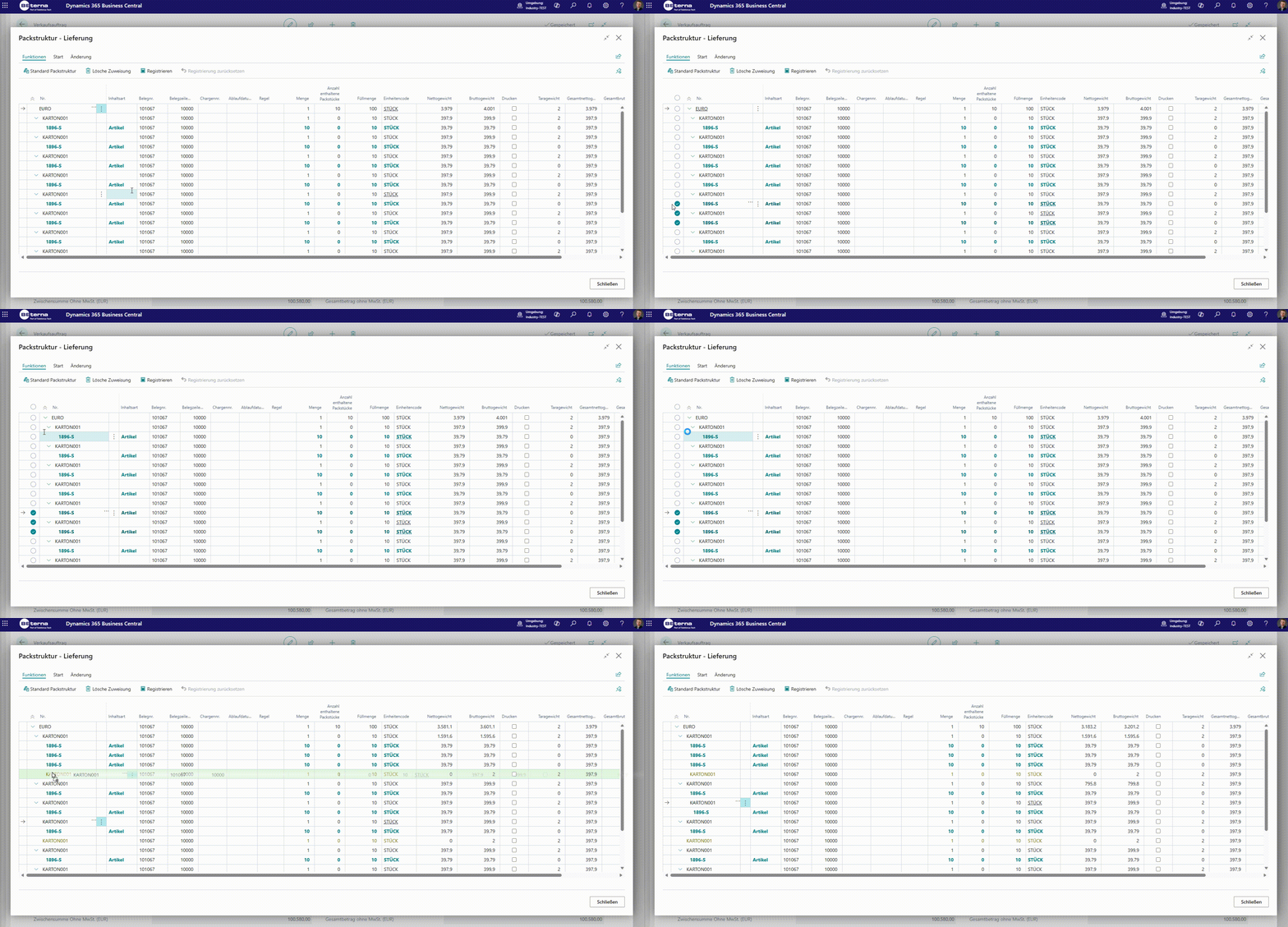
For guided manual package creation, the wizard is also available:
- Define package: choose package material type and package material number.
- Fill package: enter quantities per source line.
- Suggest next package: continue directly with remaining quantities.
Wizard as a dedicated function
The wizard is not only an alternative entry form, but a dedicated guided function for operational shipping teams. It is especially useful when many lines must be packed quickly and users should not manually navigate the hierarchy.
In sales scenarios, this means:
- The wizard guides users in a fixed sequence through package-material selection, quantity assignment, and remaining-quantity checks.
- Each run creates an immediately reviewable package assignment in the document packaging structure.
- Remaining quantities stay visible and can be continued in the next wizard run without changing context.
- For tracked items, assignment can be completed directly per detail quantity (lot/serial).
Weights and registration
Each line differentiates between net, gross, and tare weight. After business changes in the packaging assignment, the full weight update is deliberately performed only during registration. At that stage, additional document lines for packaging materials can also be created and prepared for later posting.
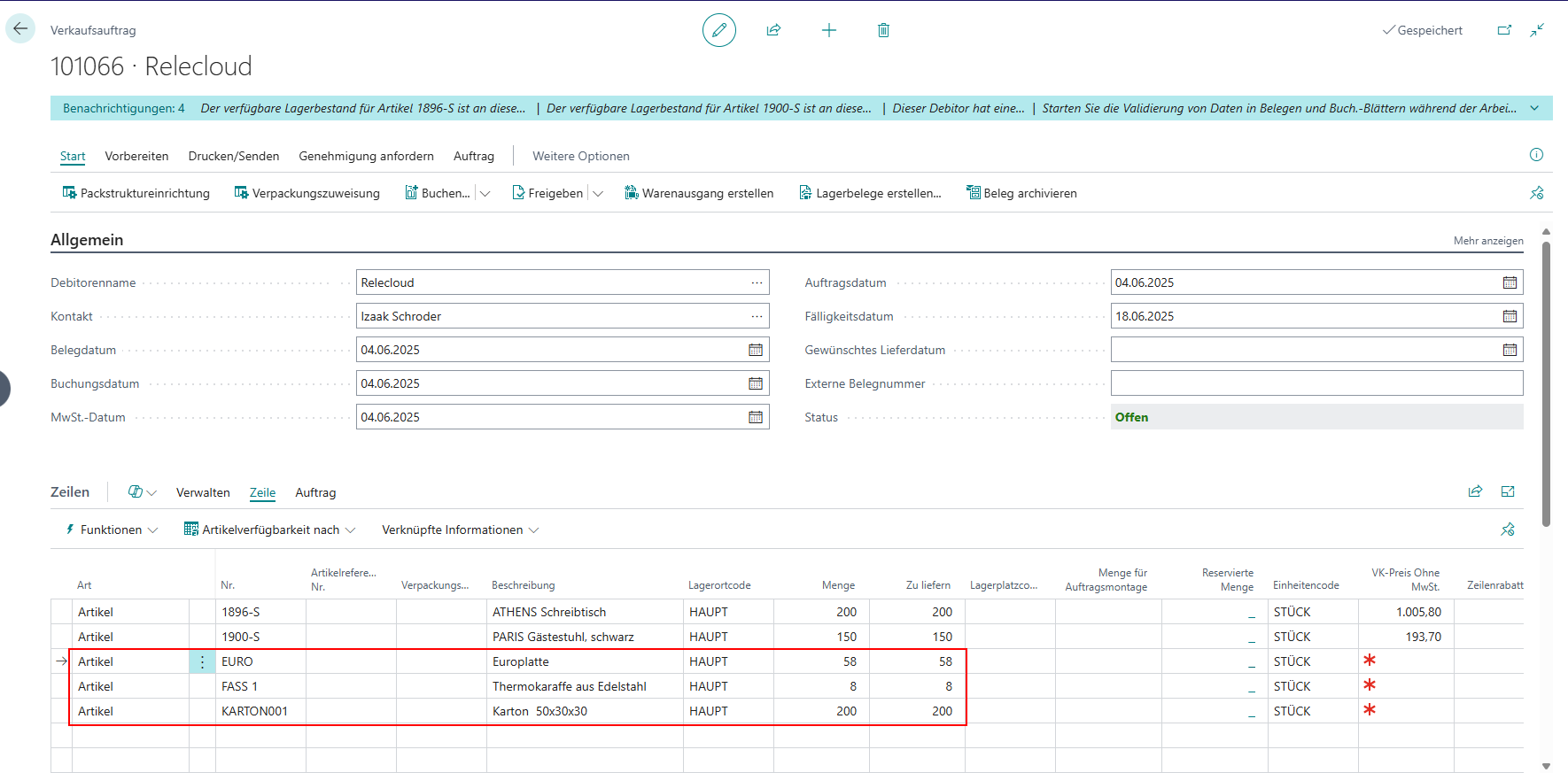
Lots and expiration dates
For lots and expiration dates, Handling Unit Management builds on the standard Business Central logic. Lots can be assigned to content lines automatically or manually. During registration, the tracking information is transferred to item tracking lines and reused during posting.
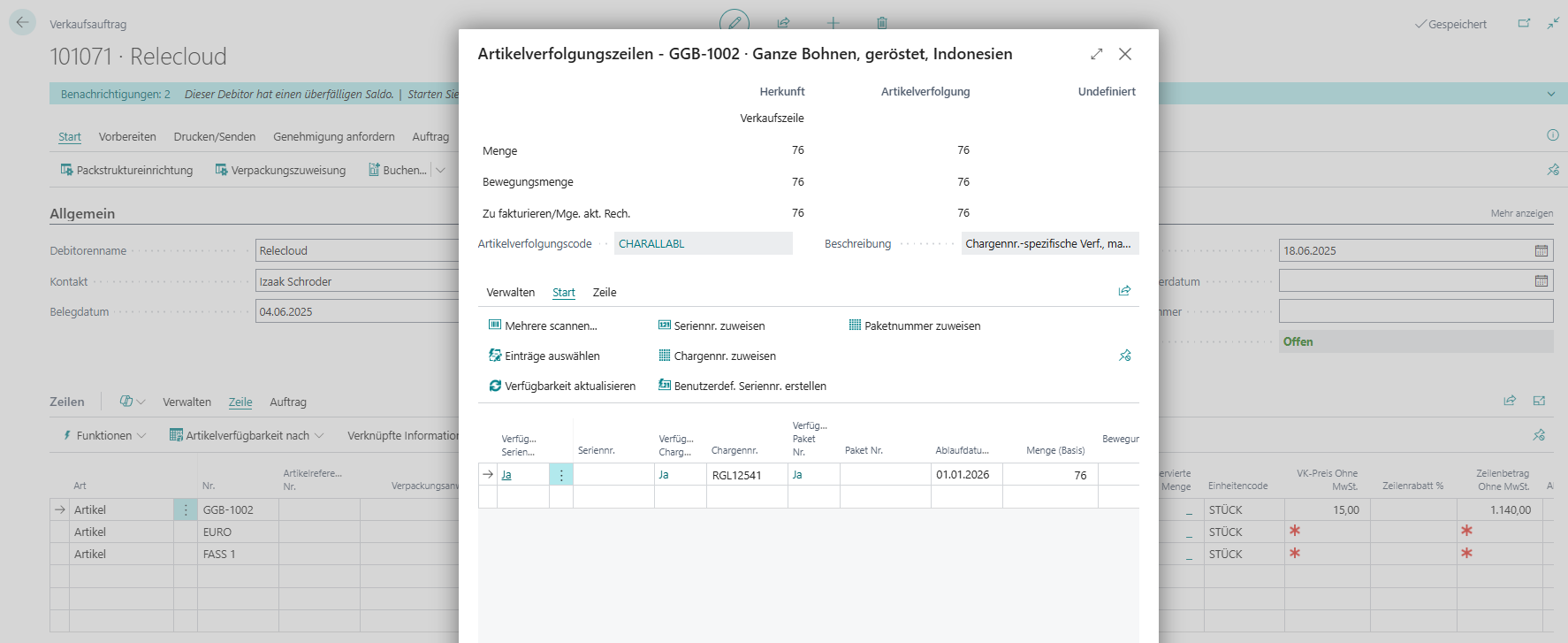
In practice, lots are often distributed automatically first and then refined manually if required.
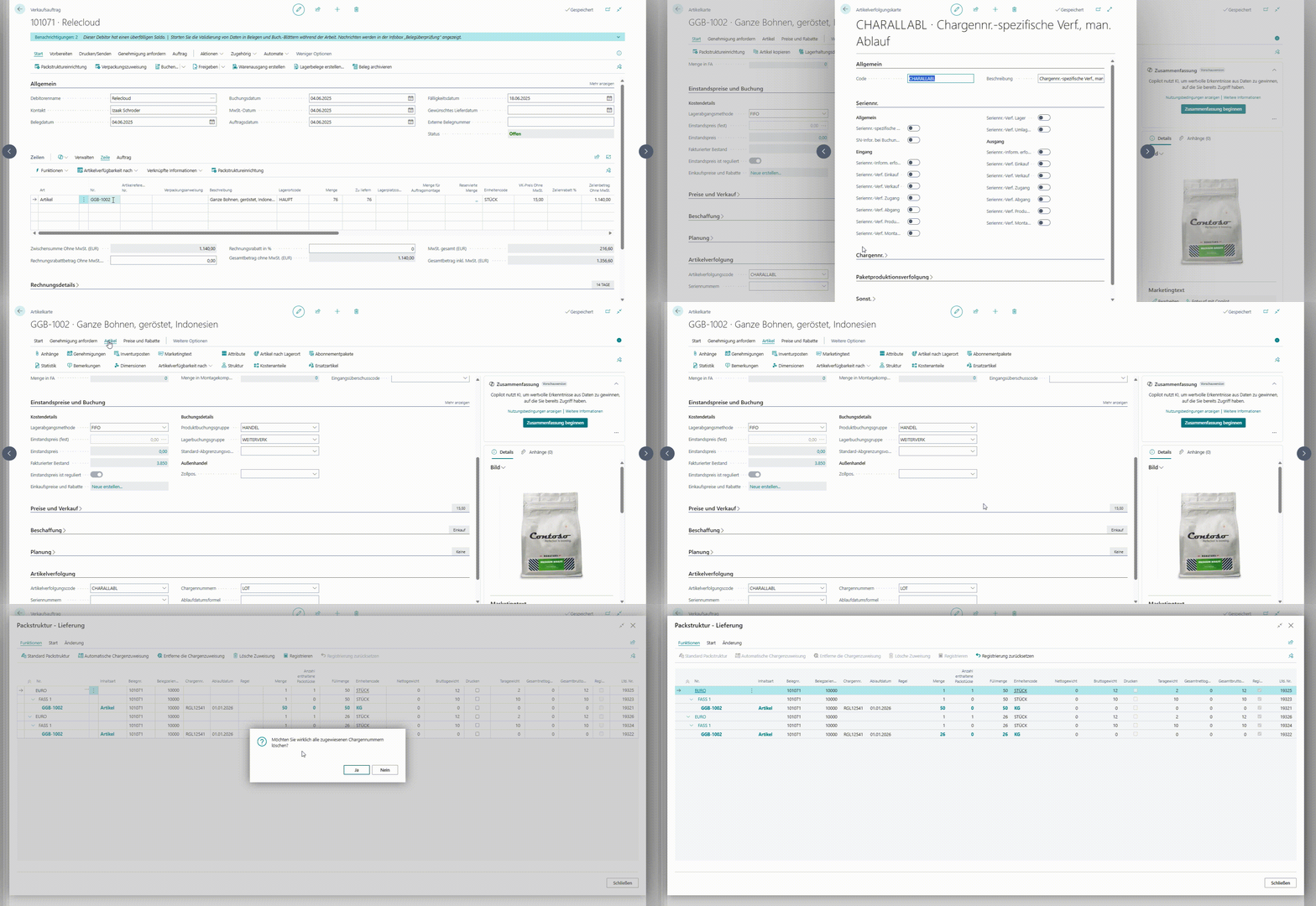
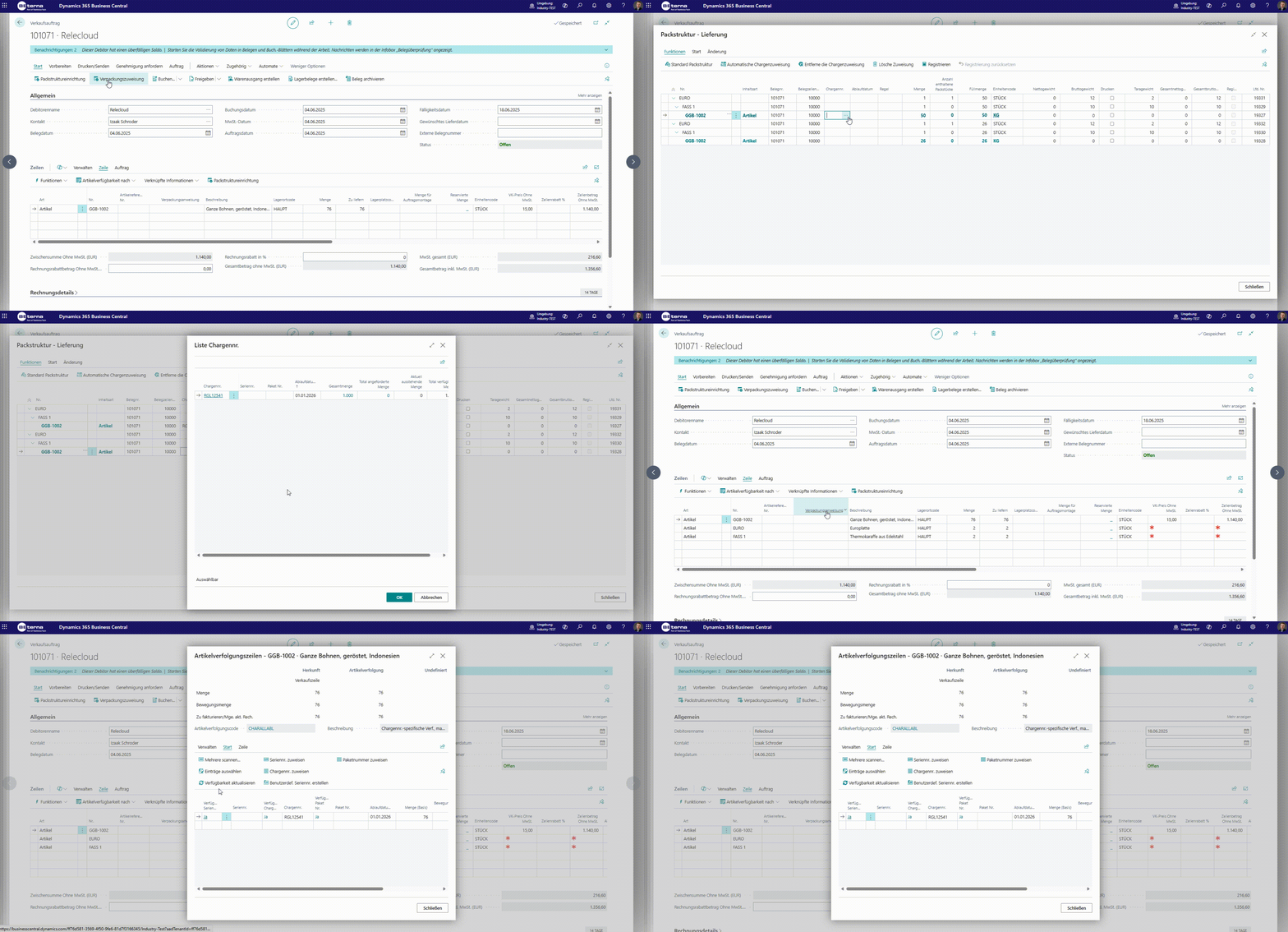
For serial numbers and multiple lots per source line, detail lines can be used. The package assignment then creates separate content lines automatically to keep tracking and quantities consistent.
Complete sales item-tracking assignment
For sales orders, item tracking assignment in package assignment is fully documented and follows a clear business sequence:
- Start from the sales line and its quantity to ship.
- Distribute that quantity to package lines in package assignment.
- Complete tracking assignment on detail lines for tracked items:
- Lot-tracked items: split one line into multiple lots with partial quantities.
- Serial-number-tracked items: maintain one tracked unit per serial number.
- Ensure the sum of detail lines exactly matches the assigned content quantity.
- Complete registration only after all assignments are consistent and validated.
Important in practice:
- Automatic lot allocation can be used as a proposal and then adjusted manually.
- Mixed cases with multiple lots and additional serial numbers on one source line can be modeled through detail lines.
- Incomplete or quantity-inconsistent tracking assignments produce errors and stop registration.
- After successful registration, assigned tracking data is transferred to the sales item tracking lines.
Shipping and warehouse specifics
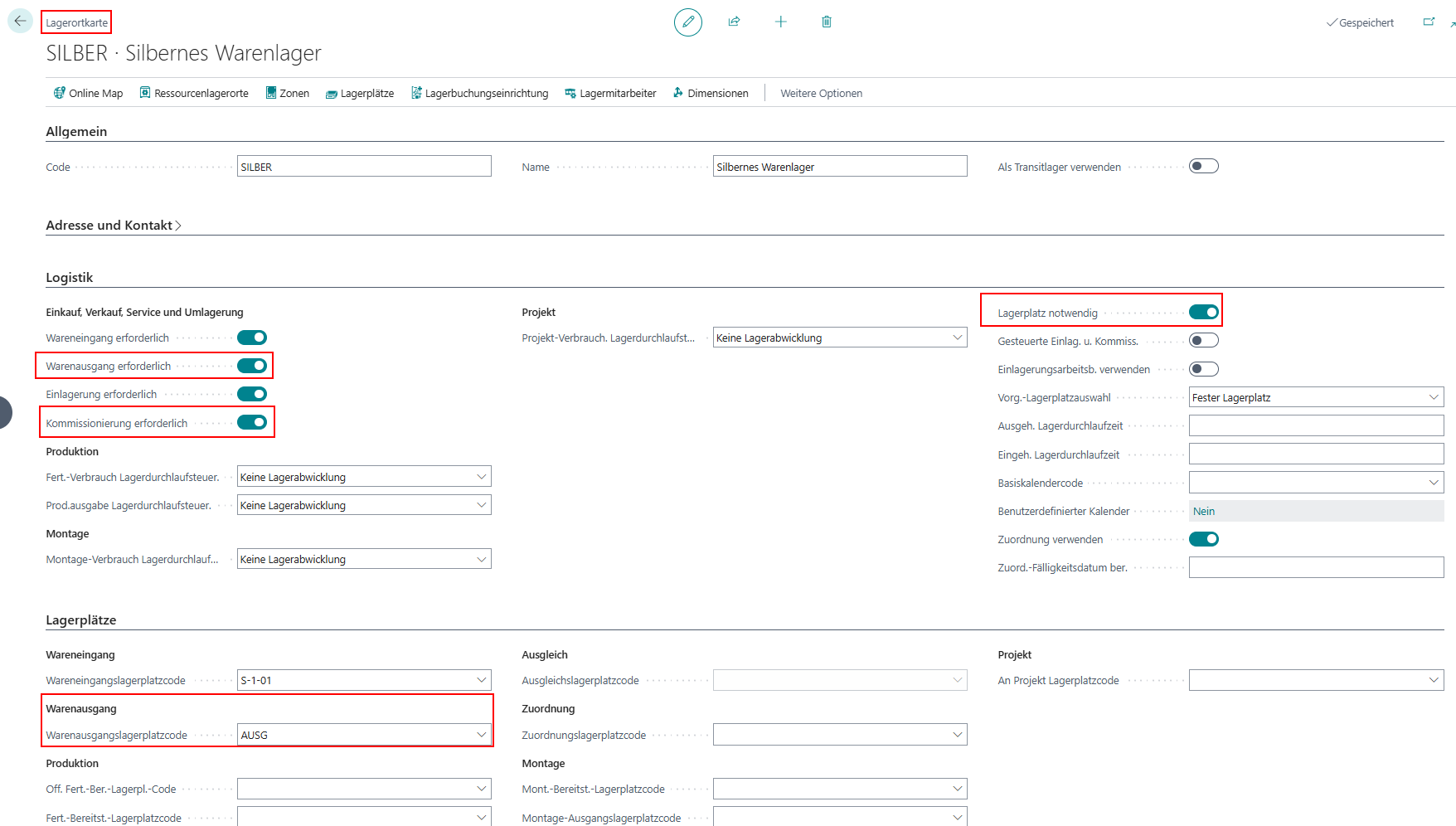
In warehouse-controlled scenarios, packaging materials must be available on the correct bins. For warehouse shipment and picking, it is especially important that packaging materials are available on the intended shipment bin in time. A mandatory packaging-assignment rule is not required in the described scope.
For warehouse shipment, an additional control applies: before final reservation, the system checks whether package quantities and document quantities match per item/variant. If they differ, registration is stopped.
Field catalog for operational use
Header and totals
| Field | Mandatory | Example | Meaning |
|---|---|---|---|
| Total Net Weight | System | 190.0 kg | Sum of content weights |
| Total Gross Weight | System | 243.0 kg | Net plus packaging material |
| Max Gross Weight | Optional | 230.0 kg | Overload threshold |
| Overloaded | System | Yes/No | Final check before registration |
Line and tracking fields
| Field | Mandatory | Example | Meaning |
|---|---|---|---|
| Quantity (Content) | Yes | 40 | Packed content quantity |
| Qty To Assign | Yes in wizard | 12 | Partial assignment per step |
| Remaining Qty | System | 8 | Remaining quantity for full assignment |
| Lot No. | Required for lot tracking | L-2026-015 | Lot traceability |
| Serial No. | Required for serial tracking | SN-9000123 | Unit-level traceability |
Calculation logic with example
Net weight
Total Net Weight = Sum(Quantity * Item weight) across all content lines
Example:
- 40 pcs * 2.5 kg = 100 kg
- 30 pcs * 3.0 kg = 90 kg
Result: 190 kg
Gross weight
Total Gross Weight = Total Net Weight + Sum(Packaging material weights)
Example:
- Total Net Weight: 190 kg
- Pallet and additional packaging material: 53 kg
Result: 243 kg
Overload
Overloaded = (Total Gross Weight > Max Gross Weight)
Example:
- Total Gross Weight: 243 kg
- Max Gross Weight: 230 kg
Result: Overloaded = Yes
Variants and exception scenarios
| Scenario | Decision point | Procedure |
|---|---|---|
| Standard structure fits | No deviation in packing pattern | Use standard assignment |
| Alternative required | Customer-specific packaging pattern | Select alternative in assignment |
| Remaining quantity open | Target quantity not fully assigned | Run wizard again or complete manually |
| Tracking mixed case | Multiple lots/serials per source line | Maintain detail lines per partial quantity |
Completion checklist
- Target quantity per document line is fully assigned.
- Tracking data (lot/serial) is complete and consistent.
- Weights are plausible and overload status is resolved.
- Registration finished without errors.
- Posted document shows expected packaging and tracking information.
Result
- The operational packaging assignment is documented consistently from proposal through posting.
- Manual changes, weights, and tracking data can be interpreted in a structured way.
- Warehouse and shipping scenarios can use the same structure and assignment logic across the documentation.
Links