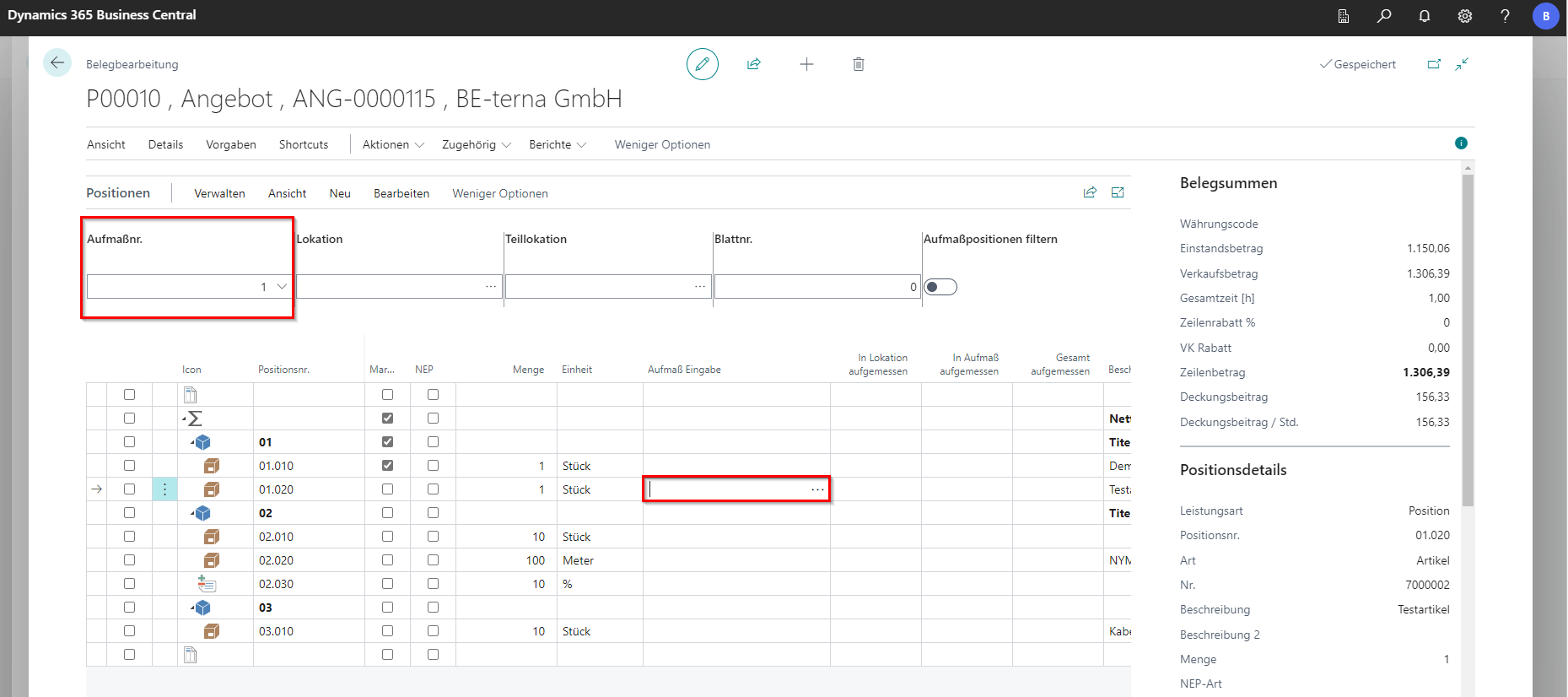
Measurement recording directly in the order
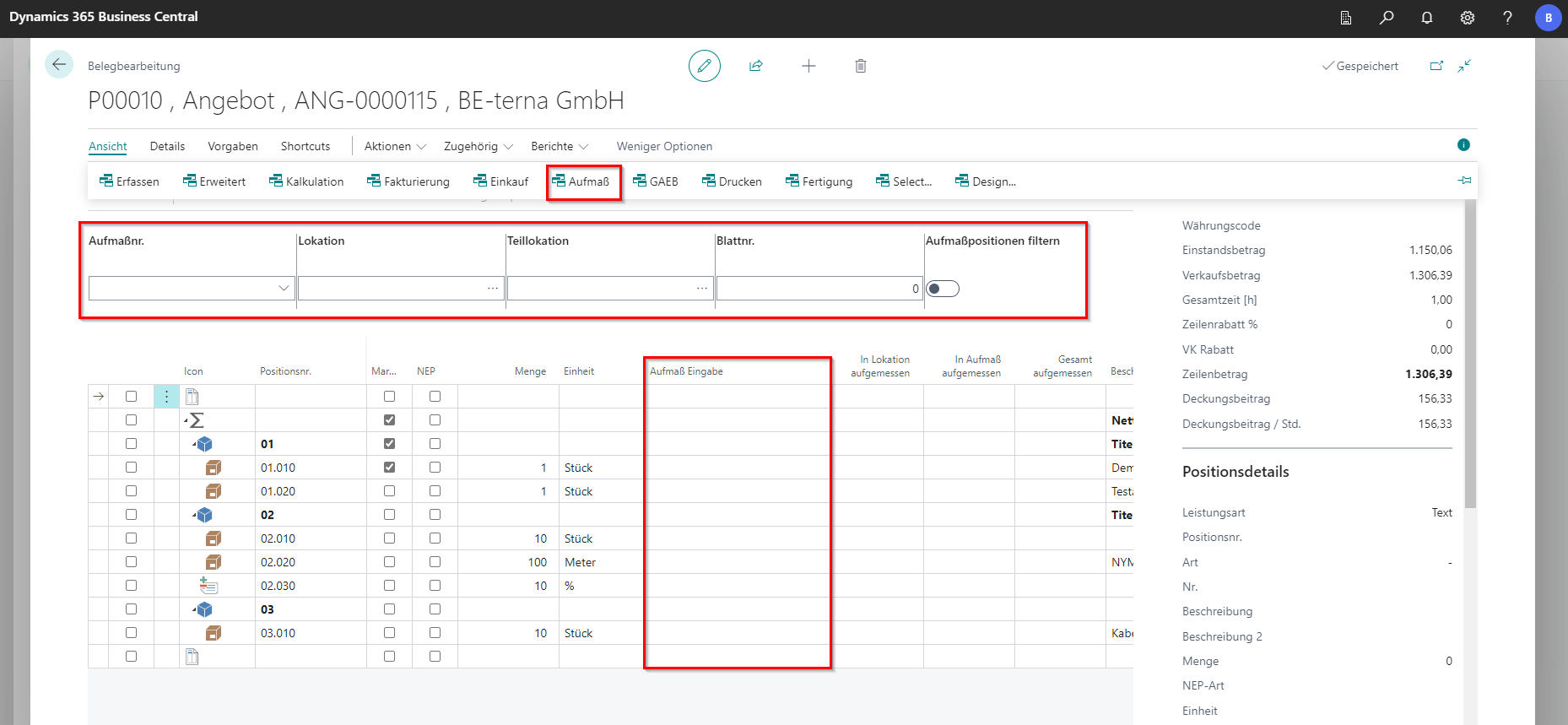
In the document, the FastTab Aufma ß can be opened under View. The table header is adjusted accordingly.
The measurement number, location and partial location, as well as sheet number are stored there. If there are no default values for the location or sublocation, these can be entered manually. The system saves these after a query.
After the default values have been entered in your head, it is possible to enter the measurement chain directly at the position in the column “Measurement Input”.
After the measurement has been entered, the respective amount of measurements is summed up for each item. If the default values have been changed, the corresponding measurements are displayed.
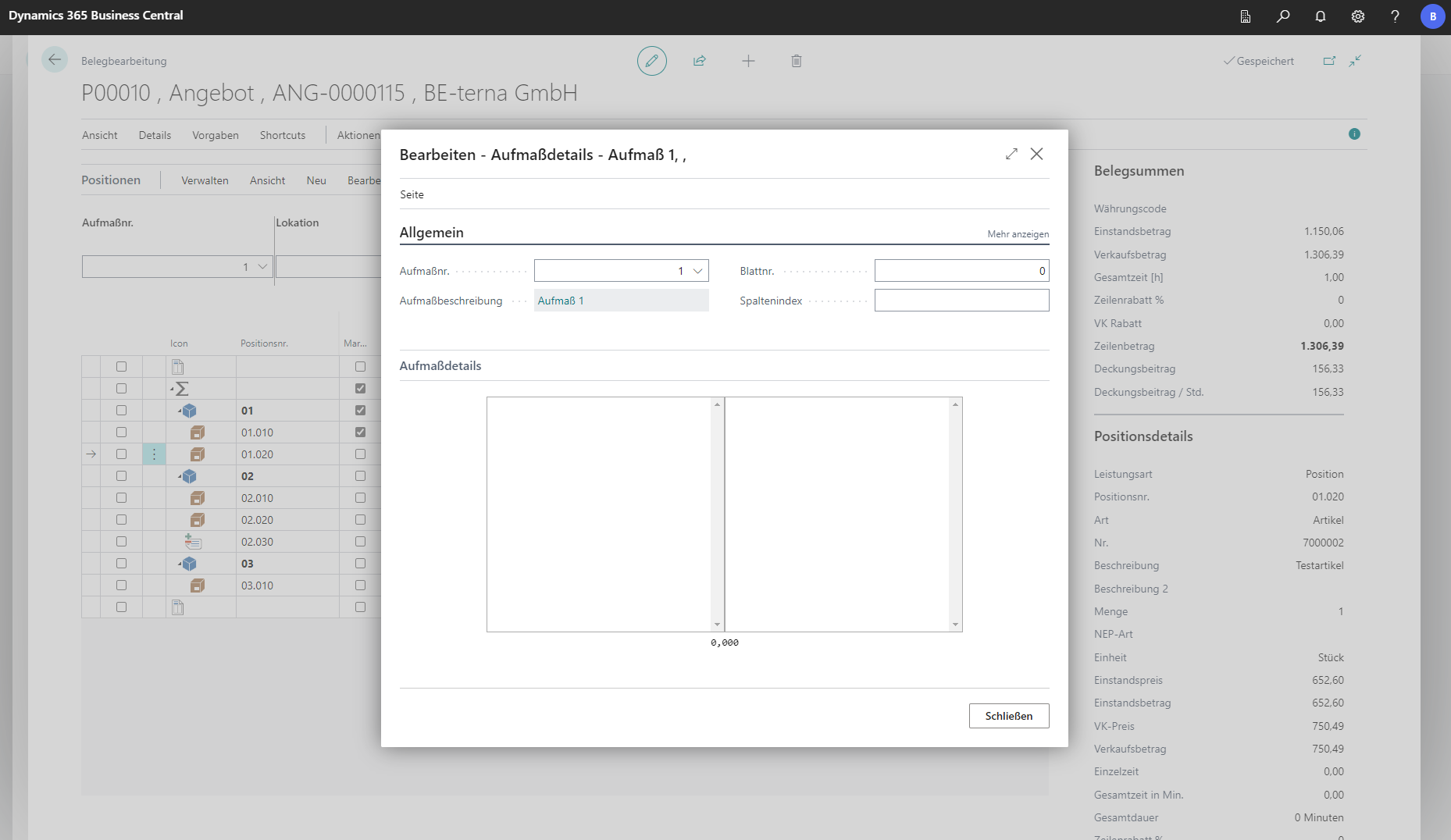
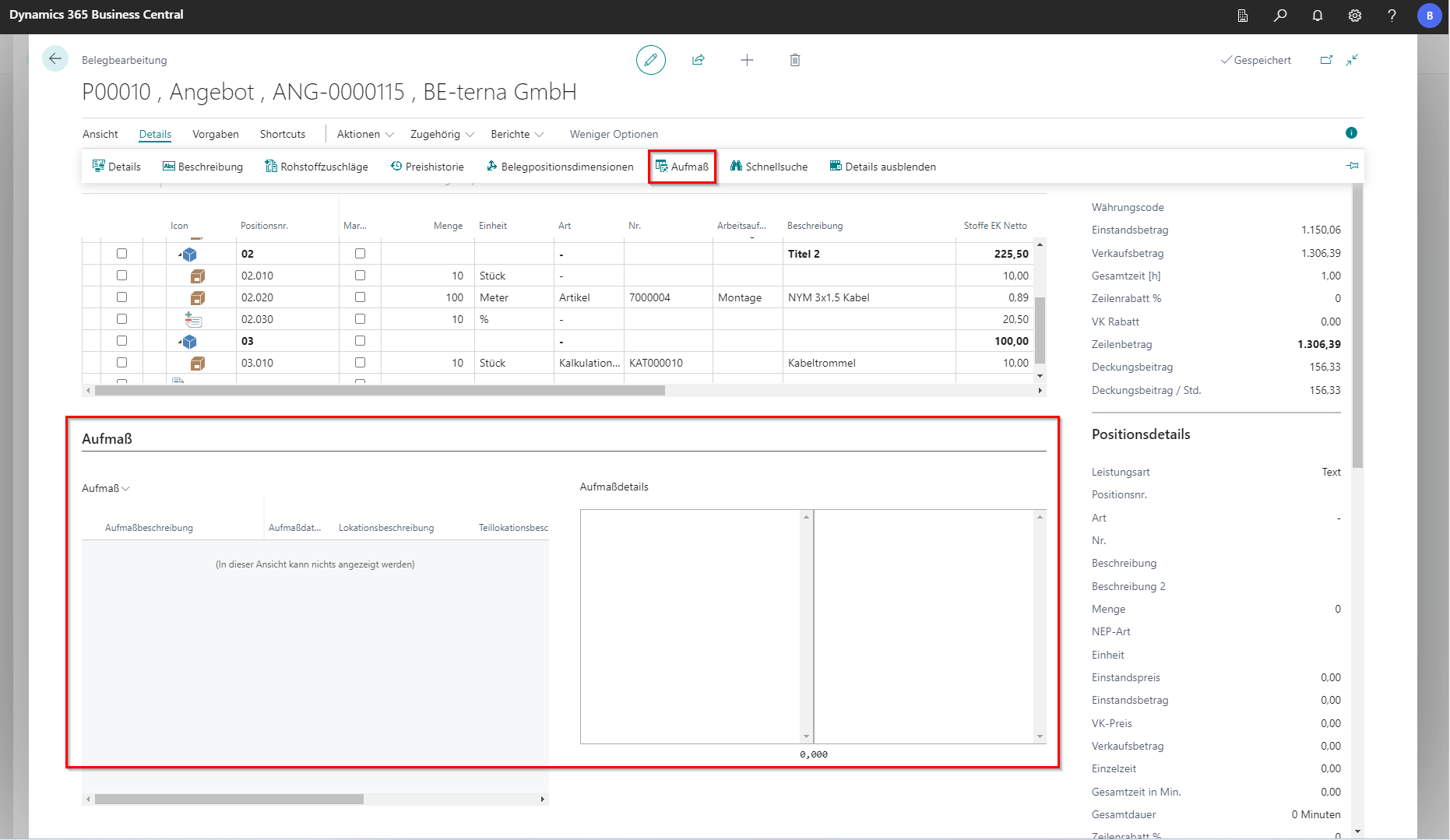
If the measurement values are checked directly at the position or subsequently edited, the Aufma ß tab must be opened under Details. In the tab that opens, an existing measurement number can be selected or a new one can be created. In the text field, multi-line formulas can be entered, which are terminated with an “=” at the end. The Result field then shows the total. Comments can also be entered. These are entered at the beginning of the line and marked with a “:”.
Alternatively, the three points can be selected in the column “Measurement Input”.