Create XRechnung
Export as XRechnung
A project invoice document can be output as an XRechnung. The XRechnung created is automatically added to the attachments of the document.
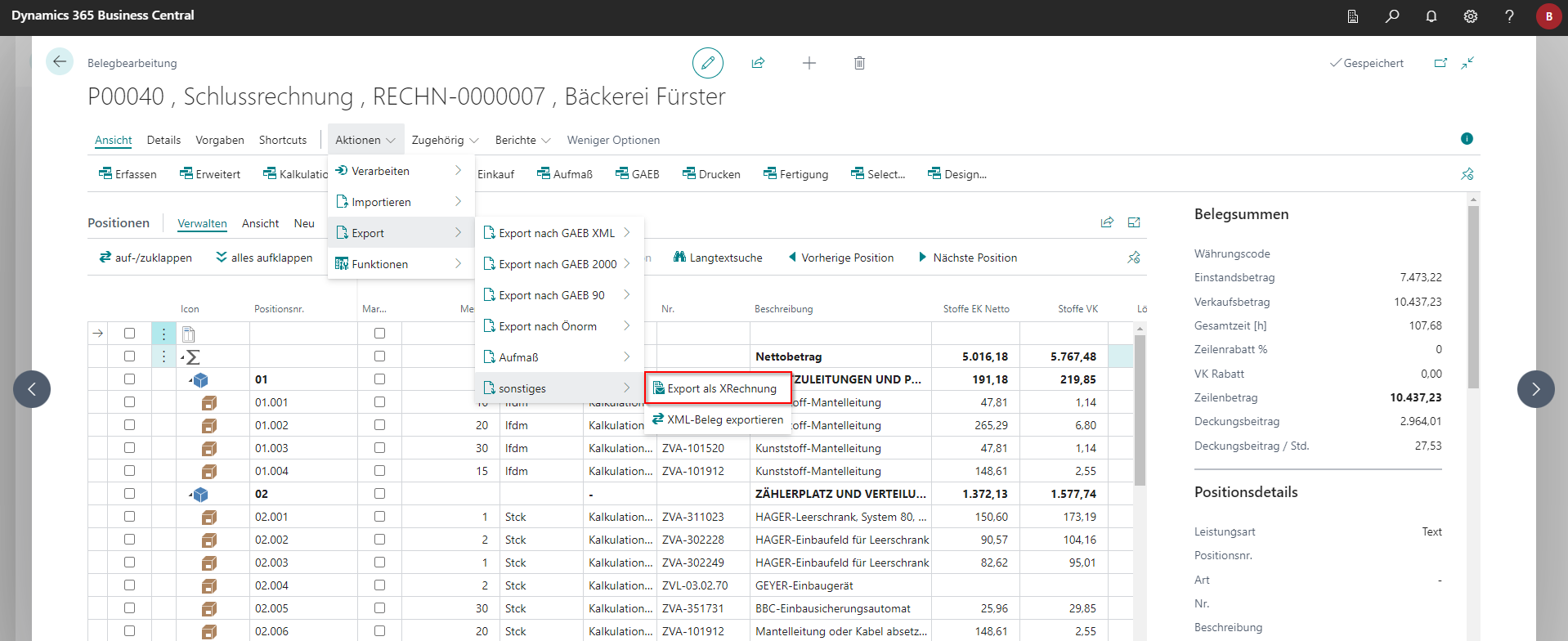
To do this, go to Actions in the open project document via Export to Other and then Export as XRechnung.
Attention! If you have transmitted the exported XRech file to the client, it is considered the original of the invoice document for tax purposes and is therefore subject to retention.
If an archive system is connected or operated standalone, the file must be saved there.
Additional mandatory information in the document
Almost all clients expect the contact details of the invoice issuer to be provided. For this purpose, a seller code must always be specified in the specifications, with at least one name, telephone number and e-mail address stored. In addition, the date for the beginning and end of the execution period must be specified.
Reference to references of the client
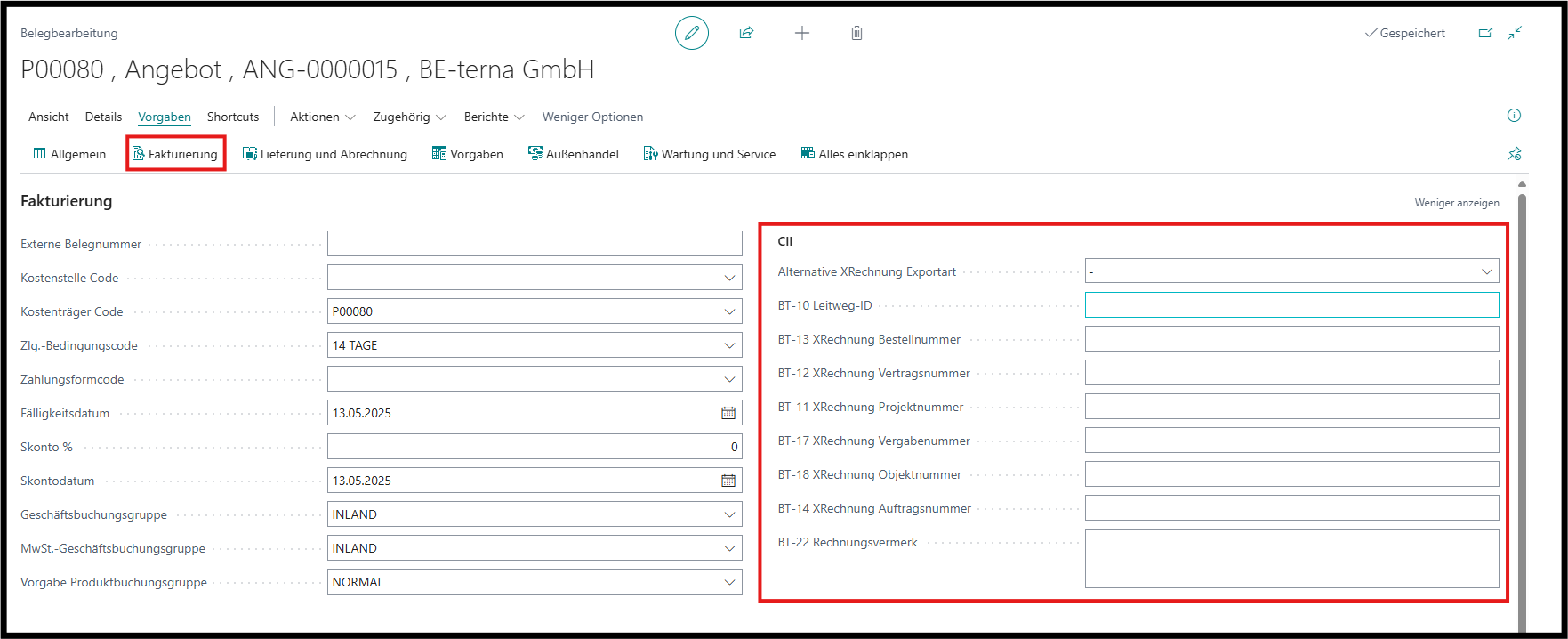
In the specifications of the invoice document, there are some special input fields for the contracting authority to reference the transaction. These can be found in document processing under Specifications and then Invoicing. Which reference fields (BT numbers) are expected must be transmitted by the client. Field BT-10 (Leitweg ID) must always be specified. In addition, a VAT identification number must be stored with the debtor.
File attachments
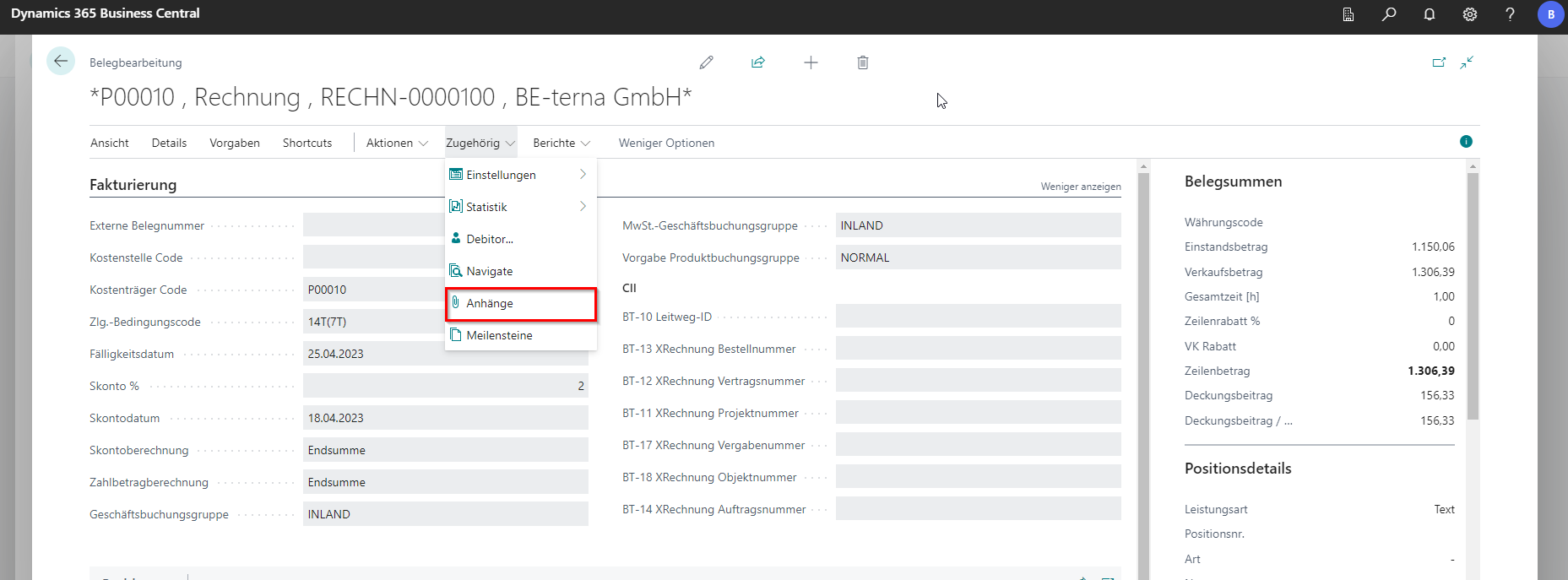
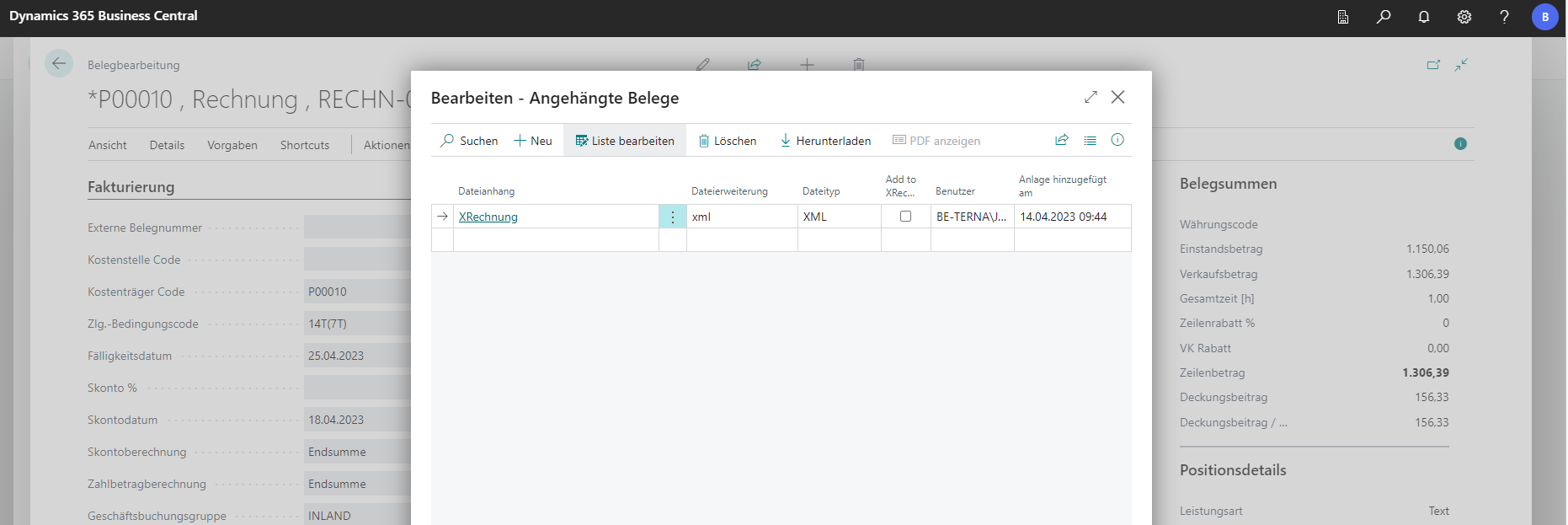
Attachments as file attachments are embedded in the XRechnung if the attachment has been marked accordingly. The automatically generated attachment with the XRechnung itself is never embedded. You can find the corresponding file in the document editing or view under Related and then via Attachments.
 Click to enlarge
 Click to enlarge
Necessary preparatory work
Settings in the company master
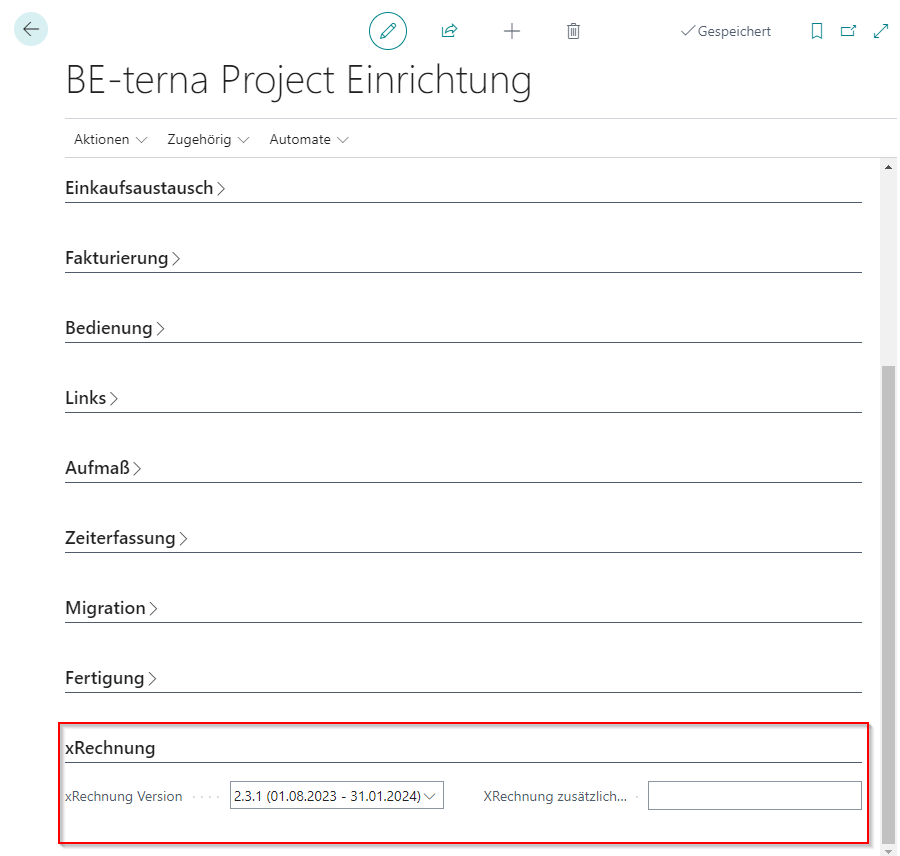
XRechnungsexport expects the address details, a VAT identification number and an IBAN to be stored in the company data. With the XRechnung, only an XML document is transmitted, which does not contain the header sheet by default. However, since the XRechnung must also contain all legally required mandatory information, the additional data in the field “XRechnung Zus. information”. This field is located in the BE-terna Project facility. The formatting is irrelevant. Only all necessary information must be listed pro forma.
Version of xInvoice
The version of the xinvoice to be issued can be selected in the BE-terna Project facilities. You can choose between the currently valid version and its previous version. With the expiration date of a version, a notification is issued to the user to select the new version in the facilities.
Customize the form of payment
XRechnung supports various forms of payment that can be deposited on the invoice. The following forms of payment are currently interchangeable
- Bank transfer (code 30)
- SEPA credit transfer (code 58)
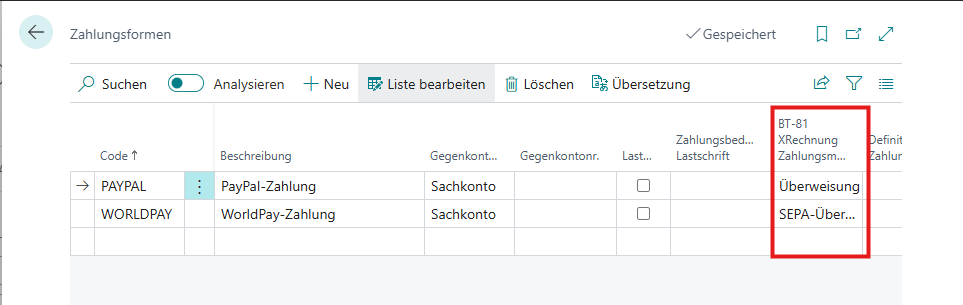
By default, when exporting the invoice, “bank transfer” is used as the form of payment. To adjust the form of payment, a selection field “BT-81 XRechnung Means of Payment” is stored on the “Form of Payment” table.
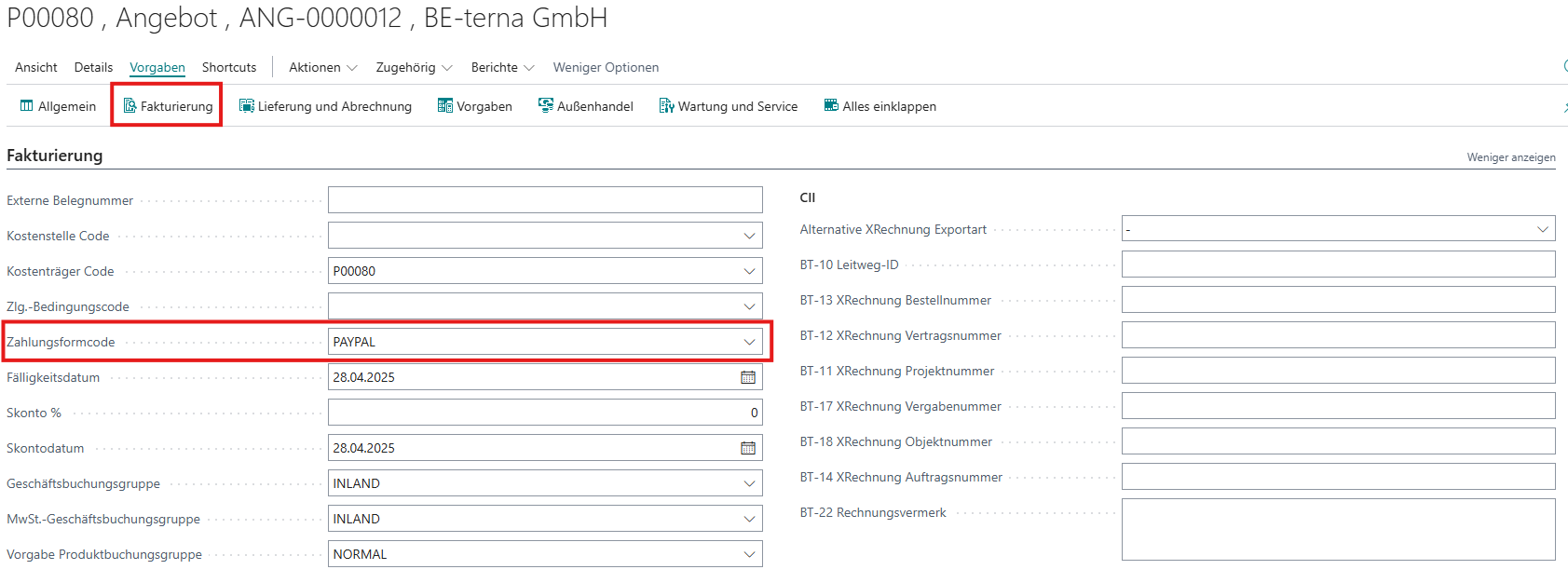
Such a form of payment can then be selected on the project document in the Billing area:
Assignment of Units of Measure
By default, all unit codes are converted to the neutral code C62 in the XRechnung and the original unit code is prefixed to the text. If this is not desired, the appropriate XRechnung code can be entered in the table of unit codes (accessible via the search function).
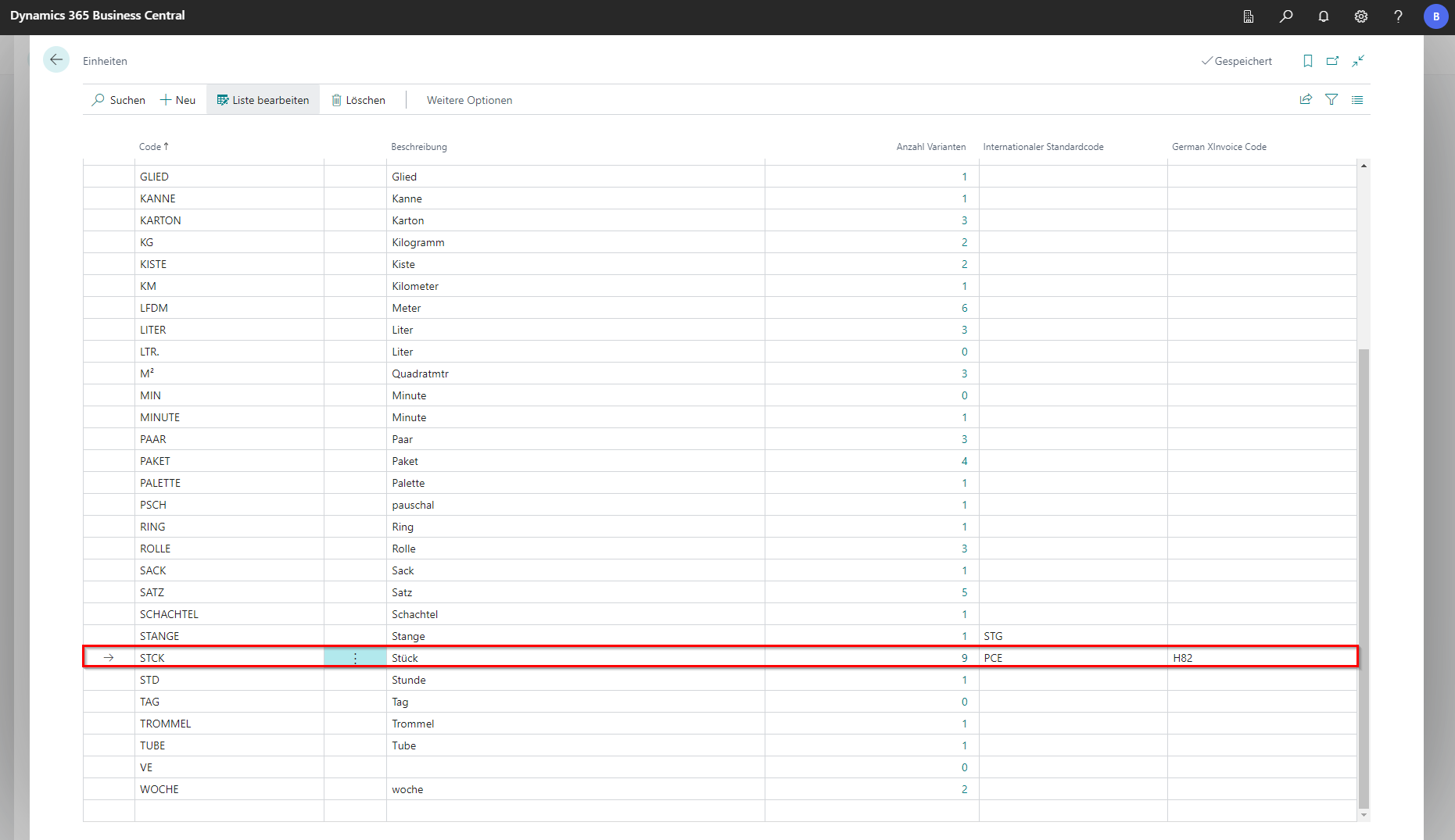
If an ISO standard code is already stored as a unit code, it is sufficient to store the XRechnung code on the unit with the ISO standard code. In the example, the units STCK, STÜCK and ST all refer to the ISO standard code PCE, which in turn is assigned H82 as the XRechnung unit.
| Code | ISO Code | XRechnungs-Code |
|---|---|---|
| PCE | PCE | H82 |
| STCK | PCE | |
| STÜCK | PCE | |
| ST | PCE |