Master Data for Fashion
Purpose
This page consolidates the fashion-specific master data you maintain in addition to the general BE-Commerce standard. It helps new users understand the main data objects and the order in which they should be prepared.
Who this page is for
- Users who prepare categories, attributes, and colors for a fashion webshop.
- Key users responsible for master-data quality and channel-related maintenance.
- Teams that need to decide which data is maintained in the connector and which belongs to the shared BE-Commerce area.
Recommended Sequence
- First review the basics in BE-Commerce Master Data.
- Then define the channel-related foundation for the fashion webshop.
- Continue with categories as well as dynamic and free-text attributes.
- Finish with colors, supplier colors, and item-related webshop data.
Webshop Channels
Each shop is managed through its own channel. Per channel you maintain, among other things, the location group for available inventory calculation, the sales location for webshop documents, allowed contact changes, and the active languages.
Webshop Categories
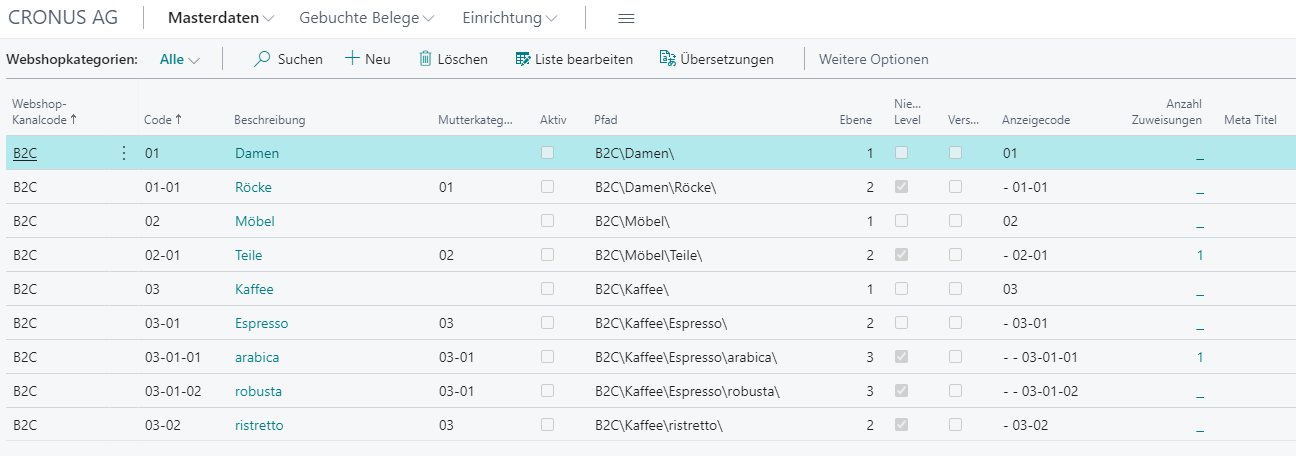
Independent webshop categories with any depth can be maintained per channel. Items are then assigned to nodes in the category tree independently of the internal merchandise hierarchy in Business Central.
Dynamic and Free Text Attributes
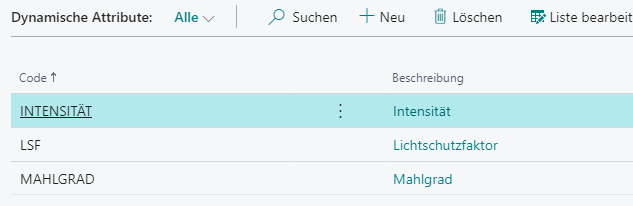
Dynamic attributes work with predefined values and are suitable for filter- or display-relevant characteristics. Free text attributes, on the other hand, allow freely maintained values on item level and extend the fashion-specific product description.

Items and Customers
Channel-dependent descriptions, categories, attributes, cross-selling, and sales prices are maintained for items. Customer data is created or updated through the order interface and linked with the relevant country and pricing logic.
Additional Master Data and Mapping
Payment terms, payment methods, carriers, and other codes remain mastered in Business Central. Mapping tables and channel-specific controls make them usable for transfer to the shop.
What new users should understand first
- The connector does not replace general BE-Commerce master data maintenance, it extends it.
- The quality of colors, attributes, and categories directly affects search, display, and release behavior in the shop.
- Not every master data change is purely business-related: some changes also affect export, the change log, and follow-up processes.
Best Practices
- Define clear mandatory categories and mandatory attributes per channel.
- Align language-dependent texts and attribute values before item release.
- Maintain colors and supplier colors consistently so item variants remain understandable in the shop.
Links