Component Provision
Purpose
In subcontracting, manufacturing companies need a clear link between the purchase order for the subcontractor and the transfer order for the components that must be shipped to the subcontractor location. Standard Business Central does not provide a direct connection between these documents. BE-terna Manufacturing adds Purchase Transfer Link Lines for this purpose.
This link shows which purchase order and transfer order belong together. It can also support a shipment document for the subcontractor that includes both purchase order number and transfer order number.
Business Value
- Subcontracting purchase orders are linked with related transfer orders.
- Component shipments to the subcontractor can be planned from the purchase order context.
- Link entries can be created automatically when the purchase order is created or added later.
- A transfer order can be created from the link entries.
- The purchase order number is visible in the lines of the planned transfer order.
Review Purchase Transfer Link Lines
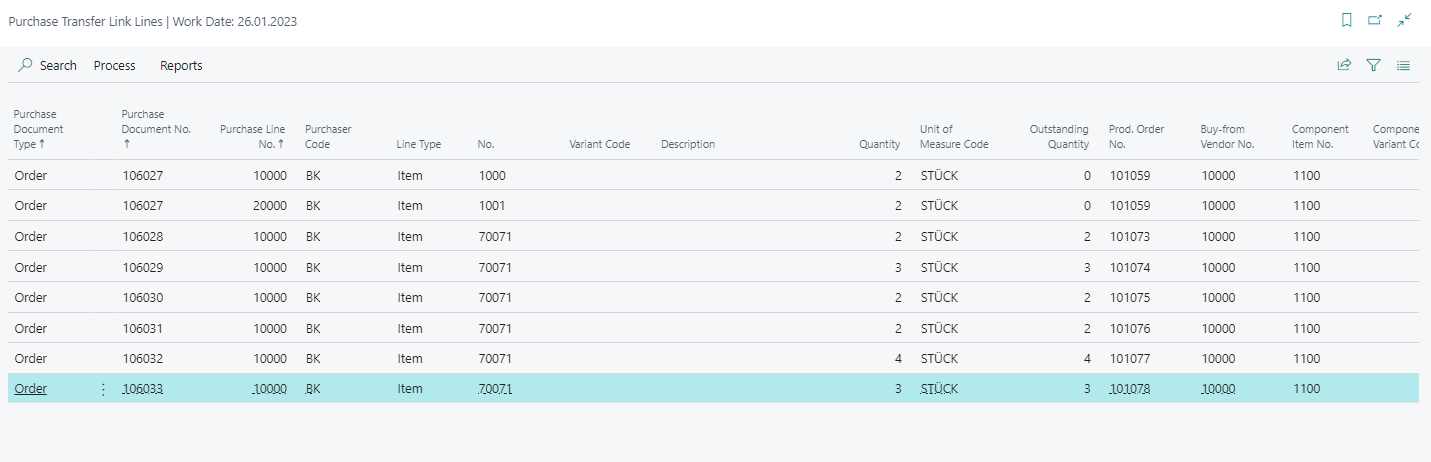
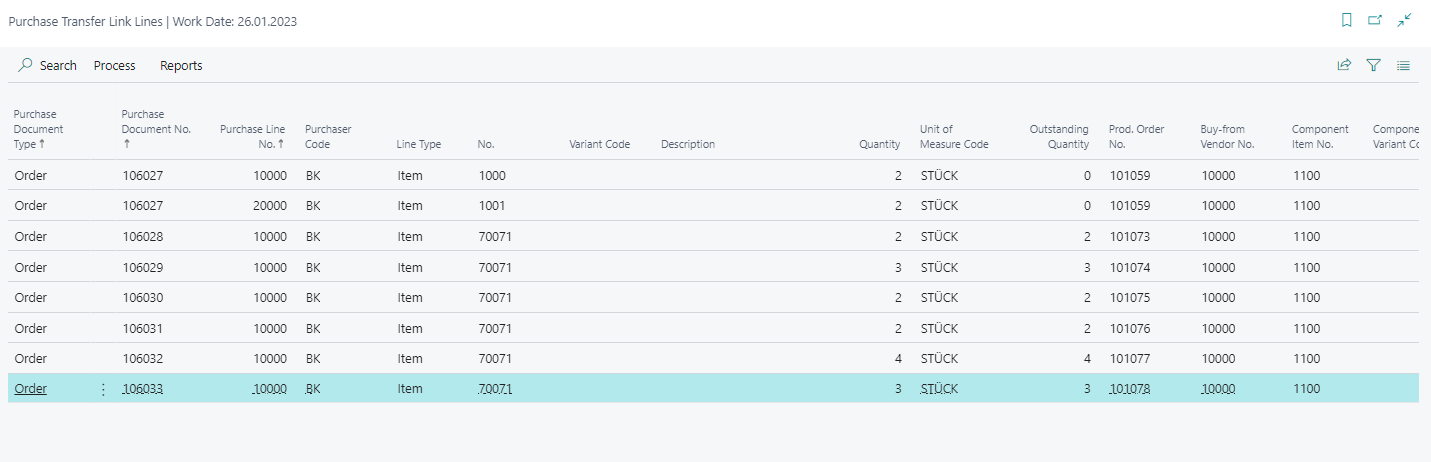
The Purchase Transfer Link Lines page shows the connection between subcontracting purchase orders and related transfer orders.


Set Components from Location
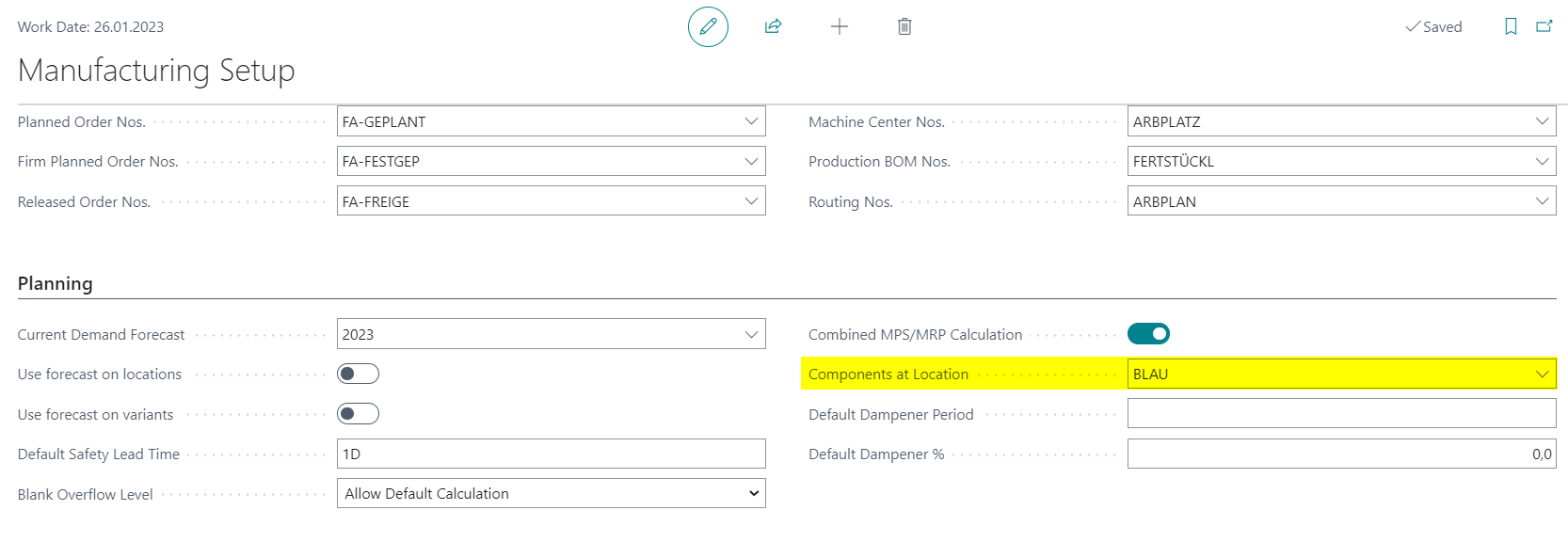
To create a transfer order for a subcontractor purchase order from Purchase Transfer Link Lines, a location must be set in Components from Location in manufacturing setup. The created transfer order uses this location as Transfer-from Code.
Create a Subcontracting Purchase Order with Link Entry
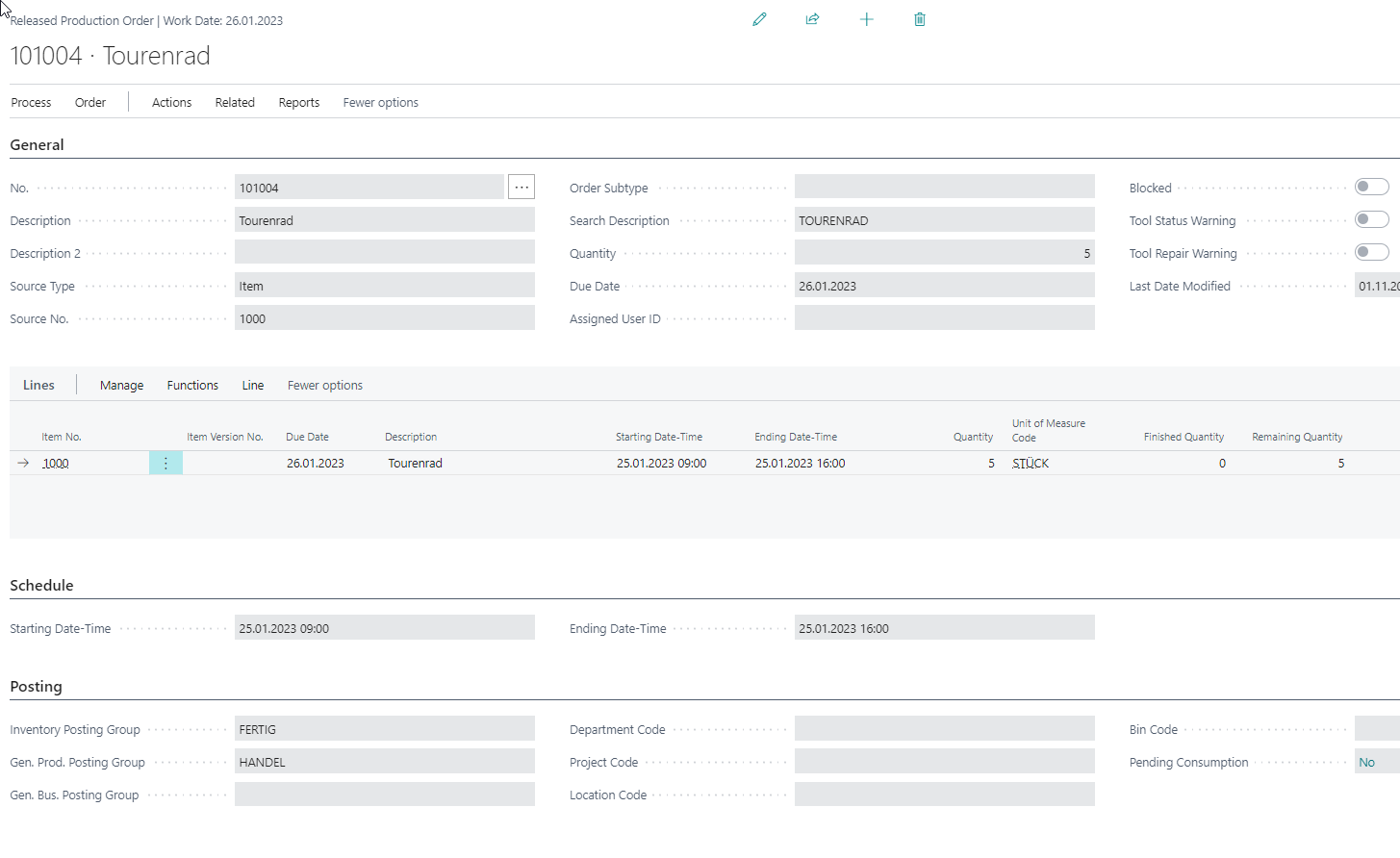
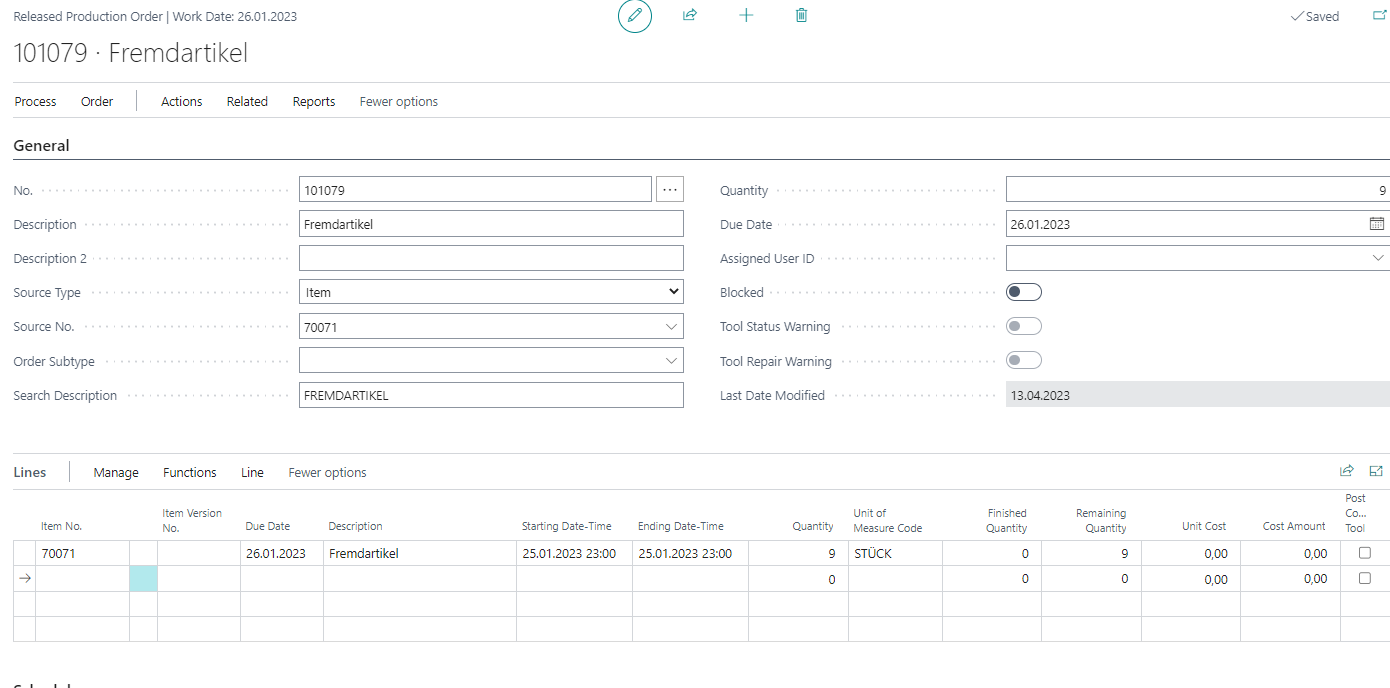
- Create a released production order for an item that will be manufactured by a subcontractor.
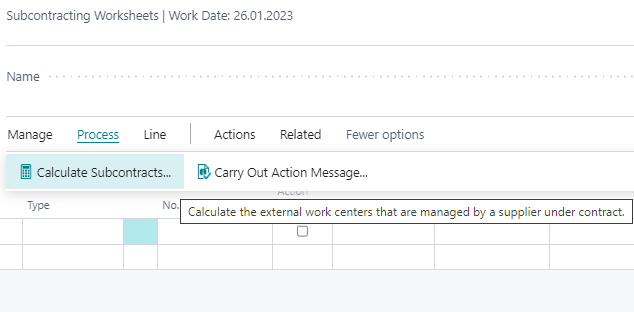
- Open the Subcontracting Worksheets.
- Calculate the subcontracts.

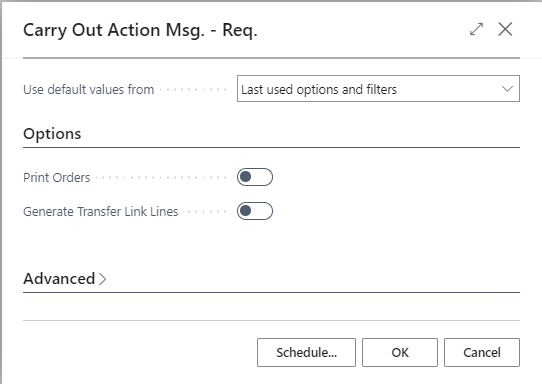
- Carry out the action message to create the subcontractor purchase order.
- Enable Generate Transfer Link Lines if data from the newly created purchase order should be transferred directly into purchase transfer link lines.
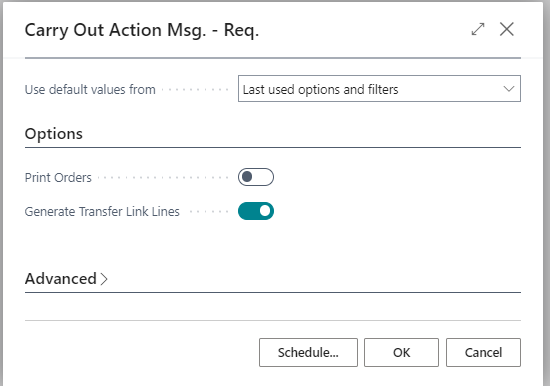
If Generate Transfer Link Lines is not enabled, no link entry is created initially.
Update Link Entries Later
If no link entry was created when the subcontracting purchase order was created, you can add the entries later.
- Open Purchase Transfer Link Lines.
- Choose Update Purchase Transfer Link Lines.
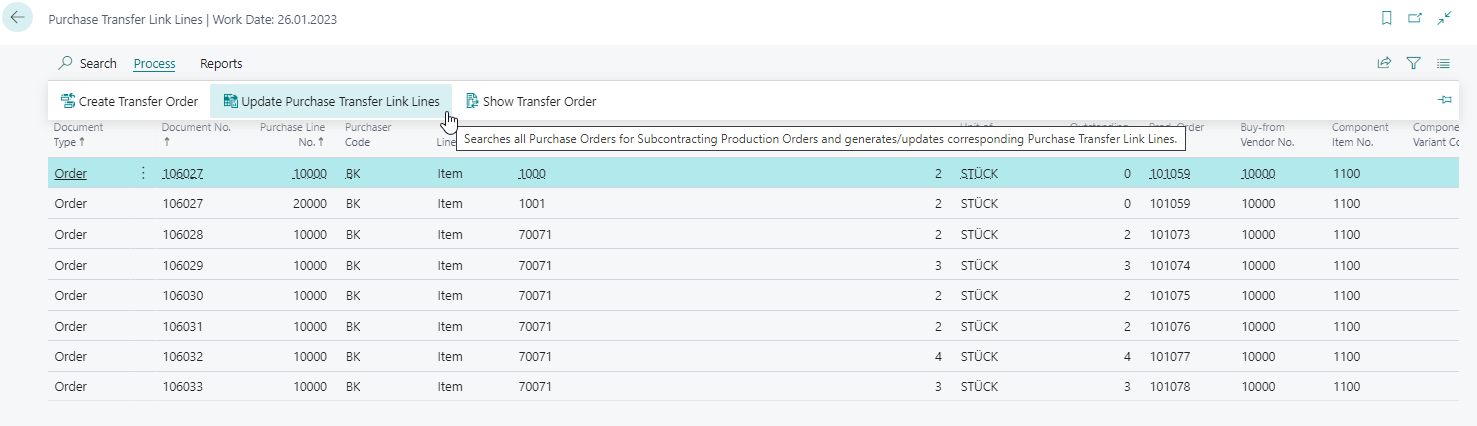
The system adds entries based on subcontractor purchase orders that were created without the automatic link option active.
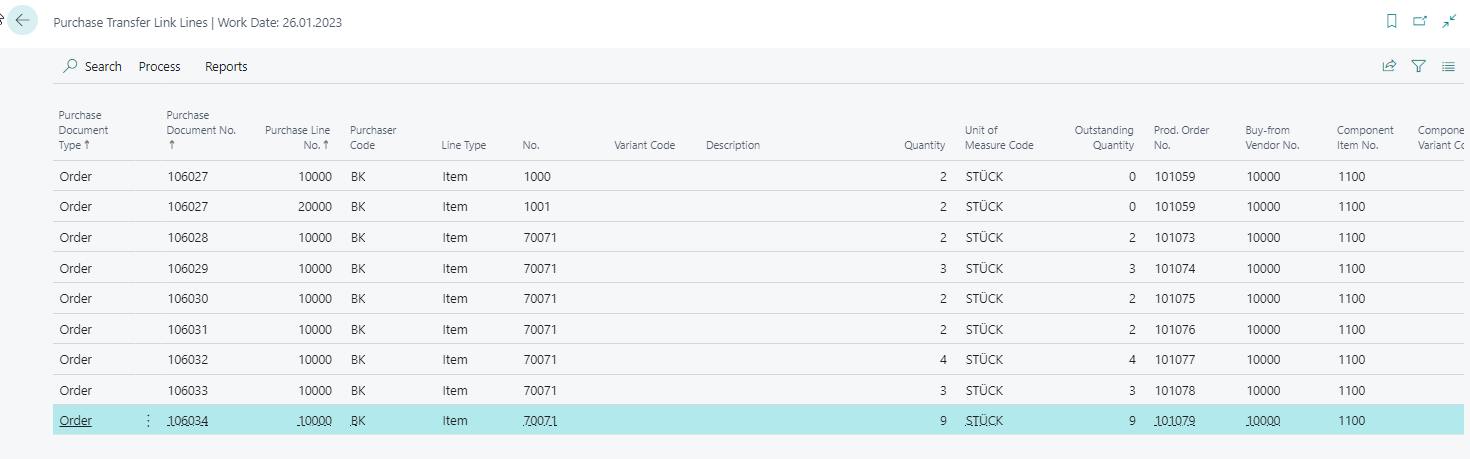
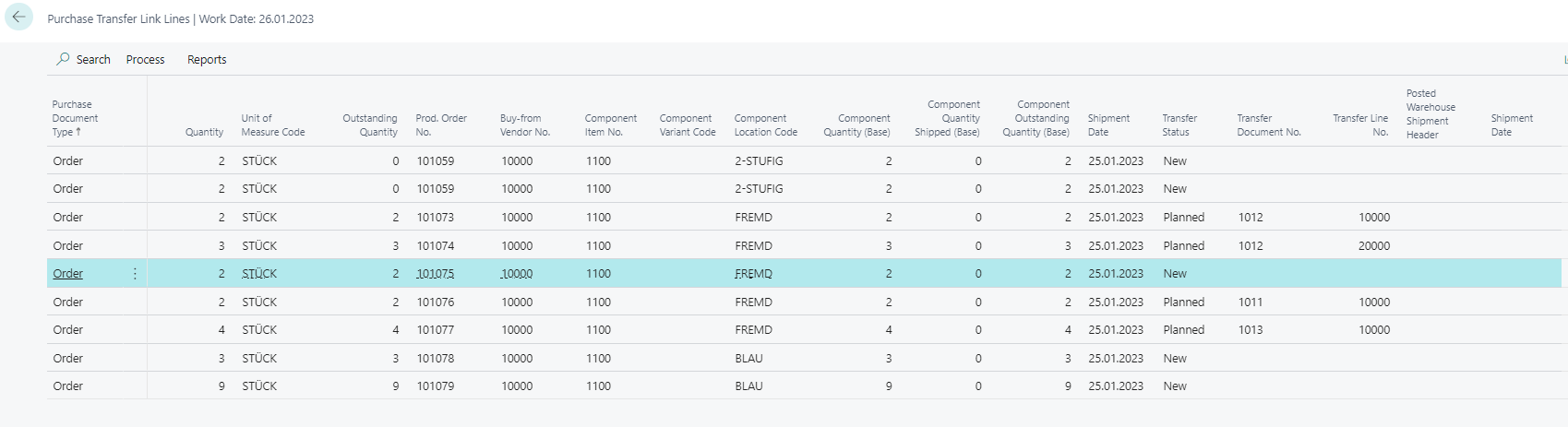
Create a Transfer Order for Components
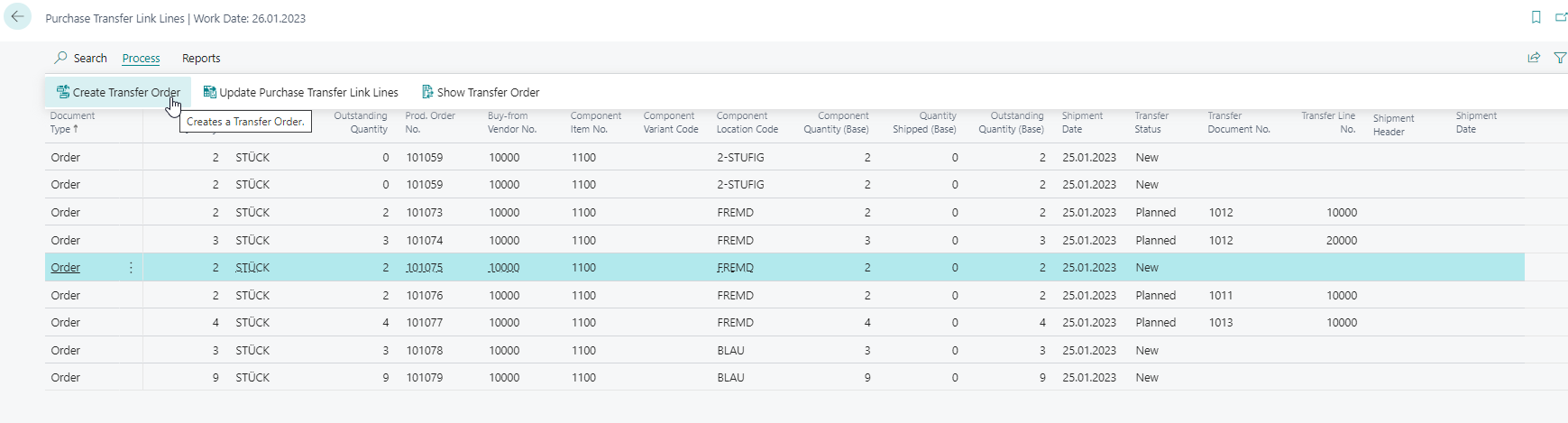
With Create Transfer Order, you create the transport order for components needed at the subcontractor location.
- Select the relevant link entries.
- Choose Create Transfer Order.
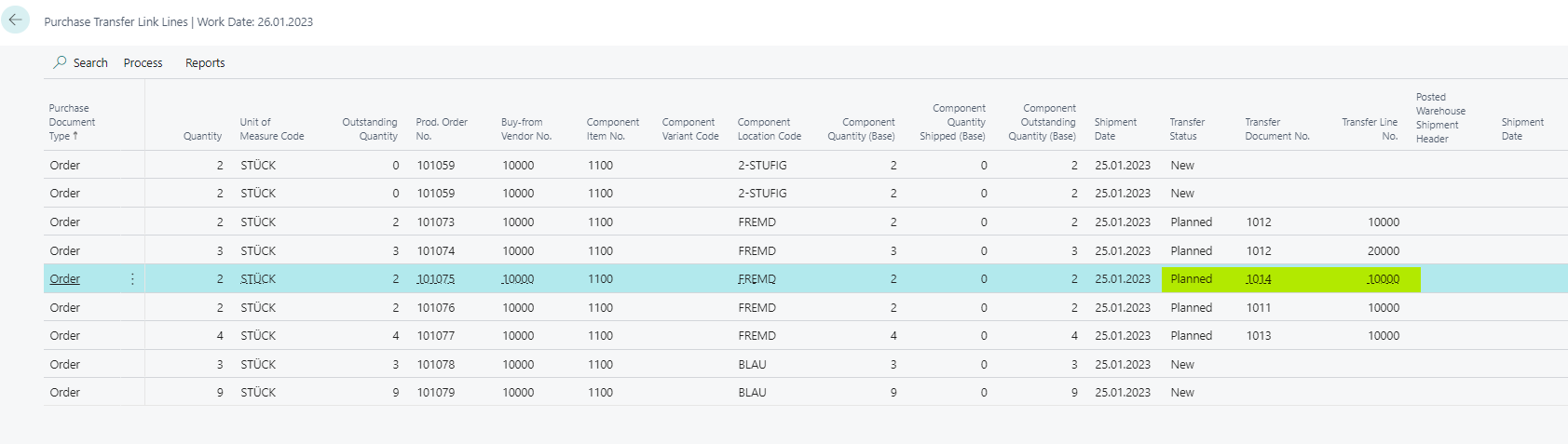
Open the planned transfer order and check whether Purchase Order No. is filled correctly in the lines.
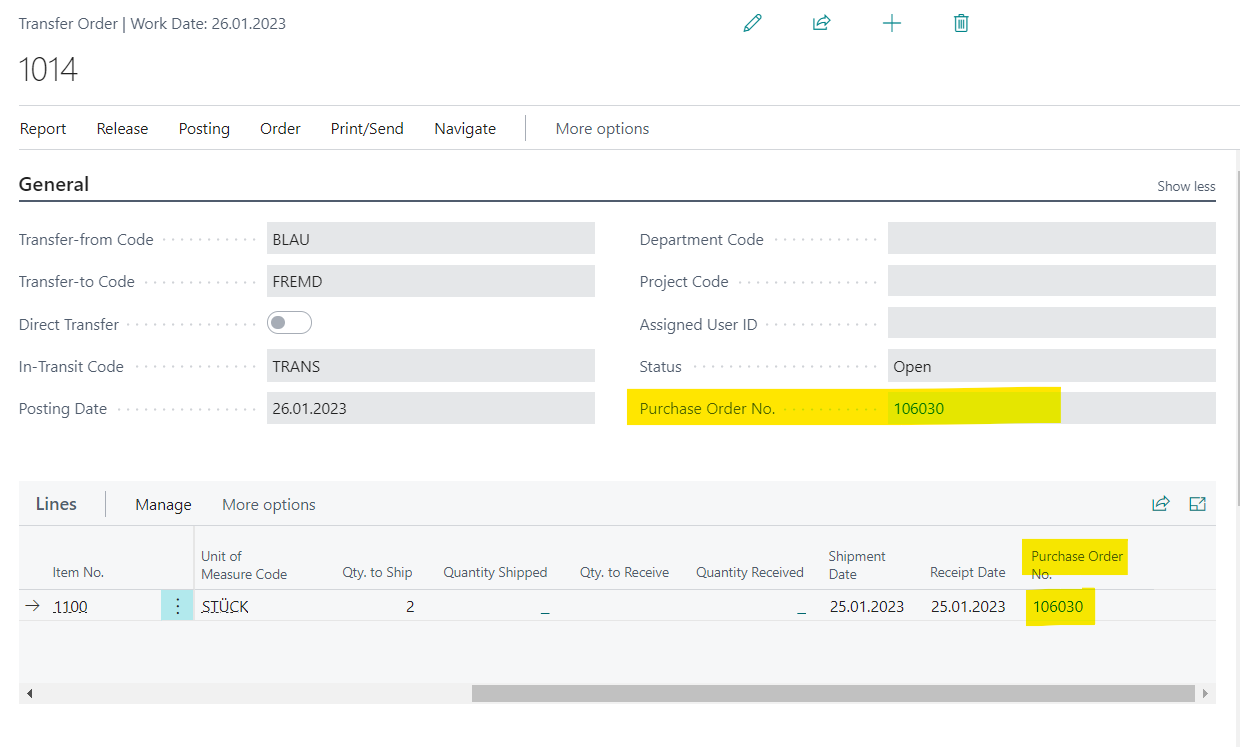
For a single line, the purchase order number is carried in the line.
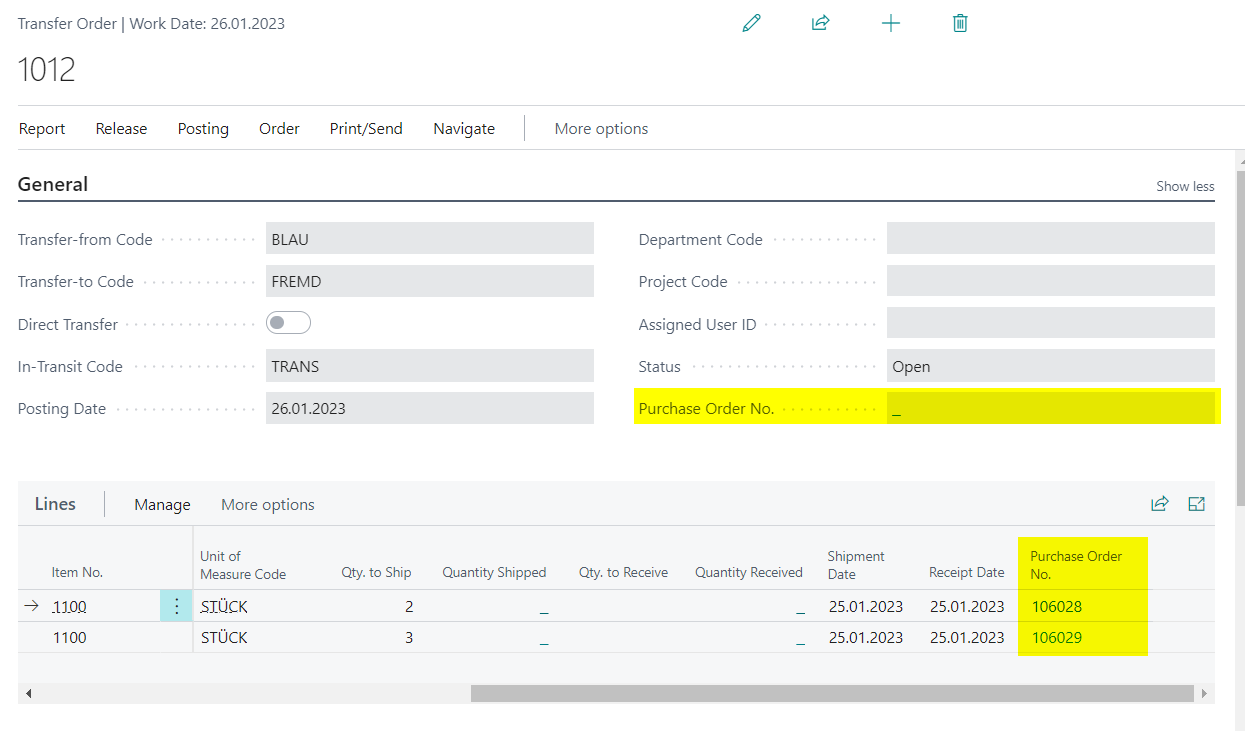
If several lines contain different purchase order numbers, the header assignment is limited accordingly.
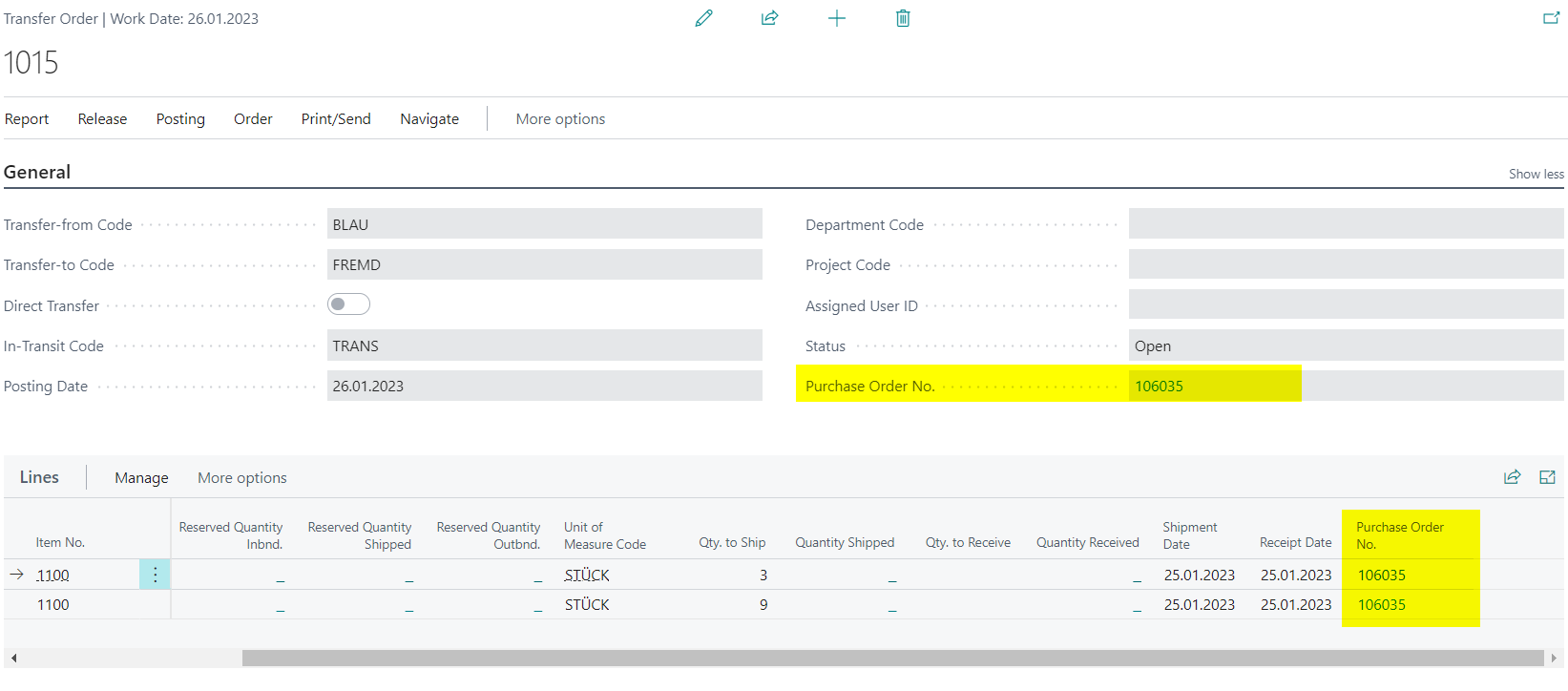
If several lines contain the same purchase order number, the number can also be clear on the header.
Result
After setup, you can plan component provision for subcontractors in a traceable way. Subcontracting purchase orders are linked with transfer orders, link entries can be added later, and component shipment to the subcontractor can be created from the link entries.
Links