Rework
Purpose
Many companies have strict quality requirements for their items. If defects are found during or after production, an item often needs targeted rework. Standard Business Central does not model rework as a dedicated production process. BE-terna Manufacturing adds rework logic through Order Subtype, a rework routing, and functions for creating rework production orders.
Business Value
- Rework can be represented with a dedicated routing.
- The Order Subtype controls whether a production order is treated as rework.
- When the production order is refreshed, the rework routing is transferred.
- Rework orders can be created from sales orders, released production orders, and finished production orders.
- A default order subtype for rework can be maintained in Manufacturing Setup.
Set Up the Rework Routing
- Create a new routing that represents the rework process.
- Adjust the operations to your process.
- Set Status to Certified.
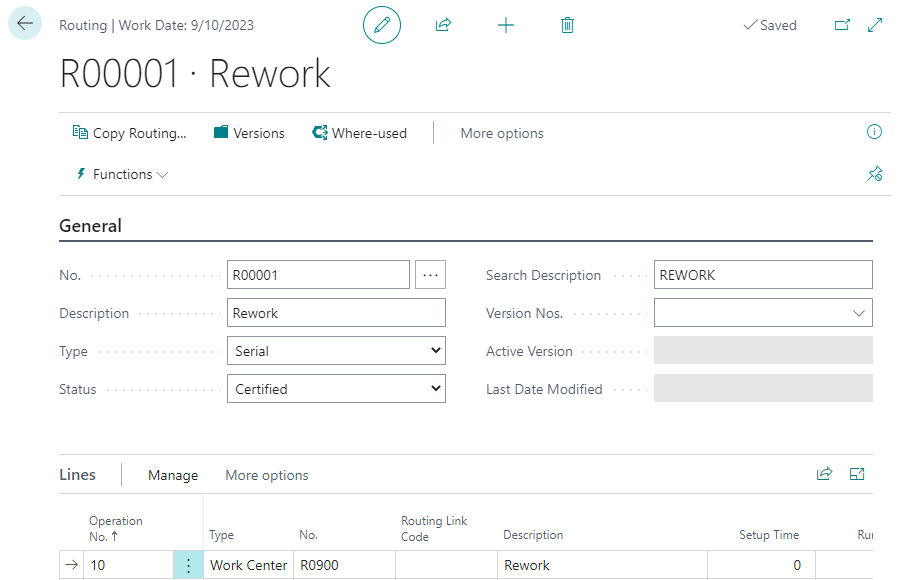
The routing describes the activities that should be performed for rework. It can be simpler or different from the normal production routing of the item.
Set Up the Order Subtype for Rework
- Open Order Subtype.
- Create a new entry with Order Type = Production.
- Enable Rework.
- In Routing No., select the rework routing that you created.

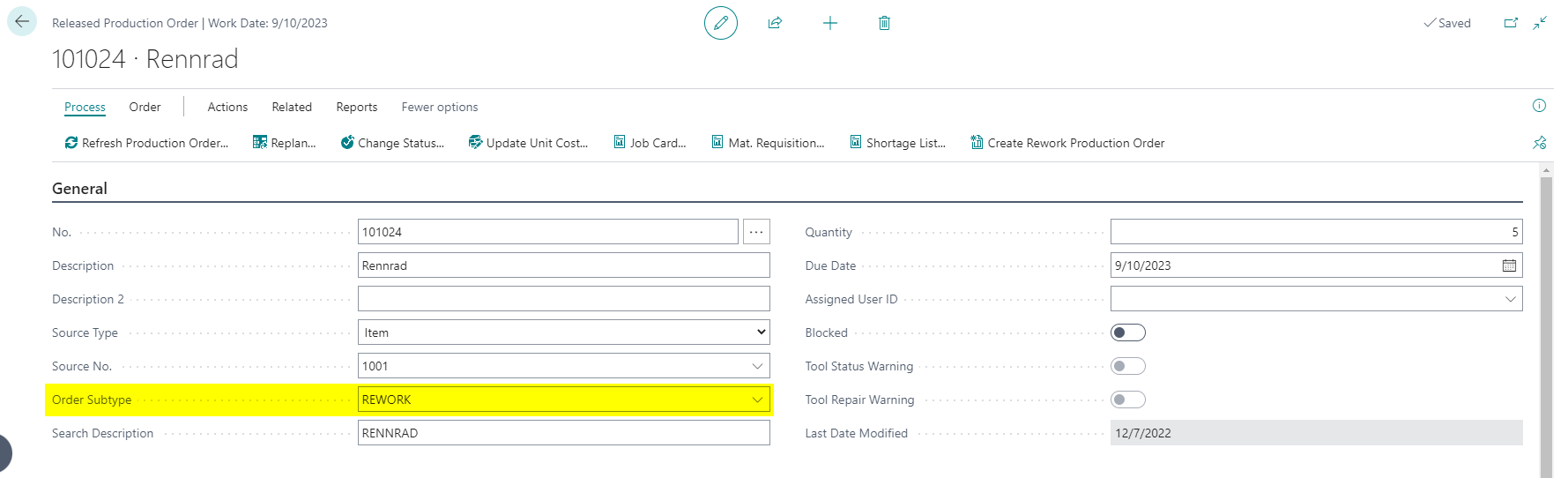
For the rework logic to apply, the production order must use an order subtype where Rework is enabled.
Check Rework in the Production Order
- Create a new production order.
- Fill in the required header information.
- In Order Subtype, select the rework entry.
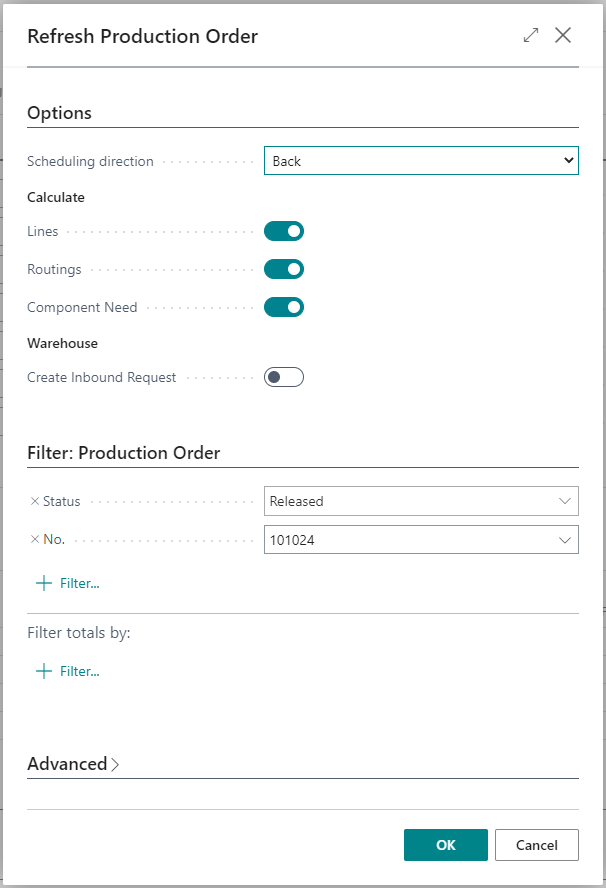
- Choose Process > Refresh Production Order.
- Adjust the filters if needed.
- Confirm with OK.
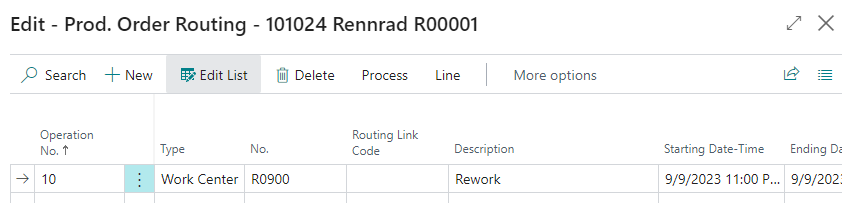
- Select a created production order line.
- Open Line > Routing.

The routing from the selected Order Subtype is shown on the production order line.
Define the Default Order Subtype for Rework
If users often create rework from existing documents, you can define a default order subtype.
- Open Manufacturing Setup.
- Go to the General FastTab.
- In Default Order Subtype Rework, select the order subtype that should be used for rework.
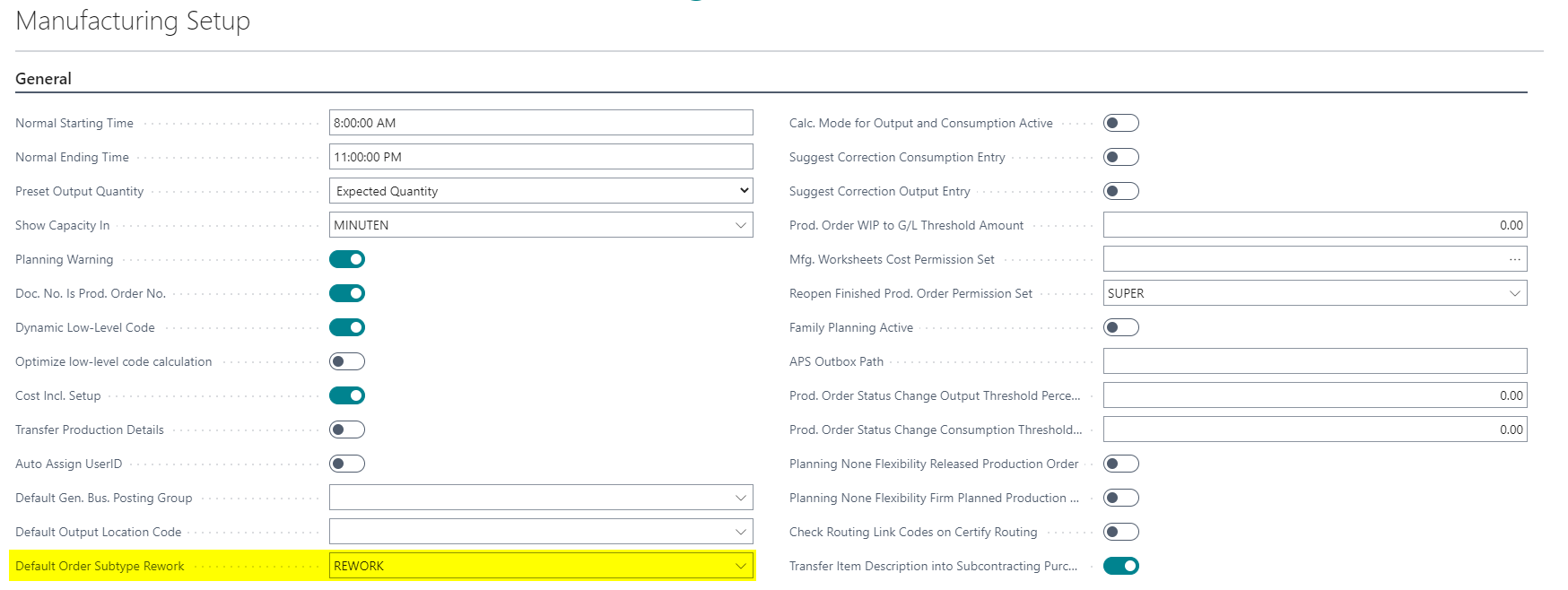
This default is used when a rework production order is created from another document and users choose to use the default.
Create Rework from a Sales Order
Rework can be created from a sales order when a quality issue is visible in the sales process or in a customer-related context.
- Create or open a sales order.
- Select the affected sales line.
- Choose Line > Create Rework Production Order.
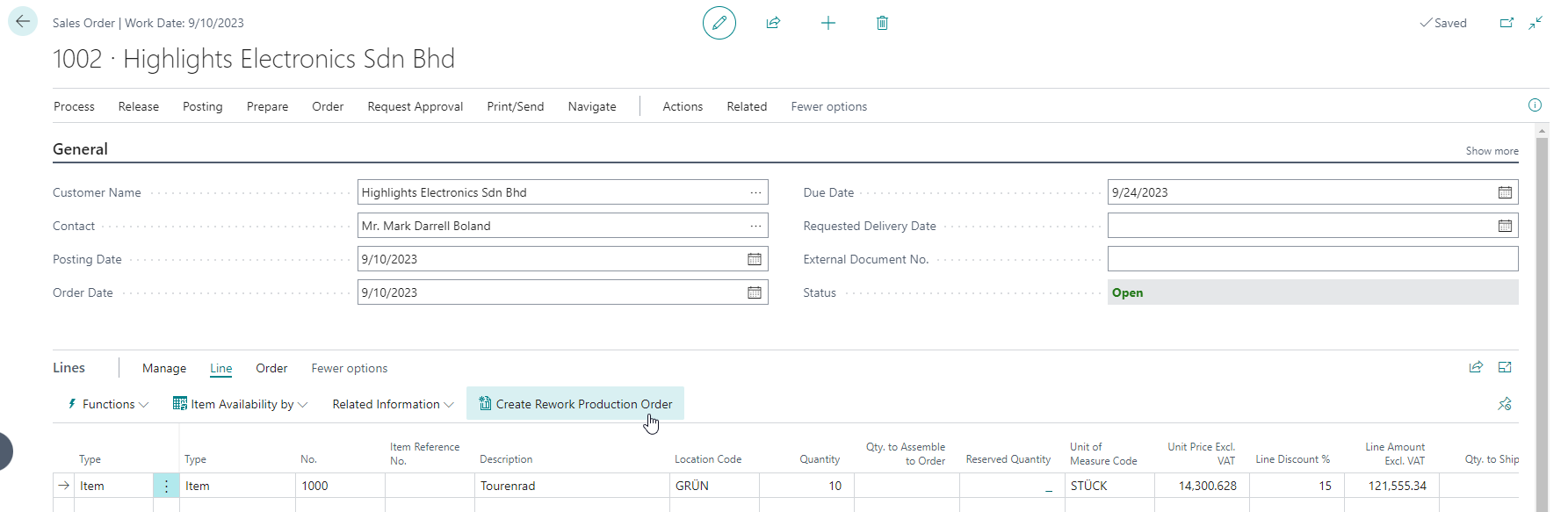
- Decide whether the default order subtype from Manufacturing Setup should be used.
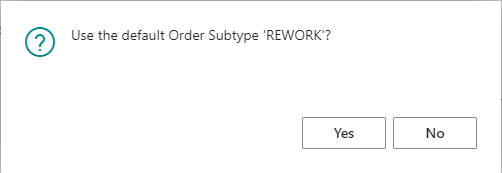
If you choose No, a list of all order subtypes marked as Rework is shown. Then select the rework order subtype deliberately.
After creation, the new production order can be opened directly.
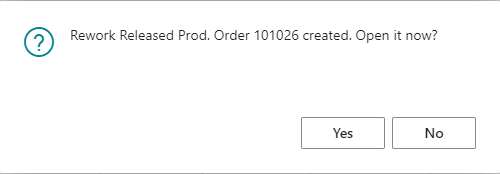
The created production order contains the rework order subtype.
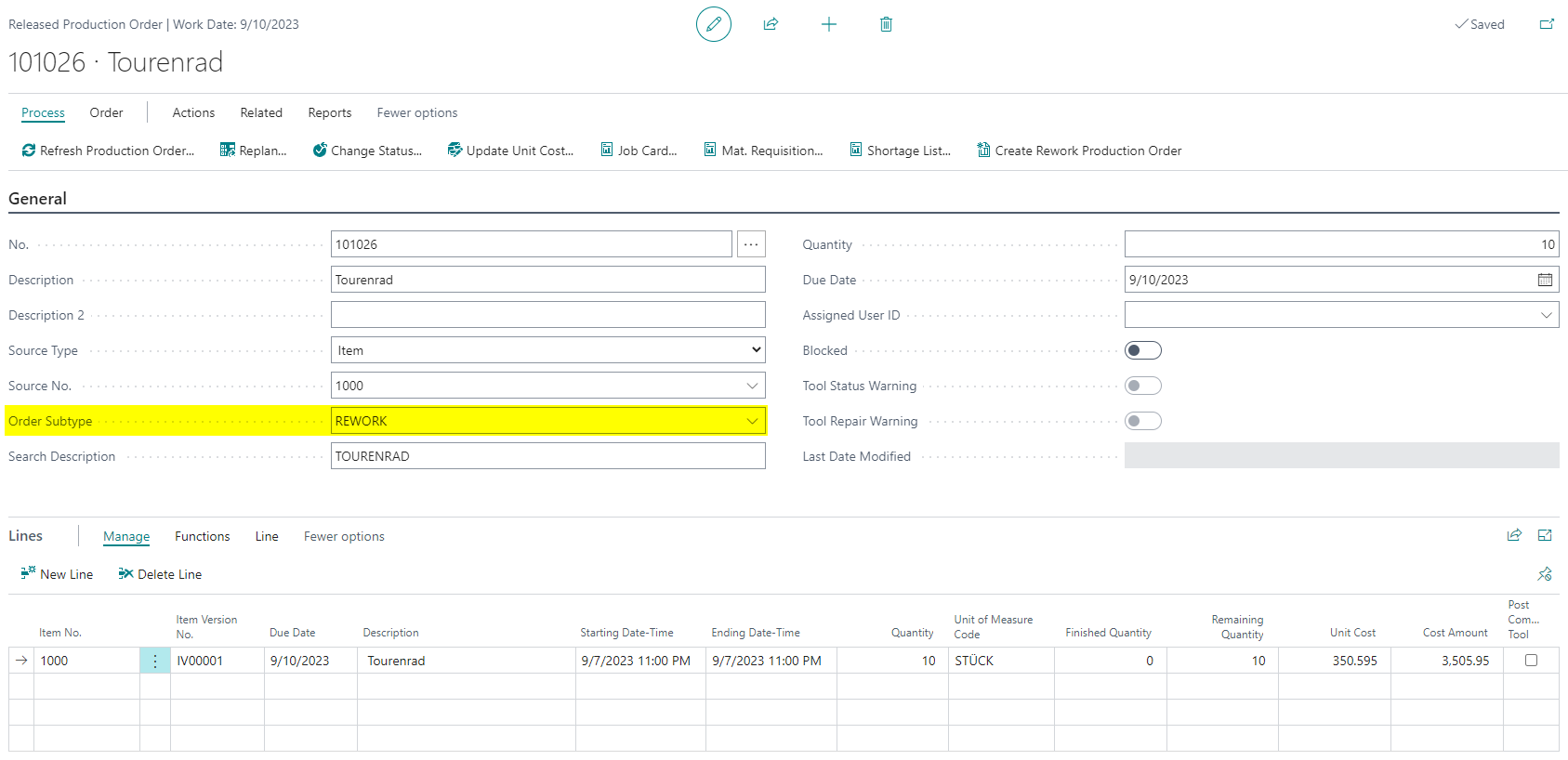
Create Rework from a Production Order
You can also create rework production orders from existing production orders. This is useful when the need for rework is identified during production or after the original production order has been finished.
The function is available from these documents:
- Released Production Order through Process > Create Rework Production Order or Action > Create Rework Production Order
- Finished Production Order through Process > Create Rework Production Order or Action > Create Rework Production Order
After the rework order is created, check:
- Whether the correct Order Subtype was set.
- Whether the expected rework routing was transferred.
- Whether quantity, item, source reference, and further header data fit the rework case.
Result
After setup, you can model rework in BE-terna Manufacturing in a structured way. The order subtype identifies rework production orders, the assigned routing describes the rework process, and new rework orders can be created from sales orders and from released or finished production orders.
Links