Setup
Purpose
Tool management setup includes central switches and number series in Manufacturing Setup, hierarchical Tool Groups, and codes for faults, fault reasons, and resolutions in repair orders.
Maintain Manufacturing Setup
Open Manufacturing Setup. In the BE-terna Manufacturing Tool Management role center, open it through Tool Management > Setup.
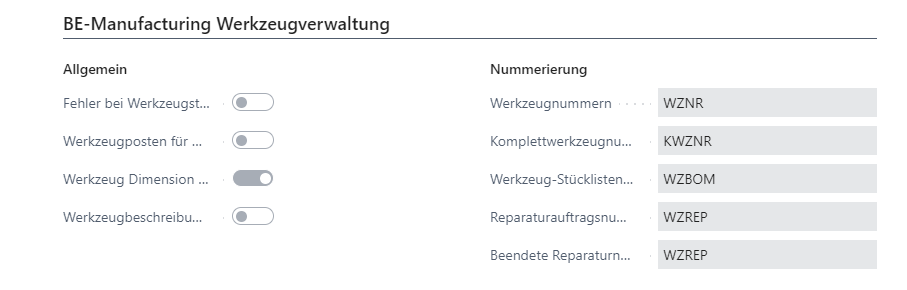
Maintain these fields in the BE-Manufacturing Tool Management area:
| Field | Meaning |
|---|---|
| Error on Tool Status | Requires tools or complete tools to have status Sampling or Production before transactions can be performed. For complete tools, components are checked as well. |
| Tool Entries for Items | Defines whether item components in complete tools receive tool ledger entries during posting. |
| Transfer Tool Dimension to Item Journal | Transfers tool dimensions into item journal lines during output reporting when tools are used in the operation. |
| Copy Tool Description to Entries | Copies the description from the tool or complete tool card into tool ledger entries. |
| Tool Nos. | Number series for tools. |
| Complete Tool Nos. | Number series for complete tools. |
| Tool BOM Nos. | Number series for tool BOMs. |
| Repair Order Nos. | Number series for open repair orders. |
| Finished Repair Nos. | Number series for finished repair orders. |
If open and finished repair orders should keep the same number, use identical number series for Repair Order Nos. and Finished Repair Nos..
Set Up Tool Groups
Tool groups are used to search, filter, and group tools and complete tools. They can be arranged hierarchically.
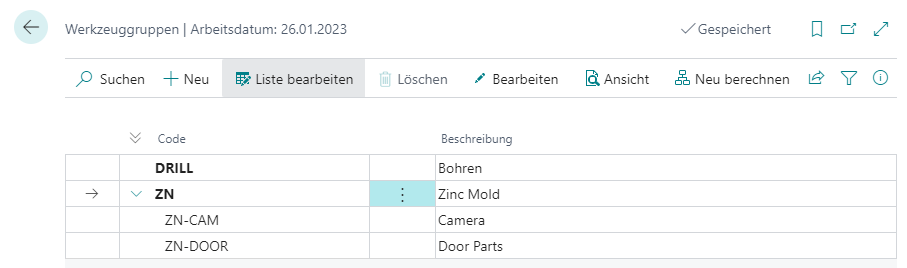
- Open Tool Groups.
- Select +New.
- Fill the fields:
| Field | Meaning |
|---|---|
| Code | Code under which the tool group is stored. |
| Description | Short description of the tool group. |
| Parent Group | Places the new tool group under an existing group. If the field is blank, the group is on the top level. Recursive assignments are prevented. |
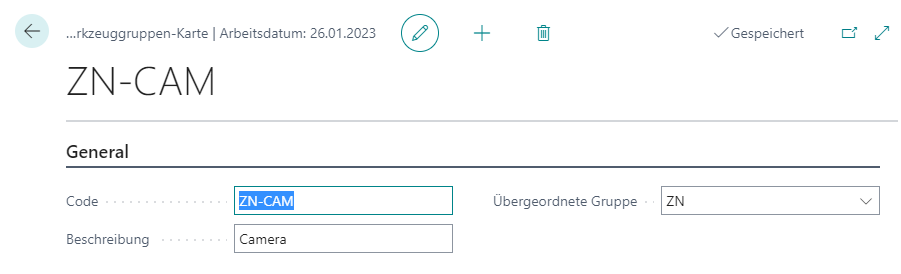
If the hierarchy is not shown correctly in the list, select Recalculate. The program recalculates the hierarchy levels.
Set Up Fault Codes
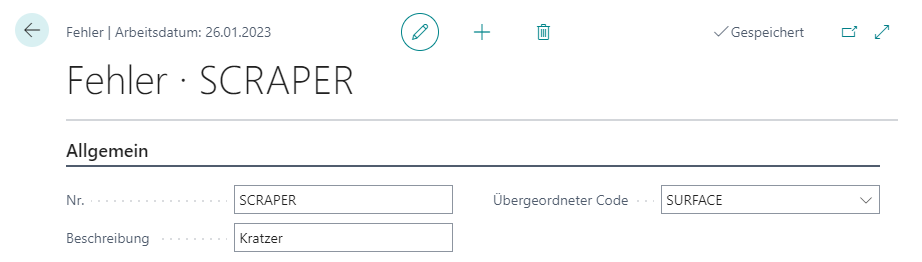
Fault codes, fault reason codes, and resolution codes are used in repair orders. They help classify faults systematically and later use finished repairs as a knowledge base.
Depending on the purpose, open:
- Tool Fault Codes for faults,
- Tool Fault Reason Codes for causes,
- Resolution Codes for resolutions.
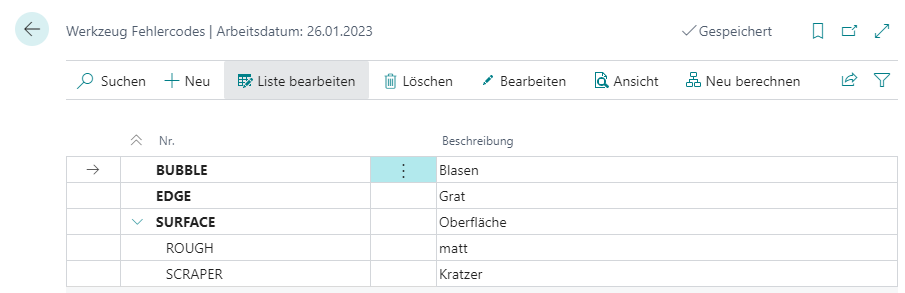
The maintenance flow is the same for all three code types:
- Open the required overview.
- Select +New.
- Fill the fields:
| Field | Meaning |
|---|---|
| No. | Code of the record. |
| Description | Short description of the fault, cause, or resolution. |
| Parent Code | Places the record under an existing code. If the field is blank, the record is on the top level. Recursive assignments are prevented. |
Result
After setup, number series, status checks, tool groups, and fault classifications are available. This lets users maintain tools, complete tools, tool BOMs, and repair orders consistently.
Links