Item Attributes for Production Orders
Purpose
Item attributes add additional characteristics to items. These details can be important for production processes, but in the Business Central base application they are only available on the item card and item list. They are not available by default in the production area, for example on production orders or production order components.
BE-terna Manufacturing therefore provides the Item Attributes FactBox on several pages in the production area. Users can review the relevant item characteristics directly where they work with production orders, lines, components, or Manufacturing worksheets.
Business Value
- Item attributes remain visible during the production process.
- Users do not have to go back to the item card to check attributes.
- Attributes can be checked on production orders, production order lines, and production order components.
- Manufacturing worksheets show the same attribute information in the working context.
- Additional item characteristics support review, classification, and processing of production orders.
Prerequisite: Set Up Item Attributes
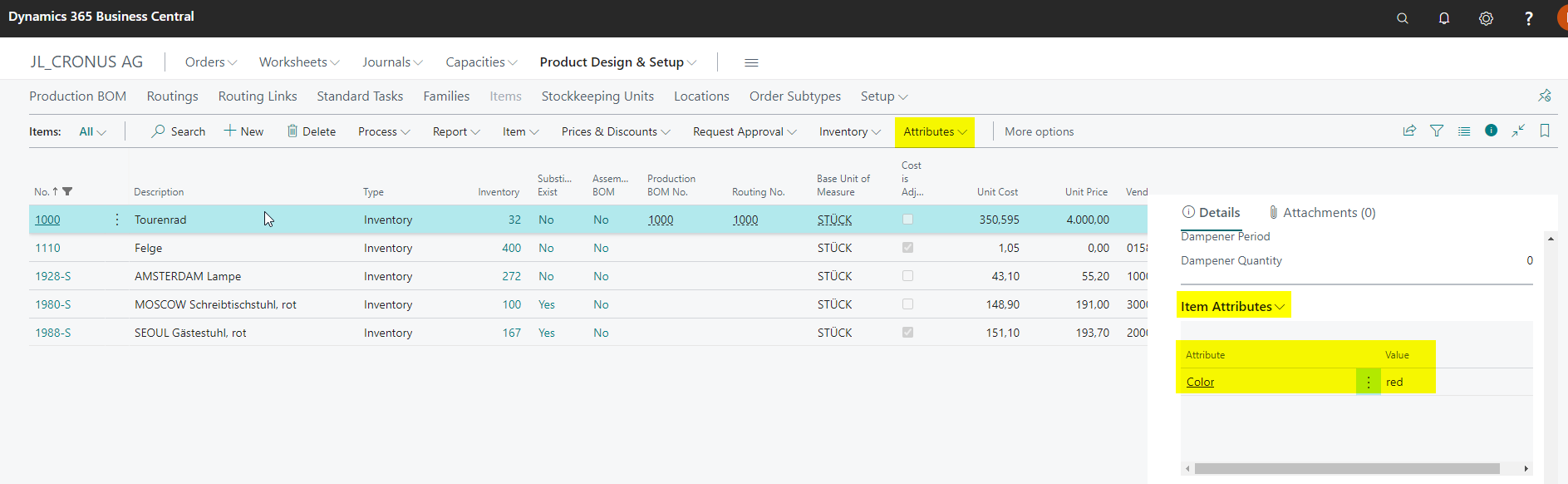
First, set up item attributes on the item and maintain the values that should later be visible in the production area. The standard Item Attributes FactBox shows these values on the item list and item card.
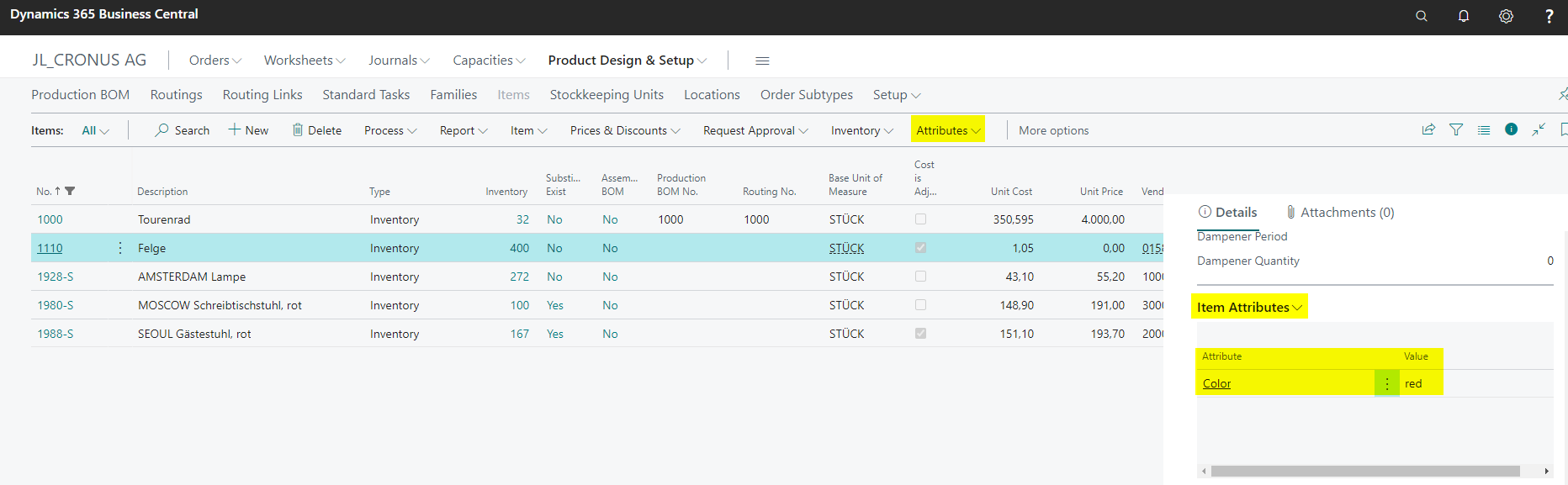
When another item is selected, the FactBox shows the attributes of that item.
Check the FactBox on the Production Order
Create or open a production order and refresh it. If the production order uses an item as its source type, the Item Attributes FactBox shows the attributes of that item.
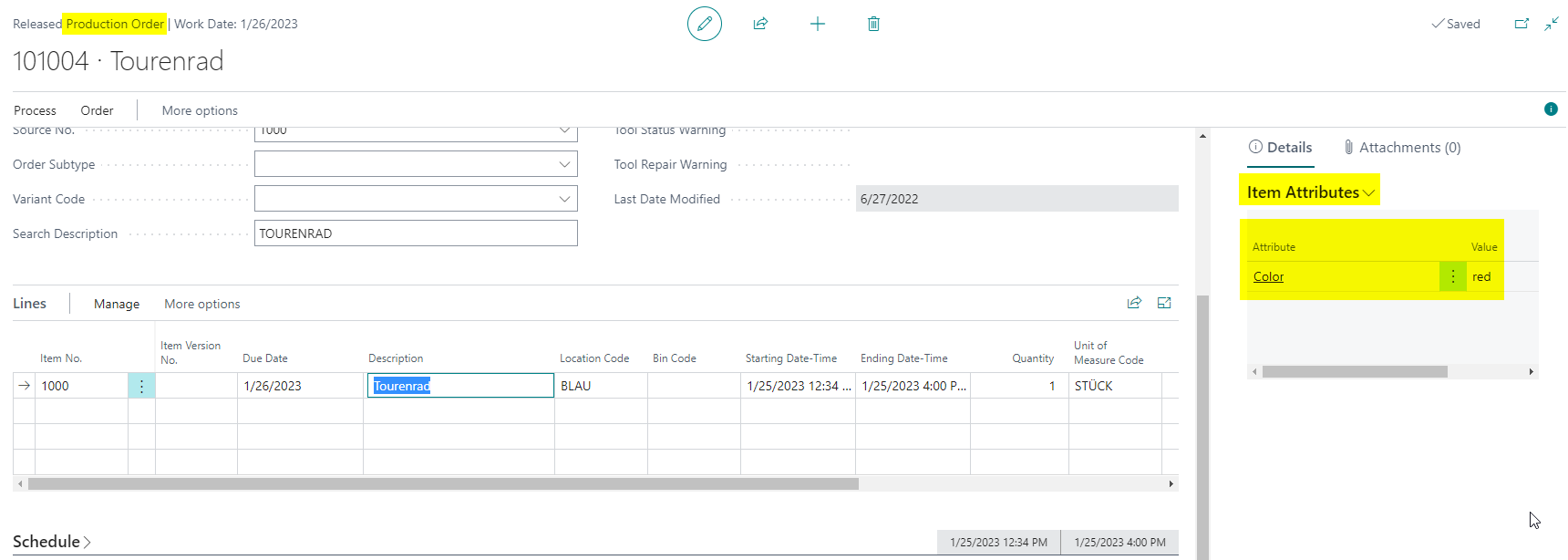
This lets users check item characteristics directly on the production order without switching to the item card.
Check the FactBox in Production Order Components
Open the Production Order Components for a production order. The Item Attributes FactBox shows the attributes of the selected component.
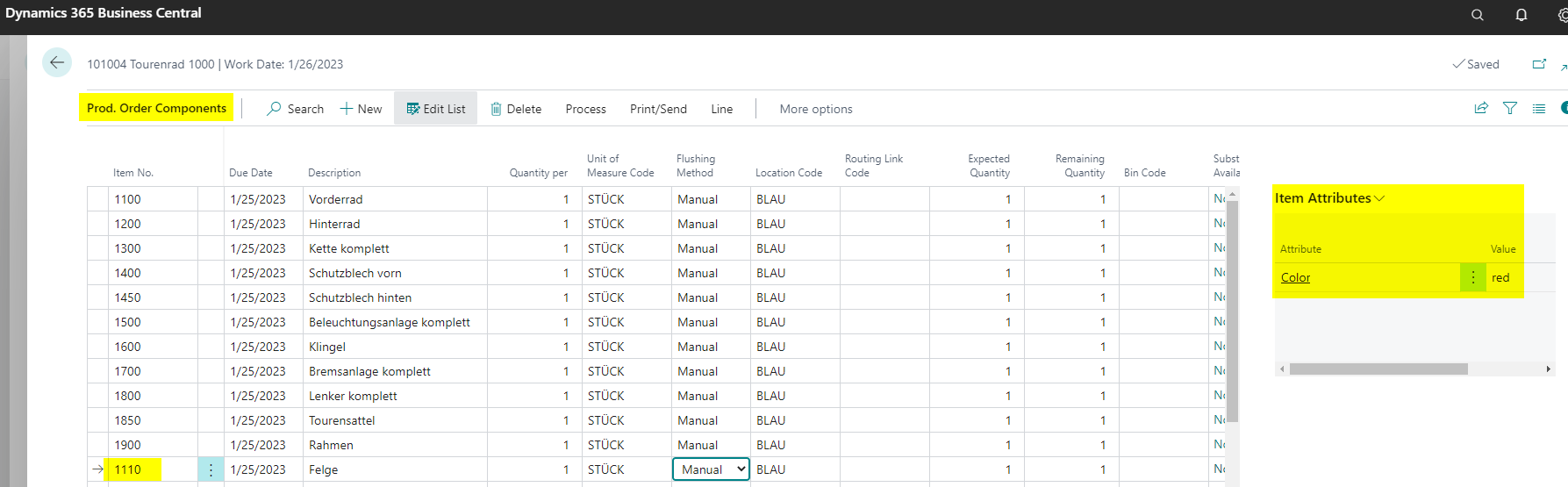
This is useful when components need to be reviewed or checked based on their characteristics.
Check the FactBox in Manufacturing Worksheets
The Item Attributes FactBox is also available in the following BE-terna Manufacturing worksheets:
- BET MFG Production Order Wksh. (
5140460, Worksheet) - BET MFG Prod. Order Line Wksh. (
5140459, Worksheet) - BET MFG PO Comp. Wksh. (
5140457, Worksheet)
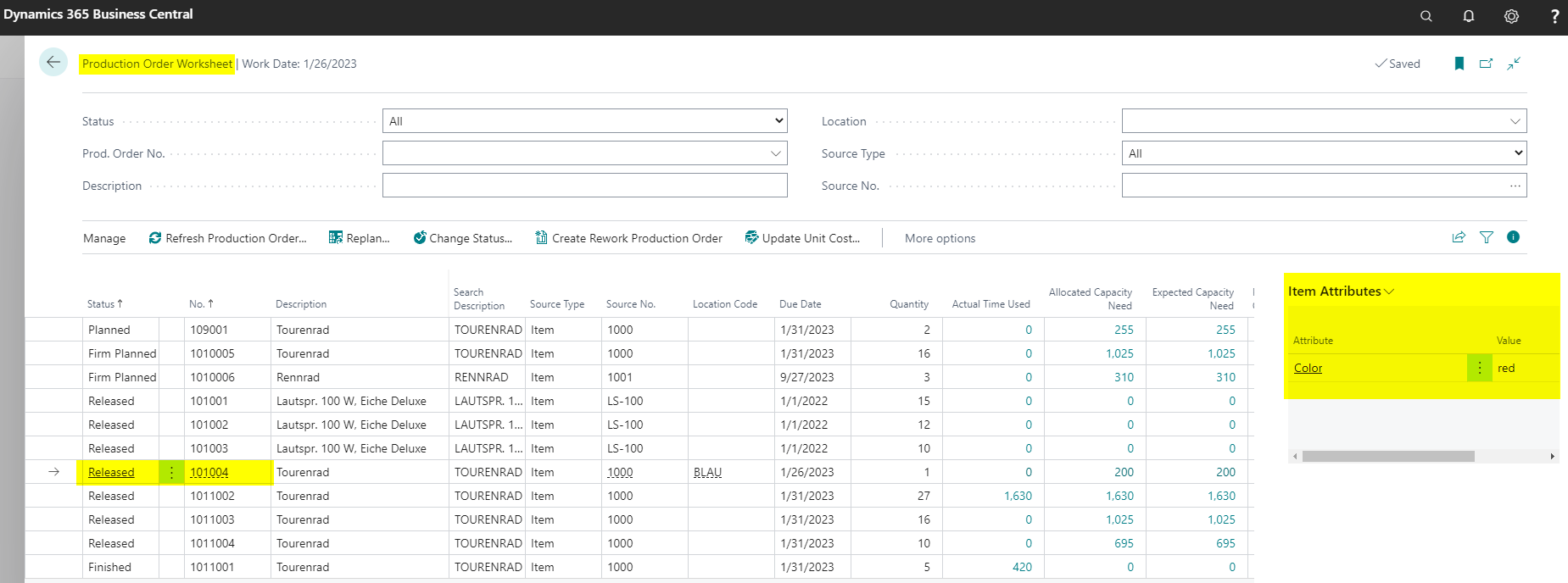
In the BET MFG Production Order Wksh., you can check the item attributes for the selected production order directly in the list.
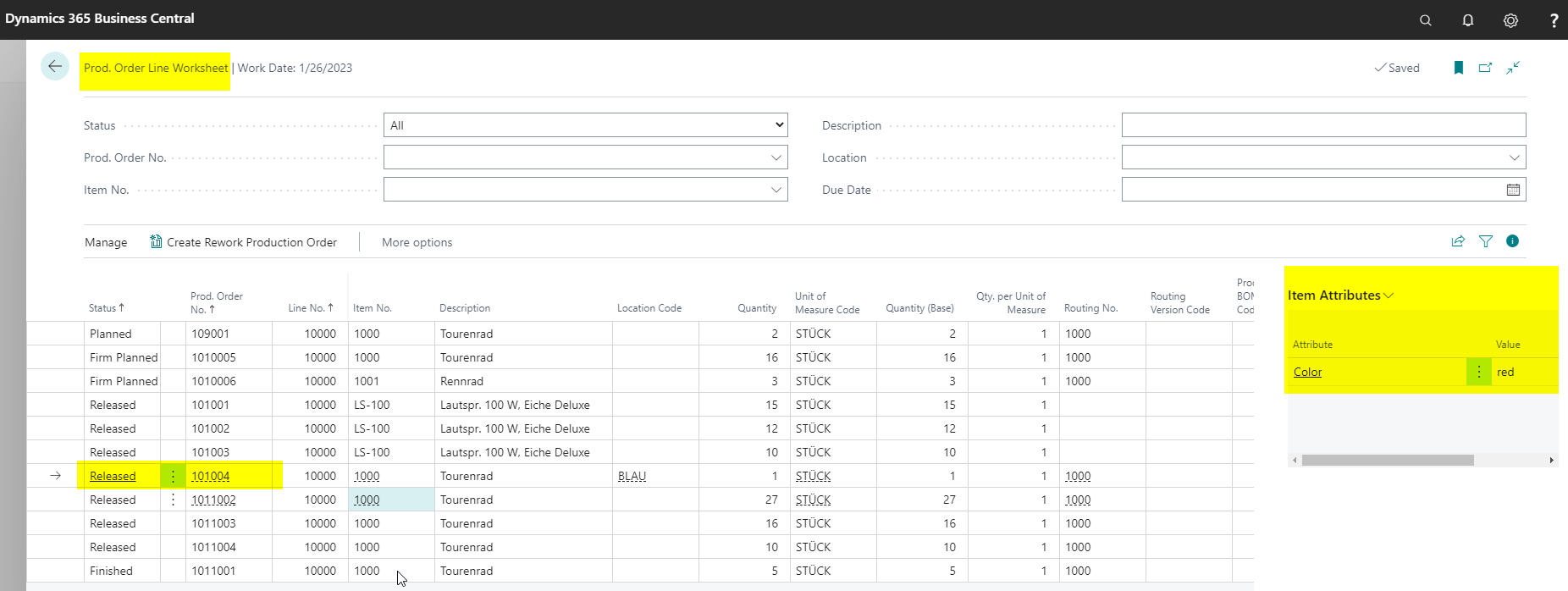
In the BET MFG Prod. Order Line Wksh., the FactBox shows attributes for the selected production order line.
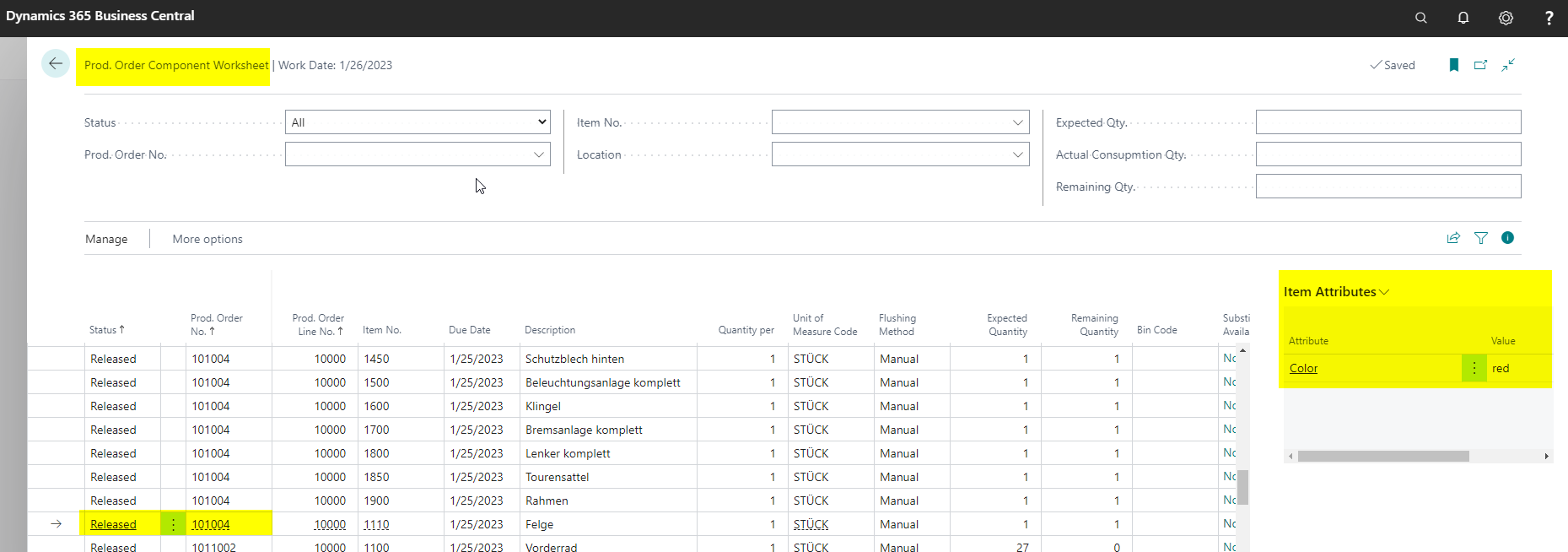
In the BET MFG PO Comp. Wksh., the FactBox shows attributes for the selected component.
Result
After item attributes are set up, users can check the attributes directly in the production area. The Item Attributes FactBox connects item master data with production orders, lines, components, and Manufacturing worksheets.
Links