Item Versions
Purpose
Item versions support companies that need to know exactly which version of an item was approved and produced. This is especially important in areas such as mechanical engineering, where items are continuously developed and traceability is highly relevant.
BE-terna Manufacturing extends item data with an additional table for item versions. Versions can be historized, certified, maintained with details, and traced along the production process down to production order lines.
Business Value
- Item versions document development and release states of an item.
- The certified item version is visible on the item card and item list in a FactBox.
- A new production BOM version can be created from an item version.
- When a production order is created and refreshed, the certified item version is transferred into the production order lines.
- Users can later trace which item version was used for a production order.
Set Up the Number Series for Item Versions
- Open the Item Card for the item.
- Go to the Item Tracking FastTab.
- Assign the number series for item versions in Item Version Nos..
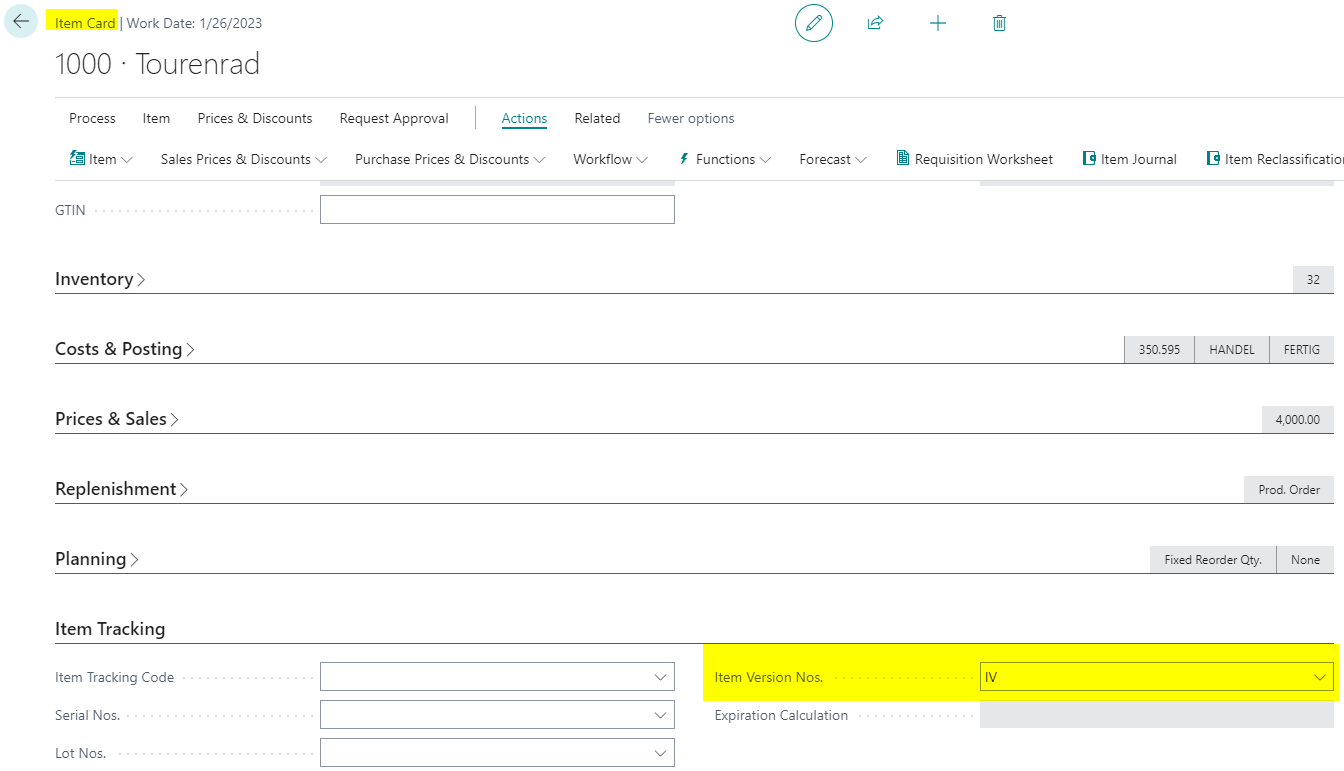
The number series is the basis for creating new item versions with a unique number.
Open Item Versions
Item versions can be opened from the item card and from the item list.
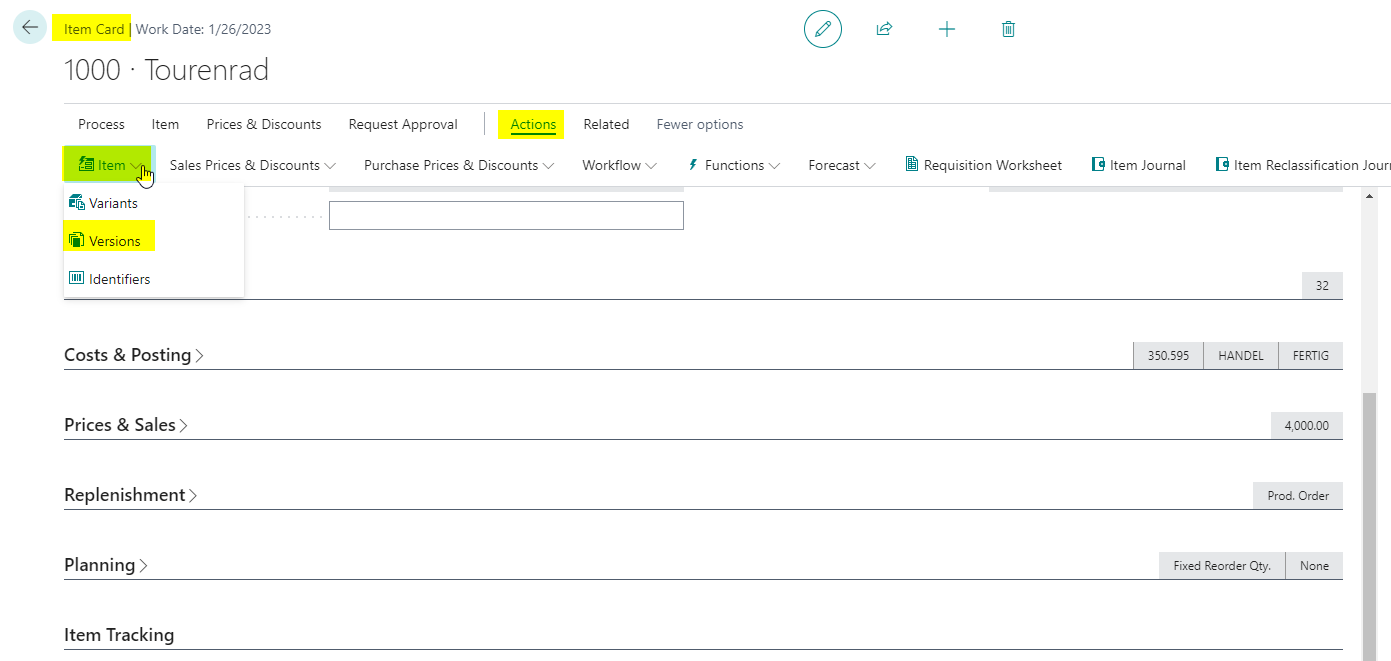
- Open the required item.
- Open the Item menu.
- Choose Versions.
Item versions are placed directly below item variants.
Maintain and Certify Item Versions
Create item versions and maintain the required release and traceability information.
Important fields include:
- Valid From
- Valid To
- Status
- Validation Date
- Drawing ID
Use Links, Notes, and Attachments if additional technical or business information should be documented for the item version.
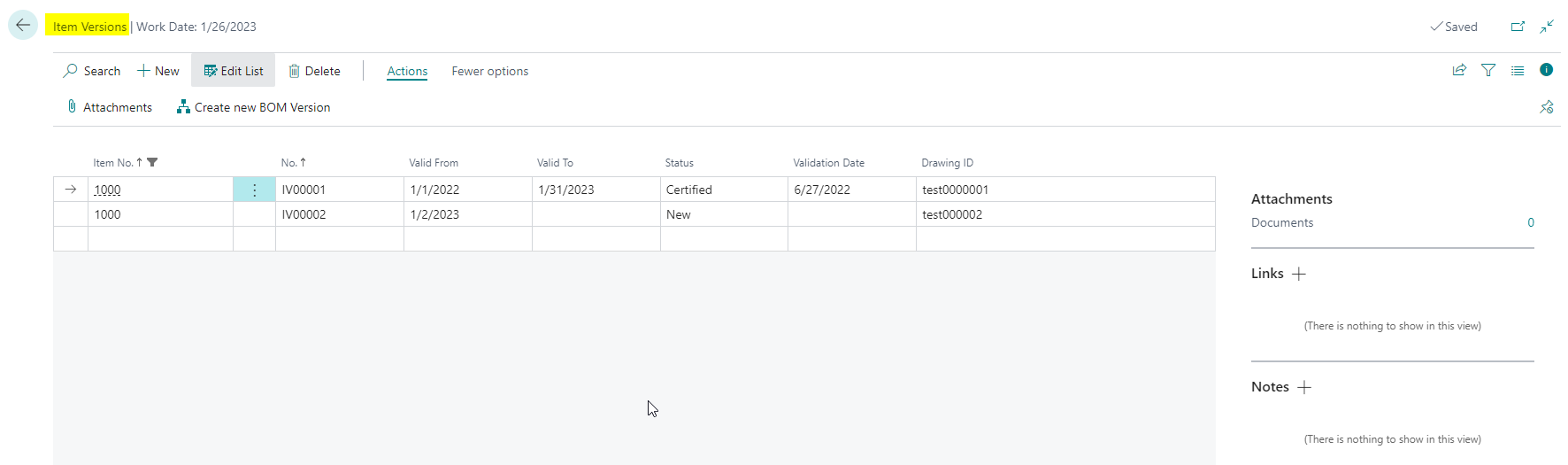
Note: Only one item version per item can have the status Certified. This certified version is the version used as the released state in downstream processes.
Use the Create new BOM Version action to create a new production BOM version from an item version.
Check the Certified Item Version in the FactBox
For items with item versions, the Certified Item Version Details FactBox shows details of the certified item version. The FactBox is available on the item card and in the item list.
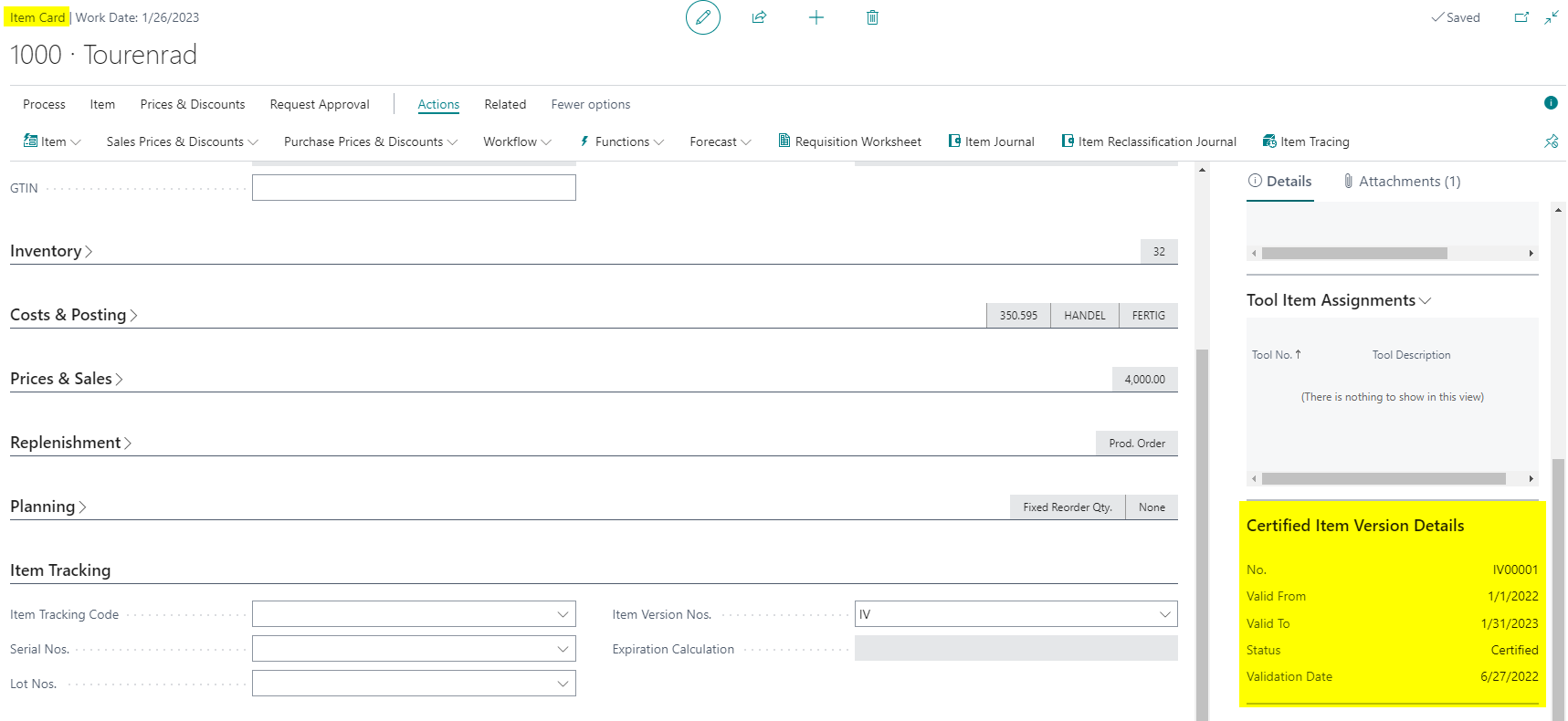
At minimum, check the number, validity, status, and validation date of the certified version.
Trace the Item Version in the Production Order
When a new production order is created and refreshed, the system transfers the certified item version into the production order lines. This makes it traceable which item version was used for production.
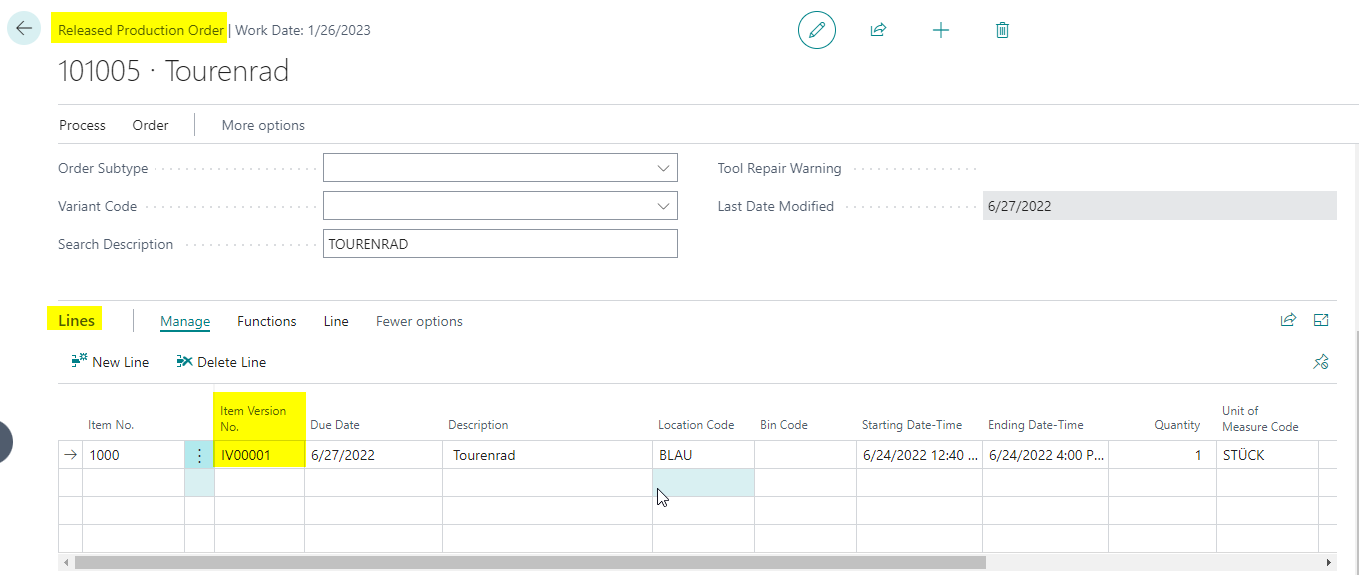
In a released production order, you can see the transferred version in the line in Item Version No..
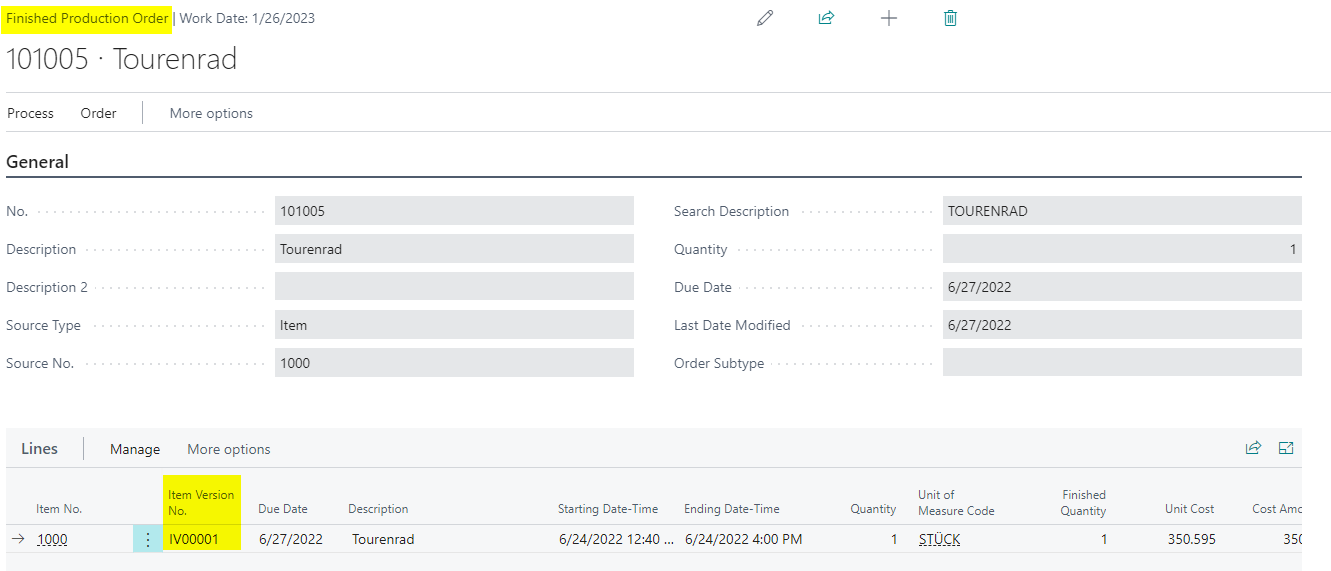
The information remains visible in the finished production order and supports later traceability.
Result
After setup, item versions can be maintained, certified, and traced in production orders. The certified version is visible both on the item and in production order lines, providing a reliable basis for traceability and analysis.
Links